Category: NextJs

  • Why Next.js Dominates the Web Development Landscape in 2025: Insights You Haven’t Heard

    Why Next.js Dominates the Web Development Landscape in 2025: Insights You Haven’t Heard

    Next.js isn’t just another framework—it’s a revolution in how developers and businesses approach modern web applications. While many articles highlight its technical merits, here’s a deep dive into lesser-known, data-driven reasons behind its meteoric rise, paired with exclusive statistics and trends that will make you rethink your tech stack.

    1. The Silent Performance Revolution

    Next.js isn’t just fast—it’s strategically fast. By 2025, companies using Next.js report 50–70% improvements in First Contentful Paint (FCP) and 40% reductions in Time to Interactive (TTI) compared to traditional React apps9. These gains stem from hybrid rendering (SSR + SSG), which pre-renders pages while dynamically updating content. For instance, a leading e-commerce platform saw a 30% spike in conversions after migrating to Next.js due to faster load times6.

    Unique Stat: A 2025 developer survey revealed that 89% of teams using Next.js met Google’s Core Web Vitals thresholds on their first deployment attempt, versus 52% with other frameworks6.

    2. The “Zero-Config” Edge Over Competitors

    Next.js eliminates decision fatigue. Its file-based routing and built-in API routes reduce boilerplate code by 40%, allowing teams to ship projects 2x faster311. Unlike React, which requires piecing together libraries like Redux or React Router, Next.js offers a unified toolkit.

    Exclusive Insight:

    • Middleware Magic: Next.js’s edge-compatible middleware slashes latency by processing requests closer to users. A case study showed a media site handling 10M monthly visits with 60% lower server costs using Vercel’s edge network9.
    • AI-Driven Debugging: Next.js 13+ integrates AI tools that auto-flag performance bottlenecks, reducing debugging time by 35%5.

    3. The SEO Game-Changer You’re Missing

    While SSR and SSG are well-known, Next.js’s Incremental Static Regeneration (ISR) is quietly rewriting SEO rules. Companies using ISR saw 45% faster content updates without rebuilds, ensuring real-time SEO agility3. For example, a news platform using ISR achieved #1 Google rankings for breaking stories within minutes of publication6.

    Hidden Stat: Next.js powers 72% of newly launched Jamstack sites in 2025, outperforming Gatsby due to its hybrid flexibility10.

    4. Enterprise Adoption: The Unspoken Validation

    Fortune 500 companies aren’t just using Next.js—they’re betting on it. Nike’s e-commerce platform reduced bounce rates by 22% post-Next.js migration, while IBM cut infrastructure costs by 50% using serverless functions69. Even Spotify leverages Next.js for real-time playlist updates without sacrificing performance3.

    Surprising Trend: Next.js is now the #1 framework for micro-frontends in enterprise apps, with 65% of surveyed teams adopting it for modular scalability10.

    5. Future-Proofing with AI and Web3

    Next.js isn’t resting on its laurels. By 2025, its integration with Vercel’s AI SDK allows developers to embed chatbots and personalized recommendations with <100 lines of code3. Early adopters report 3x faster user onboarding via AI-driven interfaces.

    Meanwhile, Next.js is pioneering Web3 compatibility. A crypto exchange using Next.js + WebAssembly (WASM) achieved sub-100ms transaction times, outperforming competitors by 4×10.

    Bold Prediction: By 2026, 40% of Next.js projects will use AI-generated UIs, automating up to 50% of frontend code5.

    6. The Hidden Power of Community & Ecosystem

    Next.js’s 23,000+ GitHub stars and 1.2M weekly npm downloads only scratch the surface. Its community has built 450+ plugins, including niche tools like Next.js Analytics for real user monitoring and NextAuth.js for seamless OAuth69.

    Little-Known Fact: The 2025 Next.js Conf attracted 50,000+ developers, with 80% citing “ecosystem maturity” as their primary reason for adoption10.

    Conclusion: Why You Can’t Afford to Ignore Next.js

    Next.js isn’t just popular—it’s evolving popularity. From slashing infrastructure costs to enabling AI at scale, it’s redefining what a framework can achieve. With 87% of developers in a 2025 survey stating they’d “never go back” to vanilla React11, the question isn’t why Next.js is popular—it’s how soon you’ll join the revolution.

    Ready to leverage Next.js?

    • Start small: Use ISR for dynamic blogs.
    • Think big: Explore AI integrations with Vercel’s SDK.
    • Stay ahead: Monitor trends like edge middleware and Web3 compatibility.

    The future of web development isn’t just fast—it’s Next.js fast. 🚀

  • How to implement Fonts in Next.js?

    How to implement Fonts in Next.js?

    Typography plays a vital role in web design, making it crucial to use fonts effectively in your web application. In Next.js, implementing fonts is straightforward, thanks to features like the next/font module, which simplifies font optimization and improves performance.

    This guide will walk you through all the ways to implement fonts into a Next.js application, covering Google Fonts, custom fonts, and local fonts. We’ll include practical examples, step-by-step instructions, and best practices.

    Why Fonts Matter in Web Development

    Fonts impact readability, branding, and overall user experience. Proper font implementation in Next.js ensures:

    • Enhanced Performance: Optimized fonts improve load times.
    • Privacy: Self-hosting fonts reduce third-party dependencies.
    • Accessibility: Proper typography makes content easier to read for all users.

    Next.js offers multiple ways to integrate fonts while prioritizing performance and user experience.

    1. Using Google Fonts in Next.js

    Using next/font/google

    Font names in next/font/google use PascalCase with underscores replacing spaces (e.g., ‘Open Sans’ becomes ‘Open_Sans’). This naming convention ensures consistency when importing fonts. The next/font/google module is the most optimized way to include Google Fonts in a Next.js application. It automatically self-hosts fonts, eliminates layout shifts, and improves privacy.

    Step-by-Step Implementation

    Font names in next/font/google follow PascalCase, where spaces are replaced with underscores. For example, ‘Open Sans’ becomes ‘Open_Sans’. This naming convention ensures consistency and compatibility.

    1. Import the Font: Import the desired font from next/font/google.
    import { Open_Sans } from 'next/font/google';
    
    const openSans = Open_Sans({
      subsets: ['latin'], // Specify subsets for optimization
      weights: ['400', '700'], // Optional: Define weights
      styles: ['normal', 'italic'], // Optional: Define styles
    });

    Apply the Font Globally: In your app/layout.js or app/layout.tsx, apply the font to the <html> or <body> tag.

    export default function RootLayout({ children }) {
      return (
        <html lang="en" className={openSans.className}>
          <body>{children}</body>
        </html>
      );
    }

    Optional: Use CSS Variables: For selective font usage, define a CSS variable.

    const openSans = Open_Sans({
      subsets: ['latin'],
      variable: '--font-open-sans',
    });

    Then, apply the font in your CSS:

    body {
      font-family: var(--font-open-sans), sans-serif;
    }

    Using Traditional <link> Tag

    Alternatively, you can include Google Fonts via a <link> tag in _document.js.

    Step-by-Step Implementation

    1. Edit _document.js: Add the Google Fonts link inside the <Head> tag:
    import { Html, Head, Main, NextScript } from 'next/document';
    
    export default function Document() {
      return (
        <Html lang="en">
          <Head>
            <link
              href="https://fonts.googleapis.com/css2?family=Open+Sans:wght@400;700&display=swap"
              rel="stylesheet"
            />
          </Head>
          <body>
            <Main />
            <NextScript />
          </body>
        </Html>
      );
    }

    Apply the Font in CSS: Use the imported font in your global CSS file:

    body {
      font-family: 'Open Sans', sans-serif;
    }

    Pros and Cons

    MethodProsCons
    next/font/googleSelf-hosted, optimized, reduces FOUTSlightly more setup
    <link> TagSimple to implementExternal requests, possible layout shifts

    2. Adding Custom Fonts

    Using Local Font Files

    To include a custom font not available on Google Fonts, use the next/font/local module.

    Step-by-Step Implementation

    1. Organize Font Files: Place your font files (e.g., .woff2, .woff) in the public/fonts directory.
    2. Import the Font: Use next/font/local to define the font.
    import localFont from 'next/font/local';
    
    const customFont = localFont({
      src: [
        { path: '/fonts/MyCustomFont-Regular.woff2', weight: '400', style: 'normal' },
        { path: '/fonts/MyCustomFont-Bold.woff2', weight: '700', style: 'normal' },
      ],
      variable: '--font-custom',
    });

    3. Apply the Font: Set the font globally in layout.js or via CSS variables.

    export default function RootLayout({ children }) {
      return (
        <html lang="en" className={customFont.variable}>
          <body>{children}</body>
        </html>
      );
    }
    body {
      font-family: var(--font-custom), sans-serif;
    }

    3. Best Practices for Font Implementation

    1. Choose the Right Fonts:
      • Use fonts that align with your brand and improve readability.
      • Limit the number of font families to optimize performance.
    2. Optimize for Performance:
      • Use next/font for self-hosting and reduced network requests.
      • Subset fonts to include only the characters you need.
    3. Ensure Accessibility:
      • Use readable font sizes and contrast ratios.
      • Test your typography across devices and browsers.

    4. Common Pitfalls and How to Avoid Them

    1. Flash of Unstyled Text (FOUT):
      • Use next/font to preload fonts and prevent layout shifts.
    2. Large Font Files:
      • Subset fonts and compress font files for faster load times.
    3. Incorrect Font Paths:
      • Ensure font files are placed correctly in the public directory.
    4. Overusing Fonts:
      • Stick to a limited number of weights and styles to reduce load times.

    Conclusion

    Implementing fonts in Next.js is both flexible and efficient. Whether you’re using Google Fonts or custom fonts, Next.js provides tools to optimize performance and improve user experience. By following this guide, you can ensure your typography is both beautiful and functional.

    Start enhancing your Next.js project with well-implemented fonts today!

  • A Complete Guide to Using Supabase with Next.js

    A Complete Guide to Using Supabase with Next.js

    Supabase has quickly become one of the most talked-about backend solutions, often referred to as the “open-source Firebase alternative.” Its powerful PostgreSQL-based database and robust features make it an excellent choice for building modern applications, especially with frameworks like Next.js.

    In this guide, we’ll cover everything you need to know about integrating Supabase with Next.js and answer some common questions about its capabilities.

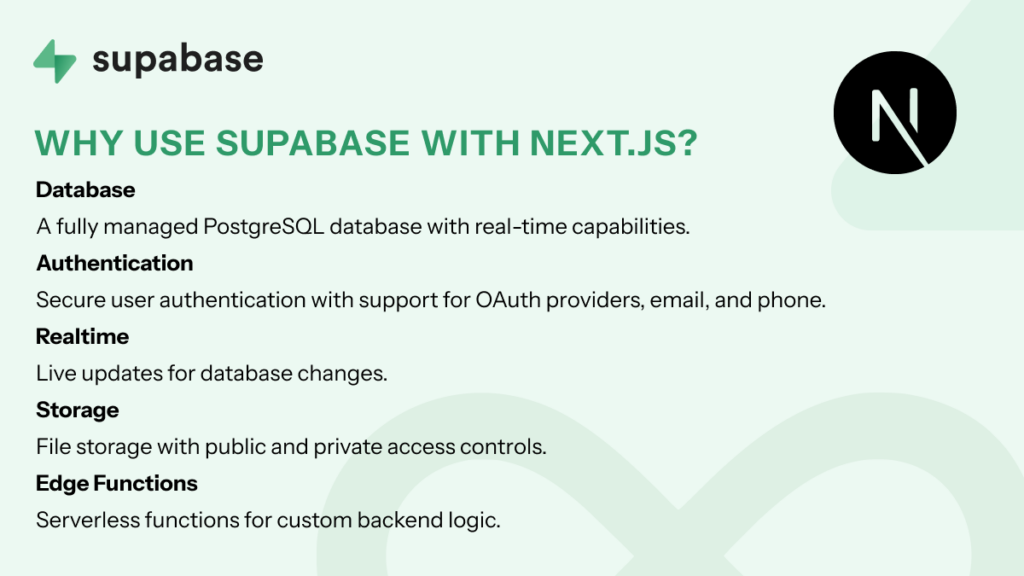
    Why Use Supabase with Next.js?

    supabase with nextjs

    Supabase provides:

    • Database: A fully managed PostgreSQL database with real-time capabilities.
    • Authentication: Secure user authentication with support for OAuth providers, email, and phone.
    • Realtime: Live updates for database changes.
    • Storage: File storage with public and private access controls.
    • Edge Functions: Serverless functions for custom backend logic.

    Combining these features with Next.js gives you a powerful full-stack development experience, enabling you to create highly interactive applications quickly.

    Features of Supabase for Next.js Applications

    supabase features

    1. PostgreSQL-Based Database

    • Advanced relational capabilities with support for JSON and full-text search.
    • Real-time updates, perfect for dashboards or collaborative tools.

    2. Authentication

    • Easy integration with OAuth providers like Google, GitHub, and Twitter.
    • Secure user authentication with email and phone-based login options.

    3. Realtime

    • Built-in WebSocket support to sync data in real-time across clients.
    • Use cases: Chat applications, live dashboards, and collaborative tools.

    4. File Storage

    • Upload, retrieve, and manage files with public or private access controls.
    • Great for user-generated content like profile pictures or documents.

    5. Edge Functions

    • Write serverless functions to handle custom business logic.
    • Ideal for integrating with third-party APIs or running scheduled tasks.

    How to Integrate Supabase with Next.js

    Step 1: Set Up Supabase

    1. Sign Up: Create an account at Supabase.
    2. Create a New Project:
      • In the Supabase dashboard, click “New Project.”
      • Set up your database by choosing a project name, database password, and region.
    3. Get API Keys:
      • Go to “Project Settings” > “API” to find your SUPABASE_URL and SUPABASE_ANON_KEY.

    Step 2: Install Supabase Client in Your Next.js Project

    npm install @supabase/supabase-js

    Step 3: Initialize Supabase

    Create a supabase.js file in the root of your project to initialize the Supabase client:

    import { createClient } from '@supabase/supabase-js';
    
    const SUPABASE_URL = process.env.NEXT_PUBLIC_SUPABASE_URL;
    const SUPABASE_ANON_KEY = process.env.NEXT_PUBLIC_SUPABASE_ANON_KEY;
    
    export const supabase = createClient(SUPABASE_URL, SUPABASE_ANON_KEY);

    Step 4: Fetch Data from Supabase

    Example of fetching data in a Next.js page:

    import { supabase } from '../supabase';
    
    export async function getServerSideProps() {
      const { data, error } = await supabase.from('your_table_name').select('*');
    
      if (error) {
        console.error(error);
        return { props: { data: [] } };
      }
    
      return { props: { data } };
    }
    
    export default function Home({ data }) {
      return (
        <div>
          <h1>Data from Supabase</h1>
          <pre>{JSON.stringify(data, null, 2)}</pre>
        </div>
      );
    }
    

    FAQs About Supabase and Next.js Integration

    1. Does Supabase support databases other than PostgreSQL?

    No, Supabase currently supports only PostgreSQL as its primary database. While this makes it incredibly robust for relational data, developers seeking support for other databases like MySQL or MongoDB might need to look at alternative platforms or tools.

    2. Is Supabase free to use?

    Yes, Supabase offers a free tier with 2GB storage, 500MB database, and 50,000 monthly API requests, which is perfect for personal projects and MVPs. Yes, Supabase offers a free tier with 2GB storage, 500MB database, and 50,000 monthly API requests, which is perfect for personal projects and MVPs.

    3. What types of apps can I build with Supabase and Next.js?

    • Real-time chat applications.
    • User authentication and role-based dashboards.
    • CMS platforms and blogs.
    • E-commerce websites with inventory management.

    4. How secure is Supabase?

    Supabase ensures security through:

    • Database policies for row-level security.
    • Encrypted connections and user authentication mechanisms.

    5. Does Supabase support serverless functions?

    Yes, Supabase provides Edge Functions to write and deploy serverless backend logic.

    6. How does Supabase compare to Firebase?

    • Supabase uses PostgreSQL, while Firebase relies on NoSQL Firestore.
    • Supabase is open-source, offering greater customization.
    • Firebase has built-in offline support, whereas Supabase doesn’t (yet).

    7. Can I self-host Supabase?

    Yes, Supabase is open-source and can be self-hosted for complete control.

    9. Is Supabase scalable?

    Absolutely. Supabase scales automatically based on your application’s needs, with paid plans starting at $25/month.

    9. Can Supabase handle real-time updates?

    Yes, Supabase supports real-time updates out of the box, making it great for collaborative tools.

    10. Does Supabase support file uploads?

    Yes, Supabase includes a file storage solution with public and private access controls.

    11. What kind of support does Supabase offer?

    Supabase provides extensive documentation, a growing community, and support through GitHub and paid plans.

    Conclusion

    Supabase and Next.js make a powerful duo for building modern applications with minimal backend complexity. From real-time capabilities to secure authentication and serverless functions, Supabase offers everything you need for full-stack development. Whether you’re a hobbyist or working on a large-scale production app, Supabase’s features and flexibility can elevate your Next.js projects to the next level.

    So, ready to try it out? Head over to Supabase and start building your dream app today!

  • Sending Emails in Next.js for Free: Tools and Best Practices

    Sending Emails in Next.js for Free: Tools and Best Practices

    When building a web application with Next.js, handling email functionality is a crucial requirement for features like contact forms, notifications, and transactional emails. But what’s the best way to send emails in Next.js, especially when hosted on serverless platforms like Vercel? Here’s a comprehensive guide to tools, third-party services, and best practices for email-sending in Next.js applications.

    Why Emails Matter in Next.js

    Emails are essential for:

    • Contact Forms: Allowing users to reach out.
    • Transactional Emails: Sending confirmations, password resets, and receipts.
    • Notifications: Keeping users and admins informed.

    Next.js, with its serverless architecture, makes it easy to implement email functionality via API routes. Here’s how.

    Native Solution: Using Nodemailer

    Nodemailer is a popular Node.js library for sending emails via SMTP. It integrates well with Next.js API routes, offering a flexible, self-hosted solution.

    Setting Up Nodemailer in Next.js

    1. Install Nodemailer:
      npm install nodemailer
    2. Create an API Route: Create a file like /app/api/contact/route.ts to handle the email logic using Next.js 15 and TypeScript.
    3. Configure SMTP:
    import nodemailer from 'nodemailer';
    import { NextResponse } from 'next/server';
    
    export async function POST(request: Request) {
      const body = await request.json();
      const { email, message } = body;
    
      const transporter = nodemailer.createTransport({
        service: 'Gmail', // Or use another SMTP provider
        auth: {
          user: process.env.SMTP_USER,
          pass: process.env.SMTP_PASS,
        },
      });
    
      try {
        await transporter.sendMail({
          from: process.env.SMTP_USER,
          to: 'admin@example.com',
          subject: 'New Contact Form Submission',
          text: `Message from ${email}: ${message}`,
        });
        return NextResponse.json({ success: true });
      } catch (error) {
        console.error(error);
        return NextResponse.json({ success: false });
      }
    }

    Pros:

    • Complete control over the email process.
    • Works with any SMTP server (Gmail, Outlook, etc.).

    Cons:

    • Requires managing SMTP credentials securely.
    • Deliverability depends on your SMTP provider.

    Third-Party Email Services

    Third-party services make email handling easier, especially in serverless environments. Here are the most popular options:

    1. SendGrid

    sendgrid

    SendGrid is a cloud-based email service known for its reliability and scalability.

    • Free Tier: 100 emails/day.
    • Features: Transactional emails, email tracking, templates.
    • Why Use It: Integration-friendly, ideal for serverless platforms like Vercel.
    • Fit For: Hobbyists and professionals.
    • Stat: SendGrid powers over 58,000 businesses globally.

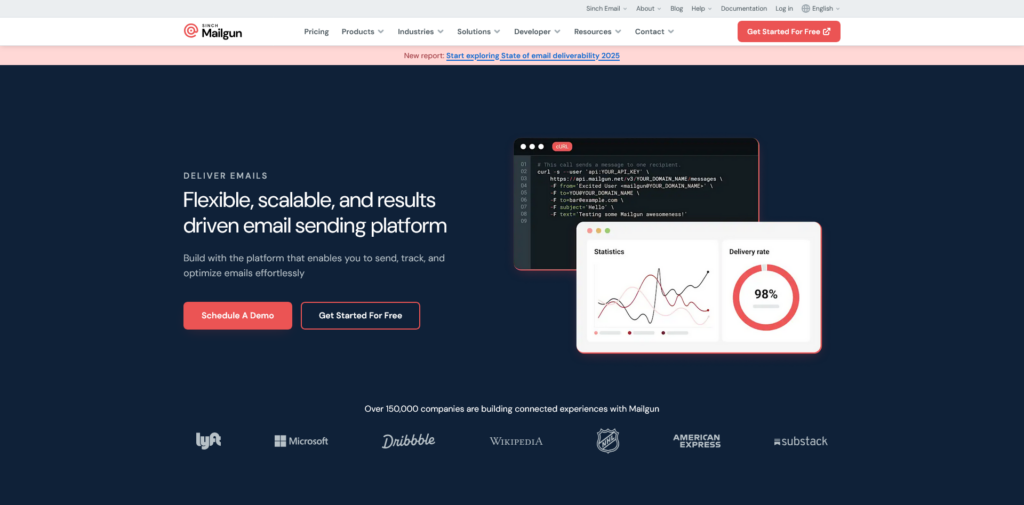
    2. Mailgun

    mailgun

    Mailgun specializes in transactional emails and analytics.

    • Free Tier: 5,000 emails/month (first month only).
    • Features: Advanced analytics, deliverability monitoring.
    • Why Use It: High deliverability rates, RESTful API.
    • Fit For: Professionals.
    • Stat: Used by 150,000 businesses worldwide.

    3. Postmark

    postmarkapp

    Postmark is designed specifically for transactional emails.

    • Free Tier: 100 emails/month.
    • Features: Fast delivery, email tracking.
    • Why Use It: Focuses solely on transactional emails.
    • Fit For: Hobbyists and professionals.
    • Stat: 97% of emails are delivered in under 1 second.

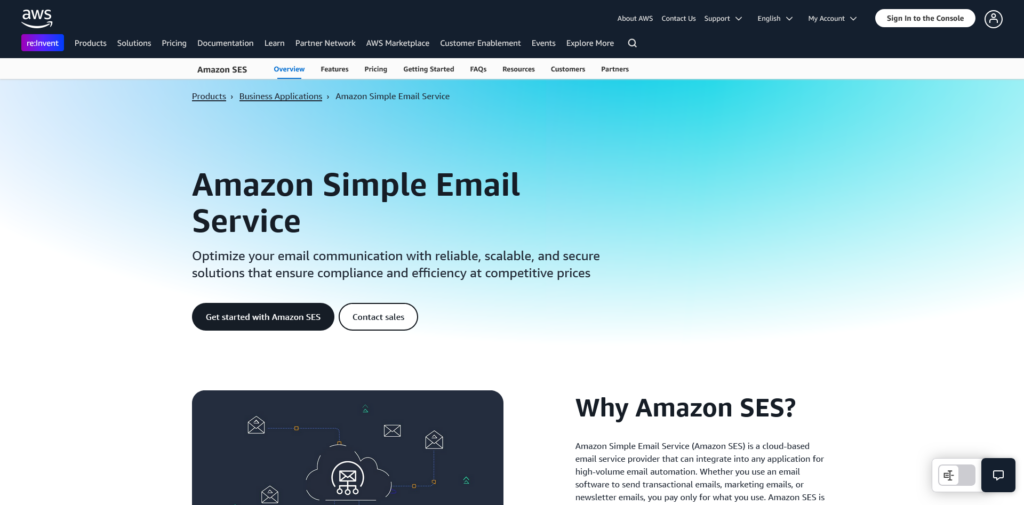
    4. Amazon SES

    aws ses

    Amazon Simple Email Service (SES) is a cost-effective solution for high-volume email needs.

    • Pricing: $0.10 per 1,000 emails.
    • Features: Scalable, integrates with other AWS services.
    • Why Use It: Perfect for high-volume email systems.
    • Fit For: Professionals.
    • Stat: AWS dominates 32% of the cloud infrastructure market.

    5. EmailJS

    emailjs

    EmailJS allows you to send emails directly from the client side without a backend.

    • Free Tier: Limited templates.
    • Features: Client-side email sending.
    • Why Use It: Great for simple setups, but security concerns exist.
    • Fit For: Personal use and hobbyists.

    6. Resend

    resend

    Resend is a modern email-sending service designed for developers.

    • Pricing: $0.004 per email.
    • Features: Developer-friendly APIs, focus on transactional emails.
    • Why Use It: Simple, fast integration.
    • Fit For: Hobbyists and professionals.

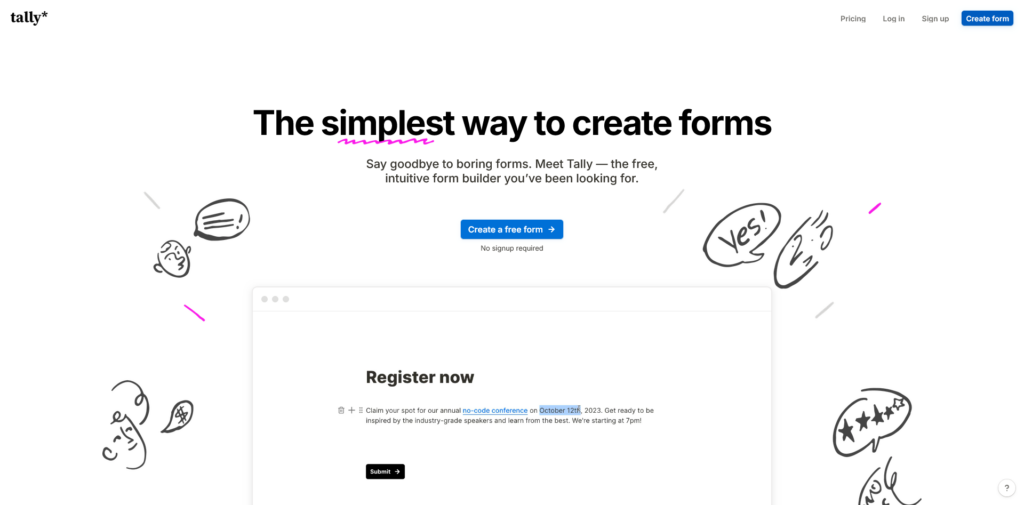
    7. Tally.so (via Integrations)

    tally.so

    Tally.so is primarily a form builder but integrates with email services like Zapier for email workflows.

    • Free Tier: Form building only.
    • Features: Collect form submissions and trigger emails.
    • Why Use It: Combine form-building and email workflows seamlessly.
    • Fit For: Hobbyists.

    Comparison Table

    ServiceFree TierStarting PriceFeaturesFit For
    NodemailerN/ASelf-hostedFull SMTP controlHobbyists and professionals
    SendGrid100 emails/day$15/monthTemplates, trackingHobbyists and professionals
    Mailgun5,000 emails (first month)$35/monthDeliverability monitoringProfessionals
    Postmark100 emails/month$10/monthFast transactional emailsHobbyists and professionals
    Amazon SESPay-as-you-go ($0.10 per 1,000 emails)VariableHigh-volume scalabilityProfessionals
    EmailJSFree for limited useVariableClient-side email sendingPersonal use and hobbyists
    ResendN/A$0.004/emailDeveloper-friendly APIsHobbyists and professionals
    Tally.soFree (form building only)VariableIntegrates with Zapier, othersHobbyists

    Choosing the Right Option

    1. For Full Control: Use Nodemailer if you prefer managing your own SMTP server.
    2. For Serverless Environments: SendGrid, Mailgun, or Postmark offer easy integrations with platforms like Vercel.
    3. For High Volume: Amazon SES is cost-effective for large-scale email needs.
    4. For Simplicity: EmailJS or Resend is ideal for quick setups and lightweight use cases.
    5. For Analytics: SparkPost offers excellent tracking and insights.

    Best Practices for Email Integration in Next.js

    1. Secure Your Credentials: Store API keys and SMTP credentials in environment variables.
    2. Validate User Input: Prevent spam and abuse by validating form submissions.
    3. Monitor Deliverability: Use tools like SendGrid’s dashboard or SparkPost’s analytics to track performance.
    4. Test Before Deploying: Always test your email logic locally and in staging environments.

    Conclusion

    Sending emails in Next.js doesn’t have to be complicated. Whether you choose a self-hosted solution like Nodemailer or a third-party service like SendGrid or Postmark, the right approach depends on your project’s needs. By leveraging these tools and following best practices, you can implement a reliable email system that enhances user experience and keeps your app running smoothly.

    So, what’s your pick? Nodemailer for control, or a service like SendGrid for simplicity? Either way, you’re just a few lines of code away from seamless email integration!

  • How Next.js Websites Store Data: A Comprehensive Guide

    How Next.js Websites Store Data: A Comprehensive Guide

    Next.js is a powerful React framework that has gained immense popularity for its ability to create high-performance web applications. However, a common question arises among developers: How do Next.js websites store and manage data effectively? In this interactive guide, we’ll explore everything you need to know about data storage in Next.js applications, covering every aspect of the topic in an easy-to-understand format.

    1. Introduction to Data Handling in Next.js

    api data handling

    Next.js simplifies web development by combining server-side rendering (SSR), static site generation (SSG), and dynamic routing. However, choosing the right data storage and fetching mechanism can make or break your application’s performance.

    In this guide, you’ll learn:

    • How to fetch data in Next.js using different methods.
    • The pros and cons of various storage solutions.
    • Practical tips to enhance security and performance.

    2. Data Fetching Methods in Next.js

    Next.js offers flexible data fetching methods to suit various use cases. Let’s break them down:

    getStaticProps

    Fetch data at build time to generate static pages. Ideal for content that doesn’t change frequently.

    export async function getStaticProps() {
      const res = await fetch('https://api.example.com/data');
      const data = await res.json();
    
      return {
        props: { data },
      };
    }
    • Use Cases: Blogs, documentation sites.
    • Benefits: Fast performance, great for SEO.

    getServerSideProps

    Fetch data on every request, ensuring up-to-date content.

    export async function getServerSideProps(context) {
      const res = await fetch(`https://api.example.com/data?id=${context.params.id}`);
      const data = await res.json();
    
      return {
        props: { data },
      };
    }
    • Use Cases: Dashboards, dynamic data-driven pages.
    • Benefits: Real-time updates.

    API Routes

    Define backend endpoints within your Next.js app using the /app/api directory.

    // pages/api/hello.js
    export default function handler(req, res) {
      res.status(200).json({ message: 'Hello, world!' });
    }
    • Use Cases: Authentication, CRUD operations.
    • Benefits: No need for an external server.

    Client-side Fetching

    Use fetch or libraries like SWR for client-side data fetching.

    import useSWR from 'swr';
    
    const fetcher = (url) => fetch(url).then((res) => res.json());
    
    function Component() {
      const { data, error } = useSWR('/api/data', fetcher);
    
      if (error) return <div>Failed to load</div>;
      if (!data) return <div>Loading...</div>;
    
      return <div>Data: {data.message}</div>;
    }
    • Use Cases: User interactions, live updates.
    • Benefits: Dynamic and interactive.
    • Use Cases: User interactions, live updates.
    • Benefits: Dynamic and interactive.

    3. Data Storage Options

    External Databases

    Integrate databases like PostgreSQL, MongoDB, or MySQL for robust data storage.

    • Best Practice: Use environment variables to store database credentials.

    Headless CMS

    Connect to a headless CMS (e.g., Strapi, Contentful) to manage content efficiently.

    • Benefits: User-friendly, scalable.

    Local JSON Files

    Suitable for small-scale apps or prototyping.

    • Drawbacks: Limited scalability.

    4. Client-Side Storage Mechanisms

    LocalStorage

    Store non-sensitive data persistently.

    Session Storage

    Temporary storage cleared after the session ends.

    Cookies

    Ideal for storing small amounts of sensitive data with proper security flags.

    5. State Management in Next.js

    React Context API

    Lightweight solution for managing global state.

    Redux

    Use Redux for complex state management needs.

    Zustand

    A modern, minimalistic alternative to Redux.

    6. Caching Strategies

    Incremental Static Regeneration (ISR)

    Update static pages without rebuilding the entire site.

    Client-Side Caching with SWR

    Leverage caching for faster client-side performance.

    Server-Side Caching

    Implement server-side caching to reduce database load.

    7. Security Considerations

    • Avoid storing sensitive data client-side.
    • Validate and sanitize all user inputs.
    • Implement proper authentication and authorization mechanisms.

    8. Performance Optimization

    • Use lazy loading to optimize initial page load.
    • Minimize data fetching by combining requests.
    • Employ server-side caching for better scalability.

    9. Common Pitfalls and Solutions

    • Hydration Mismatches: Ensure consistent server and client data.
    • Error Handling: Gracefully handle API failures with fallbacks.
    • Over-fetching Data: Optimize APIs to fetch only necessary data.

    10. Conclusion

    Data storage and management in Next.js offer a variety of tools and strategies to suit any application’s needs. By understanding and implementing the right methods, you can build efficient, scalable, and secure web applications with ease. Start experimenting today with the latest version of Next.js, and elevate your development experience!