WooCommerce vs Shopify comes down to control versus convenience. Shopify is a hosted, all-in-one store from $29 a month that handles hosting, security and checkout for you. WooCommerce is a free WordPress plugin that gives you full ownership and flexibility, but you pay for and manage hosting, extensions and updates yourself.
At Infyways we build and maintain stores on both platforms, and the question we hear most is not “which is better?” but “which will cost less and cause fewer headaches for my business?” This guide answers that with prices taken from Shopify’s and WooCommerce’s own pages in November 2026.
Key Takeaways
- Choose Shopify if you want to launch fast and never think about hosting, security patches or plugin updates.
- Choose WooCommerce if you already run WordPress, want full control of your data and code, or sell in unusual ways.
- Card rates are similar: 2.9% + 30¢ on Shopify Basic and on WooPayments in the US.
- Shopify adds a fee of up to 2% if you use a third-party payment provider; WooCommerce does not.
- WooCommerce’s real costs are hosting, paid extensions and developer time, so budget for them up front.
1. What Are WooCommerce and Shopify?
Shopify is a hosted ecommerce platform you rent by the month. WooCommerce is open-source software you install on your own WordPress site.
With Shopify, the store, hosting, checkout and security are all run by Shopify, and you extend it with apps from the Shopify App Store. With WooCommerce, you install a free, open-source plugin on WordPress, choose your own host and add extensions as needed. WooCommerce has more than 7 million active installations.
Both are widely used. W3Techs reports that Shopify runs on 5.4% of all websites, and WooCommerce runs inside WordPress, which powers 39.2%.
2. WooCommerce vs Shopify at a Glance
Here is the side-by-side view on the points that matter most to a small or growing store.
| Shopify | WooCommerce | |
|---|---|---|
| Type | Hosted, all-in-one platform | Free, open-source WordPress plugin |
| Platform fee | Basic $29, Grow $89, Advanced $359 a month (billed yearly); Plus from $2,300 | Free, with no monthly subscription |
| Hosting | Included | You choose and pay a host: $25 to $350 a month for most stores, per WooCommerce |
| US card rates (online) | 2.9% + 30¢ on Basic, down to 2.5% + 30¢ on Advanced | 2.9% + $0.30 with WooPayments |
| Fee for third-party payment providers | 2% on Basic, 1% on Grow, 0.6% on Advanced | None from WooCommerce |
| Add-ons | Apps, often billed monthly | Extensions, typically $29 to $299 a year each |
| Updates and security | Handled by Shopify | Your responsibility (or your host’s or developer’s) |
| Data and code ownership | Data export; platform owned by Shopify | Full ownership of code and data on your own hosting |
Key insight: Shopify charges you mainly in subscriptions and app fees; WooCommerce charges you mainly in hosting and people’s time. Neither is free to run.
3. Costs: What You Will Really Pay
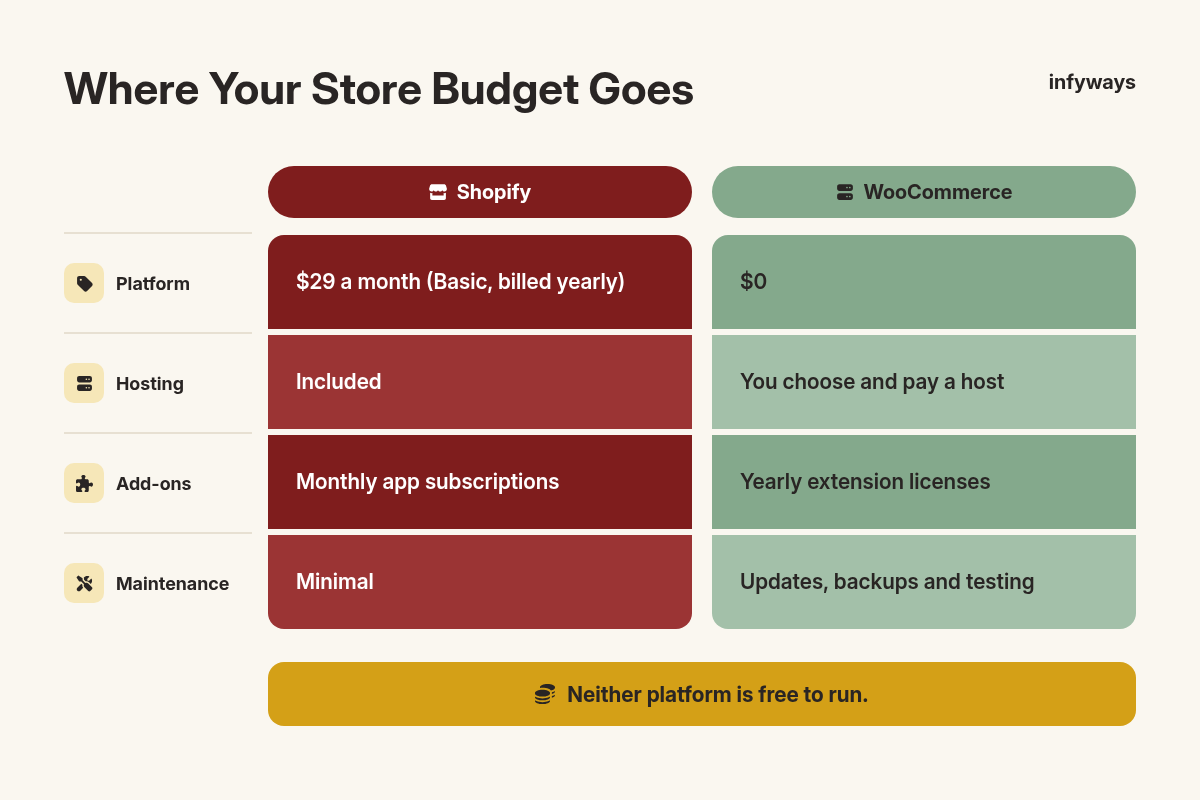
For a small store, total yearly costs are often closer than they look, because WooCommerce shifts spending from subscriptions to hosting and extensions.
| Cost item | Shopify (Basic, billed yearly) | WooCommerce |
|---|---|---|
| Platform | $29 a month | $0 |
| Hosting | Included | Managed host, or WordPress.com Commerce at $45 a month billed yearly |
| Theme | Free themes or paid theme | Free themes or paid theme |
| Add-ons | Monthly app subscriptions | Yearly extension licenses |
| Payments (US cards) | 2.9% + 30¢ per order | 2.9% + $0.30 per order (WooPayments) |
| Maintenance | Minimal | Updates, backups and testing |
On Shopify, app charges are billed through your Shopify invoice, as Shopify’s help center explains in its guide to charges for third-party apps. On WooCommerce, many paid extensions are yearly licenses, such as WooCommerce Subscriptions for recurring billing.
The hidden cost on WooCommerce is maintenance. Someone has to update WordPress, the theme and every plugin, test that checkout still works and keep backups. If that someone is a developer, include their time in your budget.
4. Payments and Transaction Fees
In the US, card rates are nearly identical, but Shopify penalizes third-party payment providers and WooCommerce does not.
Shopify Payments charges 2.9% + 30¢ for standard online cards on Basic, falling to 2.7% on Grow and 2.5% on Advanced. If you use another provider instead of Shopify Payments, Shopify adds a third-party transaction fee of 2% on Basic, 1% on Grow and 0.6% on Advanced.
WooPayments in the US charges 2.90% + $0.30 for cards, plus 1.50% for international cards, and the dispute fee is $15. You can also use Stripe, PayPal or other gateways with no extra WooCommerce fee. For Indian sellers, our comparison of Cashfree vs Razorpay vs PayU for WooCommerce covers local gateways.
5. Control, Customization and Ownership
WooCommerce gives you full control over code, data and hosting, while Shopify trades some control for a platform that just works.
Because WooCommerce is open source, you can change anything, from checkout fields to product options. Our tutorial on adding a custom attributes dropdown to WooCommerce is a small example of the kind of tweak that is simple on WooCommerce.
Shopify limits deep changes on lower plans. Its pricing page lists limited checkout customization on Basic, Grow and Advanced, with full checkout customization on Plus. For most stores that is fine, but it matters if your checkout needs custom logic.
Key insight: if your products or pricing are unusual, such as complex bundles, B2B rules or custom quotes, WooCommerce’s flexibility often saves money on apps and workarounds.
6. Ease of Use, Hosting and Security
Shopify is easier to run day to day, while WooCommerce’s speed and security depend on your host and how well the site is maintained.
Shopify includes hosting, unlimited bandwidth and a free SSL certificate, and the platform is certified Level 1 PCI DSS compliant. You never patch a server.
With WooCommerce, a good managed host does much of that work for you, but you still own updates and testing. Store speed matters for sales and search: Google’s Core Web Vitals ask for the largest content to load within 2.5 seconds, so pick hosting built for WooCommerce rather than the cheapest shared plan.
7. Best Ecommerce Hosting for WooCommerce
Hosting decides how fast and reliable a WooCommerce store is, so choose a host that meets WooCommerce’s requirements and is built for stores.
WooCommerce recommends a host that supports PHP 8.3 or greater, MySQL 8.0 or greater (or MariaDB 10.6 or greater), HTTPS and a WordPress memory limit of 256 MB or greater. It also publishes a list of recommended WooCommerce hosting providers.
- Managed WordPress hosting handles updates, backups and caching, which suits most small stores.
- WordPress.com Commerce bundles hosting with built-in store extensions for $45 a month billed yearly.
- Cloud or VPS hosting suits larger stores with a developer who can manage the server.
Whichever you pick, check that the host offers staging sites, daily backups, server-level caching that excludes the cart and checkout, and support that understands WooCommerce.
8. Selling Channels, Apps and Extensions
Shopify bundles more selling channels out of the box, while WooCommerce relies on extensions for most extras.
Every Shopify plan lets you sell on social channels, marketplaces and in person, and POS Pro costs $89 a month per location for physical stores that need staff permissions and in-store inventory tools. Shopify also lists selling in AI chats as a built-in channel.
WooCommerce’s Marketplace offers extensions for subscriptions, bookings, memberships, shipping and more. You can also use thousands of free WordPress plugins, which is powerful but means more for someone to keep updated.
9. Moving Between WooCommerce and Shopify
You can move in either direction, but plan for redirects, product data and customer accounts so you don’t lose sales or search traffic.
- Export products, customers and orders, and check what each platform can import.
- Map every old URL to its new one with 301 redirects to protect search rankings.
- Rebuild key features with apps or extensions before launch, not after.
- Test checkout, emails, taxes and shipping with real orders before switching DNS.
If you are moving from WordPress to Shopify, our WordPress to Shopify migration service handles products, redirects and SEO for you.
10. Which Should You Choose?
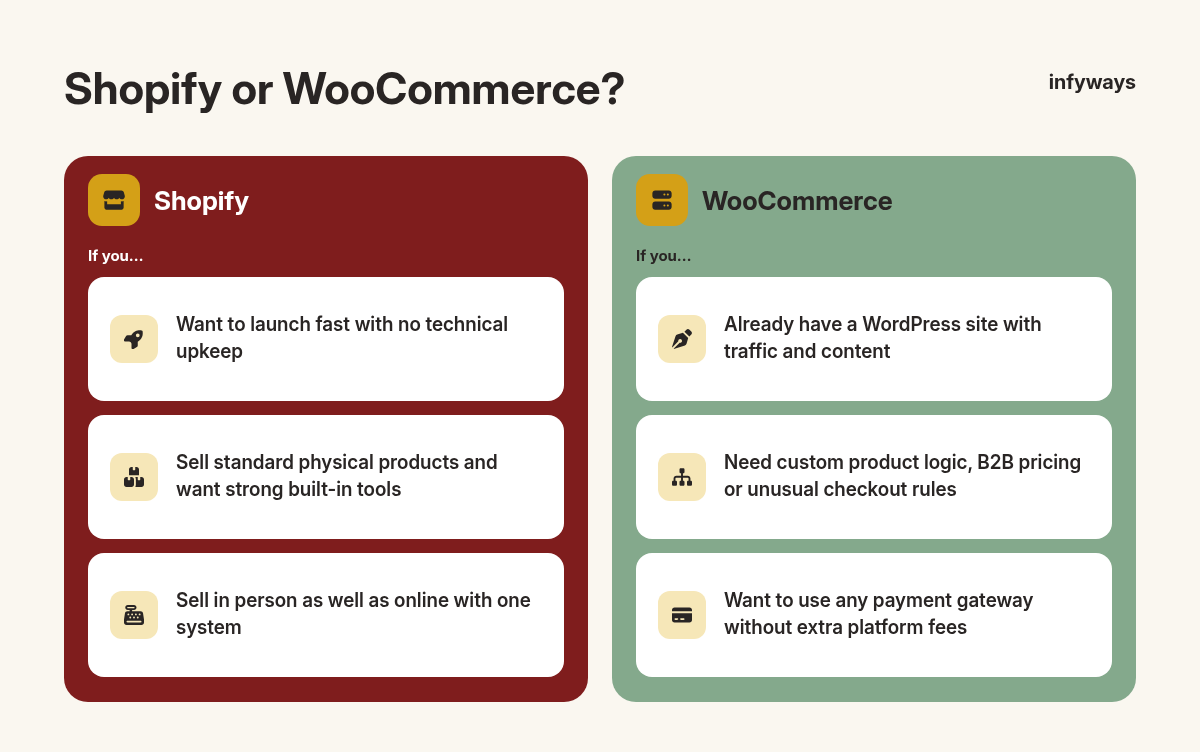
Choose by your team, your products and how much control you need, then check the three-year cost.
| If you… | Choose |
|---|---|
| Want to launch fast with no technical upkeep | Shopify |
| Already have a WordPress site with traffic and content | WooCommerce |
| Sell standard physical products and want strong built-in tools | Shopify |
| Need custom product logic, B2B pricing or unusual checkout rules | WooCommerce |
| Want to use any payment gateway without extra platform fees | WooCommerce |
| Sell in person as well as online with one system | Shopify |
Frequently Asked Questions
Is WooCommerce cheaper than Shopify?
WooCommerce has no platform fee, but you pay for hosting, extensions and maintenance, so it is not automatically cheaper. For a small store with a developer on hand, WooCommerce can cost less. For a store owner without technical help, Shopify’s all-in-one price is often cheaper once you count time.
Which is better for SEO, WooCommerce or Shopify?
Both can rank well. WooCommerce sits on WordPress, which gives strong control over content, URLs and SEO plugins. Shopify covers the basics well and is fast by default. Your content, site speed and product pages matter more than the platform itself.
Can I move from WooCommerce to Shopify later?
Yes. Products, customers and orders can be exported and imported, and you can set up 301 redirects from old URLs to new ones to protect your search rankings. Plan the move carefully and test checkout, taxes and shipping before you switch your domain.
Does Shopify charge transaction fees?
Not if you use Shopify Payments, where you pay only the card rate, such as 2.9% + 30¢ online on the Basic plan in the US. If you use a third-party payment provider, Shopify adds a fee of 2% on Basic, 1% on Grow and 0.6% on Advanced.
What is the best ecommerce platform for a small business?
For most small businesses starting from scratch, Shopify is the simplest choice. If you already run a WordPress site or need custom features, WooCommerce is usually the better fit. Write down your must-have features and three-year budget, then compare both against them.
The Bottom Line
Shopify is the better choice for convenience and speed to launch, and WooCommerce is the better choice for control, flexibility and businesses already on WordPress.
Neither platform is free to run. Compare the full three-year cost, including apps or extensions, payments and people’s time, before you decide.
If you want an expert pair of hands, our team at Infyways offers Shopify development and WooCommerce development for growing stores.
Sources
- Shopify App Store. Checked November 12, 2026.
- WordPress.org Plugin Directory, “WooCommerce”. Checked November 12, 2026.
- W3Techs, “Usage statistics of content management systems”. Checked November 12, 2026.
- Shopify, “Pricing” (plans, card rates and third-party transaction fees). Checked November 12, 2026.
- WooCommerce, “Pricing”. Checked November 12, 2026.
- WooCommerce Docs, “WooPayments fees”. Checked November 12, 2026.
- WordPress.com, “Pricing” (Commerce plan). Checked November 12, 2026.
- Shopify Help Center, “Charges for third-party apps”. Checked November 12, 2026.
- WooCommerce, “WooCommerce Subscriptions”. Checked November 12, 2026.
- Shopify Help Center, “Shopify Payments”. Checked November 12, 2026.
- web.dev (Google), “Web Vitals”. Checked November 12, 2026.
- WooCommerce Docs, “Server requirements”. Checked November 12, 2026.
- WooCommerce, “Trusted hosting for your WooCommerce store”. Checked November 12, 2026.
- WooCommerce Marketplace (extensions and themes). Checked November 12, 2026.