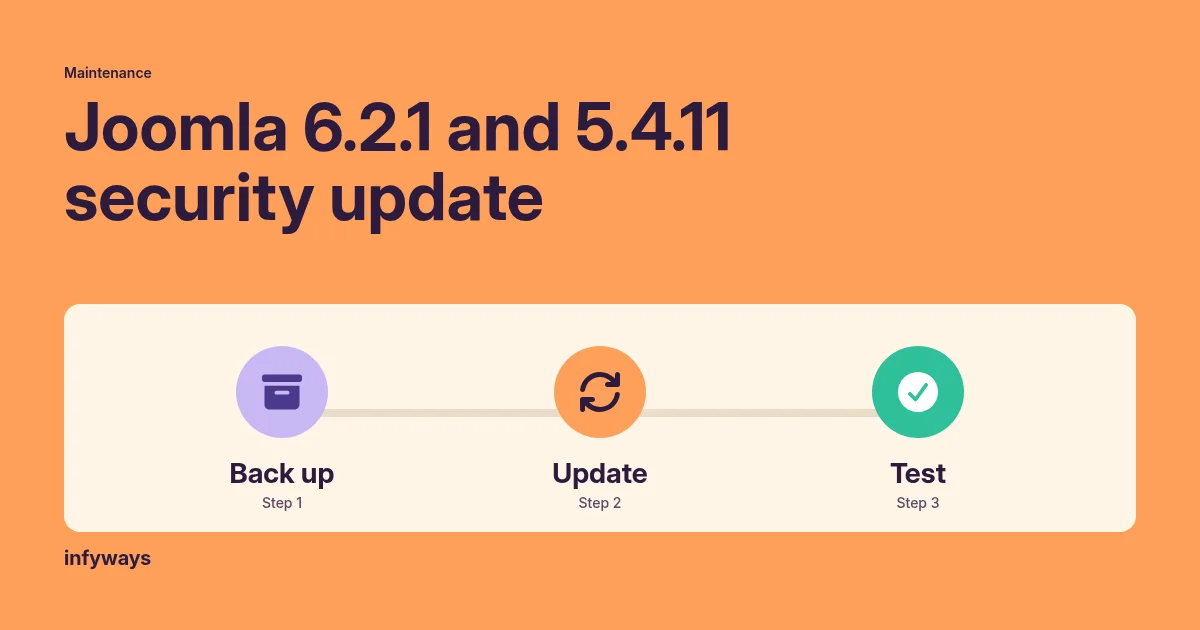
Joomla 6.2.1 and Joomla 5.4.11 are security releases published on November 24, 2026 (6.2.1 also includes bug fixes), and the Joomla Project strongly recommends updating every site right away. The official Joomla 6.2.1 announcement is the source for everything below. It is for site owners and agencies who apply their own updates. This post covers the core update; a companion post covers Joomla extension security updates.
What is a vulnerability, and what does this mean for your site?
A vulnerability is a flaw in software that someone could misuse in a way it was never meant to be used. Depending on the flaw, that could mean changing your site’s configuration, reading files that should stay private, or running their own code on your server. Once a fix is public, the flaw is public too, so an unpatched site is the one left open to a known problem. That is the reason to update promptly. It is not a sign your site has been attacked.
Here is what to do, based on the version you run:
- Joomla 6.0 to 6.2.0: update to 6.2.1.
- Joomla 5.4 (through 5.4.10): update to 5.4.11. That keeps you on the 5.4 line, which gets security fixes until October 12, 2027.
- Joomla 5 below 5.4: update to 5.4.11 first. Do not go to Joomla 6 from below 5.4.
- Joomla 3 or 4: there is no patch on these branches. The official fixed versions are 5.4.11 and 6.2.1, so the path is an upgrade, not a point release. If you would rather not do that climb yourself, we offer help moving a Joomla 3 or 4 site to a supported version.
Check the version your site is actually running rather than assuming an update already happened. Patching core is only part of the job, because extensions update separately (see the extension updates for November 2026).
What do Joomla 6.2.1 and 5.4.11 fix?
The official announcement says these releases pack 58 security fixes. It lists four advisories as Critical: 20261111, 20261112, 20261117 and 20261156. The full list is on the announcement and in the Joomla Security Centre. One detail worth knowing: the announcement places 20261112 under Critical, while that advisory’s own page labels its impact as High. We show both.
| Advisory | What it is | Impact (advisory page) | Affected versions |
|---|---|---|---|
| 20261111 | Missing authentication in web installer | Critical | 4.0.0–5.4.10, 6.0.0–6.2.0 |
| 20261112 | Local file inclusion through language parameter | High (listed as Critical in the announcement) | 1.6.0–5.4.10, 6.0.0–6.2.0 |
| 20261117 | Race condition in formatted text logger | Critical | 3.6.0–5.4.10, 6.0.0–6.2.0 |
| 20261156 | RCE through media custom field parameters | Critical | 4.0.0–5.4.10, 6.0.0–6.2.0 |
For each advisory, the official solution is to upgrade to 5.4.11 or 6.2.1.
The web installer (20261111)
According to advisory 20261111, the web installer remains usable on an installed site as long as the installation folder exists, which lets unauthenticated visitors rewrite the configuration. After updating, make sure no installation folder is left on the server.
The language parameter (20261112)
Advisory 20261112 says the language request parameter was not validated before it was used to build the path of included language files.
The formatted text logger (20261117)
Advisory 20261117 describes a race condition that can recreate a log file without its protective header. The official exploit type is remote code execution.
Media custom field parameters (20261156)
Advisory 20261156 says inadequate escaping of media field parameters in the generated form XML allowed the form definition to be manipulated, leading to remote code execution.
The other 54 advisories are listed on the announcement and the Security Centre. As the announcement notes, a CVSS rank does not automatically reflect how relevant an issue is for an individual site.
Who should update, and to which version?
| If your site is on | Install | Notes |
|---|---|---|
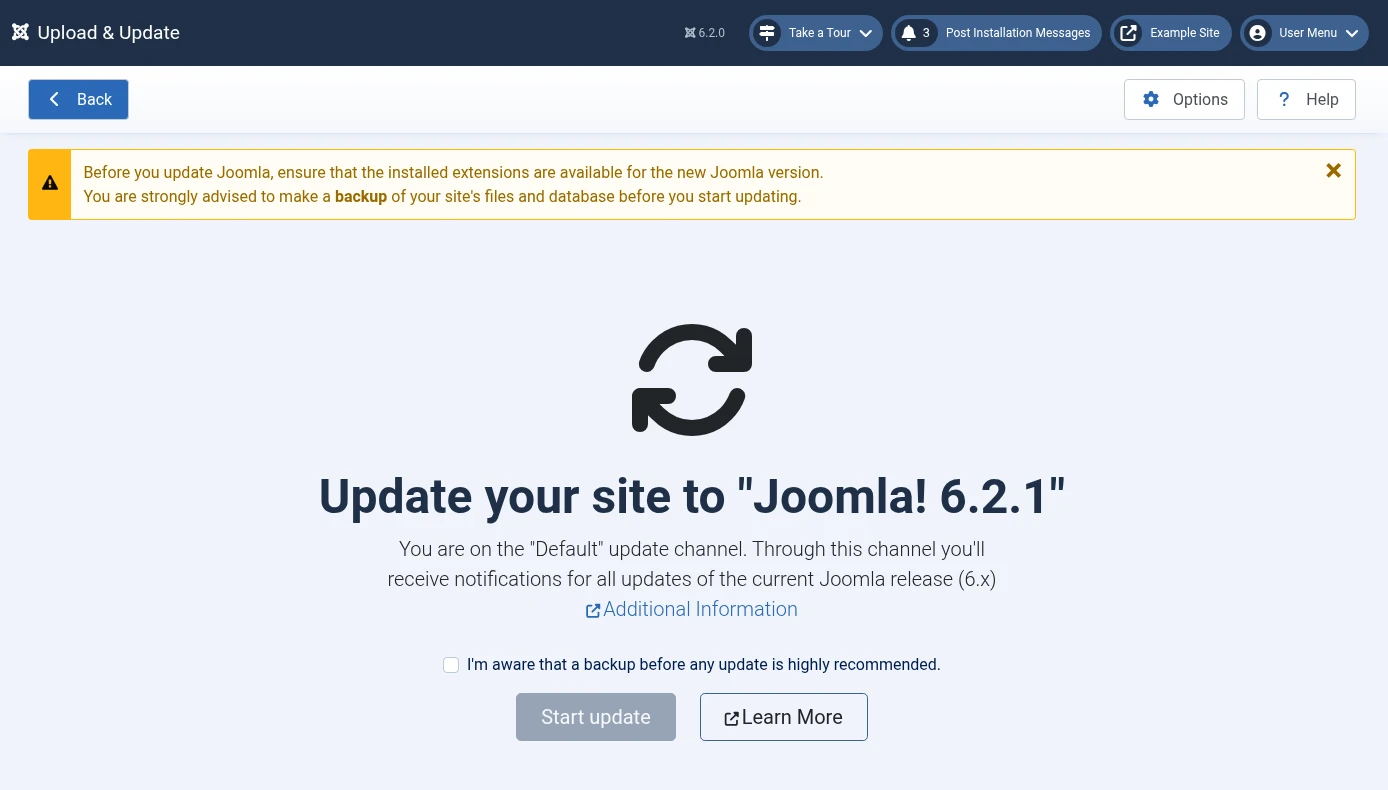
| Joomla 6.0.0–6.2.0 | 6.2.1 | Update from System → Update → Joomla (Upload & Update). |
| Joomla 5.4.0–5.4.10 | 5.4.11 | Plan Joomla 6 as a separate step. |
| Joomla 5 below 5.4 | 5.4.11 first | The official Joomla 5 to 6 planning and upgrade guide starts from 5.4.x. Do not update to 6.x from below 5.4. |
| Joomla 4 or Joomla 3 | No patch on these branches | Upgrade to a supported line. See our step-by-step guide for a Joomla 3 move. |
For Joomla 5 sites, the announcement says: install 5.4.11 now, plan 6 when you are ready. Joomla 5.4 gets security fixes only until October 12, 2027, a date the Joomla roadmap also lists. Before moving to Joomla 6, check your extensions and test on a copy of the site; a Joomla 6 compatibility check covers that groundwork.
How do you update Joomla to 6.2.1 or 5.4.11 safely?
- Confirm the version in System → System Information, or on the Upload & Update screen (System → Update → Joomla).
- Back up files and the database. The announcement says: “Make a backup first.”
- Use a staging copy if you have one.
- Check your extensions for compatibility, and for their own security updates.
- Update core on the Upload & Update screen (System → Update → Joomla): 6.2.1 on Joomla 6, 5.4.11 on Joomla 5.4, and 5.4.11 first if you are below 5.4.
- Delete the installation folder if it is still on the server after the update (see advisory 20261111).
- Test the homepage, login, forms, checkout and the administrator.
- Restore from your backup if something breaks.
If you would rather have a team apply and test the update across your sites, that is part of our Joomla support and maintenance work.
Questions about Joomla 6.2.1 and 5.4.11
What are Joomla 6.2.1 and 5.4.11?
Joomla 6.2.1 is a security and bugfix release published on November 24, 2026. Joomla 5.4.11 is the matching security release for sites on the 5.4 line. The official announcement says they pack 58 security fixes and recommends updating every site right away.
When were they released?
Both were released on November 24, 2026, the fixed date shown on each of the four Critical-listed advisories.
What do these releases fix?
58 security issues, per the announcement. The four listed as Critical are 20261111 (web installer authentication), 20261112 (language parameter file inclusion, labeled Impact: High on its own page), 20261117 (formatted text logger race condition) and 20261156 (media custom field parameters). 6.2.1 also fixes bugs.
Who needs to install the update?
Any site on Joomla 4.0 through 5.4.10 or 6.0.0 through 6.2.0 falls inside the affected ranges of the Critical-listed advisories, and some reach back further. Joomla 6 sites install 6.2.1, Joomla 5 sites install 5.4.11, and Joomla 3 and 4 sites need an upgrade.
How do I update Joomla safely?
Back up files and the database, and use a staging copy if you have one. Check extensions, then update from System → Update → Joomla (the Upload & Update screen in Joomla 6.2): 6.2.1 on Joomla 6, 5.4.11 on Joomla 5. Delete the installation folder if it is still there, then test key pages, forms and the administrator.
I am on Joomla 5, but not on 5.4. Can I go straight to 6.2.1?
No. The official Joomla 5 to 6 guide starts from 5.4.x and says to update to 5.4.x before upgrading to 6.x. Install 5.4.11 first. That closes these issues, and the move to Joomla 6 can be planned as a separate step.
I am on Joomla 3 or 4. Is there a patch?
No. The official fixed versions are 5.4.11 and 6.2.1. Several issues affect Joomla 4, and some start earlier, but no 3.x or 4.x release closes them. The path is an upgrade to a supported line: 5.4.11 first, then 6.x when the site is ready.
Why do I need to delete the installation folder?
Advisory 20261111 says the web installer stays usable on an installed site as long as the installation folder exists, letting unauthenticated users rewrite the configuration. The update fixes this; removing any leftover folder makes sure no installer sits on a live site.
Until when does Joomla 5.4 receive security fixes?
Until October 12, 2027. The announcement says 5.4 gets security fixes only until then, and the official roadmap lists the same date as the end of security-only support for 5.x. Plan your Joomla 6 move before that.
What should I check after the update?
Confirm the site reports 6.2.1 or 5.4.11. Test the homepage, login, forms, checkout if you have one, and the administrator. Make sure the installation folder is gone, then check your extensions for their own updates. If something is wrong, restore your backup.
For third-party patches, see the November 2026 extension security updates. Our Joomla security guide covers hardening. If you think a site may already be compromised, start with hacked Joomla site repair rather than a routine update. Questions about your own site? Get in touch, and we will reply within 12 hours.