Category: Joomla

  • No MailerLite Module for Joomla? Here’s a Better AJAX-Based Solution

    No MailerLite Module for Joomla? Here’s a Better AJAX-Based Solution

    If you’ve tried integrating MailerLite with Joomla, you already know the problem.

    There’s no solid, dedicated module.

    Most people end up doing one of these:

    • Using embed forms from MailerLite
    • Writing custom API code
    • Installing outdated or unsupported extensions

    None of these feel right.

    Embeds look out of place.
    Custom code takes time.
    And exposing API keys in the browser is risky.

    So I built a proper solution.

    👉 https://joomlax.com/mailerlite-newsletter.html

    A clean, secure, AJAX-based MailerLite newsletter module for Joomla.

    The Problem with Existing MailerLite Integrations

    Let’s be honest.

    Most integrations are not built for real Joomla workflows.

    Here’s what usually goes wrong:

    • API keys exposed in frontend scripts
    • No control over design
    • Poor mobile layout
    • No proper module positioning
    • Hard to maintain across Joomla updates

    If you’re running Joomla 4, 5, or planning for 6, this becomes a bigger issue.

    You need something native.

    Something that works the Joomla way.


    The Solution: MailerLite Newsletter Module (AJAX-Based)

    This module is built specifically for Joomla.

    No hacks. No workarounds.

    Just install, configure, and publish.

    👉 Live Demo: https://demo.joomlax.com/demo/utilities/mailerlite-newsletter
    👉 Documentation: https://joomlax.com/documentation/mailerlite-newsletter


    Why This Module Is Different

    1. Your API Key Stays Secure

    Most solutions expose your API key in JavaScript.

    This one doesn’t.

    Everything runs server-side using Joomla’s AJAX system.

    • No API key in browser
    • No leaks in DevTools
    • Clean and secure integration

    Your credentials stay where they belong.

    On your server.


    2. Works Like a Native Joomla Module

    This is not a plugin hack.

    It behaves exactly like a Joomla module:

    • Assign to any module position
    • Show on selected menu items
    • Create multiple instances

    Just like you expect.


    3. Fully Customizable Design

    You control everything.

    • Heading and intro text
    • Button label and icons
    • Success and error messages
    • Colors, spacing, typography

    Horizontal or vertical layout.

    It adapts to your design. Not the other way around.


    4. Built for Modern Joomla (4, 5 & 6)

    No legacy code.

    No compatibility issues.

    This module is designed for current and future Joomla versions.

    So you don’t have to worry about migrations later.


    5. Multilingual Ready

    Running a multilingual site?

    No problem.

    • Create separate modules per language
    • Translate content easily
    • Use Joomla language files

    Works perfectly with standard Joomla workflows.


    MailerLite Forms vs This Joomla Module

    At first glance, you might think:

    “MailerLite already gives me a form. Why do I need this?”

    Fair question.

    Let’s break it down.

    MailerLite Embedded Forms

    MailerLite’s default forms are:

    • JavaScript-based
    • Submitted without page reload (AJAX-like)
    • Easy to copy and paste

    Sounds good.

    But here’s where things fall short:

    • Runs entirely in the browser
    • Limited control over layout inside Joomla
    • Styling can clash with your template
    • Harder to manage across multiple module positions

    It works.

    But it doesn’t feel native to Joomla.


    This Module (Server-Side AJAX Approach)

    This module takes a different approach.

    • AJAX on the frontend
    • Processing handled on the server via Joomla
    • API token never exposed
    • Full control over design and placement

    So you get:

    • Better security
    • Cleaner integration
    • More flexibility

    And most importantly…

    It behaves like a real Joomla module.


    Quick Comparison

    MailerLite Embed:

    • Frontend-driven
    • Limited customization
    • Not Joomla-native

    This Module:

    • Server-side secure processing
    • Fully customizable
    • Built for Joomla workflows

    The Bottom Line

    MailerLite forms are fine for quick setups.

    But if you’re building a serious Joomla website…

    You need something more controlled.
    More secure.
    And easier to manage.

    That’s exactly what this module delivers.


    How to Install and Set It Up

    This is where things get simple.

    Step 1: Download the Module

    Go here:
    👉 https://joomlax.com/mailerlite-newsletter.html#download

    Download the ZIP file.


    Step 2: Install in Joomla

    • Go to System → Install → Extensions
    • Upload the ZIP file
    • Wait for success message

    Done.


    Step 3: Create the Module

    • Go to System → Manage → Site Modules
    • Click New
    • Select MailerLite Newsletter

    Now assign:

    • Module position
    • Menu items

    Step 4: Connect MailerLite

    You’ll need two things.

    API Token:

    • Go to MailerLite dashboard
    • Navigate to Integrations → Developer API
    • Copy your API token

    Group ID:

    • Go to Subscribers → Groups
    • Open your group
    • Copy the numeric ID

    Paste both into the module settings.

    That’s it.


    Step 5: Customize the Form

    Now make it yours.

    • Add heading and description
    • Set placeholders
    • Update button text
    • Style colors and layout

    Preview it.

    Adjust it.

    Publish it.


    What Happens After Setup

    Once live:

    • Visitors enter name and email
    • Form submits via AJAX
    • Data is sent securely to MailerLite
    • Subscriber is added to your group

    No page reload.

    No messy redirects.

    Just smooth user experience.


    Who Is This For

    This module is perfect if you:

    • Use Joomla and MailerLite
    • Want a clean newsletter signup
    • Care about security
    • Don’t want to write custom code
    • Build websites for clients

    It’s especially useful for agencies standardizing their workflow.


    Why I Built This

    I couldn’t find a proper solution.

    Every project needed the same thing.

    A simple and secure MailerLite integration for Joomla.

    So instead of repeating the same workaround again and again…

    I turned it into a reusable module.


    Try It Yourself

    👉 Product Page: https://joomlax.com/mailerlite-newsletter.html
    👉 Demo: https://demo.joomlax.com/demo/utilities/mailerlite-newsletter
    👉 Documentation: https://joomlax.com/documentation/mailerlite-newsletter
    👉 MailerLite Newsletter Joomla Extensions Directory – https://extensions.joomla.org/extension/login-popup-pro/


    Final Thoughts

    MailerLite is powerful.

    Joomla is powerful.

    But without the right bridge, things get messy.

    This module fixes that.

    Simple setup.
    Secure integration.
    Clean design.

    That’s how it should have been from the start.

  • Login Popup Not Working in Joomla 4, 5 or 6? Here’s the Best Fix (2026)

    Login Popup Not Working in Joomla 4, 5 or 6? Here’s the Best Fix (2026)

    If you upgraded from Joomla 3, you’ve probably run into this issue.

    Your login popup stopped working.

    No warning.
    No support.
    No clear replacement.

    And suddenly, your website’s login experience is broken.

    Let’s fix that.

    What Happened to Login Popup by ExtStore?

    The popular extension Login Popup by ExtStore was widely used across Joomla 3 websites.

    It helped you:

    • Show login forms in a popup
    • Improve user experience
    • Avoid redirecting users to a separate login page

    But now, it’s no longer available.

    The listing on the Joomla Extensions Directory has been unpublished.

    Reason: PE1 error and no ongoing support.

    Most importantly, it does not support Joomla 4, 5, or 6.

    Why This Became a Big Problem

    When users migrated to newer Joomla versions, things broke.

    Here’s what started happening:

    • Login popup stopped appearing
    • JavaScript errors showed up
    • CSS conflicts with templates
    • Some sites even displayed blank pages

    And there was no proper alternative that behaved the same way.

    The Real Reason It Broke

    This is not just about compatibility.

    Joomla 4 and above introduced major changes:

    • Namespaced PHP
    • Modern APIs
    • New extension architecture
    • Different asset handling

    Old extensions built for Joomla 3 cannot work without a full rewrite.

    That’s exactly what happened here.

    My Experience Fixing This

    I’ve migrated multiple Joomla websites using this plugin.

    Every time, the same issue came up.

    Clients wanted the same popup login experience.

    But no extension could match it properly.

    So instead of trying to patch outdated code, I rebuilt it from scratch.

    Introducing Login Popup Pro

    Here’s the solution:

    Login Popup Pro

    This is not just an update.

    It’s a complete rewrite built specifically for Joomla 4, 5, and 6.

    And it keeps everything users loved about the original plugin.

    Try the Live Demo

    See it in action:

    https://demo.joomlax.com/demo/popup-and-iframes/login-popup-pro

    What Makes Login Popup Pro Better?

    Built for Modern Joomla

    No hacks or legacy code.

    It uses:

    • CMSPlugin architecture
    • Factory, LayoutHelper, HTMLHelper
    • Namespaced structure

    This makes it faster, cleaner, and more stable.

    Clean Asset Structure

    No more dependency issues.

    All assets are properly organized:

    • CSS
    • JavaScript
    • Images

    Everything is loaded cleanly without conflicts.

    Full Appearance Control

    No need for custom CSS.

    You can control:

    • Colors
    • Shadows
    • Border radius
    • Popup width
    • Overlay styling

    All through simple settings.

    Improved User Experience

    Small features that make a big difference:

    • Auto-open with URL hash like #login or #logout
    • ESC key to close popup
    • Click outside to close
    • Flexible placement for registration links

    Scoped and Conflict-Free Code

    Everything is properly namespaced:

    • CSS classes use jx-lp-*
    • JavaScript uses Jx.LoginPopup
    • Language keys are isolated

    This avoids conflicts with templates and other extensions.

    Proper Documentation

    Everything is clearly documented.

    You get:

    • Structured feature files
    • Detailed documentation
    • Easy setup instructions

    Documentation link: https://joomlax.com/documentation/login-popup-pro

    Important Links

    Product Page
    https://joomlax.com/login-popup-pro.html

    Download
    https://joomlax.com/login-popup-pro.html#download

    Documentation
    https://joomlax.com/documentation/login-popup-pro

    Demo
    https://demo.joomlax.com/demo/popup-and-iframes/login-popup-pro

    Why Not Use Other Alternatives?

    You might find a few plugins out there.

    But most of them:

    • Don’t match the original behavior
    • Have limited customization
    • Break in newer Joomla versions
    • Are not actively maintained

    This solution was built specifically for real migration issues.

    Who Should Use This?

    This is for you if:

    • You upgraded from Joomla 3
    • You used ExtStore Login Popup
    • You want the same experience back
    • You want more flexibility and control

    Final Thoughts

    Extensions may stop working.

    But your website doesn’t have to.

    If your login popup broke after upgrading Joomla, you now have a proper fix.

    A modern, stable, and feature-rich replacement built for today’s Joomla.

  • How I Connected Next.js 16 with Joomla 6 as a Headless CMS (Real Project Case Study)

    How I Connected Next.js 16 with Joomla 6 as a Headless CMS (Real Project Case Study)

    The Problem: Static Website with No CMS

    A client had a clean, fast static website.

    Everything looked good.

    But there was one missing piece.

    They needed a blog.

    Not just a simple page. A proper system where they could:

    • Log in securely
    • Add new articles
    • Manage categories
    • Update content anytime

    Building a CMS from scratch would take time.

    And honestly, it didn’t make sense.

    So I looked for a smarter approach.

    The Idea: Use Joomla as a Headless CMS

    Instead of building something new, I used Joomla as the backend.

    No frontend.

    No templates.

    Just content management.

    Then I connected it to Next.js.

    This gave me:

    • A ready-to-use admin panel
    • Secure authentication
    • API access to content
    • A fast frontend

    The result was simple and powerful.

    Final Architecture

    Here’s what I built:

    • Main website → clientsite.com using Next.js
    • Blog section → /blog (dynamic)
    • Joomla backend → joomla.clientsite.com

    Joomla handles:

    • Content creation
    • Content storage
    • API responses

    Next.js handles:

    • UI
    • Routing
    • Rendering

    This separation makes everything cleaner.

    Step 1: Install Joomla 6 on a Subdomain

    Create a subdomain like:

    • joomla.clientsite.com
    • or api.clientsite.com

    Install a clean Joomla 6 setup.

    Then simplify it:

    • Disable frontend modules
    • Ignore templates
    • Use it only for managing content

    Think of it as a backend dashboard, not a website.

    Step 2: Enable Joomla Web Services API

    Joomla 4+ comes with built-in Web Services.

    Go to Plugins and enable:

    • Web Services – Content
    • API Authentication

    Once enabled, your API is live.

    Example endpoint:

    https://joomla.clientsite.com/api/index.php/v1/content/articles
    

    Step 3: Generate Authentication Token

    Joomla supports token-based authentication.

    Steps:

    • Go to Users
    • Open your user profile
    • Generate API token

    Now every API request can be secured.

    Example header:

    Authorization: Bearer YOUR_API_TOKEN
    

    Step 4: Fetch Articles from Joomla API

    Use the API to fetch content.

    Example request:

    GET https://joomla.clientsite.com/api/index.php/v1/content/articles
    

    The response includes:

    • Title
    • Slug
    • Content
    • Categories
    • Metadata

    Everything needed to render a blog.

    Step 5: Connect Next.js 16 (App Router)

    In Next.js, I used App Router with native fetch.

    Here’s a simple example:

    export async function getArticles() {
      const res = await fetch(
        "https://joomla.clientsite.com/api/index.php/v1/content/articles",
        {
          headers: {
            Authorization: "Bearer YOUR_API_TOKEN",
          },
          cache: "no-store",
        }
      );
    
      if (!res.ok) {
        throw new Error("Failed to fetch articles");
      }
    
      return res.json();
    }
    

    This pulls data directly from Joomla.

    Step 6: Render Blog Page

    Now create your blog listing page:

    export default async function BlogPage() {
      const data = await getArticles();
    
      return (
        <div>
          {data.data.map((article) => (
            <div key={article.id}>
              <h2>{article.attributes.title}</h2>
            </div>
          ))}
        </div>
      );
    }
    

    Clean and simple.

    Step 7: Create Dynamic Blog Pages

    Use slugs from Joomla.

    export async function generateStaticParams() {
      const data = await getArticles();
    
      return data.data.map((article) => ({
        slug: article.attributes.alias,
      }));
    }
    

    Now each article becomes:

    /blog/my-article-slug
    

    Fully dynamic.

    Important: Avoid Duplicate Content

    This step is critical.

    Your Joomla backend is public.

    So the same content exists in two places:

    • Joomla URLs
    • Next.js blog pages

    This creates duplicate content.

    Fix it:

    Go to Joomla Global Configuration and set:

    • Robots → noindex

    This ensures only your Next.js site gets indexed.

    Why I Didn’t Use WordPress

    You might ask:

    Why not use WordPress?

    It has an API:

    /wp-json/wp/v2/posts
    

    And yes, it works.

    But here’s the reality.

    How WordPress Works in Headless Mode

    By default:

    • API is public
    • No authentication required
    • Anyone can access your content

    Example:

    https://example.com/wp-json/wp/v2/posts
    

    You get everything instantly.

    The Limitations

    Authentication is not strict by default

    To secure it, you need:

    • Application passwords
    • JWT plugins
    • OAuth setups

    This adds complexity.

    Plugin dependency

    For real projects, you often need:

    • ACF for custom fields
    • Authentication plugins
    • API extensions

    More plugins means:

    • More maintenance
    • More risks

    Less control over API behavior

    Customizing APIs requires:

    • Hooks
    • Filters
    • Custom coding

    It’s flexible, but not clean.

    Larger attack surface

    Because of its popularity:

    • More bots target it
    • Plugin vulnerabilities are common
    • APIs are often exposed

    Why Joomla Worked Better

    With Joomla, things were straightforward.

    • API is structured
    • Authentication is built-in
    • No extra plugins needed
    • Better control over access

    It gave me:

    • A secure backend
    • Clean API integration
    • Less maintenance

    Performance Benefits

    This setup is fast.

    Because:

    • Main site is static
    • Blog is dynamic only where needed
    • API calls are lightweight

    This improves:

    • Load speed
    • SEO
    • User experience

    Pros of Using Joomla as Headless CMS

    • No need to build CMS
    • Secure admin panel
    • Built-in API
    • Easy for clients
    • Works well with modern frameworks
    • Scalable

    Cons You Should Know

    • Requires initial setup understanding
    • API is less beginner-friendly
    • Token handling required
    • Joomla UI may feel heavy for small tasks

    When You Should Use This Approach

    Use it when:

    • You have a static site
    • You need dynamic blog content
    • You want a secure backend
    • You want to save development time

    Avoid it when:

    • You need full CMS-driven frontend
    • You want everything in one system

    Final Thoughts

    This setup worked perfectly.

    The client got:

    • A fast website
    • A simple backend
    • Full control over content

    And I avoided building a CMS from scratch.

    Sometimes the smartest solution is not building more.

    It’s choosing better tools.

    If you’re working with Next.js and need a CMS, give Joomla headless a try.

  • K2 Not Working in Joomla 5 or 6? Here’s the Easiest Migration Fix

    K2 Not Working in Joomla 5 or 6? Here’s the Easiest Migration Fix

    If K2 is holding back a Joomla upgrade, this is the exact problem most site owners face.

    K2 worked great for years.
    But it doesn’t support newer Joomla versions.

    That means one thing.

    You’re stuck.

    Stuck on Joomla 3.
    Stuck with outdated code.
    Stuck risking security and performance issues.

    And if your site has hundreds or thousands of K2 articles, migration feels impossible.

    Let’s fix that.

    What Happened to K2 in Joomla 4, 5, and 6

    K2 was once the go-to CCK for Joomla.

    But development slowed down.
    And eventually, it stopped keeping up with Joomla’s core changes.

    Joomla 4 introduced a new architecture.
    Joomla 5 improved it further.
    Joomla 6 continues that direction.

    K2 never fully adapted.

    Result:

    • K2 doesn’t work properly in Joomla 4, 5, or 6
    • No official long-term support
    • Compatibility issues with modern extensions

    So upgrading without a plan breaks your site.

    Why K2 Users Are Stuck on Joomla 3

    Most websites using K2 are content-heavy.

    We’re talking:

    • Blogs with 1000+ articles
    • News portals
    • Directory-style websites
    • Custom content built using extra fields

    Migrating this manually is not simple.

    You’re not just moving articles.

    You’re dealing with:

    • Categories
    • Extra fields
    • Images
    • Tags
    • Metadata

    One mistake can break structure or SEO.

    That’s why many users delay upgrading.

    The Real Problem with Migrating K2 Content

    Thousands of Articles and Data Complexity

    The more content, the harder it gets.

    Manual export and import isn’t practical at scale.

    Loss of Extra Fields and Media

    K2 relies heavily on extra fields.

    If those don’t migrate correctly, content loses meaning.

    Images and attachments are another challenge.

    Manual Migration Is Time-Consuming

    Even for developers, this can take days or weeks.

    And still not be perfect.

    What Are Your Options If You Still Use K2

    Stay on Joomla 3 (Not Recommended)

    This is risky.

    • No long-term security updates
    • Outdated PHP compatibility
    • Increasing vulnerability

    Manual Migration (Risky and Slow)

    Possible, but:

    • Time-consuming
    • Error-prone
    • Requires deep technical knowledge

    Use an Automated Migration Tool

    This is the practical approach.

    Fast.
    Accurate.
    Scalable.

    The Easiest Fix: One-Click K2 Migration with JoomlaX

    This is where things change.

    Migrate K2 Pro is built specifically to solve this problem.

    Instead of manually rebuilding your site, you can migrate everything in a few clicks.

    You can check the product here:
    https://joomlax.com/migrate-k2-pro.html

    And full documentation here:
    https://joomlax.com/documentation/migrate-k2-pro

    What Is Migrate K2 Pro

    It’s a Joomla extension that converts K2 content into Joomla core content.

    No complex setup.
    No custom scripts.

    Just install and run.

    Key Features That Make Migration Easy

    • One-click migration process
    • Converts K2 items into Joomla articles
    • Maps extra fields to Joomla custom fields
    • Migrates images and media correctly
    • Preserves categories, tags, and metadata

    How It Saves Time and Effort

    What normally takes weeks can be done in minutes.

    No manual copying.
    No data loss risks.
    No guesswork.

    Step-by-Step: How to Migrate K2 to Joomla 5

    Here’s the simplified process.

    Step 1: Install the Migration Component

    Download from:
    https://joomlax.com/migrate-k2-pro.html

    Install it like any Joomla extension.

    Step 2: Configure Basic Settings

    Set:

    • Source (K2 data)
    • Target (Joomla articles)
    • Field mappings

    Step 3: Start One-Click Migration

    Click migrate.

    The tool handles:

    • Articles
    • Categories
    • Fields
    • Media

    Step 4: Verify Migrated Content

    Check:

    • Article structure
    • Images
    • Custom fields

    Everything should be intact.

    What Gets Migrated Automatically

    Articles and Categories

    All K2 items become Joomla articles.
    Category structure is preserved.

    Extra Fields to Custom Fields

    K2 extra fields are mapped to Joomla custom fields.

    No data loss.

    Images and Media

    Images, attachments, and media are transferred correctly.

    Tags and Metadata

    SEO data remains intact.

    Who Should Use This Tool

    This tool is perfect if:

    • Your site has 100+ K2 articles
    • You want to upgrade to Joomla 5 or 6
    • You want a fast and safe migration
    • You don’t want to rebuild everything manually

    Prefer a Done-for-You Service?

    Not everyone wants to handle migration.

    That’s completely fine.

    If you want experts to handle everything, check:

    Infyways Joomla K2 Migration Services
    https://www.infyways.com/joomla-k2-migration-services/

    You get:

    • Complete migration handled by experts
    • Zero downtime approach
    • Data accuracy checks
    • Post-migration support

    Common Questions About K2 Migration

    Will I lose my data?

    No.
    If done correctly or using the right tool, everything is preserved.

    Can I migrate a large website?

    Yes.
    The tool is designed for large datasets.

    Does it support Joomla 5 and 6?

    Yes.
    That’s the whole point.

    Do I need coding knowledge?

    No.
    The tool is built for non-developers as well.

    Final Thoughts

    K2 served Joomla users well.

    But it’s no longer future-proof.

    Staying on Joomla 3 is not a long-term solution.

    The smart move is simple.

    Migrate.

    And do it the easy way.

    Use a tool that saves time, protects data, and removes complexity.

    Or let experts handle it for you.

    Either way, upgrading is no longer a problem.

  • AVIF and WebP Converter for Joomla

    AVIF and WebP Converter for Joomla

    If you are running a Joomla website today, one thing is certain. Your images are slowing you down.

    Heavy JPEGs and PNGs increase your load time. Slow websites lose rankings and customers. In a competitive CMS ecosystem, performance decides who stays visible.

    Modern image formats like WebP and AVIF are essential for achieving speed, better conversions, and stronger SEO.

    AVIF is now emerging as the best performing image format available for the open web. It is significantly smaller, cleaner, and sharper than anything websites have used before.

    After checking Joomla extension listings, community guides, optimization tutorials, GitHub discussions, and developer blogs across the internet, it is clear that there are barely any AVIF converters made specifically for Joomla. This makes the WebP Converter by JoomlaX one of the first Joomla extensions to offer AVIF conversion in a stable, production-ready format.

    This is a major advantage for any Joomla website owner who wants to get ahead of competitors.

    In this guide, you will see why AVIF matters, how it compares to WebP, what the JoomlaX WebP Converter offers, and why it is trusted by more than 1000 users worldwide.

    Why AVIF Matters for Joomla Websites

    Most developers know WebP. It has become a standard across the web.

    AVIF, however, is the next step forward. It offers even better compression using the AV1 codec developed by Google, Amazon, Microsoft, Meta, and Netflix.

    Independent Joomla optimization tutorials confirm the following points.

    AVIF provides significantly better compression than WebP.
    AVIF produces cleaner details and less noise at smaller sizes.
    Joomla itself only recently started working toward deeper AVIF support.
    There are almost no Joomla-specific AVIF converter extensions in the market.

    This creates a clear advantage for early adopters.

    If your site loads faster, Google rewards you. Your images look better. Your bandwidth drops. Your conversions improve.

    WebP vs AVIF: Which Format Should Joomla Websites Choose

    Below is a simple comparison designed for clarity and quick decision making.

    FeatureWebPAVIF
    Compression SizeVery goodExcellent and often 20 to 50 percent smaller
    Image QualityHighHigher at smaller file sizes
    Transparency SupportYesYes
    Animation SupportYesYes
    Browser SupportVery strongImproving rapidly
    Best ForBlogs, shops, general sitesHigh traffic and SEO focused websites
    Joomla CompatibilityWidely supportedSupported fully by this extension

    Both formats matter. WebP is stable and mature. AVIF is the future. With this extension, you get both automatically.

    Introducing the WebP and AVIF Converter for Joomla

    The WebP Converter by JoomlaX is an advanced image optimization extension designed to convert your entire media library to WebP and AVIF formats using fast server-side processing.

    It works perfectly with Joomla 4, Joomla 5, and Joomla 6.

    It has been trusted by more than 1000 users across the world for improving performance, SEO, and loading speed.

    Key Features

    • Converts JPG, PNG, GIF, and BMP to WebP and AVIF
    • Lossless and lossy quality options
    • Smart directory scanning
    • Automatic conversion for all future uploads
    • Bulk conversion for existing images
    • Automatic fallbacks for unsupported browsers
    • Enterprise level performance
    • Lightweight and optimized codebase
    • Compatible with all templates and page builders
    • Works with shared hosting, VPS and cloud servers
    • Full logging and monitoring
    • Zero downtime activation

    Why This Extension Stands Out

    One of the first AVIF converters for Joomla

    After extensive online research, it is clear that there are almost no AVIF converters developed specifically for Joomla. Most extensions focus only on WebP. General conversion tools do not integrate with Joomla’s media structure or template output.

    This plugin fills that gap and places your Joomla website ahead of competitors.

    Trusted by more than 1000 users worldwide

    The plugin powers websites across eCommerce, corporate, agency, portfolio and news platforms. Joomla site owners trust it for stability, speed improvements and ease of use.

    Supports Joomla 4, Joomla 5 and Joomla 6

    Very few image optimization extensions are ready for Joomla 6. This one is fully compatible and tested.

    Measurable SEO improvements

    Once images are converted, PageSpeed Insights scores increase instantly. You can expect improvements in:

    • Largest Contentful Paint
    • First Contentful Paint
    • Total page weight
    • Mobile speed
    • Bounce rate
    • Search engine rankings

    Pricing Plans

    These pricing tiers are currently available.

    • 19 USD: Starter
    • 29 USD: Personal
    • 49 USD: Business
    • 99 USD: Developer (unlimited domains)

    Every plan includes:

    • One year of free updates
    • One year of premium support
    • Instant download
    • Seven day refund window

    Official Links

    Product Page
    https://joomlax.com/webp-converter.html

    Joomla Extensions Directory (JED) Listing
    https://extensions.joomla.org/extension/webp-converter/

    Purchase Page
    https://joomlax.com

    How to Use the AVIF and WebP Converter

    Step 1

    Install the extension from the Joomla Extension Manager and enable it.

    Step 2

    Choose your target formats. Select WebP, AVIF or both.

    Step 3

    Select your image directories. This includes /images, banners, product folders and any custom paths.

    Step 4

    Run the converter. Your entire media library is processed using optimized server-side code.

    Step 5

    Review your converted images. Fallbacks ensure compatibility for older browsers.

    The setup takes only a few minutes.

    Who Should Use This Extension

    • Corporate websites
    • Blogging websites
    • Joomla eCommerce stores
    • High traffic portals
    • Photography portfolios
    • Agency websites
    • News and media sites
    • Any website that wants better SEO and faster load times

    If your business depends on performance, you should be using AVIF.

    Frequently Asked Questions

    Do I need technical skills

    No. The interface is simple and beginner friendly.

    Will this break my template

    No. Fallback options prevent compatibility issues.

    Does it support Joomla 4, 5 and 6

    Yes. All listed versions are fully supported.

    Will AVIF reduce image quality

    AVIF improves image quality at significantly smaller sizes.

    Does it work with page builders

    Yes. It works with SP Page Builder, YOOtheme, Helix, Gantry and all major Joomla builders.

    Why You Should Switch to AVIF Today

    Websites are getting heavier. Users expect instant load times. Search engines are increasingly strict.

    AVIF gives you sharper images at much smaller file sizes. Your Joomla site becomes faster, more efficient and more competitive. When you combine AVIF with WebP inside a single automated extension designed for Joomla, the performance advantage becomes significant.

    Final Call to Action

    If you want higher SEO rankings, faster load times and better user experience, this is the most effective upgrade you can make today.

    Download the WebP and AVIF Converter for Joomla
    https://joomlax.com/webp-converter.html

    View it on the Joomla Extensions Directory
    https://extensions.joomla.org/extension/webp-converter/

    Join more than 1000 users already improving their Joomla site speed.
    Start today and experience the difference.

  • Joomla 6.0: The Complete Guide — What’s Coming, Why It Matters, and Exactly How to Prepare

    Joomla 6.0: The Complete Guide — What’s Coming, Why It Matters, and Exactly How to Prepare

    If you run a Joomla site, this matters. Big time.

    Joomla 6.0 isn’t about a shiny admin theme or a new module for sliders. It’s about a deep clean, modern foundations, and setting up the CMS for the next decade. That changes everything — for site owners, extension authors, and agencies.

    This guide walks you through:

    • What Joomla 6 actually introduces (official roadmap & alpha notes). Joomla! Developer Network™+1
    • How Joomla 6 differs from Joomla 5.x and 4.x. Joomla! Developer Network™
    • A step-by-step migration plan you can follow today.
    • What developers must update and why.
    • Risk mitigation and testing checklists.

    Read this, act on it, and your Joomla site won’t be one of the ones struggling after the upgrade.

    What Joomla 6.0 really is (short answer)

    Joomla 6 is a major architectural release whose priority is modernization: new framework packages, cleaner APIs, stronger security primitives, and removal of legacy cruft. It’s less about lots of flashy front-end features and more about building a future-proof core. The Joomla project published an explicit roadmap and alpha releases for testing. Joomla! Developer Network™+1

    The headline features and core technical packages

    Here are the packages and features you need to know — the ones that will affect real projects.

    1. Renderer package — pluggable rendering engines (Twig, Mustache, Plates, etc.). This makes templating more flexible and modern for developers. packagist.org
    2. Console package — formalized CLI tools and a Console package to build command-line workflows and automation for Joomla. Expect better scripting and devops support. Joomla! Framework+1
    3. Preload package — helpers for HTTP/2 preload relations to improve resource loading and page speed. This is a core performance feature. packagist.org
    4. Database package revamp — database internals are being refactored with prepared statement support and safer patterns; this reduces injection risk and modernizes DB access. Joomla! Developer Network™
    5. HTTP client refactor / PSR-18 compliance — Joomla’s HTTP package is being updated to align with modern PHP standards and PSR interfaces (better interoperability). Joomla! Developer Network™
    6. Crypt / OpenSSL support — improved cryptography support built into the Crypt package for stronger core encryption. Joomla! Framework
    7. User-visible improvements (alpha notes) — new Date and Datetime core fields, batch tag removal, media manager thumbnails for non-image files, language file caching, and a task runner. These are convenient daily improvements for admins. Joomla! Developer Network™
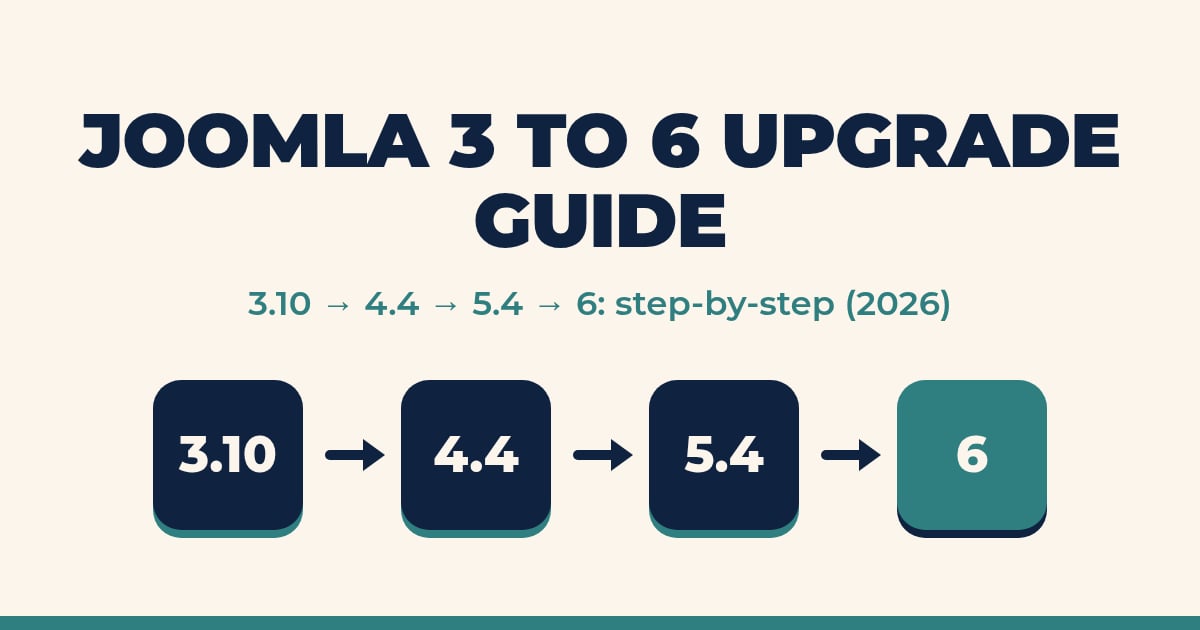
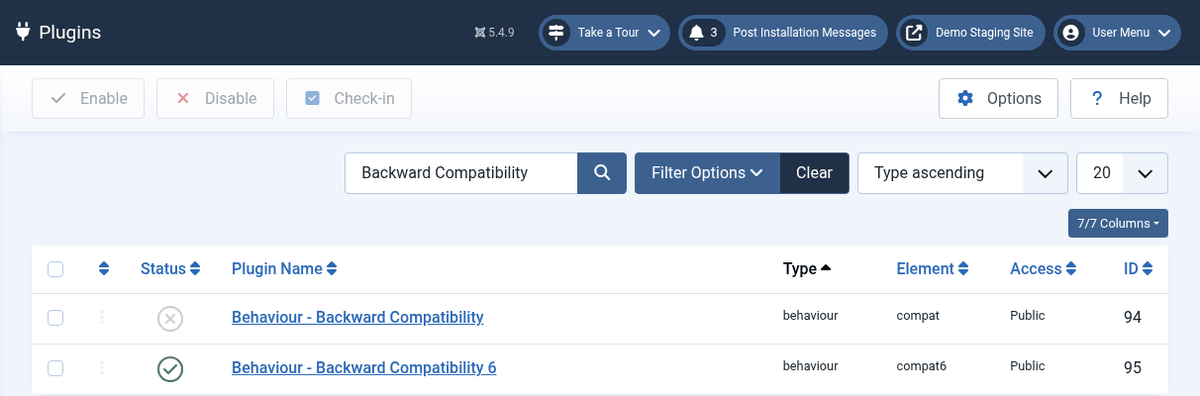
    8. Compatibility plugin / migration bridging — Joomla 6 includes a compatibility plugin to ease migrations from Joomla 5, but the project’s direction is to phase out older compatibility shims over time. manual.joomla.org

    How Joomla 6 differs from 5.x and 4.x (quick table)

    AreaJoomla 4.xJoomla 5.xJoomla 6.0 (what’s different)
    Primary focusUI/UX overhaul, accessibility, Bootstrap 5Continue modernization, compatibility plugin introducedArchitectural cleanup, new core packages (Renderer, Console, Preload), DB and HTTP refactors. Joomla! Developer Network™+1
    Extension compatibilityMany older extensions still workAdded a Backward Compatibility plugin to smooth the upgradeCompatibility plugin shipped for migration, but legacy code removal is planned — extensions must target new APIs. manual.joomla.org
    Performance toolsCaching, better PHP supportPHP 8+ focus, SEO improvementsPreload relations, file thumbnailing, language cache — more under-the-hood speed improvements. packagist.org+1
    Developer APISome legacy APIs remainTransition phase, deprecation noticesNew Renderer/Console packages, PSR alignment, DB and Crypt modernized. packagist.org+1

    Why this matters for your business or site

    • Security: prepared statements + updated cryptography = fewer attack vectors. If you host client sites, that’s peace of mind. Joomla! Developer Network™
    • Performance: Preload and other kit can reduce time-to-interactive and help SEO. packagist.org
    • Future support: extension authors will focus on Joomla 6 APIs; staying on older versions will be harder over time. manual.joomla.org
    • Developer productivity: CLI tooling + pluggable renderers make building complex sites simpler and less hacky. manual.joomla.org+1

    Migration checklist for site owners (step-by-step)

    Follow this checklist. Do it in this order.

    1. Inventory everything
      • Export a list of installed extensions, templates, and custom code. Include versions and vendor pages.
    2. Confirm hosting & PHP
      • Check minimum PHP version recommended for Joomla 6 (Joomla 6 pushes modern PHP; plan for PHP 8.1+/8.2+). If you’re on PHP 7.x, upgrade hosting first. Joomla! Developer Network™
    3. Identify unsupported extensions
      • Check extension vendor pages or GitHub. If no Joomla 6 roadmap exists for a given extension, plan replacement. joomlart.com
    4. Setup staging
      • Clone the site to staging (full DB + files). Do not attempt on production.
    5. Test Joomla 6 alpha/RC on staging
      • Use nightly builds or alpha/RC packages for testing only. Try Joomla 6 alpha/RC on the staging site and document issues. Joomla! Developer Network™+1
    6. Use compatibility plugin (short term)
      • Enable the Joomla 6 compatibility plugin while you patch or replace incompatible extensions — but do not rely on it forever. manual.joomla.org
    7. Resolve breakages
      • Replace or update extensions; patch templates for any rendering changes you hit (Twig/Renderer support may change templating flow). packagist.org
    8. Performance & QA pass
      • Test page speed, run security scans, check forms, payments, and SEO tags.
    9. Backup & schedule rollout
      • When staging is green, backup live site and schedule the migration during low traffic hours.
    10. Post-upgrade monitoring
    • Monitor error logs, user reports, and uptime. Be ready to revert if something critical breaks.

    Developer action plan — what to update now

    If you build extensions or templates, start here — today.

    1. Stop using deprecated APIs — find all deprecation warnings in your code and replace them with the modern equivalents.
    2. Adopt Renderer compatibility — test your templates with the Renderer package. Provide Twig or a compatible renderer if you ship templates. packagist.org
    3. Use PSR-18 HTTP clients — refactor any HTTP client usage toward the PSR standard (this improves interoperability). Joomla! Developer Network™
    4. Refactor DB access — move to prepared statements and the new Database package APIs to avoid runtime warnings and security issues. Joomla! Developer Network™
    5. Add Console commands — if your extension has maintenance tasks, provide CLI commands via the Console package for automation. manual.joomla.org
    6. Test on nightly / alpha builds — set up CI to run tests against nightly Joomla 6 builds.

    Real risks and how to avoid them

    • Risk: Extension ecosystem fragmentation.
      Avoid: Prioritize extensions from vendors that publish Joomla 6 compatibility plans. Replace abandonware before upgrading. joomlart.com
    • Risk: Breaking custom templates.
      Avoid: Test templates against the Renderer package; consider migrating templates to Twig/Plates where possible. packagist.org
    • Risk: Upgrading live without testing.
      Avoid: Always use staging and nightly builds; enable compatibility plugin only to buy time. Joomla! Developer Network™+1

    FAQ — fast answers

    Q: Is Joomla 6 released yet?
    A: As of the latest official updates, Joomla 6 has passed alpha stages and the project has published pre-release testing builds and release candidate(s) for testing — it is not a long-term stable release to run on production without testing. Joomla! Developer Network™+1

    Q: Will my Joomla 5 extensions keep working?
    A: Some will, some won’t. Joomla 6 includes a compatibility plugin, but many extensions will need updates or rewrites to align with the new core packages. Plan to test and update. manual.joomla.org

    Q: When should I upgrade?
    A: Don’t rush production upgrades. Test in staging with alpha/RC builds, update extensions, and only move to production once the stable release and extension ecosystem are ready. Joomla! Developer Network™

    ✅ Final Joomla 6 Upgrade Checklist

    • [ ] Inventory installed extensions & templates
    • [ ] Verify PHP & hosting readiness (PHP 8.x)
    • [ ] Setup staging environment and nightly builds
    • [ ] Test each extension & template on Joomla 6 alpha/RC
    • [ ] Use compatibility plugin only as temporary help
    • [ ] Replace/patch incompatible items before production upgrade
    • [ ] Backup and schedule final migration in low-traffic window
    • [ ] Monitor logs & users after upgrade

  • 10 Lesser-Known Joomla Facts That Will Blow Your Mind (Even If You’re Not a Developer)

    10 Lesser-Known Joomla Facts That Will Blow Your Mind (Even If You’re Not a Developer)

    When people talk about content management systems, WordPress often dominates the conversation. But if you dig deeper into the CMS world, you’ll find that Joomla is a powerhouse hiding in plain sight. It’s open-source, fast, flexible, and—here’s the kicker—it’s got some seriously underrated features and an even more fascinating origin story.

    Whether you’re a developer, a business owner, or someone just curious about CMS platforms, these 10 lesser-known Joomla facts will surprise you—and maybe even make you consider switching.

    Let’s dive in.

    1. Joomla Was Born from a Rebellion

    In 2005, Joomla didn’t just launch—it forked. It was born from a dramatic split with the Mambo CMS over issues of open-source values. The core developers walked out and started Joomla under the newly-formed Open Source Matters, and within 24 hours, more than 1,000 users joined their cause. That’s not just open source—that’s a movement.

    2. The Name “Joomla” Means “All Together”

    The word Joomla comes from the Swahili word “Jumla,” which means “all together” or “as a whole.” It perfectly captures the project’s philosophy of community-driven development. Fun fact? The name was selected through a community poll, proving Joomla was democratic from the very start.

    3. It’s 100% Run by Volunteers

    Unlike other CMS giants with corporate backing, Joomla is entirely maintained by volunteers. The Joomla! Project is run by hundreds of contributors worldwide—developers, designers, writers, testers—who believe in keeping the internet open and accessible.

    4. Multilingual Support is Native, Not an Add-On

    Joomla has native support for over 70 languages out of the box. No plugins. No hacks. Just pure multilingual goodness. If you’re building a global website, Joomla saves you hours of work (and potential plugin conflicts).

    5. Joomla’s ACL System is a Hidden Superpower

    ACL (Access Control List) sounds boring—until you realize how powerful it is. Joomla’s granular permission system lets you control exactly who can view, edit, create, or manage content. You can even restrict individual menu items. Most CMS platforms need premium plugins for that level of control. Joomla gives it to you for free.

    6. Joomla Supports More Than Just MySQL

    Everyone knows Joomla works with MySQL and MariaDB. But did you know it also supports PostgreSQL—and even Microsoft SQL Server (in earlier versions)? That’s serious flexibility, especially for enterprise environments.

    Check out the official Joomla technical requirements to see supported databases.

    7. It’s a Web Framework Too

    Here’s something most people miss: Joomla isn’t just a CMS—it’s also a PHP framework. You can build custom web applications using Joomla’s architecture (MVC, libraries, classes, etc.), even if you’re not making a traditional website.

    Explore the Joomla Framework if you’re building tools or apps beyond standard content sites.

    8. Big Names Use Joomla (You Just Don’t Know It)

    Joomla quietly powers some huge names:

    • The President of Argentina’s official site
    • Peugeot and Ikea regional portals
    • Media brands like MTV Greece and Linux.com

    It’s even been used by UN agencies and European governments. Joomla might not shout about it, but its resume is rock solid.

    See more examples in this showcase directory.

    9. Pizza, Bugs & Fun – That’s How Joomla Rolls

    What’s better than fixing bugs? Fixing bugs with pizza. The Joomla community organizes events called Pizza, Bugs & Fun (PBF), where contributors gather to squash bugs, eat pizza, and hang out. It’s part hackathon, part social, all community.

    10. Joomla Has a Better Security Record Than You Think

    WordPress gets attacked because of its massive market share—but Joomla is often overlooked in a good way. According to Sucuri’s Website Hack Trend Report, Joomla sites made up less than 2% of infected websites in 2022. Compare that to WordPress’s 96.2% share, and Joomla’s strong security posture starts to shine.

    Final Thoughts

    Joomla isn’t just an alternative to WordPress or Drupal—it’s a serious contender with a unique story, a rich feature set, and a global community that truly cares.

    If you haven’t looked at Joomla in a while, now’s the time.

    From native multilingual support to a surprisingly strong security track record, Joomla proves that sometimes the best tools aren’t the loudest—they’re just quietly doing the work.

    Have a Joomla site? Thinking of building one? Drop your thoughts in the comments below.

  • What’s New in Joomla 5.2.3 and Why You Should Update Now

    What’s New in Joomla 5.2.3 and Why You Should Update Now

    Released on Monday, 06 January 2025, Joomla 5.2.3 is here, and it’s not just another routine update. Packed with critical security fixes and essential bug resolutions, this release underscores why staying updated is non-negotiable in today’s digital landscape. Whether you’re a seasoned developer or someone managing their own site, this is an upgrade you don’t want to skip.

    Let’s break down what’s new, what’s fixed, and why this update matters.

    Why This Update is a Big Deal

    Cyber threats are evolving daily, and CMS platforms like Joomla are prime targets. The Joomla! Project has been proactive in addressing vulnerabilities, and 5.2.3 is no exception. With critical security patches, including fixes for cross-site scripting (XSS) vulnerabilities and access control flaws, this release fortifies your site against potential breaches.

    But it’s not just about security. Bug fixes in this version ensure smoother performance, better compatibility, and an overall enhanced user experience.

    What’s New: A Quick Rundown of Joomla 5.2.3

    Here’s what you’re getting with this update:

    Security Fixes You Need to Know About

    1. XSS in Module Chromes
      • Vulnerabilities in module chromes allowed attackers to inject malicious scripts. Fixed.
    2. XSS in Menu List IDs
      • A flaw in menu list IDs was patched to prevent unauthorized script injection.
    3. Access Control Violations
      • Core views had read permission flaws, potentially exposing sensitive data. These are now resolved.

    Why it matters: Cross-site scripting attacks are among the most common threats, and these fixes significantly reduce your site’s risk.

    Bug Fixes and Enhancements

    This update isn’t just about plugging security holes. It also brings several improvements to make Joomla more robust and user-friendly:

    AreaFix/Improvement
    TinyMCE PluginFixed validation issues in the joomlaExtButtons plugin.
    Email HandlingApostrophes in email addresses? No longer a problem.
    ModulesRemoved redundant empty images and anchors in mod_articles_news and mod_articles_category.
    PHP CompatibilityFixed deprecation warnings for smoother performance on PHP 8.x.
    Frontend UICancel links on the add verification code page now display the correct styles.

    These changes make Joomla smoother, faster, and better equipped to handle modern web demands.

    Why You Should Upgrade Now

    Delaying updates can leave your site vulnerable to attacks or performance issues. Here’s why you should prioritize upgrading to Joomla 5.2.3:

    1. Enhanced Security
      • Protect your site against known vulnerabilities like XSS and ACL violations.
    2. Improved Performance
      • Benefit from resolved bugs and enhanced compatibility, particularly with PHP 8.x.
    3. Future-Proofing
      • Stay aligned with Joomla’s development roadmap and avoid complications when future updates roll out.

    Pro Tip: Always back up your site before updating. Use tools like Akeeba Backup to ensure you’re protected in case something goes wrong.

    How to Update to Joomla 5.2.3

    Updating Joomla is straightforward, but it’s always good to follow best practices:

    1. Backup Your Site
      • Save a copy of your database and files using a backup extension.
    2. Check Compatibility
      • Verify that your extensions and templates are compatible with Joomla 5.2.3.
    3. Apply the Update
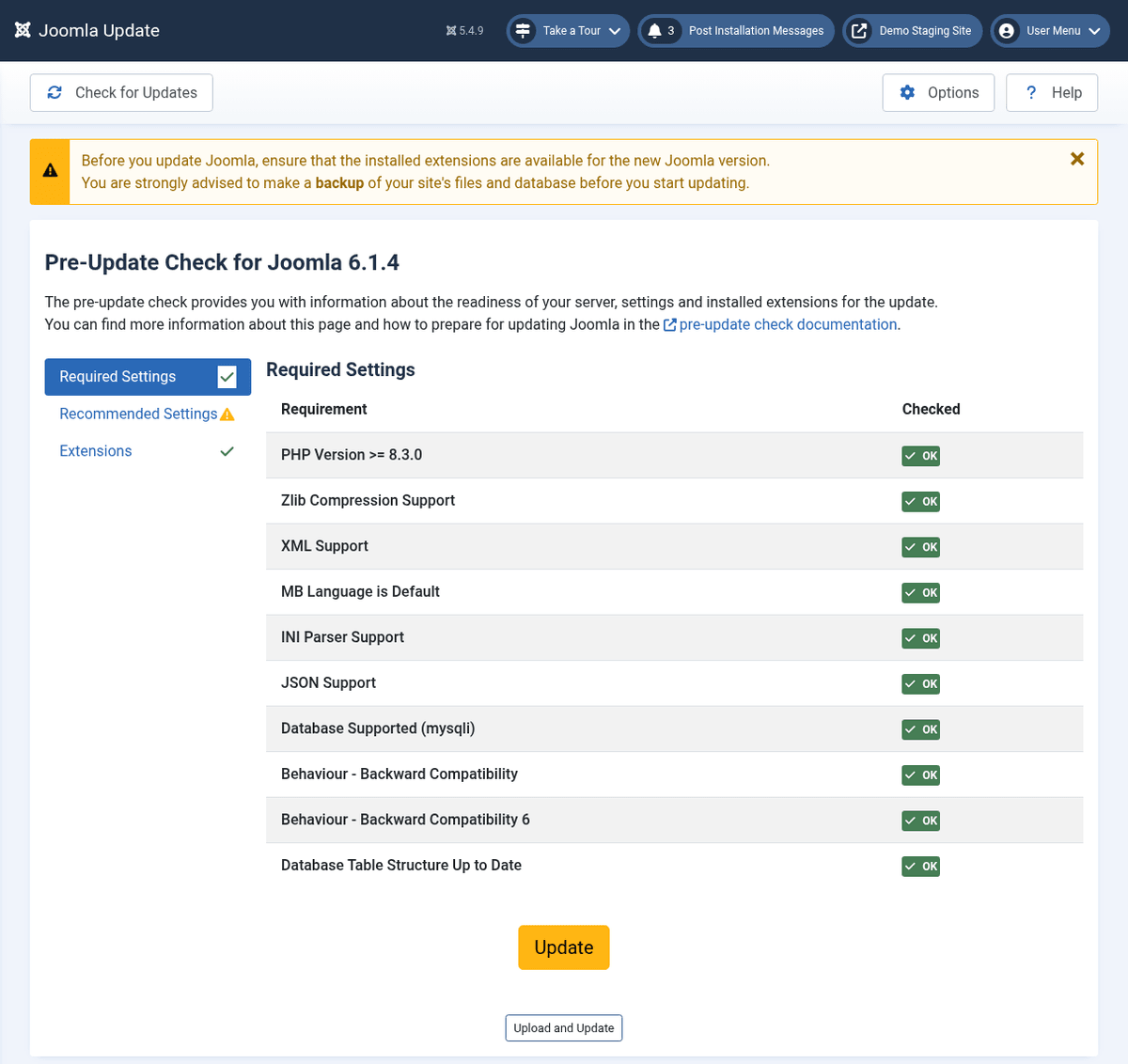
      • Go to Components > Joomla Update, check for updates, and click Install Update.

    If you encounter issues, Joomla’s official documentation provides step-by-step guidance.

    Pro Tip: Always upgrade your Joomla website to the latest version to ensure maximum security and optimal performance.

    Final Thoughts: Don’t Wait to Secure Your Site

    Joomla 5.2.3 is more than just an update; it’s a shield against modern security threats and a step toward smoother, faster website management. If you value your site’s security, performance, and future-proofing, upgrading isn’t optional—it’s essential.

    Take the leap today and ensure your Joomla site is running at its best. Because when it comes to the web, staying secure is staying smart.

  • The Future of Joomla: Why It Still Deserves Your Attention in 2025

    The Future of Joomla: Why It Still Deserves Your Attention in 2025

    A few days ago, a friend called me out of the blue and asked, “Hey, what services do you provide?” I replied confidently, “We offer Joomla services, among other things.”

    What followed was a moment of surprise on his end: “Wait, do people still use Joomla?”

    Not only that, but he continued with another question: “Why are people still using Joomla when WordPress and Shopify seem to dominate?”

    These questions aren’t new, but they sparked an important conversation. While Joomla’s market share may have declined in recent years, it still holds a special place in the CMS landscape. Let’s take a positive spin on Joomla and explore why it’s still relevant and worth considering in 2025.

    Joomla: A Legacy of Excellence

    joomla legacy

    First, let’s remember what Joomla has accomplished. Since its launch in 2005, Joomla has powered millions of websites, from small personal blogs to large-scale enterprise portals. It’s been trusted by organizations like the United Nations, IKEA, and Harvard University.

    Here’s why Joomla earned its reputation:

    • Multilingual Out of the Box: Joomla supports over 75 languages natively, making it a global favorite.
    • Advanced Customization: With its modular design, you can create websites tailored to your exact needs.
    • Open-Source Community: Joomla’s community-driven approach ensures constant innovation and support.

    Even today, these strengths make Joomla a go-to choice for users who need flexibility and scalability.

    Why Are People Still Using Joomla?

    If you’re wondering why developers and businesses continue to rely on Joomla, the answer lies in its unique capabilities:

    1. Flexibility for Complex Projects

    Joomla excels in handling complex websites with specific requirements. Its robust framework allows developers to build custom features without limitations.

    From e-commerce platforms to educational portals, Joomla’s flexibility is unmatched in certain niches.

    2. Built-In Multilingual Support

    Unlike many CMS platforms that require plugins for multilingual functionality, Joomla offers it right out of the box. If your business operates globally, Joomla simplifies the process of managing multiple languages.

    3. Security and Stability

    Joomla has faced criticism in the past for security vulnerabilities, but today, it’s one of the most secure CMS platforms. Regular updates, an active security team, and built-in two-factor authentication make Joomla a solid choice for those prioritizing safety.

    4. A Thriving Developer Community

    The Joomla community remains active and dedicated, continuously improving the platform. Whether you need support or are looking for the latest extensions, the community has your back.

    5. Affordability

    As an open-source CMS, Joomla is free to use. This makes it a cost-effective solution for businesses and developers who want advanced functionality without hefty licensing fees.

    Joomla in 2025: What’s New?

    Joomla isn’t standing still. In fact, the release of Joomla 5.0 in late 2023 introduced several game-changing updates:

    • Improved Performance: Faster load times and optimized back-end processes make websites more efficient.
    • SEO Enhancements: Automatic Schema.org data integration improves search engine visibility without the need for additional plugins.
    • Accessibility Features: Dark mode, keyboard navigation, and compliance with accessibility standards ensure inclusivity.
    • Modern Compatibility: Full support for PHP 8.1 and Bootstrap 5.3.2 keeps Joomla on par with modern development standards.

    These updates prove that Joomla is committed to staying competitive and addressing the needs of today’s users.

    Who Should Choose Joomla?

    While platforms like WordPress and Shopify are great for certain use cases, Joomla shines in specific scenarios:

    1. Developers Who Value Control

    If you’re a developer who wants full control over your website’s design and functionality, Joomla provides the tools to make it happen.

    2. Businesses with Global Reach

    Joomla’s built-in multilingual support is a major advantage for businesses targeting international audiences.

    3. Organizations Needing Custom Solutions

    For educational institutions, nonprofits, or large corporations with unique requirements, Joomla’s flexibility is unparalleled.

    Why Joomla Deserves a Second Look

    If you’ve written off Joomla in the past, it’s time to reconsider. While it may not dominate the market like WordPress, it offers a level of customization, security, and scalability that many platforms can’t match.

    Reasons to Give Joomla Another Chance

    • It’s Free and Open-Source: Unlike proprietary platforms, Joomla gives you complete ownership of your website.
    • It’s Continuously Improving: With updates like Joomla 5.0, the platform is addressing its past shortcomings.
    • It Has a Supportive Community: From forums to user groups, help is always available.

    The Future of Joomla: Bright or Bleak?

    the future of joomla
    Characters and global communication concept illustration

    Joomla’s future depends on how well it adapts to a changing market. The good news? Recent updates show that Joomla is evolving in the right direction.

    To thrive, Joomla should focus on:

    • Simplifying the User Interface: Attract beginners with a more intuitive design.
    • Expanding Marketing Efforts: Educate users on Joomla’s strengths to combat the perception of being outdated.
    • Fostering Developer Engagement: Encourage more developers to create extensions and templates.

    Final Thoughts: Is Joomla Still Worth It?

    Absolutely. Joomla remains a powerful CMS that caters to users with specific needs, especially those requiring advanced customization and multilingual capabilities.

    If you’re someone who values control, scalability, and security, Joomla is still one of the best options available in 2025.

    If you’re looking for expert Joomla services or want to explore how Joomla can work for your next project, let’s connect! Drop your questions below or reach out to get started.