Updated 16 October 2026 · By Abhilash Sahoo, Infyways
Quick answer: get_option() reads a single site-wide setting from the WordPress wp_options table.
$value = get_option( 'option_name', $default );- Returns the stored value (WordPress unserializes arrays and objects for you).
- Returns
falseif the option doesn’t exist and you passed no default; otherwise it returns your$default. - Values usually come back as strings — even numbers (
get_option('page_for_posts')→"0"). - Autoloaded options are loaded once per request, so repeated calls don’t hit the database again.
Every result on this page was produced on a real WordPress 7.1.3 install (PHP 8.4) with WP-CLI — not copied from the manual.
What are the parameters and return value?
The function signature from the official developer reference is:
get_option( string $option, mixed $default_value = false )| Parameter | Type | Notes |
|---|---|---|
$option |
string | The option name (the option_name column). Required. |
$default_value |
mixed | Returned when the option does not exist. Defaults to false. |
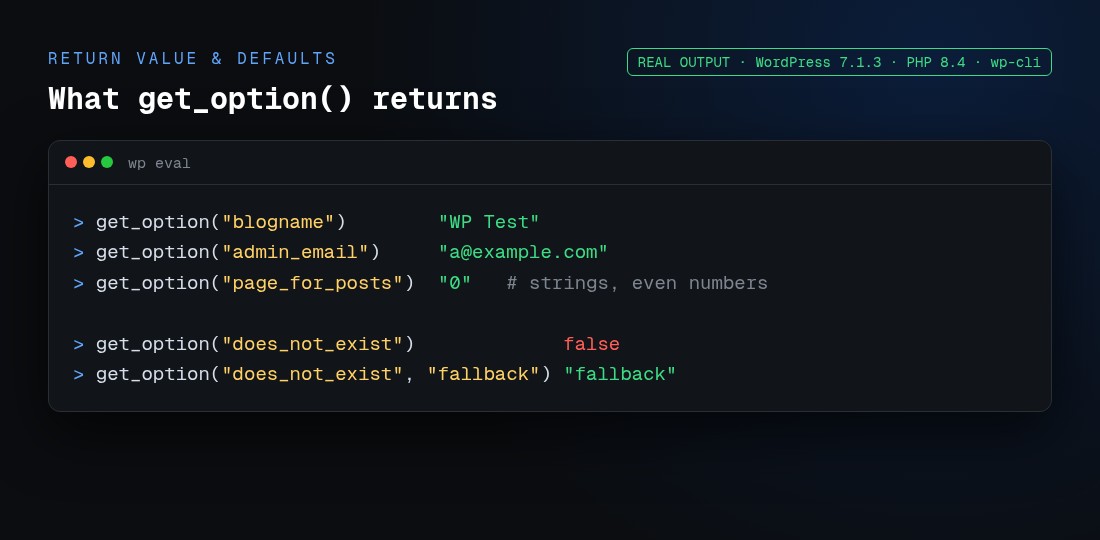
Here is the real output for core settings, a missing option, and a missing option with a default:
get_option("blogname")          "WP Test"
get_option("admin_email")       "a@example.com"
get_option("page_for_posts")    "0"        // a string, not an int
get_option("does_not_exist")              false
get_option("does_not_exist","fallback")   "fallback"
How do I use get_option? (examples)
Read a core setting
$title = get_option( 'blogname' );
$email = get_option( 'admin_email' );
$per_page = (int) get_option( 'posts_per_page' ); // cast, because it's a string
Read your plugin’s settings array
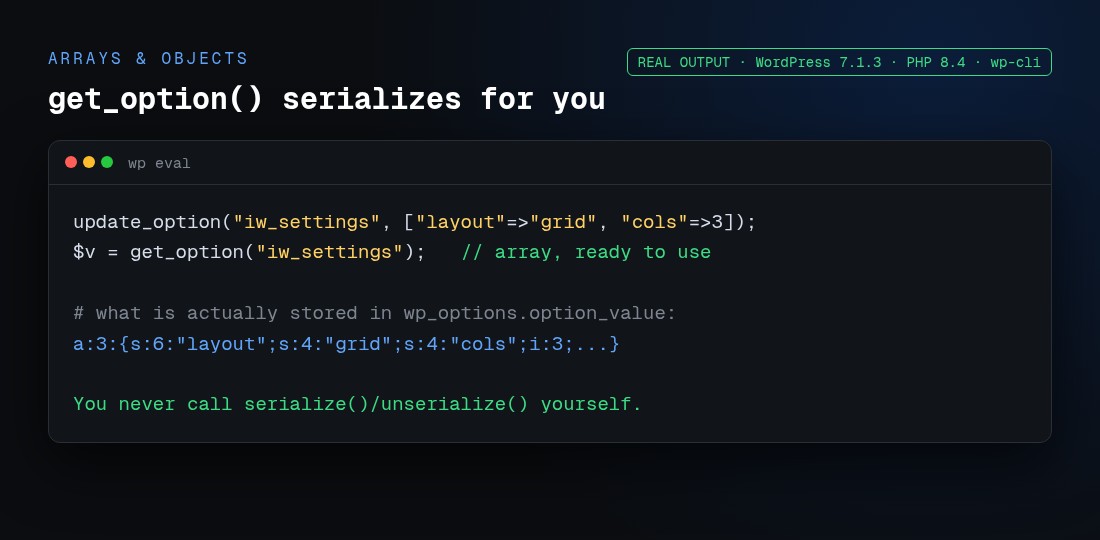
Store one array per plugin instead of dozens of separate options. WordPress serializes it on write and unserializes it on read automatically:
update_option( 'iw_settings', array( 'layout' => 'grid', 'cols' => 3 ) );
$opts = get_option( 'iw_settings', array() );   // always returns an array
echo $opts['layout'];                            // "grid"
In the database that single row holds a:2:{s:6:"layout";s:4:"grid";s:4:"cols";i:3;} — but you never call serialize() or unserialize() yourself.
Save, update and delete options
get_option() has three partners. Watch their return values:
| Function | Does | Returns |
|---|---|---|
add_option() |
Creates an option (fails quietly if it exists) | true / false |
update_option() |
Creates or updates; the one you’ll use most | true if changed, false if unchanged or failed |
delete_option() |
Removes the option | true / false |
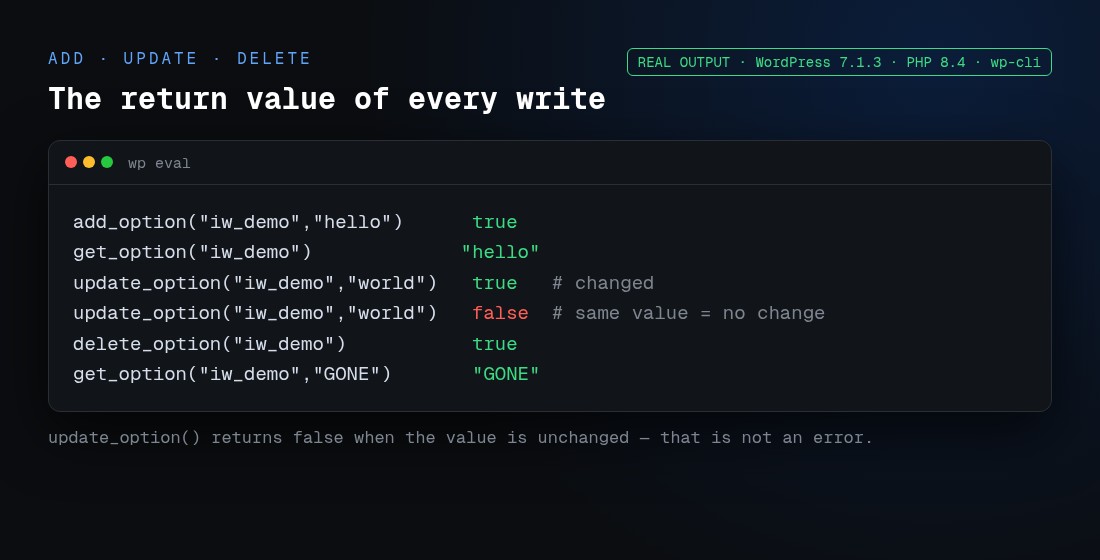
Real run:
update_option("iw_demo","world")   // true  (value changed)
update_option("iw_demo","world")   // false (same value — NOT an error)
delete_option("iw_demo")           // true
get_option("iw_demo","GONE")       // "GONE"
The second update_option() returning false trips people up constantly: it means “nothing changed”, not “it failed”. Don’t treat it as an error.
How does autoload work (and what changed in WordPress 6.6)?
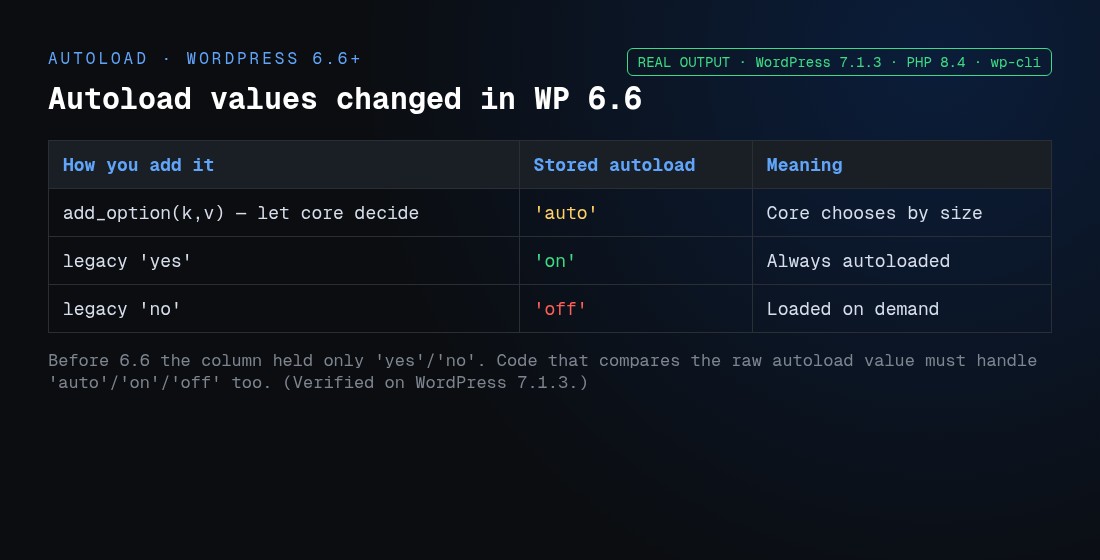
Every option row has an autoload flag. Autoloaded options are pulled into memory in one query at the start of each request by wp_load_alloptions(), so reading them later is free. WordPress 6.6 changed the values stored in that column. Confirmed on WordPress 7.1.3:
| How you add it | Stored value (6.6+) | Behaviour |
|---|---|---|
add_option(,) (let core decide) |
'auto' |
Core auto-decides based on size |
Legacy 'yes' |
'on' |
Always autoloaded |
Legacy 'no' |
'off' |
Loaded on demand |
Before 6.6 the column only held 'yes'/'no'. If you query the autoload column directly, your code must now also handle 'auto', 'on' and 'off'. Passing 'yes'/'no' still works for backward compatibility. Keep large or rarely used options off autoload so they don’t bloat every page load — our WordPress plugin development work almost always starts with trimming an overgrown autoloaded options set.
Does get_option hit the database every time?
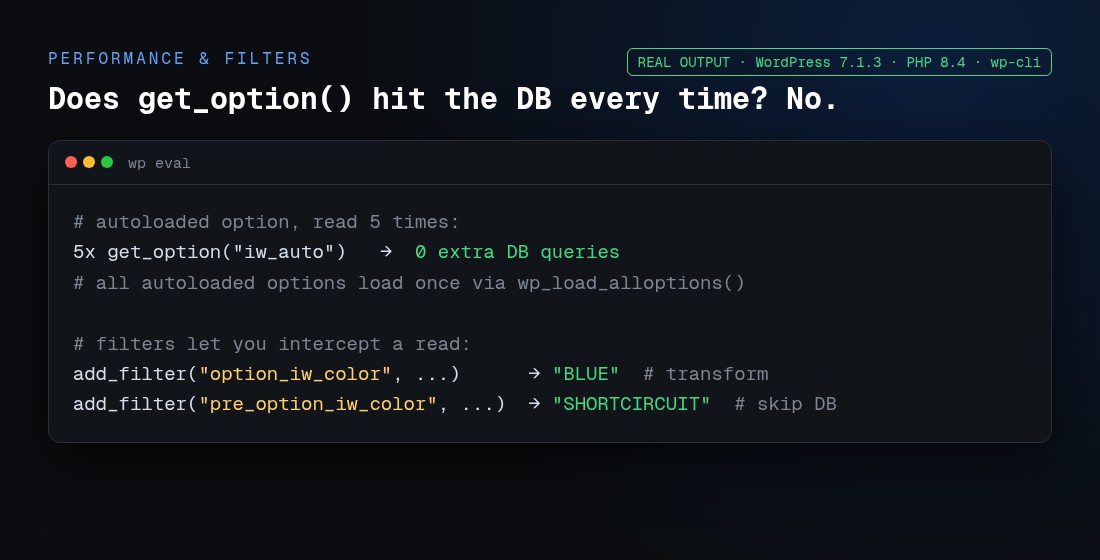
No. For an autoloaded option, we read it five times in a row and measured the queries:
5 × get_option("iw_auto") → 0 extra DB queriesAll autoloaded options are already in memory. A non-autoloaded option is fetched on first use and then cached (via the object cache if one is configured). So get_option() is cheap; the thing to manage is what you autoload, not how often you call it.
How do I filter or override a value?
Two filters wrap every read:
option_{$option}— change the value after it’s read from the database.pre_option_{$option}— return any non-falsevalue to short-circuit the read entirely (the database is never touched).
add_filter( 'option_iw_color', fn($v) => strtoupper($v) );   // "blue" → "BLUE"
add_filter( 'pre_option_iw_color', fn() => 'SHORTCIRCUIT' );  // DB skipped
Both verified live. pre_option_ is how plugins force a setting (for example, defining it as a constant in wp-config.php).
get_option vs post meta, theme mods and transients
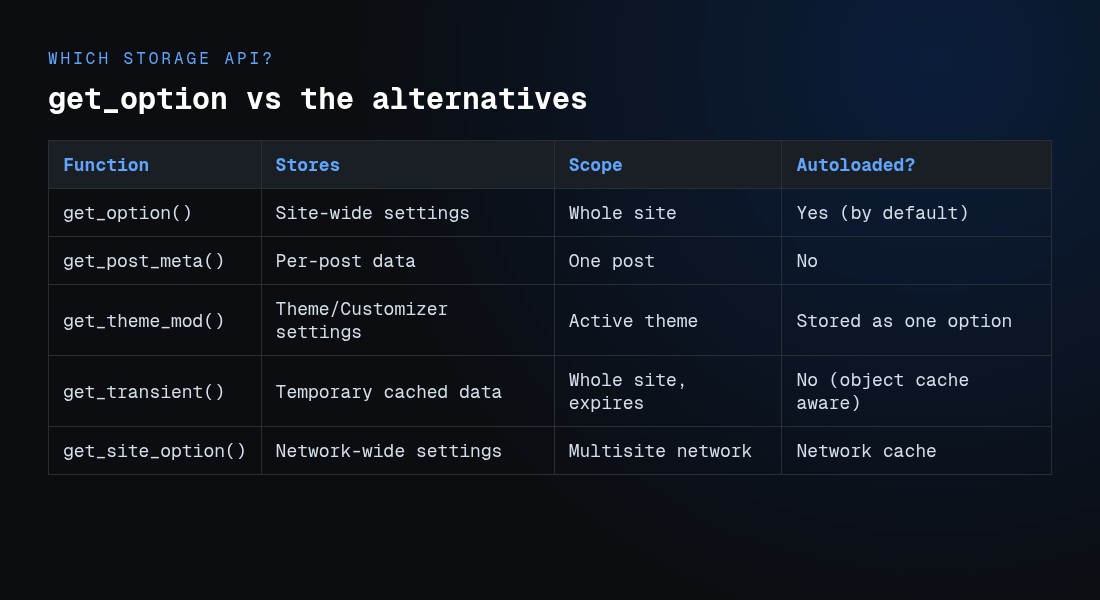
Pick the right storage API for the job:
| Function | Use it for | Scope | Expires? |
|---|---|---|---|
get_option() |
Site-wide settings | Whole site | No |
get_post_meta() |
Data attached to one post — see our update_post_meta guide | A single post | No |
get_theme_mod() |
Theme / Customizer settings | Active theme (stored as one option) | No |
get_transient() |
Temporary cached data (API responses, expensive queries) | Whole site | Yes |
get_site_option() |
Network-wide settings on multisite | Whole network | No |
Multisite note: on a network, get_option() reads the current site’s settings, while get_site_option() reads network-wide settings. A transient is just an option with an expiry — use it when the data can be regenerated, and get_option() when it must persist.
Reading options over the REST API
Settings that are registered with register_setting() and marked show_in_rest are exposed at /wp-json/wp/v2/settings (authenticated). We queried it on the test site and it returned the whitelisted options:
GET /wp/v2/settings → 200
title, description, timezone, posts_per_page, show_on_front, page_for_posts, ...
title = "WP Test"   posts_per_page = 10
Only options that are explicitly registered for REST appear here — your custom options won’t show up unless you register them. This is the modern, safe way for a block editor or headless front end to read and write settings without touching the database directly.
Common mistakes with get_option()
| Mistake | What happens | Fix |
|---|---|---|
| Expecting an integer or boolean | You get a string ("0", "1") |
Cast: (int), or compare loosely with care |
Treating false as “error” |
A missing option and a stored false both return false |
Pass a unique default and compare, or use get_option() === false |
Reading update_option() false as failure |
You throw an error when nothing was wrong | Remember false = “value unchanged” |
| Autoloading huge options | Every page load gets slower | Add big/rarely used options with autoload off |
Running get_option() too early |
Returns the default before options load | Read inside a hook (e.g. init), not at file top level |
| Not escaping before output | Stored HTML can break or XSS your page | echo esc_html( get_option('blogname') ); |
Frequently asked questions
What does get_option() do in WordPress?
It reads one named setting from the wp_options table and returns its value, automatically unserializing arrays and objects. It’s the standard way to read site-wide configuration saved by WordPress core, themes and plugins.
What is the default return value of get_option()?
false. If the option doesn’t exist and you didn’t pass a second argument, you get false; if you passed a default, you get that default instead.
Why does get_option() return false?
Either the option name doesn’t exist, or the stored value genuinely is false. Because the two look identical, pass a unique default (get_option('key','__missing__')) and compare, so you can tell “not set” from a real false.
Does get_option() return a string or the original type?
Scalars (numbers, booleans you stored as text) usually come back as strings, so cast them. Arrays and objects are returned in their original type because WordPress unserializes them for you.
Is get_option() cached?
Yes. Autoloaded options are loaded once per request into memory, so repeated calls add no database queries. Non-autoloaded options are fetched on first use and cached after that (in the object cache if one is active).
How do I get an array from get_option()?
Store the array with update_option() and read it back with get_option('key', array()). WordPress handles serialization both ways, so you get a native PHP array. Passing array() as the default avoids errors when the option is missing.
What changed about autoload in WordPress 6.6?
The autoload column now stores 'auto', 'on' and 'off' instead of only 'yes'/'no'. Passing 'yes'/'no' still works, but code that inspects the raw column value must handle the new strings. Core also auto-decides autoload based on option size.
What’s the difference between get_option() and get_site_option()?
On a single site they’re effectively the same. On multisite, get_option() reads the current site’s settings and get_site_option() reads network-wide settings shared across all sites.
Should I use the Options API or the Settings API?
The Options API (get_option/update_option) is the low-level storage. The Settings API builds admin forms on top of it with validation and sections. Use the Settings API to register and render settings pages; it still stores everything as options you read with get_option().
How do I read an option over the REST API?
Register it with register_setting() using show_in_rest, then read it from /wp-json/wp/v2/settings with an authenticated request. Unregistered options are not exposed.
Working in WordPress regularly? You might also like our guides on update_post_meta(), getting the featured image URL, and getting the current page name.