Short answer: To SEO a Joomla site, turn on SEF URLs and URL rewriting, settle on one canonical version of every URL, give each menu item and article its own title and meta description, add an XML sitemap and submit it to Google Search Console, speed the site up for Core Web Vitals, add schema with Joomla’s built-in Schema.org plugin, and write one answer-first page per search. The 12 Joomla SEO tips below walk through each step, with the exact menu path in Joomla 6.2 (the latest version, released 13 October 2026) and Joomla 5.
Joomla SEO is the work of configuring a Joomla site’s URLs, metadata, crawl settings, speed, structured data and content so search engines can index the right pages and rank them for the right searches. The same work also makes your pages easier for AI answer engines (Google AI Overviews, ChatGPT, Perplexity) to quote, which is often called GEO.
Everything here can be done in the Joomla administrator by a site owner, with no code unless a step says so. Work from tip 1 down: the early tips fix problems that make the later ones pointless.
Rather not do this yourself? Our team can work through this checklist on your site and fix what it finds. See done-for-you Joomla SEO from Infyways; a senior engineer replies within 12 hours.
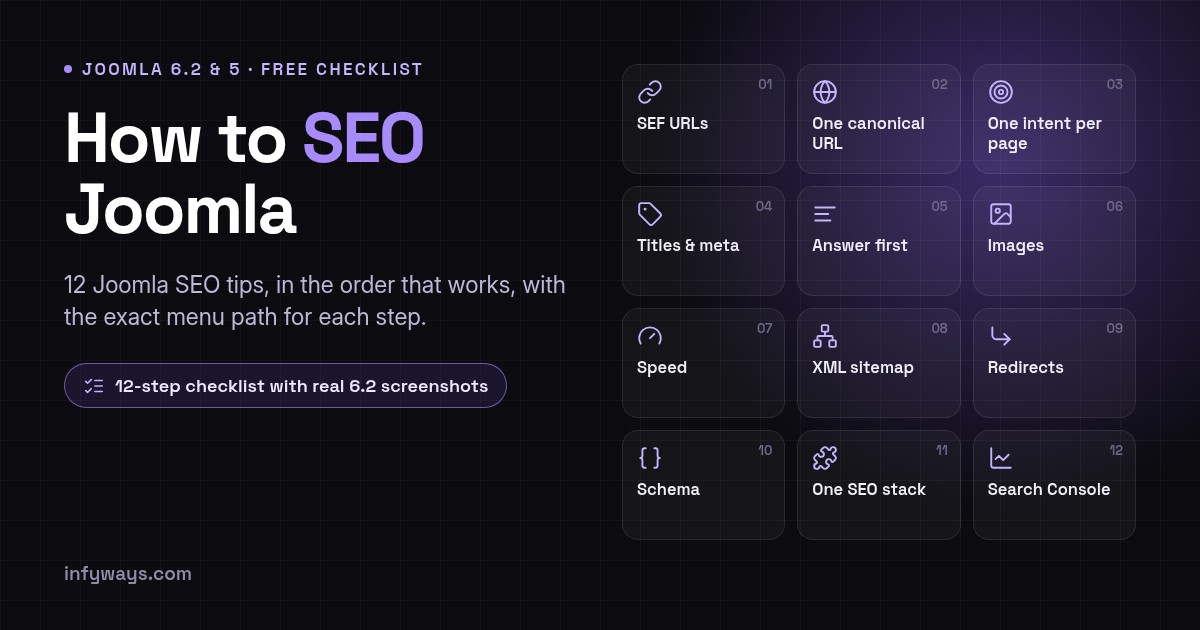
Joomla SEO checklist: the 12 steps at a glance
| # | Joomla SEO tip | Where in Joomla | Done when |
|---|---|---|---|
| 1 | Turn on SEF URLs and URL rewriting | System → Global Configuration → Site → SEO | No index.php or ?option= in public URLs |
| 2 | Pick one canonical host and URL style | Global Configuration → Server; System – SEF plugin | http, non-www (or www) and slash variants all 301 to one URL |
| 3 | Map one search intent to one page | Your keyword list and menu plan | No two pages target the same query |
| 4 | Write a unique title and meta description | Menu item → Page Display / Metadata; Article → Publishing | Every indexable page has its own pair |
| 5 | Lead with the answer and use clean headings | Article editor | One H1, the answer in the first paragraph |
| 6 | Optimise images | Media Manager; article Images and Links tab | Alt text, sensible file names, width and height, WebP or AVIF |
| 7 | Make the site fast | Global Configuration → System / Server; hosting | Core Web Vitals pass in PageSpeed Insights |
| 8 | Add an XML sitemap and check robots.txt | Sitemap extension; site root | Sitemap submitted in Search Console, nothing important blocked |
| 9 | Remove duplicates and set up redirects | Menus; Components → Redirects; Language Filter plugin | One URL per page, retired URLs 301 to the best match |
| 10 | Add structured data | System – Schema.org plugin; article Schema tab | Rich Results Test shows valid markup |
| 11 | Use at most one SEO extension stack | Extensions → Manage | No two extensions rewrite URLs or titles |
| 12 | Measure in Search Console and refresh | Google Search Console | Monthly check of queries, pages and indexing |
1. Turn on SEF URLs and URL rewriting
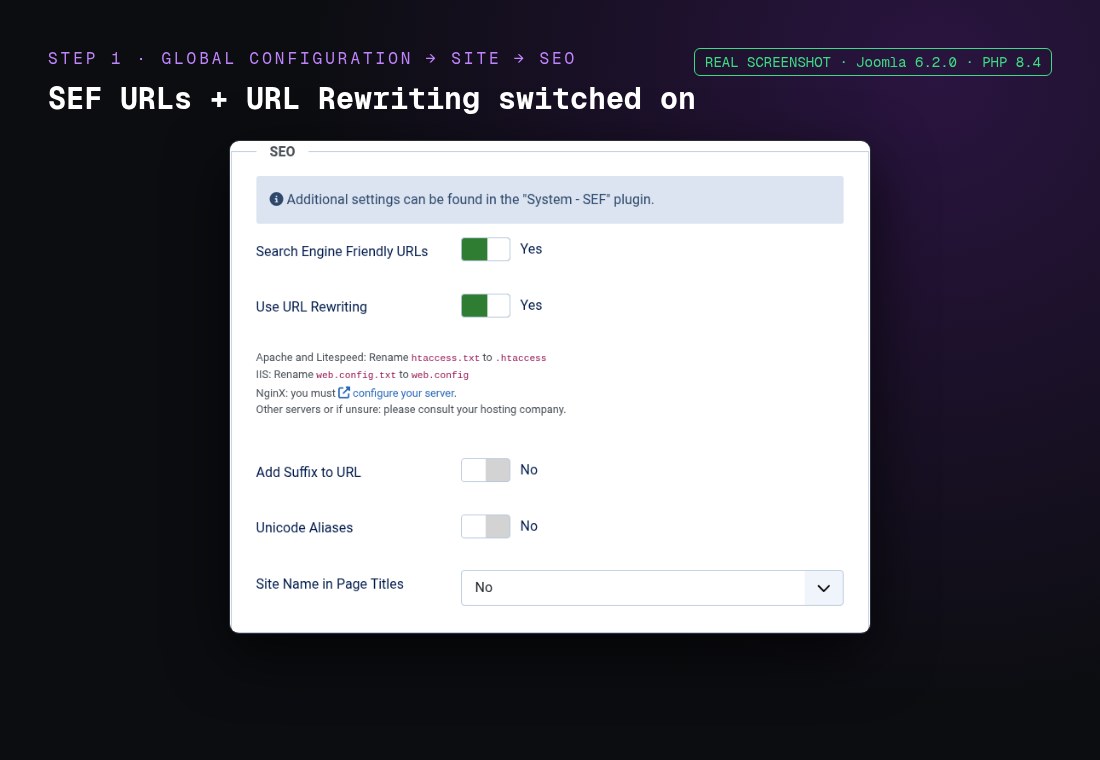
Search engine friendly (SEF) URLs turn index.php?option=com_content&view=article&id=12 into a readable path such as /services/joomla-seo-tips. The official Joomla SEF URLs guide covers the details. To switch them on:
- Go to System → Global Configuration → Site.
- Under SEO, set Search Engine Friendly URLs to Yes.
- Set Use URL Rewriting to Yes.
- On Apache, rename
htaccess.txtto.htaccessin the site root. On Nginx, add the equivalent rewrite rule to the server block. - Open a few pages and check that
index.phphas gone from the address bar.
Tip: keep menu and article aliases short and descriptive. The alias is the part of the URL you control, so joomla-seo-tips beats joomla-seo-tips-and-tricks-for-2026-updated-version. If the site breaks after you enable rewriting, our Joomla SEF URLs guide and Joomla .htaccess guide cover the usual causes.
2. Pick one canonical host and URL style
Google treats http://, https://, www and non-www, and URLs with and without a trailing slash as different addresses. If more than one version loads, links and ranking signals get split between them.
- Force HTTPS: set Force HTTPS to Entire Site in System → Global Configuration → Server once your SSL certificate works, or redirect at the server.
- Choose www or non-www and 301-redirect the other one in
.htaccessor your host’s settings. - In the System – SEF plugin, set Trailing slash for URLs to enforce one style, and turn on Strict handling of index.php so URLs that still contain
index.phpredirect to the clean version. - If the site answers on more than one domain, set Site Domain in the same plugin. It only swaps the domain in the canonical tag, so you still need the redirects above and one menu item per page (tip 9).
3. Map one search intent to one page
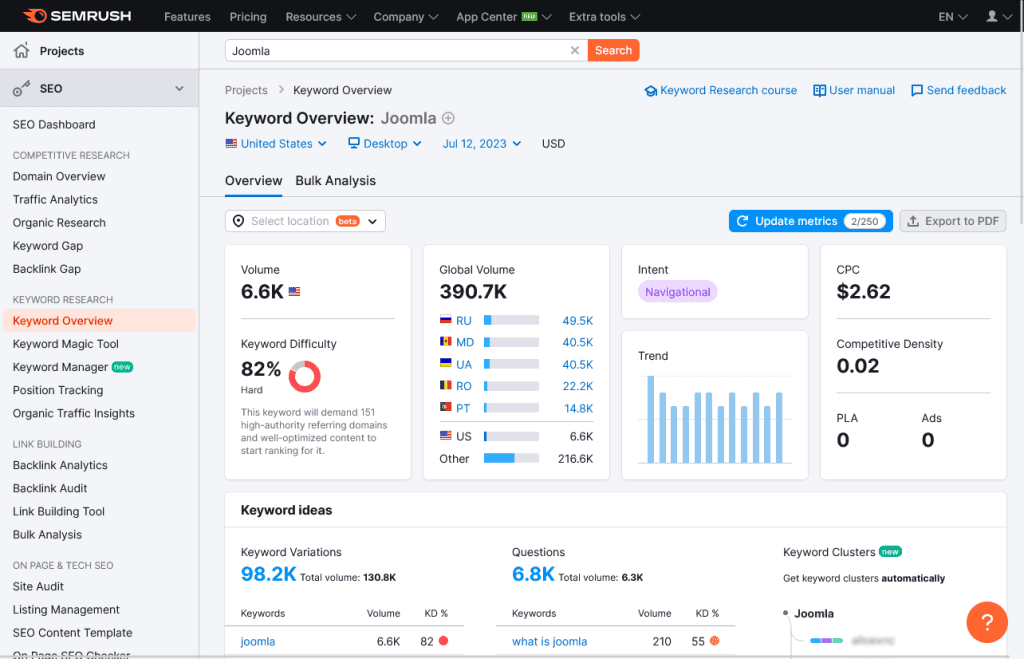
Before you write, decide which search each page should win. Two pages chasing the same query compete with each other and often both rank worse. Build a simple list: query, intent (learn, compare, buy), and the one URL that answers it.
- Use Google Search Console’s Performance report to see the queries your pages already appear for. It is free and uses your own data.
- Add volume and difficulty from Google Keyword Planner, Ahrefs, Semrush or Moz.
- Mine Google Autocomplete and “People also ask” for the questions to answer in your FAQs.
- Put the main phrase in the title, the first paragraph, one H2 and the alias, where it reads naturally.
4. Write a unique title and meta description for every page
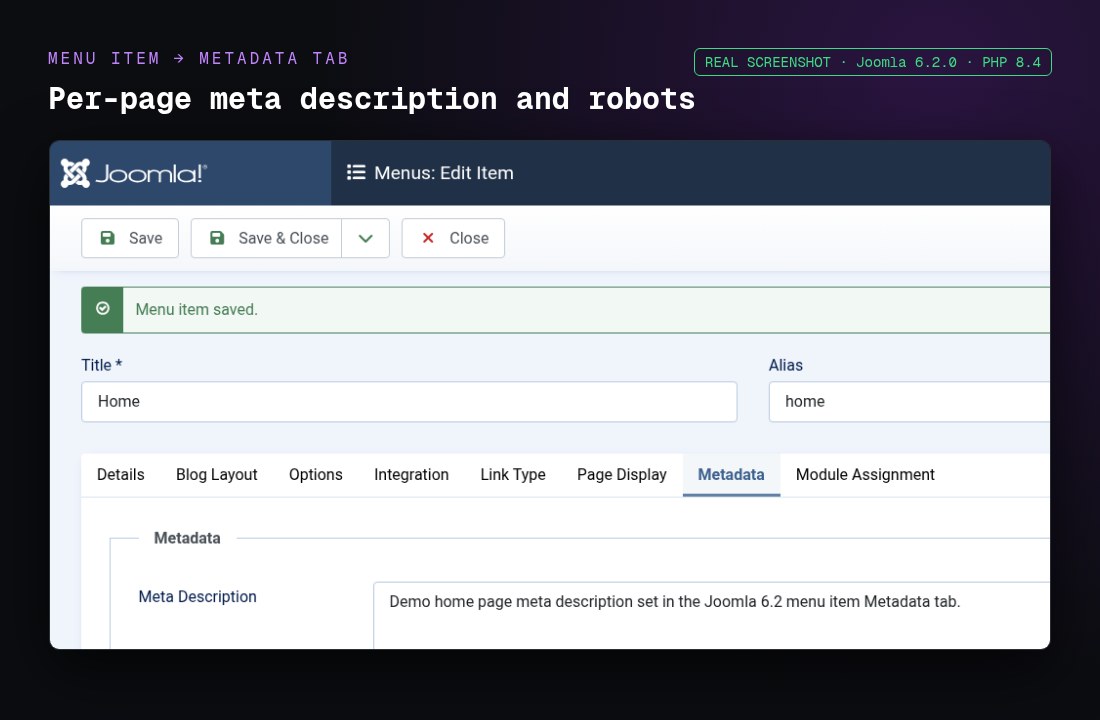
The title is usually the blue link in Google, and the meta description is often the text under it. In Joomla you can set both per menu item and per article:
- Menu item title: Menus → your menu → the item → Page Display tab → Browser Page Title.
- Menu item description: the same item → Metadata tab → Meta Description.
- Article description: Content → Articles → the article → Publishing tab → Meta Description.
- Site name in titles: System → Global Configuration → Site → SEO → Site Name in Page Titles (Before, After or No).
Keep titles to roughly 50 to 60 characters with the main phrase near the front, and descriptions to roughly 150 to 160 characters that say what the reader gets. Google may rewrite either one, but a specific, accurate pair is rewritten less often.
5. Lead with the answer and use clean headings
Put the direct answer in the first one or two sentences, then explain. Readers who only want the answer get it, and search engines and AI answer engines can lift it cleanly. Our GEO for Joomla guide goes deeper on writing for AI answers.
- Use one H1 per page. In most Joomla templates the article or page heading is the H1, so start the article body at H2.
- Make H2s and H3s describe what the section answers, in the words people search with.
- Use tables for comparisons and numbered lists for steps.
- End with real questions in a FAQ section.
Joomla 6.2 note: TinyMCE now follows Joomla’s own text filter settings by default instead of its own list of allowed elements. If you paste custom HTML into articles, such as embeds or hand-written markup, check that it survives saving after you update.
6. Optimise images
- Give every meaningful image alt text that describes it. Leave purely decorative images with empty alt text.
- Use descriptive file names (
joomla-sef-settings.jpg, notIMG_0042.jpg). - Set width and height. Joomla adds native lazy loading only to images that have both.
- Serve WebP or AVIF where you can. Joomla 5 and 6 can display these formats but do not convert images for you, so convert before upload or with an extension. Our WebP and AVIF in Joomla guide shows the options.
Joomla 6.2 adds separate CSS class fields for an article’s intro or full-text image and its surrounding figure. That helps with styling without template overrides; it does not change SEO on its own.
7. Make the site fast for Core Web Vitals
- Turn on caching in System → Global Configuration → System and the System – Page Cache plugin where your site allows it (test logged-in and form pages).
- Turn on Gzip Page Compression in Global Configuration → Server, or compression at the server.
- Remove extensions you do not use; each one can add scripts and database queries.
- Use a CDN if your visitors are spread across countries.
- Check mobile and desktop in PageSpeed Insights and fix the largest issues first.
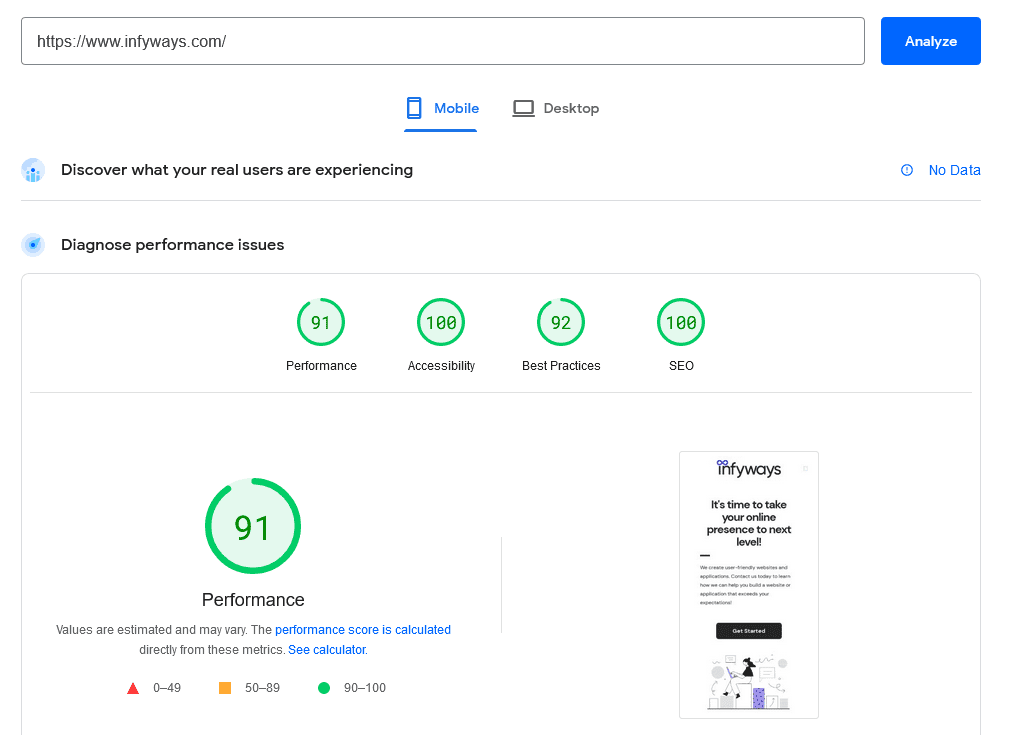
Joomla 6 needs PHP 8.3 or newer, and a current PHP version is one of the cheapest speed wins on older hosting. Our Joomla speed guide covers caching, INP and images step by step.
8. Add an XML sitemap and check robots.txt
Joomla core does not generate an XML sitemap, so use an extension such as OSMap, Aimy Sitemap or 4SEO. Then submit the sitemap URL in Google Search Console under Sitemaps.
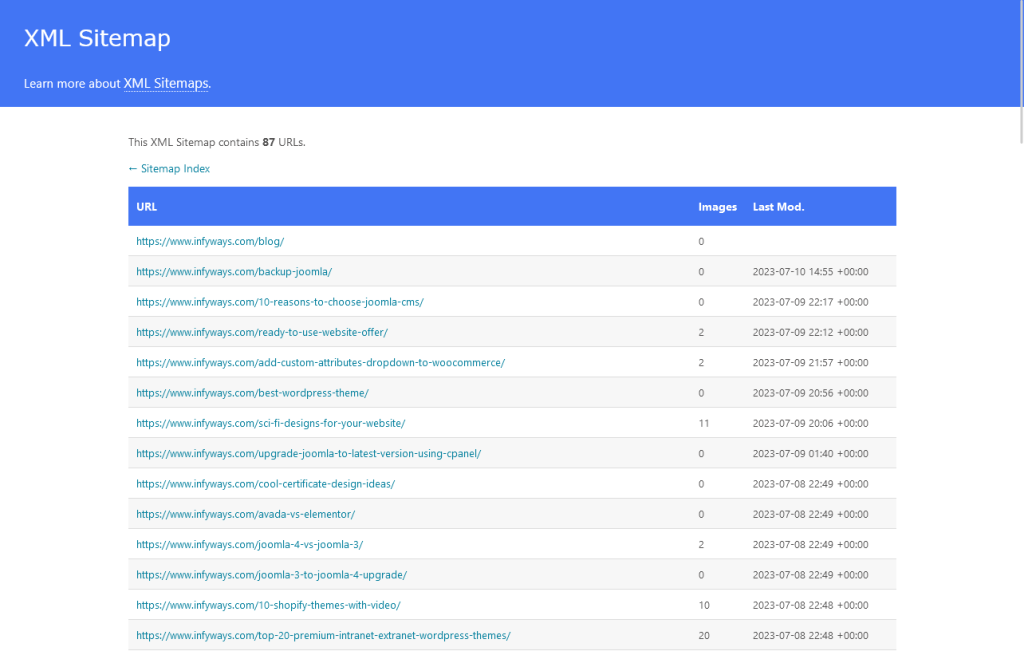
- Open
/robots.txton your site and make sure it does not block pages, images, CSS or JavaScript that Google needs to render the page. - Use the menu item or article Robots field (noindex) for pages that should not appear in search, such as thank-you pages. Do not rely on robots.txt for that.
- Decide on purpose whether AI crawlers such as GPTBot, ClaudeBot and PerplexityBot may read your public pages, and keep staging sites closed to all bots.
9. Remove duplicate URLs and set up redirects
Joomla can reach the same article through more than one menu path, a category view or a print view. Each extra URL is a duplicate.
- Give important articles their own menu item so they have one clean URL.
- Turn on the System – Redirect plugin with Collect URLs set to Yes, then use Components → Redirects to 301 broken or retired URLs to the closest live page.
- Do not publish two near-identical articles for the same query; merge them and redirect the weaker one.
- On multilingual sites, link translations with Associations and turn on Add Alternate Meta Tags in the System – Language Filter plugin so Joomla outputs hreflang tags.
Our Joomla redirects guide covers com_redirect and .htaccess rules in detail.
10. Add structured data with the core Schema.org plugin
Since Joomla 5.0, core includes a System – Schema.org plugin plus type plugins for Article, BlogPosting, Event, Organization, Person, Recipe, JobPosting and Custom. Configure the base plugin with your organisation or person details, then fill in the Schema tab on each article.
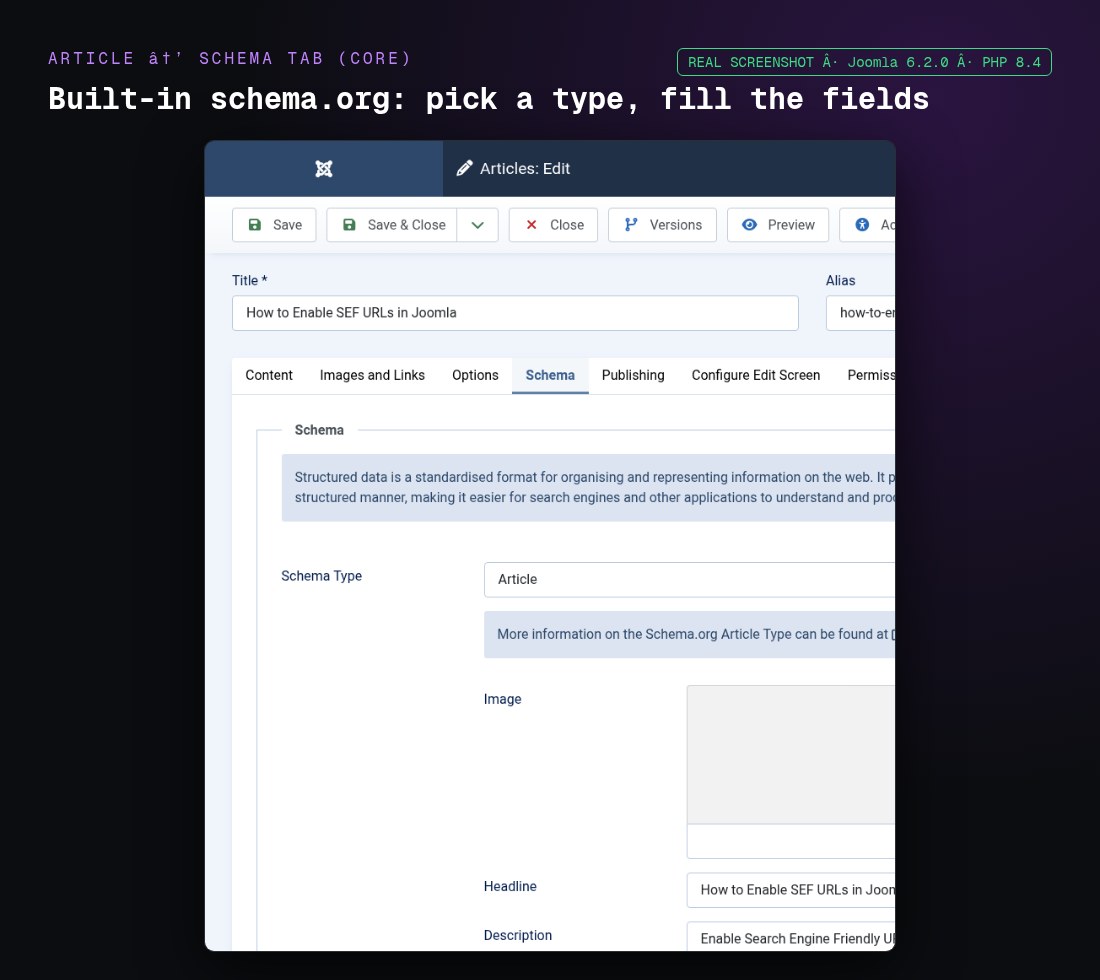
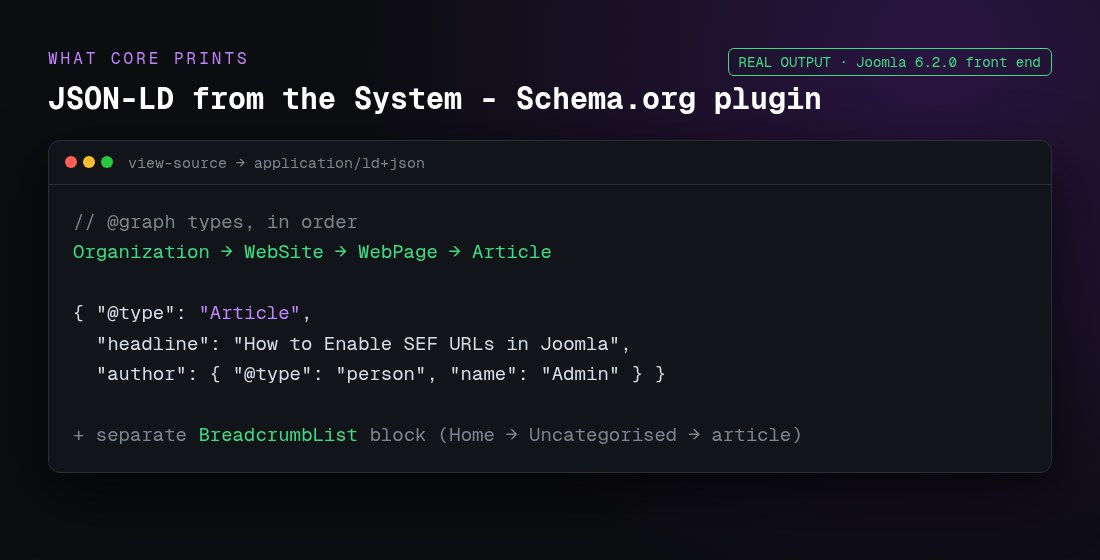
FAQ, HowTo, Product and LocalBusiness markup need an extension or hand-written JSON-LD. Check every page type with the Google Rich Results Test. Our schema in Joomla guide walks through the setup.
11. Use at most one SEO extension stack
Joomla 5 and 6 cover more SEO than most people expect, so start with core and add an extension only for a real gap. Browse the JED SEO & Metadata category before you buy.
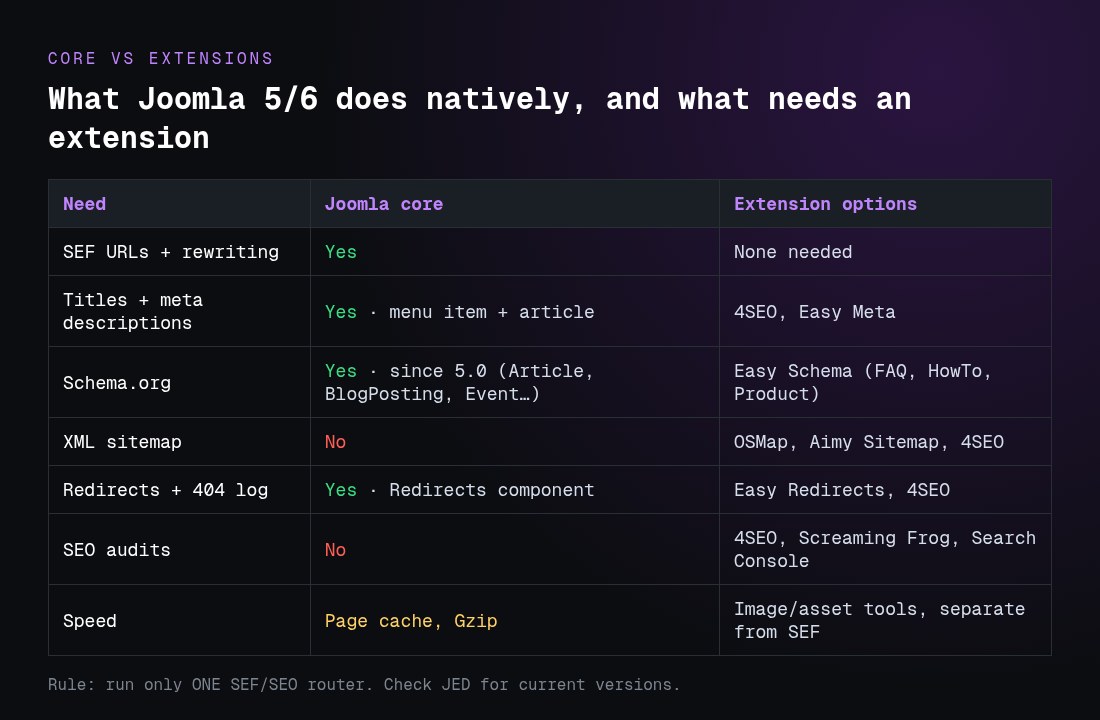
| Need | Joomla 5/6 core | Extension options (check the JED for current versions) |
|---|---|---|
| SEF URLs and rewriting | Yes: Global Configuration → Site → SEO | Usually none needed. Do not run a second SEF router next to core |
| Titles and meta descriptions | Yes: per menu item and per article | 4SEO (rules and bulk editing); Easy Meta (ours: Open Graph, X cards, canonical, robots) |
| Structured data | Yes since Joomla 5.0: System – Schema.org plugin and type plugins | Easy Schema (ours: FAQ, HowTo, Product, LocalBusiness without code) and other JED schema extensions |
| XML sitemap | No | OSMap, Aimy Sitemap, 4SEO |
| Redirects and 404 log | Yes: Redirects component and System – Redirect plugin | Easy Redirects (ours: wildcard and regex rules, CSV import), 4SEO |
| SEO audits | No | 4SEO, or external crawlers such as Screaming Frog plus Search Console |
| Speed | Page cache, conservative cache, Gzip | Image optimisation (WebP/AVIF) and asset tools, kept separate from SEF |
- Use one tool that rewrites URLs or titles across the site. Two SEF routers or two meta managers fighting each other is the most common Joomla SEO breakage we see.
- Check that the extension supports your Joomla version, including 6.2, and when it was last updated. In Joomla 6.2, extension updates flagged as security fixes are highlighted in System → Update → Extensions, so install those first.
- Prefer extensions that output clean HTML and JSON-LD over ones that add heavy front-end scripts.
- After installing, re-test a few URLs with the Rich Results Test and Search Console’s URL Inspection.
12. Measure in Search Console and refresh on a schedule
- Verify your site in Google Search Console and Bing Webmaster Tools.
- Once a month, check the Pages report for pages that are not indexed and the Performance report for queries where you sit just off page one.
- Improve the page that already ranks for a query instead of writing a new one.
- Refresh version numbers, screenshots and dates when Joomla changes. This guide, for example, is checked against Joomla 6.2.
What changed for SEO in Joomla 6.2?
Nothing in Joomla 6.2’s SEO settings changed: SEF URLs, metadata fields, the Redirects component and the Schema.org plugins work as they did in 6.1. A few changes are still worth knowing (see our Joomla 6.2 overview for the full list):
| Joomla 6.2 change | What it means for SEO |
|---|---|
| TinyMCE follows Joomla’s text filter by default | Re-check custom HTML in articles after you update |
| CSS class fields for article images and their figure | Styling without overrides; no direct SEO effect |
| Extension updates can be flagged as security fixes | Easier to spot urgent updates to SEO extensions |
| Joomla 5.4 had its last bugfix release (5.4.10) | 5.4 gets security fixes until 12 October 2027; plan your upgrade to 6 |
If the 6.2 update itself fails or breaks something, see Joomla upgrade issues and fixes before you touch SEO settings.
Common Joomla SEO mistakes to avoid
- Leaving the site reachable on both www and non-www, or both http and https.
- Using the same title or the site-wide meta description on every page.
- Running two SEF or meta extensions at once.
- Blocking CSS, JavaScript or images in robots.txt.
- Publishing several thin articles for one query instead of one complete page.
- Changing URLs without 301 redirects.
Related Joomla SEO guides
- Joomla SEF URLs: enable, rewrite and fix clean links
- Joomla .htaccess guide for SEF, security and speed
- Joomla redirects: 301s, com_redirect and .htaccess
- Schema markup in Joomla 5 and 6
- Joomla speed optimisation: cache, INP and images
- WebP and AVIF images in Joomla
- GEO for Joomla: getting cited in AI answers
Frequently asked questions
How do I do SEO on a Joomla website?
Turn on SEF URLs and URL rewriting, redirect every URL variant to one canonical version, write a unique title and meta description for each page, add an XML sitemap and submit it in Google Search Console, make the site fast, add schema with the core Schema.org plugin, and write one answer-first page per search. The 12-step checklist above covers each step.
What are the most important Joomla SEO tips?
Start with the basics that everything else depends on: SEF URLs with rewriting, one canonical URL per page, and a unique title and meta description for every menu item and article. After that, an XML sitemap, good speed and clear answer-first content make the biggest difference.
Is Joomla good for SEO?
Yes. Joomla 5 and 6 include SEF URLs, URL rewriting, per-page titles and meta descriptions, a redirect manager, multilingual associations with hreflang, and core Schema.org plugins. Rankings depend far more on content, speed and links than on the CMS.
How do I add a meta description in Joomla?
For an article, open it and go to the Publishing tab, then fill in Meta Description. For a menu item, use the Metadata tab in the menu item editor. The site-wide fallback is in System → Global Configuration → Site → Metadata, but every important page should have its own description.
Does Joomla have a built-in XML sitemap?
No. Joomla core, including Joomla 6.2, does not generate an XML sitemap. Use an extension such as OSMap, Aimy Sitemap or 4SEO, then submit the sitemap URL in Google Search Console.
What is the best SEO extension for Joomla?
There is no single best one. Core SEF URLs, metadata fields and the Redirects component cover many sites. When you need more, 4SEO is a common all-in-one choice and OSMap is a common sitemap extension. Pick one stack, check it supports your Joomla version, and never run two SEF routers at once.
Does Joomla 6.2 change anything for SEO?
Not in the SEO settings themselves. Joomla 6.2, released on 13 October 2026, makes TinyMCE follow Joomla’s text filter by default, adds CSS class fields for article images, and highlights extension updates flagged as security fixes. Re-check custom article HTML after updating.
Is GEO a replacement for Joomla SEO?
No. GEO builds on SEO. AI answer engines still need crawlable URLs, fast pages and clear content. Answer-first paragraphs, FAQs, tables and schema help both classic rankings and AI citations.
Want this checklist done for you? We audit Joomla sites against these 12 steps and fix what we find, inside Joomla. See done-for-you Joomla SEO from Infyways.
Conclusion
Joomla SEO is mostly about getting the core settings right and keeping them right: clean URLs on one canonical host, a unique title and description for every page, a sitemap Google can read, a fast site, valid schema and one clear page per search. Work through the 12 steps in order, check Search Console every month, and refresh the pages that are close to page one.