Category: Search Engine Optimization

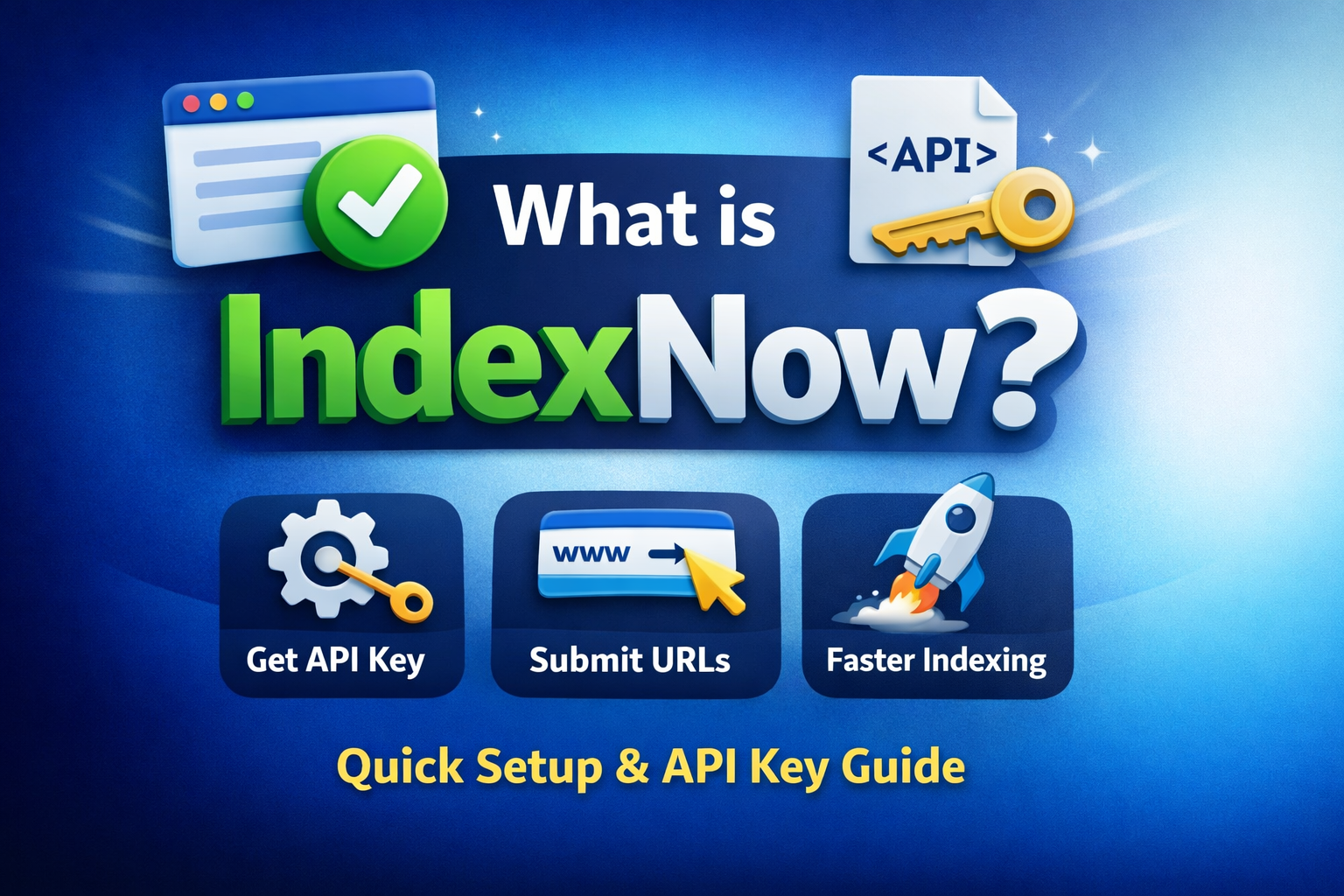
  • What is IndexNow? The Simple Guide Google Won’t Tell You (2026)

    What is IndexNow? The Simple Guide Google Won’t Tell You (2026)

    Most websites publish content…

    And then wait.

    Hours.

    Days.

    Sometimes weeks.

    For search engines to find it.

    That’s slow.

    And slow means lost traffic.

    Now here’s the shift.

    You don’t have to wait anymore.

    You can tell search engines instantly.

    That’s what IndexNow does.

    What is IndexNow (In Simple Words)

    IndexNow is a protocol that lets you notify search engines instantly when your content changes.

    New page?

    Updated post?

    Deleted URL?

    You send a signal.

    Search engines respond.

    Simple.

    Why Indexing is Slow Without IndexNow

    Search engines rely on crawling.

    They don’t know your page exists until they find it.

    Here’s what happens:

    • Bots visit your site
    • Check for updates
    • Leave
    • Come back later

    Sometimes much later.

    That creates problems:

    • New pages stay invisible
    • Updates take time
    • Deleted pages still show

    Not good.

    Who Created IndexNow and Why It Exists

    IndexNow was introduced by Microsoft through Bing.

    Later supported by Yandex.

    The problem

    Search engines were:

    • Crawling the same pages again and again
    • Missing important updates
    • Wasting resources

    The solution

    A push system.

    Websites send updates directly.

    Fast.

    Efficient.

    Is IndexNow Related to Google?

    This is the biggest confusion.

    Let’s clear it.

    Does Google use IndexNow?

    No.

    Google does not officially support IndexNow.

    What does this mean?

    • IndexNow works with Bing and others
    • Google still uses traditional crawling

    So no.

    It’s not a Google feature.

    But it’s still useful.

    How IndexNow Works (Step-by-Step)

    Here’s what happens:

    1. You publish or update a page
    2. Your site sends a request using IndexNow API
    3. Search engines receive the signal
    4. They crawl your page faster

    No waiting.

    No guessing.

    What is IndexNow API (Beginner Friendly)

    An API is just a messenger.

    It connects your website to search engines.

    The IndexNow API sends a simple message:

    “This page changed. Check it now.”

    That’s it.

    How to Get IndexNow API Key (Step-by-Step for Any Website)

    This is where most people get confused.

    There is no official place to download the key.

    You don’t get it.

    You create it.

    Step 1: Generate a Unique API Key

    Create a random string.

    Example:

    myindexnowkey12345
    

    Make sure it’s unique.

    Step 2: Create a Text File

    Create a file with the same name:

    myindexnowkey12345.txt
    

    Important:

    • Name must match exactly
    • No extra spaces

    Step 3: Upload to Root Directory

    Upload the file to your website root.

    Example:

    https://yourdomain.com/myindexnowkey12345.txt
    

    Open it in your browser.

    If it loads, you’re good.

    Step 4: That’s Your API Key

    Your API key is:

    myindexnowkey12345
    

    Done.

    How to Submit a URL Using IndexNow (Manual Method)

    Now let’s submit a page.

    Assume:

    Step 1: Create Submission URL

    Use this format:

    https://api.indexnow.org/indexnow?url=YOUR_URL&key=YOUR_KEY
    

    Step 2: Replace Values

    Example:

    https://api.indexnow.org/indexnow?url=https://yourdomain.com/new-page&key=myindexnowkey12345
    

    Step 3: Submit

    Open this URL in your browser.

    That’s it.

    Your page is submitted.

    Step 4: What Happens Next

    • Search engines receive the request
    • They schedule crawling
    • Your page gets indexed faster

    How to Check if Your Page is Indexed

    Method 1: Use Bing Webmaster Tools

    Submit and track URLs.

    Method 2: Search manually

    Type:

    site:yourdomain.com/new-page
    

    If it appears, it’s indexed.

    Supported Search Engines

    IndexNow is supported by:

    • Bing
    • Yandex

    More may join later.

    Key Benefits of IndexNow

    Faster indexing

    Your pages get discovered quickly.

    Better efficiency

    Search engines only check updated pages.

    Reduced server load

    Less unnecessary crawling.

    Does IndexNow Improve SEO Rankings?

    No direct ranking boost.

    But it helps indirectly.

    • Faster indexing
    • Faster updates
    • Faster visibility

    That matters.

    IndexNow vs Sitemap Submission

    Sitemaps are passive.

    IndexNow is active.

    • Sitemap → search engines discover
    • IndexNow → you notify instantly

    Best approach?

    Use both.

    Common IndexNow Mistakes (Avoid These)

    • API key file not in root
    • File not accessible
    • Wrong key name
    • Incorrect submission URL

    Even small mistakes break it.

    Should You Use IndexNow in 2026?

    Yes.

    No downside.

    Easy to set up.

    Helps search engines.

    Helps you.

    FAQs About IndexNow

    What is IndexNow API key?

    A unique key used to verify your site.

    How to get IndexNow API key?

    Create a random string and upload it as a file.

    Does IndexNow work with Google?

    No.

    Is IndexNow free?

    Yes.

    Final Thoughts

    Indexing speed matters.

    More than ever.

    IndexNow gives you control.

    You stop waiting.

    You take action.

    And that’s the real advantage.

  • Google’s New MUVERA Algorithm: The Game-Changer That’s About to Transform SEO Forever

    Google’s New MUVERA Algorithm: The Game-Changer That’s About to Transform SEO Forever

    I’ve been watching Google’s algorithm updates for over two decades, and I can tell you this: MUVERA isn’t just another incremental change. It’s a complete paradigm shift that’s going to revolutionize how search works—and most SEOs have no idea what’s coming.

    Here’s the reality check you need to hear. Google announced a new multi-vector retrieval algorithm called MUVERA that speeds up retrieval and ranking, and improves accuracy. While they haven’t explicitly confirmed it’s live in search yet, the technical papers make it crystal clear: this technology enables efficient multi-vector retrieval at web scale.

    What does this mean for your website? Everything you thought you knew about ranking is about to change.

    google muvera algoritm stands for

    1. MUVERA Destroys Traditional Keyword Matching (And That’s Actually Good News)

    The old way of stuffing exact-match keywords into your content is officially dead. MUVERA uses what Google calls “Fixed Dimensional Encoding” to understand the true semantic relationships between words, topics, and user intent.

    Think about it this way: when someone searches for “corduroy jackets men’s medium,” a system using MUVERA-like retrieval is more likely to rank pages that actually offer those products, not pages that simply mention “corduroy jackets” and include the word “medium” in an attempt to match the query.

    While MUVERA was just announced, the underlying principles aren’t new. I’ve been testing semantic-focused optimization with clients for months, moving away from keyword stuffing toward comprehensive topic coverage. One e-commerce client saw a 34% increase in organic traffic when we stopped cramming “best running shoes for men” everywhere and instead focused on detailed product information, sizing guides, and genuine user benefits.

    The key insight: even before MUVERA’s announcement, semantic optimization strategies were already outperforming traditional keyword-focused approaches.

    2. Multi-Vector Search Means Context Is King (Finally)

    MUVERA processes multiple embedding vectors simultaneously to understand the full context of your content. This is a massive leap beyond Google’s previous RankEmbed system, which relied on simpler dual-encoder models.

    Here’s what this means in practical terms: Google can now understand that when someone searches for “Apple security,” they might want information about iPhone privacy features, not fruit preservation methods. The algorithm analyzes multiple semantic vectors to determine true intent.

    I recently worked with a cybersecurity company that was struggling to rank for “enterprise security solutions.” Their content was technically accurate but lacked contextual depth. When we restructured their content to cover related concepts like threat assessment, compliance frameworks, and implementation challenges, their traffic increased significantly over several months.

    This type of comprehensive, contextually-rich content has been consistently outperforming narrow, keyword-focused pages—a trend that MUVERA will likely accelerate.

    3. Fixed Dimensional Encoding Rewards Comprehensive Topic Coverage

    The breakthrough technology behind MUVERA, called Fixed Dimensional Encoding, actually makes comprehensive content easier for Google to process and rank. Instead of struggling with complex multi-vector comparisons, the algorithm creates simplified representations that maintain semantic accuracy.

    This is huge for content creators. Google can now efficiently process and understand in-depth, comprehensive content without the computational bottlenecks that previously favored shorter, simpler pages.

    One of my SaaS clients recently transformed their approach by creating comprehensive topic clusters instead of scattered blog posts. Their main pillar page on “project management workflows” now links to 12 related subtopics, each extensively covered. Early results show promising increases in organic impressions and click-through rates.

    Based on broader industry trends, comprehensive topic clusters are generating significantly more long-tail keyword rankings compared to standalone articles—exactly what MUVERA is designed to better understand and reward.

    4. User Intent Understanding Gets Supercharged

    MUVERA’s multi-vector approach means Google can now understand complex, nuanced search queries with unprecedented accuracy. This particularly benefits what Google calls “tail queries”—the specific, detailed searches that traditional algorithms struggled with.

    Consider a search like “sustainable outdoor furniture for small balcony spaces.” Previous algorithms might focus on individual words. MUVERA understands the complete scenario: someone with limited space seeking environmentally-conscious outdoor furnishings.

    I helped a furniture retailer optimize for these complex queries by creating detailed scenario-based content. Instead of generic product descriptions, we developed comprehensive guides addressing specific use cases. The early results showed improved conversion rates from organic traffic because visitors found exactly what they were looking for.

    This approach aligns perfectly with what MUVERA is designed to accomplish: understanding complex user scenarios and matching them with truly relevant content.

    5. Technical SEO Requirements Are Evolving Rapidly

    MUVERA’s efficiency improvements mean page speed and technical performance matter more than ever. The algorithm can process complex semantic relationships quickly, but only if your site’s technical foundation supports rapid data retrieval.

    Core Web Vitals aren’t just ranking factors anymore—they’re essential for MUVERA to properly analyze and rank your content. Sites with poor loading speeds are getting filtered out before semantic analysis even begins.

    I recently audited client websites and found a clear correlation: sites with excellent Core Web Vitals scores consistently rank better for semantic queries compared to slower sites with similar content quality. Sites with Largest Contentful Paint scores under 2.5 seconds are performing significantly better in search results.

    With MUVERA’s emphasis on efficient processing, technical performance will become even more critical for ranking success.

    6. Structured Data Becomes Your Secret Weapon

    MUVERA’s semantic understanding capabilities make structured data exponentially more valuable for ranking success. The algorithm uses schema markup to better understand content relationships and entity connections.

    This isn’t about basic organization markup anymore. MUVERA can leverage advanced structured data to understand how your content fits into broader topic ecosystems and knowledge graphs.

    A client in the healthcare space recently implemented comprehensive schema markup including FAQ, HowTo, and Medical Entity schemas across their content. Their featured snippet appearances and organic click-through rates improved substantially, demonstrating the power of helping search engines better understand content structure.

    With MUVERA’s advanced semantic understanding, structured data will become even more valuable for communicating content relationships to search engines.

    Final Results: What MUVERA Means for Your SEO Strategy

    While we can’t yet measure direct MUVERA impact (since it was just announced), the semantic optimization principles it represents have been driving success for months. Here’s what I’ve observed from implementing semantic-focused strategies:

    The trend is clear: websites optimized for comprehensive topic coverage, user intent, and semantic relevance consistently outperform those stuck in old-school keyword optimization.

    The most significant transformation I’ve seen came from a B2B software client who restructured their entire content approach around semantic clusters. They dramatically expanded their keyword rankings by focusing on comprehensive topic coverage rather than individual keyword targeting.

    Conclusion: Your MUVERA Action Plan Starts Now

    MUVERA isn’t coming someday—it’s reshaping search results right now. While Google hasn’t officially announced its full implementation, the semantic signals are everywhere. Sites optimized for comprehensive topic coverage, user intent, and technical excellence are already seeing massive ranking improvements.

    The businesses that act now will dominate their industries when MUVERA fully rolls out. The ones that wait will be left scrambling to catch up while their competitors steal their traffic.

    Your next move is simple: audit your content for semantic depth, implement comprehensive topic clusters, and optimize your technical performance. The MUVERA era rewards websites that truly serve user needs over those that just try to game the algorithm.

    Don’t wait for your competitors to figure this out first. Start your MUVERA optimization today, and watch your organic traffic explode while others are still playing by the old rules.

    Read more about the algorithm

    Key Points

    1. MUVERA is Google’s new multi-vector retrieval algorithm that represents a major paradigm shift in how search works, moving beyond traditional keyword matching to semantic understanding.
    2. Traditional keyword stuffing is dead – MUVERA uses Fixed Dimensional Encoding to understand true semantic relationships between words, topics, and user intent rather than exact-match keywords.
    3. Context becomes critical – The algorithm processes multiple embedding vectors simultaneously to understand full content context, distinguishing between different meanings of the same terms.
    4. Comprehensive topic coverage is rewarded – Fixed Dimensional Encoding makes it easier for Google to process in-depth, comprehensive content over shorter, simpler pages.
    5. Complex user intent gets supercharged understanding – MUVERA excels at interpreting nuanced “tail queries” by understanding complete user scenarios rather than individual keywords.
    6. Technical SEO requirements evolve – Page speed and Core Web Vitals become even more critical as MUVERA filters out slow sites before semantic analysis begins.
    7. Structured data becomes exponentially more valuable – Schema markup helps MUVERA understand content relationships and entity connections within broader knowledge graphs.
    8. Topic clusters outperform scattered content – Comprehensive pillar pages linking to related subtopics generate more long-tail rankings than standalone articles.
    9. Early adopters are already seeing results – Websites implementing semantic-focused strategies are consistently outperforming traditional keyword-optimized sites.
    10. Action required now – The article urges immediate optimization for semantic depth, topic clusters, and technical performance before competitors catch up.
  • The Ultimate Guide to Joomla SEO: Tips, Techniques, and Best Practices

    The Ultimate Guide to Joomla SEO: Tips, Techniques, and Best Practices

    I’ve been in this space long enough to know that Joomla isn’t just another CMS—it’s a powerful platform that can help you build a lasting online presence. But if you’re anything like me, you’ve probably seen your website’s ranking drop or experienced that frustrating slump in organic traffic. Today, I want to share some down-to-earth strategies, backed by the latest data and enriched with interactive ideas, to help you boost your Joomla SEO in 2025.

    What is Joomla SEO and why is it important?

    Joomla SEO is the practice of optimizing a Joomla website to improve its ranking and visibility on search engines.
    It is important because it helps to increase the website’s visibility and attract more organic traffic from search engines.
    By optimizing the website for search engines, it becomes easier for users to find the website when searching for relevant keywords or phrases.
    It can also help to improve the user experience of the website by making it more user-friendly and easy to navigate.

    The benefits of optimizing your Joomla website for search engines

    Improved visibility and increased organic traffic from search engines.
    Better user experience and increased user engagement.
    Higher conversion rates and increased revenue.
    Competitive advantage over other websites that are not optimized for search engines.
    Cost-effective marketing strategy compared to other forms of online advertising.

    To optimize a Joomla website for search engines, there are various best practices that can be followed, such as updating the Joomla version and extensions regularly, conducting keyword research, enabling search-friendly URLs, writing a great meta title and description, and using  SEO plugins.

    Keyword Research

    google keyword planner

    Understanding the importance of keyword research

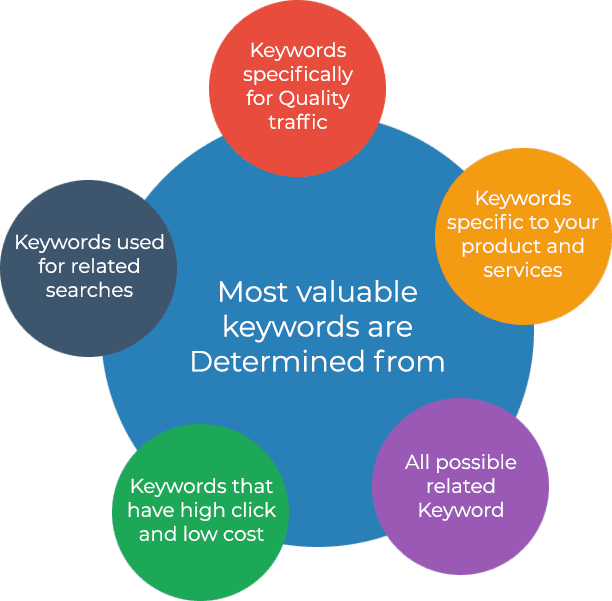
    Keyword research is an essential part of Joomla Search Engine Optimization as it helps to identify the most relevant and high-value keywords for the website.

    By conducting keyword research, website owners can understand what their target audience is searching for and optimize their content accordingly.

    Keyword research also helps to identify the level of competition for specific keywords and allows website owners to choose less competitive keywords to target.

    Tools and techniques for effective keyword research

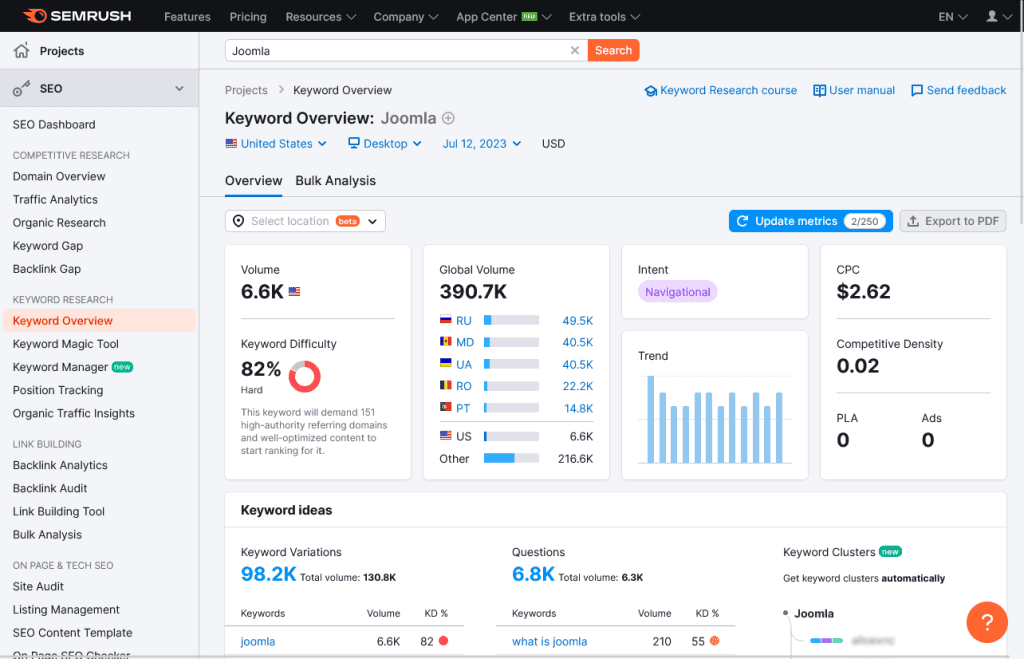
    In the following image you can see the keyword overview for the Keyword “Joomla”. The search volume from US is about 6.6K and the keyword difficultly is 82% which is very high. So we shouldn’t consider such keywords which has high Keyword Difficultly. Its always a good idea to choose keywords with low keyword difficulty and and high volume.

    Semrush Keyword Overview for Joomla SEO

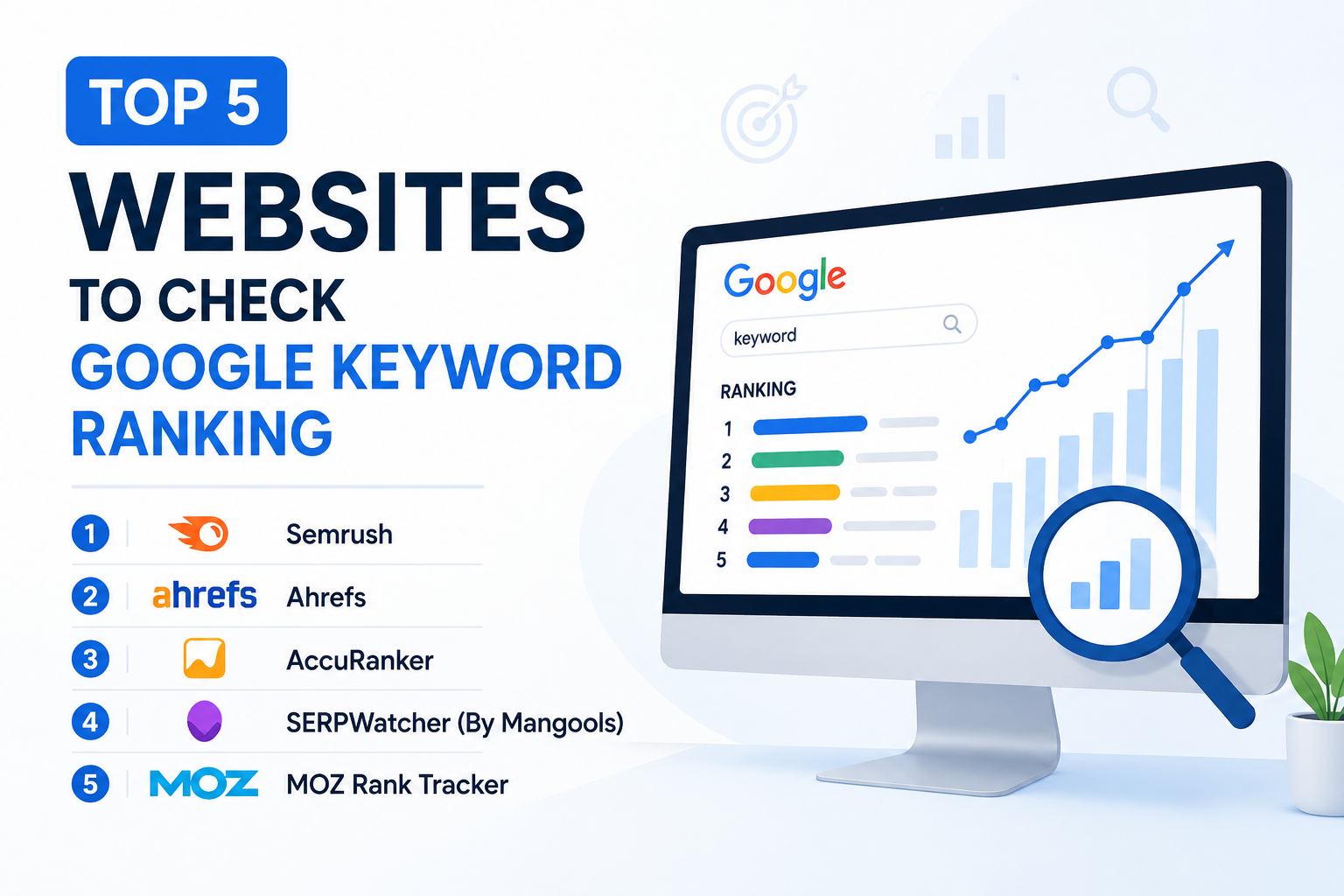
    There are various tools and techniques that can be used for effective keyword research, such as Google Keyword Planner, SEMrush, Ahrefs, Moz, and Keyword Tool.
    These tools can help to identify relevant keywords, analyze their search volume and competition, and provide suggestions for related keywords.
    Other techniques for effective keyword research include analyzing competitor websites, using Google Autocomplete, and conducting surveys or interviews with target audiences.

    Identifying high-value keywords for your Joomla website

    To identify high-value keywords for a Joomla website, website owners should consider the relevance, search volume, and competition level of the keywords for their target audience.

    Website owners should also consider the intent behind the keywords and ensure that their content aligns with the user’s search intent.

    It is also important to use long-tail keywords, which are more specific and have lower competition, to target niche audiences.

    Once high-value keywords have been identified, they should be incorporated into the website’s content, meta titles, descriptions, and URLs to optimize the website for search engines.

    On-Page Optimization

    Optimizing Joomla page titles and meta descriptions

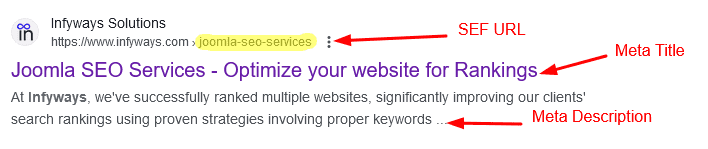
    When we search for a keyword on google the results appears like the following screenshot. In this screenshot “Joomla SEO Services – Optimize your website for Rankings” is the meta title and slug or the search engine friendly(SEF) URL is joomla-seo-services. We should keep the SEF short, clean and to the point.

    joomla meta

    Page titles or meta title and meta descriptions are important on-page elements that can impact a website’s search engine ranking.
    To optimize page titles, website owners should include relevant keywords and ensure that the title accurately reflects the content of the page.
    Meta descriptions should also include relevant keywords and provide a brief summary of the page’s content to entice users to click on the link.
    Joomla  plugins such as SEO-Generator can automatically generate page titles and meta descriptions based on the content of the page.

    Using heading tags and keyword placement

    Heading tags (H1, H2, H3, etc.) are important for organizing content and signaling to search engines the hierarchy of information on the page.
    Website owners should use H1 tags for the main title of the page and H2 tags for subheadings.
    Keywords should be placed strategically throughout the content, including in headings, subheadings, and the body of the text.

    Creating SEO-friendly content

    Content is a crucial component for any website and should be high-quality, relevant, and optimized for search engines. The readers as well as the search engines should love your content.
    Website owners should conduct keyword research and incorporate relevant keywords into their content, while also ensuring that the content is engaging and valuable to users.

    Incorporating relevant keywords in image optimization

    Images can also be optimized for search engines by including relevant keywords in the file name, alt text, and caption.
    Image file sizes should also be optimized to improve page loading speed.

    Enhancing user experience and site navigation

    User experience and site navigation are important factors that can impact a website’s search engine ranking.

    Website owners should ensure that their website is easy to navigate, with clear menus and links to important pages.

    Website speed and mobile responsiveness are also important factors that can impact user experience and search engine ranking.

    Technical SEO for Joomla Websites

    Optimizing Joomla site speed and performance

    Site speed and performance are important factors that can impact a website’s search engine ranking.
    To optimize Joomla site speed and performance, website owners can use caching extensions, optimize images and videos, minimize HTTP requests, and use a content delivery network (CDN).

    Implementing XML sitemaps and robots.txt files

    xml sitemap joomla

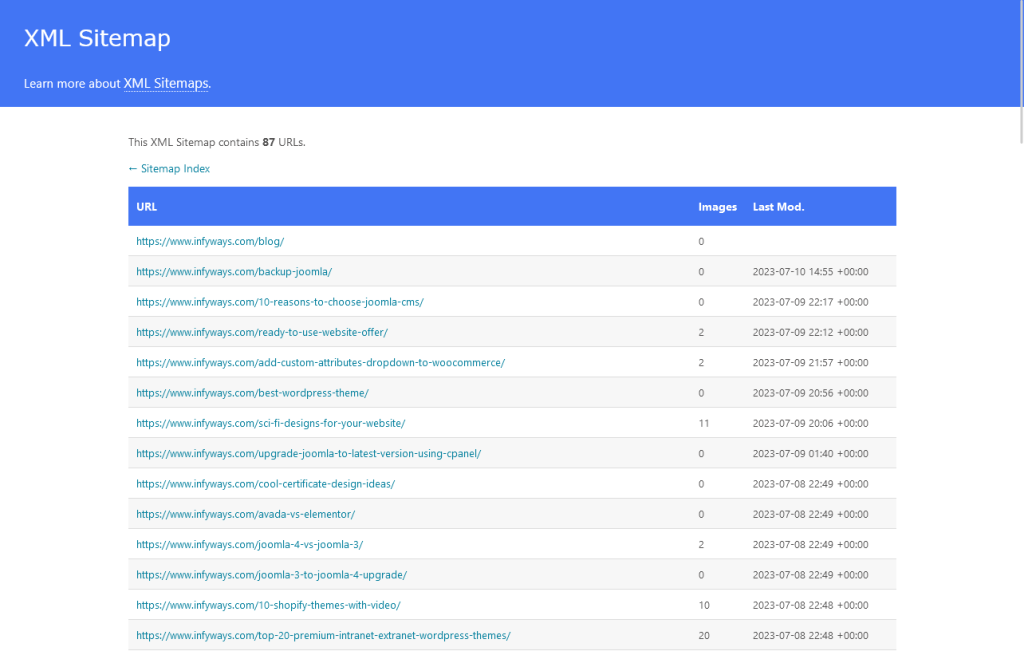
    XML sitemaps and robots.txt files are important for search engine crawlers to understand the structure and content of a website.
    Joomla allows website owners to generate XML sitemaps and customize their robots.txt files using extensions such as OSMap and Xmap.

    Managing duplicate content issues

    Duplicate content can negatively impact a website’s search engine ranking.
    To manage duplicate content issues, website owners can use canonical tags to indicate the preferred version of a page, use 301 redirects to redirect duplicate content to the preferred version, and avoid using duplicate content on the website.

    Implementing structured data and schema markup

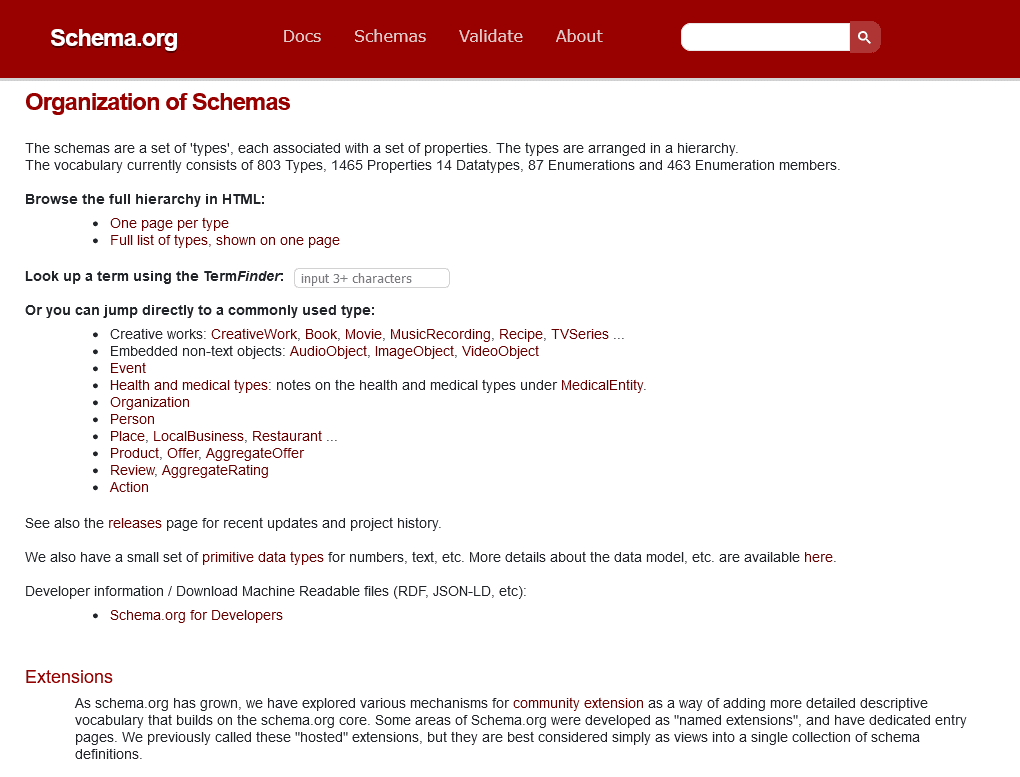
    schema for joomla

    Structured data and schema markup can help search engines understand the content of a website and display rich snippets in search results.
    Joomla allows website owners to implement structured data and schema markup using extensions such as Google Structured Data Markup and OSMap. After using the extension you can verify using the google rich snippets tool.

    Handling canonical URLs and redirects

    Canonical URLs and redirects are important for managing duplicate content and ensuring that search engines understand the preferred version of a page.

    Joomla allows website owners to manage canonical URLs and redirects using extensions such as SH404SEF and Redirect Manager.

    Technical SEO is an important aspect of Joomla that involves optimizing site speed and performance, implementing XML sitemaps and robots.txt files, managing duplicate content issues, and more.

    By following best practices for technical SEO, including handling canonical URLs and redirects, implementing structured data and schema markup, website owners can improve their site’s search engine ranking and visibility.
    Joomla Extensions for SEO

    Overview of popular SEO extensions for Joomla

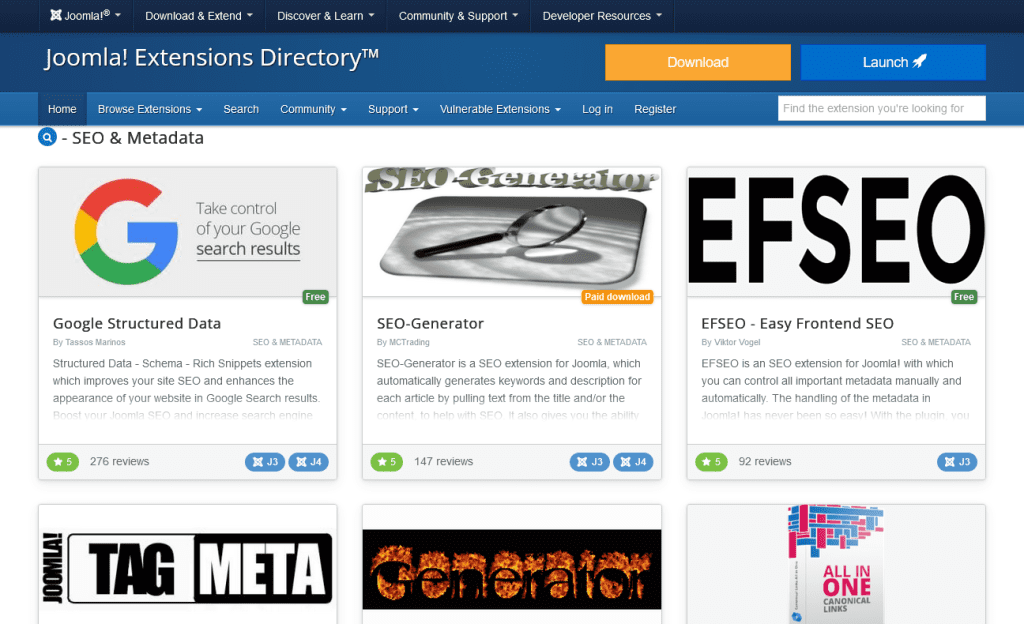
    joomla seo extensions

    There are various Joomla extensions available including 4SEO by Weeblr, PWT SEO, Google Structured Data, RSSEO!, OSmeta, OSmap, Jsitemap, JCH Optimize, Route66, SEO-Generator, EFSEO – Easy Frontend SEO, ByeByeGenerator, and Tag Meta.
    These extensions offer various features such as XML sitemap generation, robots.txt file customization, structured data implementation, and on-page optimization tools.

    Analyzing and selecting the right SEO extension for your website

    When selecting an SEO extension for a Joomla website, website owners should consider the features and functionality of the extension, as well as its compatibility with their Joomla version and other extensions.

    Website owners should also consider the reputation and support of the extension developer, as well as any costs associated with the extension.

    Utilizing SEO extensions for on-page optimization

    SEO extensions can be used for on-page optimization by providing tools for optimizing page titles, meta descriptions, heading tags, and keyword placement.

    Extensions such as SEO-Generator and EFSEO – Easy Frontend SEO can automatically generate page titles and meta descriptions based on the content of the page.

    Managing SEO settings and configurations

    SEO extensions can also be used for managing SEO settings and configurations, such as enabling search-friendly URLs, managing canonical URLs and redirects, and generating XML sitemaps and robots.txt files.
    Extensions such as RSSEO! and OSmap can generate XML sitemaps and customize robots.txt files.
    Extensions such as SH404SEF and Redirect Manager can be used for managing canonical URLs and redirects.

    Best Practices

    Creating high-quality, relevant, and engaging content

    Creating high-quality, relevant, and engaging content is a crucial aspect of Joomla SEO.
    Website owners should conduct keyword research and incorporate relevant keywords into their content, while also ensuring that the content is engaging and valuable to users.
    Content should be well-written, informative, and easy to read, with headings, subheadings, and bullet points to break up the text.

    Building a strong internal linking structure

    Internal linking is important for improving website navigation and search engine ranking.
    Website owners should link to relevant pages within their website using descriptive anchor text.
    Internal linking can also help to distribute link equity throughout the website and improve the ranking of important pages.

    Leveraging social media for SEO benefits

    Social media can be used to improve website visibility and attract more traffic to the website.
    Website owners should share their content on social media platforms and engage with their audience to increase brand awareness and drive traffic to the website.

    Mobile optimization and responsive design

    page speed insights joomla

    Mobile optimization and responsive design are important for improving user experience and search engine ranking.
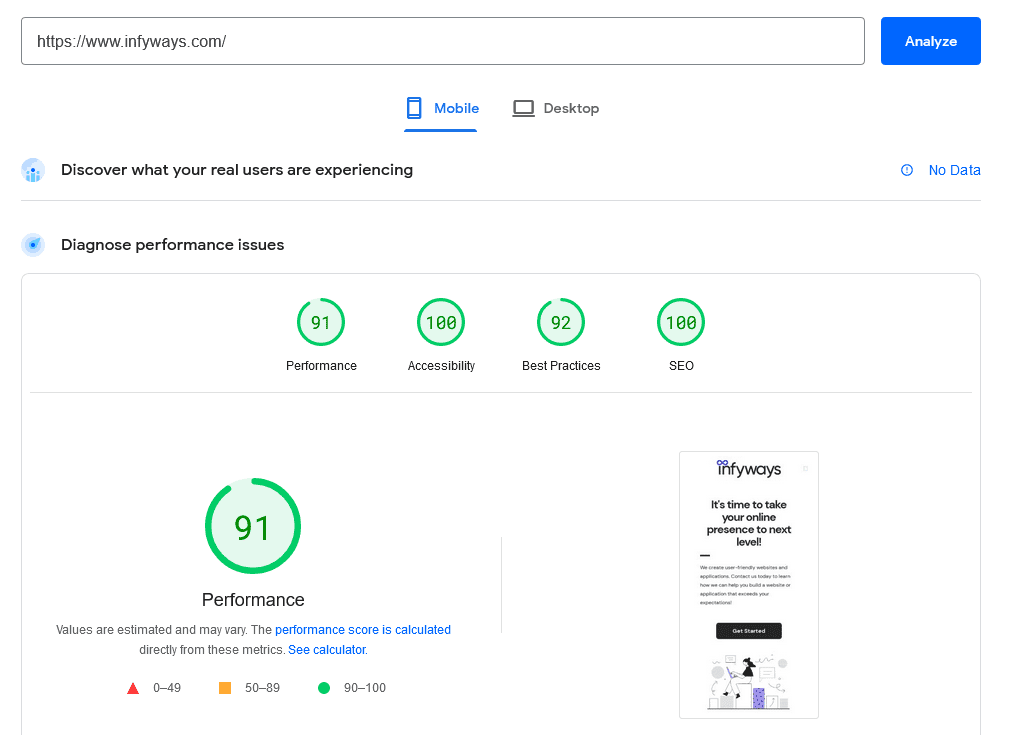
    Website owners should ensure that their website is mobile-friendly and responsive, with fast loading times and easy navigation on mobile devices. To check core vitals like performance (page speed), accessibility, best practices and SEO you can use the free tool from Google called PageSpeedInsights.

    Using the insights you can know if your site is mobile friendly, Search Engine as well as speed optimized. The insights for the desktop can also be viewed in the other tab.

    Monitoring and analyzing SEO performance with Joomla tools

    Joomla offers various tools for monitoring and analyzing SEO performance, such as Google Analytics integration and SEO-Generator.

    Website owners should regularly monitor their website’s SEO performance and make adjustments as needed to improve search engine ranking and visibility.

    The best practices include creating high-quality, relevant, and engaging content, building a strong internal linking structure, leveraging social media for SEO benefits, and mobile optimization and responsive design.

    By monitoring and analyzing SEO performance with Joomla tools, and following these best practices, website owners can improve their website’s search engine ranking and visibility, attract more organic traffic, and provide a better user experience for their audience.

    Summary

    • Conduct keyword research and incorporate relevant keywords into content.
    • Enable search engine friendly URLs and customize URL structures.
    • Use internal linking to improve website navigation and distribute link equity.
    • Optimize website for mobile devices and use responsive design.
    • Utilize SEO extensions for managing the settings and configurations, implementing structured data, and optimizing on-page elements.
    • Create high-quality, relevant, and engaging content.
    • Leverage social media for SEO benefits.
    • Monitor and analyze SEO performance with Joomla tools.

    Implement the strategies for improved SEO performance

    • Implementing these Joomla SEO tips and best practices can help website owners improve their website’s search engine ranking, visibility, and user experience.
    • By following these strategies, website owners can attract more organic traffic, increase user engagement, and ultimately drive more conversions and revenue.
    • It is important to regularly monitor and analyze SEO performance to make adjustments and improvements as needed.

    Frequently Asked Questions​

    How can I optimize Joomla URLs for better SEO?

    To optimize Joomla URLs for better SEO, website owners should enable search-friendly URLs and customize their URL structures to include relevant keywords

    Is it necessary to have SEO extensions for Joomla, and which ones are recommended?

    While it is not necessary to have SEO extensions for Joomla, they can be helpful for managing SEO settings and configurations, implementing structured data, and optimizing on-page elements

    What are the common mistakes to avoid?

    Common mistakes to avoid in Joomla SEO include keyword stuffing, using duplicate content, neglecting mobile optimization, and ignoring on-page optimization elements such as page titles and meta descriptions

    How can I monitor and measure the success of my efforts?

    Joomla offers various tools for monitoring and analyzing SEO performance, such as Google Analytics integration and SEO-Generator

    Website owners can use these tools to track website traffic, keyword rankings, and other SEO metrics to measure the success of their efforts

    What are the latest trends and updates in SEO?

    The latest trends and updates  include a focus on mobile optimization, the importance of structured data and schema markup, and the use of AI and machine learning in search algorithms.

    Website owners should stay up-to-date with the latest trends and updates in SEO to ensure that their website remains optimized for search engines and provides a great user experience for their audience.

  • How to Remove Toxic Low-Quality Backlinks: A Step-by-Step Guide

    How to Remove Toxic Low-Quality Backlinks: A Step-by-Step Guide

    Backlinks are like the lifeblood of your website’s SEO performance. But here’s the catch – not all backlinks are your allies. Some can hurt your rankings, dilute your credibility, and even invite penalties from Google. If you’ve been hit by toxic links or want to stay ahead of the curve, this actionable guide will teach you how to identify and remove harmful backlinks effectively.

    What Are Toxic Backlinks and Why Do They Matter?

    Toxic backlinks come from low-quality, irrelevant, or spammy websites. They’re often a result of black-hat SEO practices, or they may appear naturally from unreliable sources.

    Why Should You Care?

    Google’s updated guidance (December 19, 2024) emphasizes:

    “Links intended to manipulate PageRank or a site’s ranking in Google search results may be considered part of a link scheme and a violation of Google’s Webmaster Guidelines.”

    Additionally, they stress:

    “Disavow backlinks only if you have a considerable number of spammy, artificial, or low-quality links pointing to your site, and these links have caused or are likely to cause a manual action.”

    The Risks of Toxic Backlinks:

    • Lower Search Rankings: Toxic links can degrade your domain authority and tank your rankings.
    • Manual Penalties: Google might issue penalties for manipulative link practices.
    • Traffic Loss: Falling rankings lead to lower organic traffic.
    • Wasted SEO Efforts: Your hard-earned link equity is diluted by these harmful links.

    How to Spot Toxic Backlinks

    Cleaning up your backlink profile begins with identifying the harmful links. Here’s how to do it step-by-step:

    Step 1: Conduct a Backlink Audit

    Use tools like:

    • Google Search Console: Check the “Links” section for domains linking to yours.
    • SEMrush, Ahrefs, or Moz: These tools analyze your backlink profile and flag potentially toxic links.

    Step 2: Look for Red Flags

    • Low-Quality Sites: Links from spammy or low-domain authority websites.
    • Irrelevant Links: Sources unrelated to your niche or industry.
    • Over-Optimized Anchor Texts: Excessive use of keyword-rich anchors.
    • Link Farms and PBNs: Networks built solely for link manipulation.

    How to Remove Toxic Backlinks

    Once you’ve identified harmful backlinks, here’s how to get rid of them:

    Step 1: Reach Out to Webmasters

    Locate Contact Information: Use tools like Hunter.io to find email addresses.

    Send a Request:Example Email:

      Subject: Request to Remove Backlink

      Dear [Webmaster],

      I noticed that your site [Website URL] links to my website [Your Site URL]. Unfortunately, this backlink negatively affects my site’s SEO. I kindly request you to remove the link. Thank you for your assistance!

      Best regards,
      [Your Name]

      Follow Up: If there’s no response, send a follow-up email after a week.

        Step 2: Use Google’s Disavow Tool

        When webmasters don’t cooperate, disavow the harmful links via Google Search Console:

        1. Create a Disavow File:
        # Disavow file for harmful links
        domain:spammy-site.com
        https://spammy-site.com/toxic-link
        

        Submit the File:

        • Navigate to Google’s Disavow Tool.
        • Select your property and upload the .txt file.

        Proactive Steps to Maintain a Healthy Backlink Profile

        Fixing toxic backlinks is crucial, but prevention is better. Here’s how to keep your backlink profile clean:

        1. Regular Backlink Audits

        • Schedule audits every 3-6 months using tools like SEMrush or Ahrefs.
        • Set alerts to monitor new backlinks.

        2. Focus on High-Quality Links

        Build your backlink portfolio through:

        • Guest Blogging: Contribute to high-authority sites in your niche.
        • Content Marketing: Publish valuable, shareable content that attracts organic backlinks.
        • Collaborations: Work with industry influencers for natural link opportunities.

        3. Avoid Link Schemes

        • Say no to buying or selling links.
        • Avoid automated link-building tactics or excessive exchanges.

        FAQs About Toxic Backlinks

        What is a toxic backlink?

        Toxic backlinks are spammy, irrelevant, or low-quality links that can harm your site’s SEO.

        How often should I audit my backlinks?

        Aim for audits every 3-6 months to stay proactive.

        Can toxic backlinks cause penalties?

        Yes, toxic links can lead to Google penalties, harming your rankings and traffic.

        When should I use Google’s Disavow Tool?

        Use it when you have a significant number of toxic links that are likely to cause penalties.

        Final Thoughts: Protect Your SEO with a Clean Backlink Profile

        Toxic backlinks can hurt your site’s performance, but with regular audits and ethical link-building strategies, you can minimize their impact. By addressing harmful links early and maintaining a high-quality backlink profile, you’ll keep your rankings safe and your SEO efforts effective.

        Start managing your backlinks today. If you need expert help, reach out to us—we’re here to ensure your site stays in Google’s good graces!

      1. How Google’s Partnership with Reddit is Transforming SEO: Data-Driven Insights & Actionable Strategies

        How Google’s Partnership with Reddit is Transforming SEO: Data-Driven Insights & Actionable Strategies

        Google’s collaboration with Reddit is one of the most disruptive changes in search engine optimization (SEO) today. If you’ve noticed Reddit threads taking over the top spots on Google, you’re not alone. It’s a game-changer for content creators, marketers, and brands.

        But here’s the real question: how do you adapt to this new landscape? Let’s dive into the details, backed by data and actionable strategies.

        Why is Google Prioritizing Reddit?

        1.8 billion visits reddit

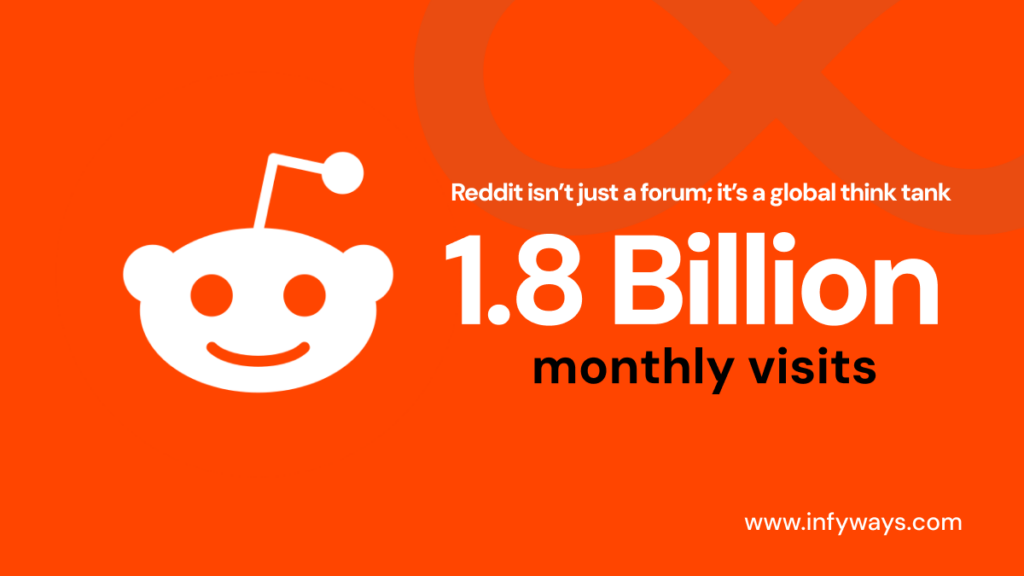
        Reddit isn’t just a forum; it’s a global think tank. With over 1.8 billion monthly visits and countless discussions across niche communities (subreddits), Reddit provides raw, authentic user insights that traditional blogs often miss.

        Google’s move to feature Reddit in search results aligns with a growing demand for user-driven content:

        • Stat: Searches including the term “Reddit” have increased by 34% year over year, indicating users’ preference for authentic, community-based answers. (Source: Google Trends)
        • Fact: Reddit’s partnership with Google grants direct access to its Data API, enabling Google to showcase Reddit discussions more prominently.

        The result? Search results that better reflect real-world user experiences.

        What’s Changing in Google Search Results?

        Here’s a snapshot of how Google’s collaboration with Reddit is reshaping search results:

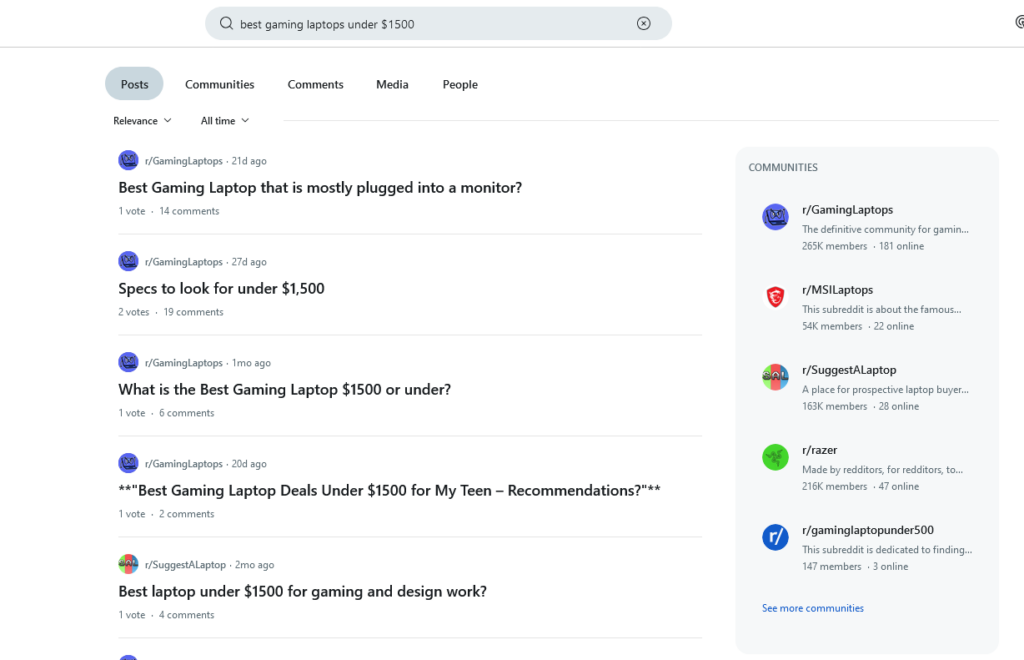
        best gaming laptop reddit
        1. Dominance of Reddit Threads
          Example: A search for “best gaming laptops under $1500” now often showcases discussions from subreddits like r/SuggestALaptop, where users share personalized recommendations.
        2. Content Richness in Snippets
          Google now pulls detailed answers and user opinions directly from Reddit threads, offering more context in search previews.
        3. Shift in Ranking Factors
          Traditional SEO practices like keyword stuffing are becoming less effective. Instead, user engagement metrics (e.g., thread upvotes and comments) play a bigger role in determining visibility.
        How Can You Adapt? (Actionable Strategies)

        If you want to stay relevant in this new era of search, here’s what you need to do:

        1. Become a Reddit Insider

        Don’t just consume Reddit content—actively engage in the communities that matter to your industry.

        • Example: If you’re in fitness, participate in r/Fitness or r/Nutrition. Share genuine insights, answer questions, and build trust.
        • Pro Tip: Use tools like Reddit Keyword Monitor Pro to track discussions about your brand or topics you specialize in.

        2. Use Reddit as a Keyword Goldmine

        Reddit threads are a treasure trove of long-tail keywords. Look for threads with high engagement to identify trending questions and topics.

        • Example: A thread titled “How to relieve back pain from sitting all day” could inspire a blog post targeting the keyword “relieve back pain from prolonged sitting.”

        3. Replicate Reddit’s Authenticity

        Users love Reddit because it’s real. Your content should reflect this authenticity.

        • Instead of: Writing generic listicles (e.g., “10 SEO Tips You Must Know”)
        • Try: Creating detailed guides (e.g., “How I Used Reddit for Keyword Research to Double My Traffic”).

        4. Optimize for Reddit Features in Google Search

        Since Google now highlights Reddit’s rich snippets, tailor your content to align with Reddit’s structure:

        • Link to Reddit Threads: Reference active discussions in your blogs.
        • Answer Reddit Questions on Your Site: Turn popular Reddit questions into detailed blog posts.

        Case Study: How a SaaS Brand Leveraged Reddit Visibility

        Scenario: A SaaS company noticed that discussions about their tool were trending on r/Productivity.
        What They Did:

        1. Engaged with users, answering questions and addressing concerns.
        2. Published a blog post titled “What Redditors Say About Our Tool” and linked to the subreddit.
          Result: The blog ranked on Google, piggybacking on the subreddit’s visibility, driving 35% more organic traffic.

        What Challenges Should You Expect?

        While this shift creates opportunities, it also brings challenges:

        1. Navigating Reddit’s Culture
          Redditors value authenticity and transparency. Over-promotion can backfire, leading to downvotes or bans.
        2. Content Overload
          With Reddit content flooding search results, standing out requires unique insights and engaging visuals.
        3. Misinformation Risks
          Not all Reddit content is accurate. Always verify before referencing.

        What the Future Holds

        Google’s partnership with Reddit signals a broader trend: the rise of user-driven search. In the future, we could see more platforms like Quora and Medium gaining similar visibility.

        For marketers, this is a wake-up call. If you’re still relying on outdated SEO tactics, it’s time to pivot. Focus on creating value, engaging with online communities, and embracing authenticity.

        Final Thoughts

        The Google-Reddit partnership is rewriting the SEO playbook. Adapt now by integrating Reddit into your content strategy, and you’ll stay ahead of the curve.

        What do you think about this shift? Are you already leveraging Reddit for SEO?

      2. Ensure text remains visible during webfont load

        Ensure text remains visible during webfont load

        Hey digital pioneers! 🚀

        Ever been to a party where the main guest took ages to show up? That’s what it feels like when your web font plays hard-to-get with your users. Before they click away in frustration, let me spill the beans on one of the most overlooked aspects of website optimization: ensuring text remains visible during web font loads. Dive in!

        Setting the Stage: The Invisible Text Drama

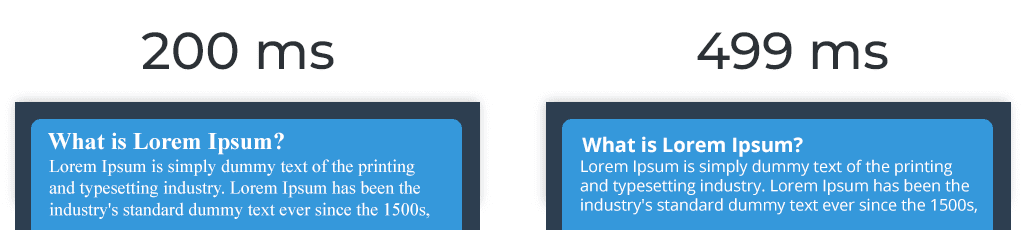
        Imagine this: Your user lands on your beautifully crafted webpage, eager to consume the content. But, alas, they’re greeted with blank spaces where text should be—your web fonts are taking their sweet time to load. Known as the “Flash of Invisible Text” (FOIT), it’s every webmaster’s unintended sleight-of-hand trick. But fear not! I’ve got the magic potion to fix it.

        1. The font-display Elixir: A Quick Win

        In the vast world of CSS, there’s a hero property called font-display. This little gem controls how a font renders before it’s fully loaded.

        To keep text visible during font loads, set it to swap:

        @font-face {
          font-family: 'YourFontName';
          font-display: swap;
          /* ... other properties ... */
        }
        

        This tells the browser: “Hey, use a system font until my beautiful web font arrives!”

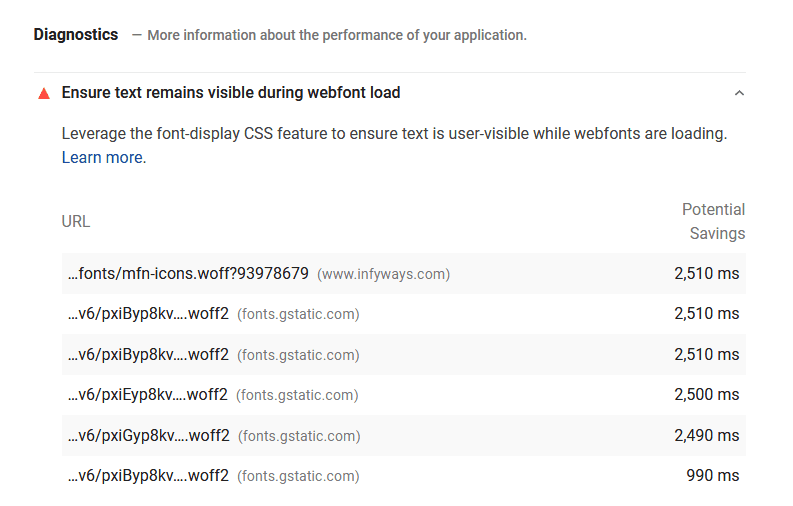
        PageSpeed - Ensure text remains visible during webfont load

        Did you catch that? The flash on your screen that hinted at a few precious milliseconds that could be shaved off your site’s load time? If you’ve been playing detective with your PageSpeed Insights, you might’ve spotted the culprit: web fonts—both local and those stylish Google ones—embedded right into your digital domain. But here’s the good news: these milliseconds are yours for the taking.

        Fixing Embedded Google Fonts: Swap Magic

        Embedded Google Fonts can be a sneaky cause of those invisible text moments. But with a pinch of code and a sprinkle of “swap,” we can whip them into shape.

        STANDARD Implementation:

        <link rel="preconnect" href="https://fonts.googleapis.com"> 
        <link rel="preconnect" href="https://fonts.gstatic.com" crossorigin>
        <link href="https://fonts.googleapis.com/css2?family=Open+Sans:wght@300;400;600&display=swap" rel="stylesheet">
        

        For those using @IMPORT:

        <style> @import url('https://fonts.googleapis.com/css2?family=Open+Sans:wght@300;400;600&display=swap'); </style>

        Just append &display=swap at the end of your font URL, and voilà!

        Mastering the font-display Property

        Remember the font-display property we touched upon earlier? It’s back, and it’s crucial!

        Here’s what the different font-display values conjure:

        • auto: Lets the browser pick its favorite font display strategy.
        • block: Grants the font a brief block period and an infinite swap spell.
        • swap: The MVP for most! It gives the font a zippy zero-second block period and an infinite swap saga.
        • fallback: A quick block period, followed by a brief swap time.
        • optional: Extremely swift block period, with a zero-second swap time.

        In the vast majority of cases, swap is your go-to charm to keep text in view.

        Decoding font-display

        Diving a bit deeper, font-display is that nifty CSS spell available in our modern browser grimoire. Nestled within a @font-face declaration, when set to font-display:swap, it ensures system default fonts take the stage till your custom sorcery (read: fonts) loads up. The result? Users can dive into your content instantly, no waiting around.

        2. Subsetting: Because Less is More

        Just like decluttering your wardrobe, subsetting trims down your font files to only the characters you really need. The lighter the font file, the quicker the load!

        3. Embrace WOFF2: The Font of the Future

        WOFF2 is like the Tesla of font formats. Sleek, modern, and efficient. If you’re not already using it, you’re driving a relic in the fast lane.

        4. Async Magic with FontFaceObserver

        Load your fonts without blocking the render. Libraries like FontFaceObserver are like that discreet waiter at fancy parties, ensuring everything’s in place without making a scene.

        5. Local Hosting: Be the Master of Your Fonts

        Why rely on a third-party when you can host fonts locally? More control, fewer DNS lookups, and faster load times. It’s a win-win!

        6. Caching: Because Memory Matters

        Set your fonts to stick around in users’ caches. With a long max-age, when they return, it’s like greeting an old friend—no reintroductions needed.

        7. Continuous Audits: The Proof in the Pudding

        After you’ve put in the hard work, don’t forget to check your results. Tools like Google Lighthouse are your critical friends, always pushing you to do better.

        Wrap-Up: The Visible Text Encore

        In the grand theater of web optimization, ensuring your text takes center stage from the get-go can be a game-changer. Apply these strategies, and not only will your website’s performance sing, but your users will throw standing ovations (or at least, stick around longer).

        Remember, in the digital realm, every millisecond counts. And with these tricks up your sleeve, your website won’t just be faster—it’ll be a beacon of user experience.

        font face speed

        If you need any assistance in fixing the issue or want to optimize your website speed then feel free to contact us. We will definitely fix the issue within hours!

      3. Mastering Content: How to Increase Your Readability Score

        Mastering Content: How to Increase Your Readability Score

        Ever clicked on an article and felt overwhelmed within seconds?

        You’re not alone. Today, I’m diving deep into the magic of readability score and its profound impact on user engagement and SEO. And trust me, by the end of this, you’ll be rethinking your entire content strategy.

        The Big Deal About Readability

        Imagine pouring hours into crafting the perfect article, only to see readers bounce off after the first few lines. Heartbreaking, right?

        Your content’s readability might be the silent culprit. In one of my deep dives, I discovered a gem from SearchEngine Journal that revealed pages with higher readability scores ranked better and had lower bounce rates. Mind-blowing, right?

        What is Readability?

        Readability isn’t just a buzzword. It’s about how effortlessly your audience can digest your content. Tools and algorithms, like the Flesch-Kincaid Grade Level, dissect factors like sentence length and word choice to assign scores.

        The higher the score, the more reader-friendly your content. And if you’re scratching your head thinking this is rocket science, hang tight. I’ve got a toolkit that’ll be your game-changer.

        Your Must-Have Readability Toolkit

        Over the years, I’ve played around with countless tools. Some were gold, others… not so much. But here’s my curated list that never lets me down:


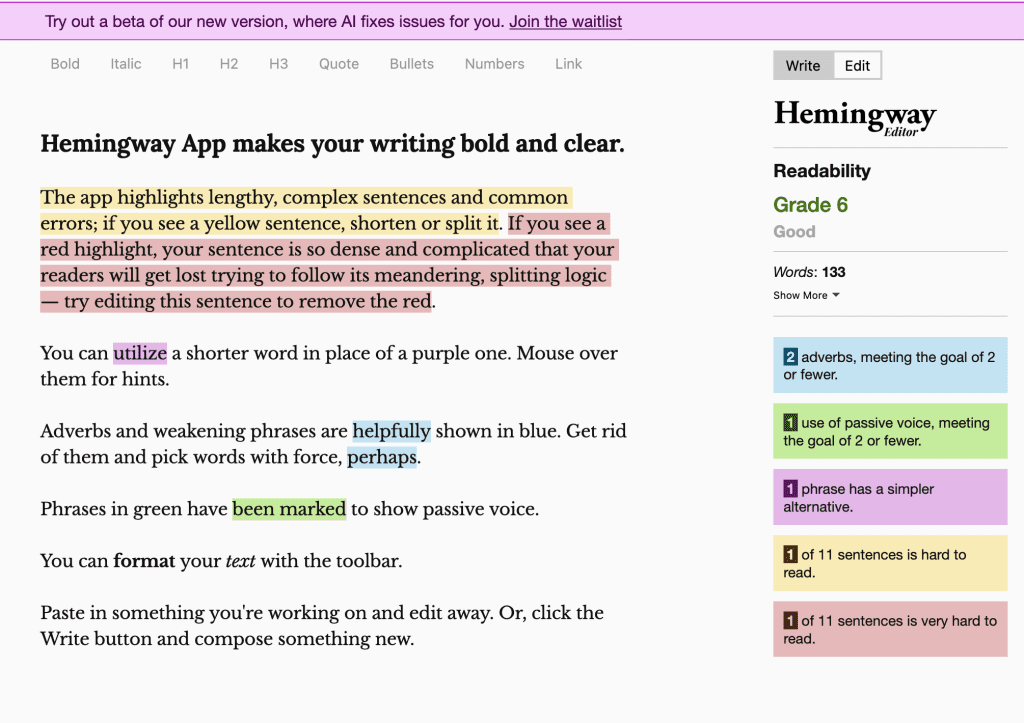
        Hemingway Editor

        Picture this as your content’s personal gym trainer. It flags down complex sentences, passive voice, and even dishes out a readability grade. Try to write your content using Hemingway App

        hemingway editor readability

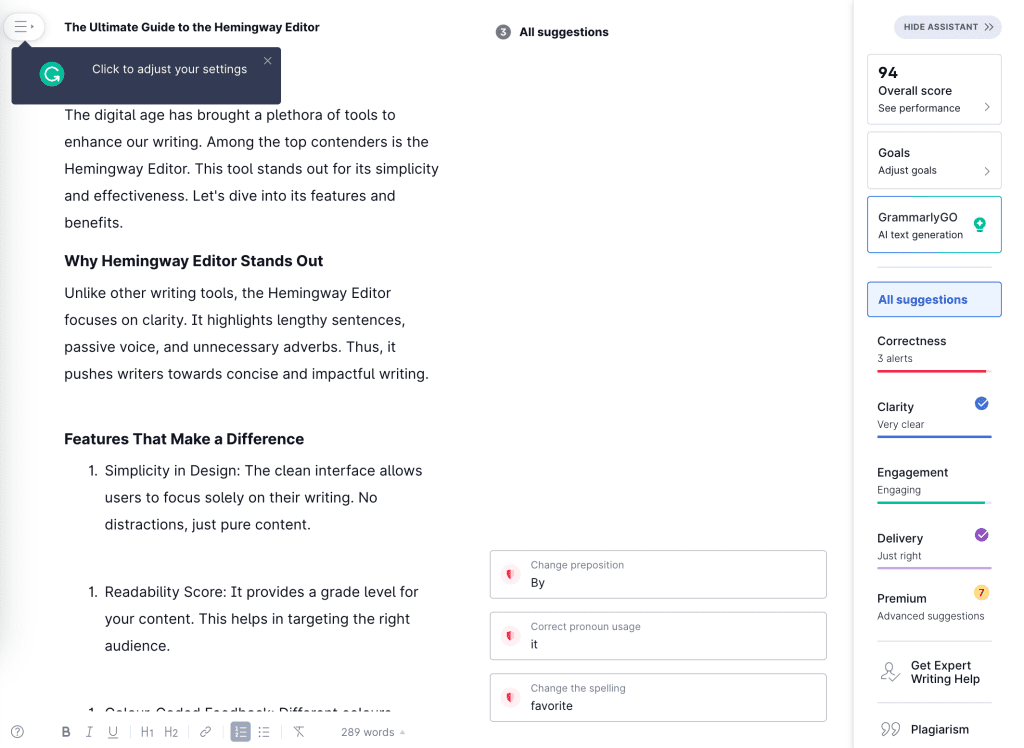
        Grammarly

        Grammarly is more than just a grammar geek. It’s that buddy who ensures your content is on point and resonates with your audience.

        grammarly readability

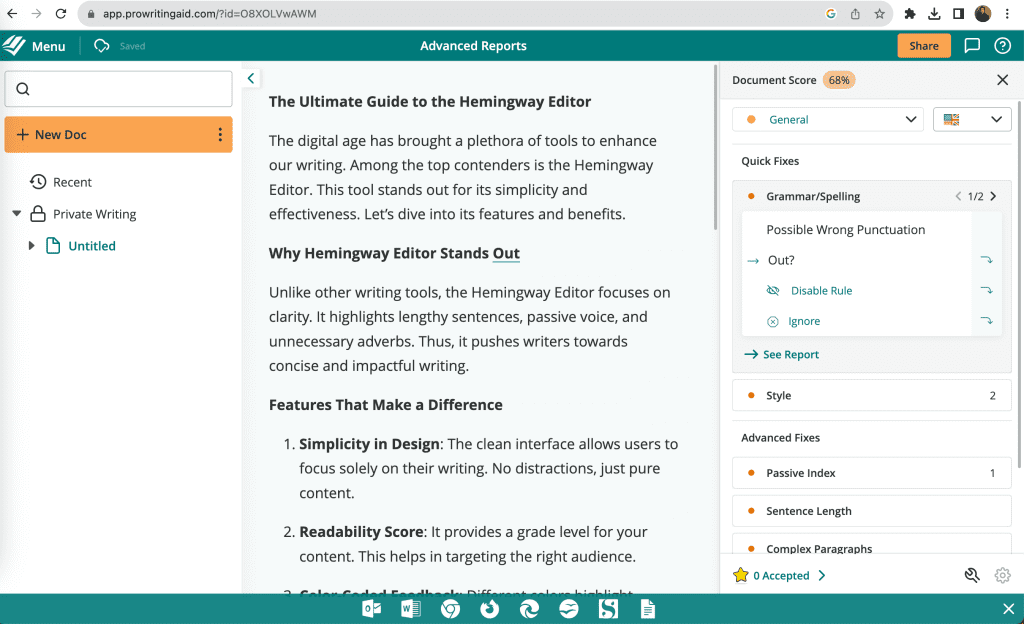
        ProWritingAid

        Think of this as your content’s health check-up. From readability to style, it’s got you covered.

        proWritingAid readability

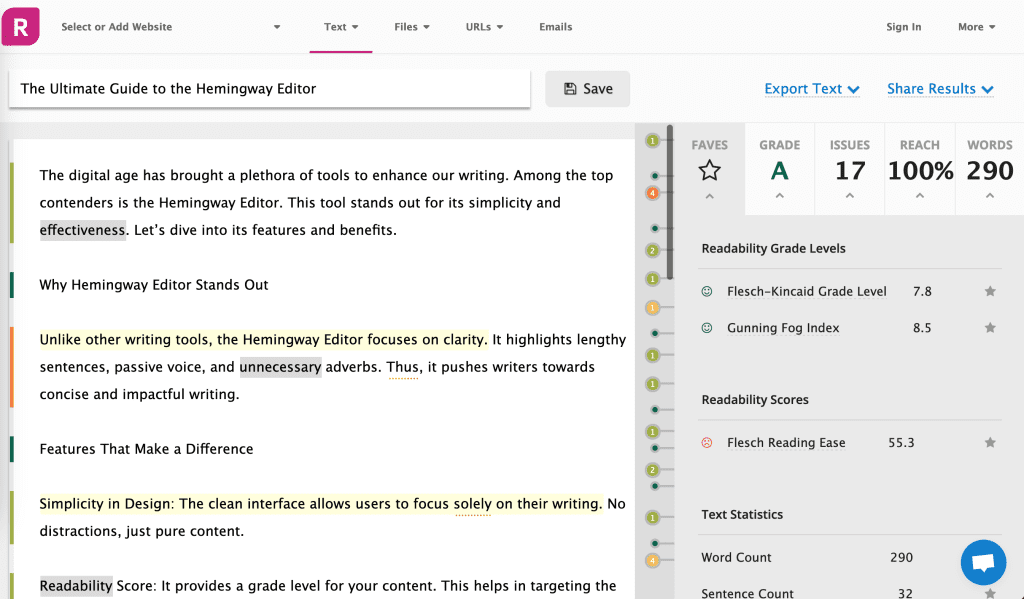
        Readable

        Readable evaluates text using various readability formulas and provides feedback on how to improve.

        readable com readability

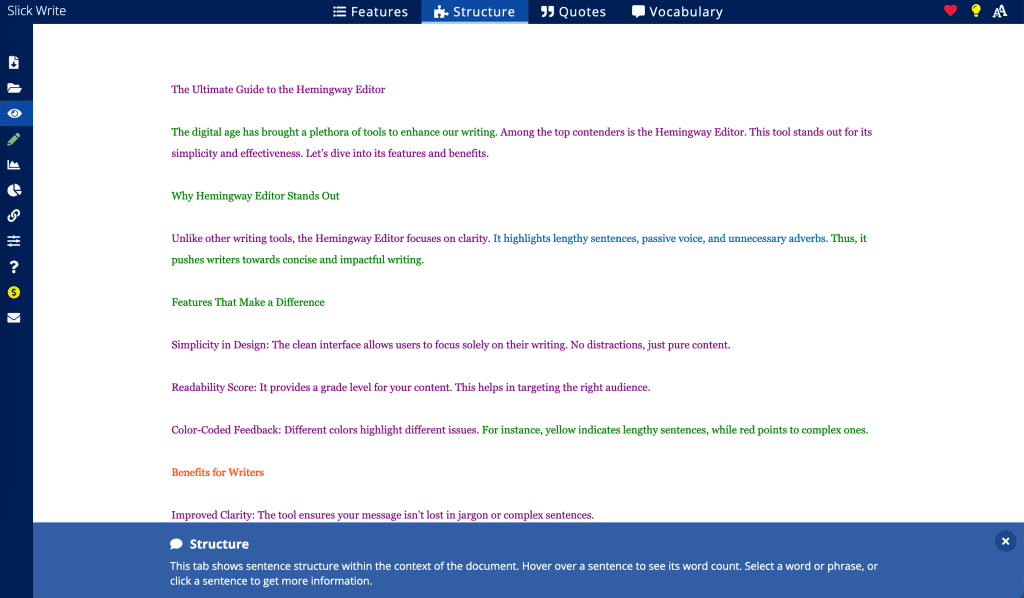
        Slick Write

        SlickWrite offers detailed feedback on your writing’s flow, structure, Quotes, Vocabulary and readability.

        slick write readability

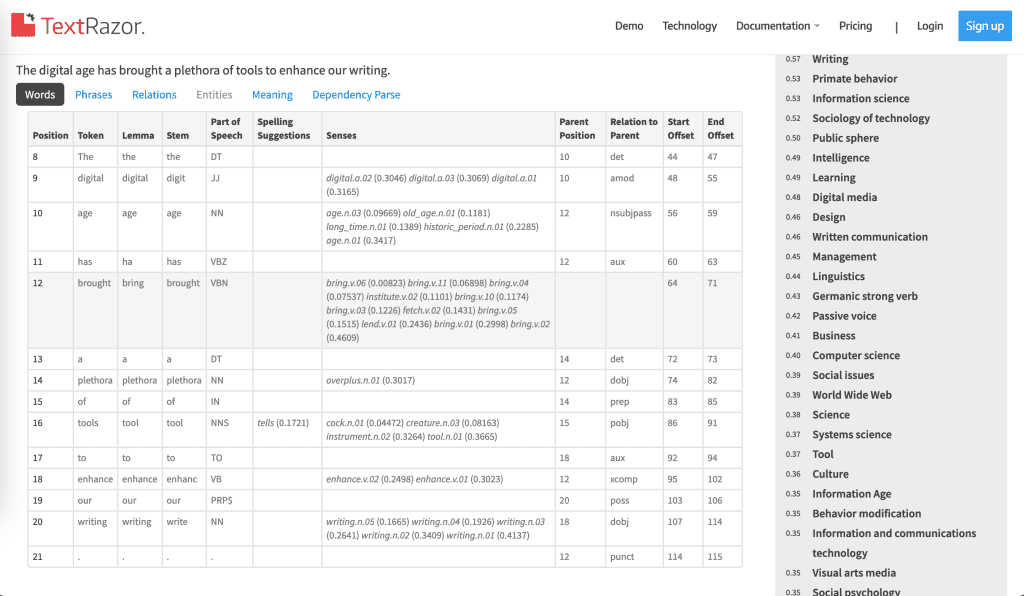
        TextRazor

        Beyond readability, TextRazor provides insights into grammar, punctuation, and writing style.

        text razor readability

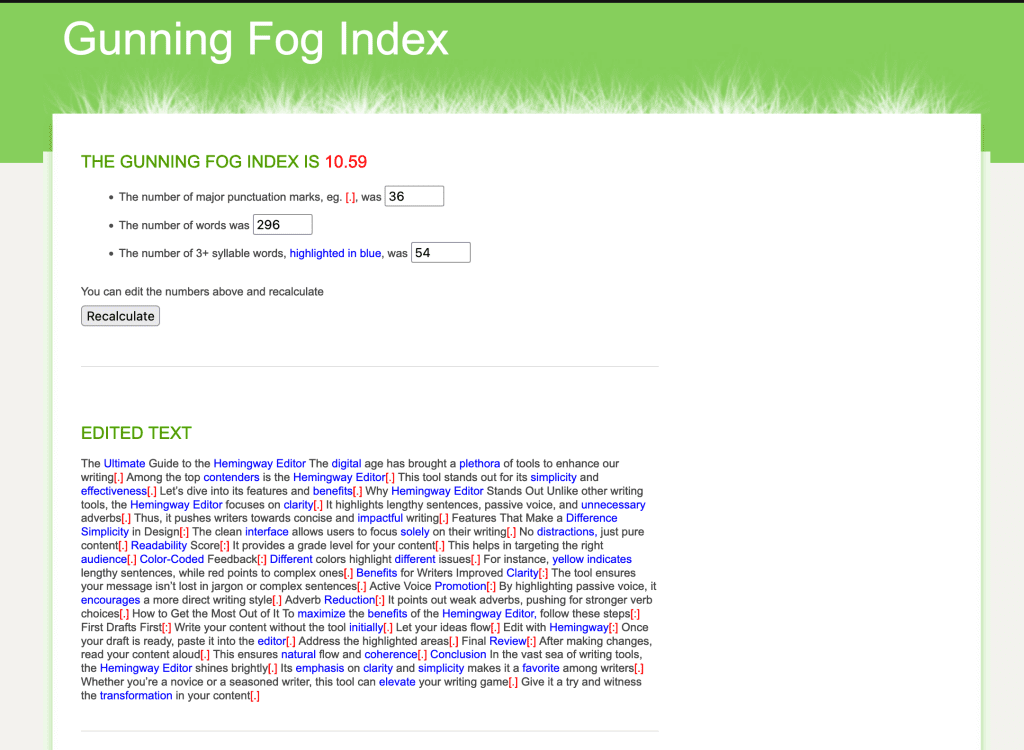
        Gunning Fog Index

        Gunning Fog Index online tool calculates the number of years of formal education a reader would need to understand your content.

        Gunning Fog Index Readability
        In the screenshot as you can see that the value is 10.59 which means a student of 10th to 11th grade can easily understand the text.

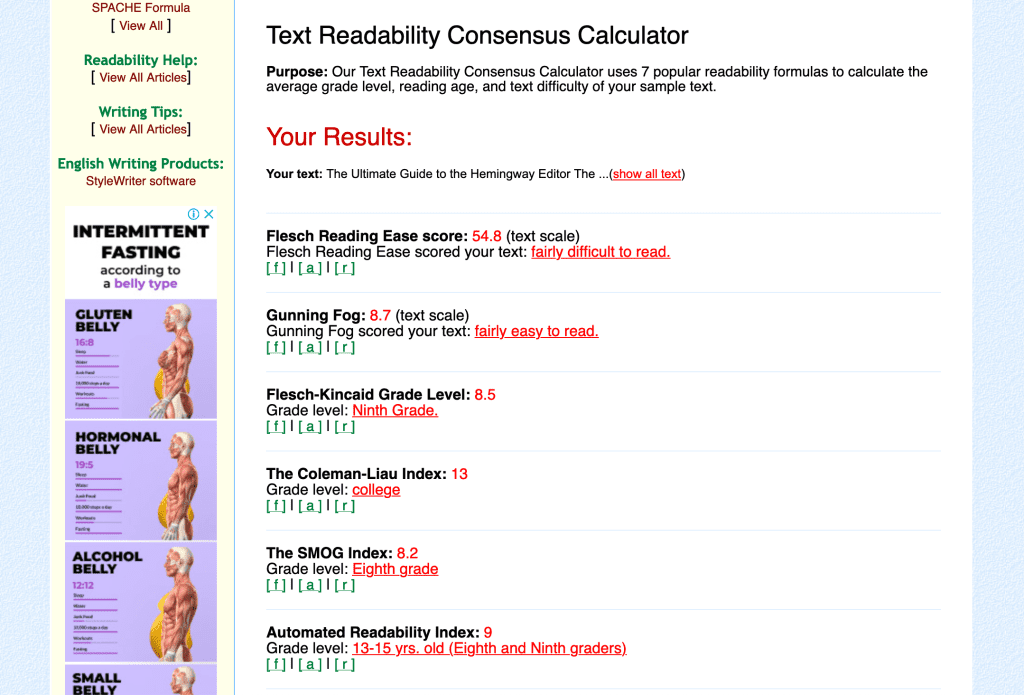
        Readability Formulas

        ReadingFormulas site offers seven different tools to test readability, making it a versatile choice.

        readabilityformulas

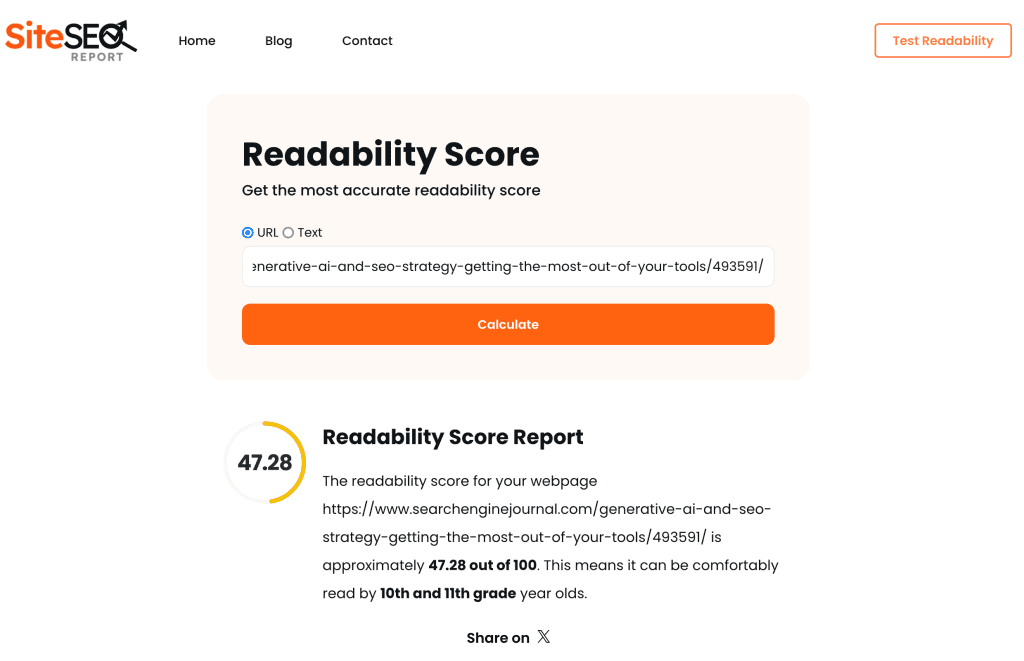
        SiteSEO Report Tool

        The SiteSEO Report Readability tool calculates the score based on 7 different readability algorithms.

        siteseoreport readability

        Legibility vs. Readability: What’s the Difference?

        legibility vs readability

        Here’s a curveball many don’t see coming. Legibility and readability, while related, aren’t the same. Legibility is about how easily you can distinguish letters and words.

        Legibility refers to the design and layout aspects of written content. It’s about how easily individual characters or words can be recognized. Factors influencing legibility include:

        • Font choice
        • Font size
        • Line spacing
        • Color contrast
        • Letter spacing

        For instance, a light gray font on a white background may be hard to decipher, affecting legibility.

        Readability, on the other hand, deals with the comprehension of the content. It’s about how easily sentences and paragraphs can be understood. Factors influencing readability include:

        • Sentence length
        • Word choice
        • Content structure
        • Use of subheadings and bullet points

        In essence, while legibility is about the physical appearance and recognition of the text, readability is about understanding the content’s message.

        To create effective content, both legibility and readability must be considered. A legible piece that’s hard to understand won’t engage readers, and a readable piece that’s hard to see won’t be read in the first place.

        Readability Across Different Platforms

        Different platforms cater to different audiences, and readability preferences can vary. For instance, academic journals have a different readability standard compared to blog posts.

        Similarly, what works on a website might not be suitable for social media platforms like Twitter or Instagram. It’s essential to tailor your content’s readability based on the platform.

        Tools like SEMRush offer platform-specific readability insights, helping content creators optimize accordingly.

        The Role of Readability in Content Marketing

        In the realm of content marketing, readability plays a pivotal role. It’s not just about getting your message across; it’s about doing so efficiently.

        According to Time, English Professor Eric D. Hirsch from the University of Virginia developed a criteria for assessing the “comparative ease of reading” in writing. To put it simply, the easier and quicker it is for someone to read a document, the more readable it is considered.

        Real-world Impact: A Case Study

        Let’s get real for a second. I came across a case study of a tech firm that revamped their content, focusing purely on readability. The result? A whopping 50% spike in organic traffic and a 35% jump in on-page time. If that doesn’t scream the power of readability, I don’t know what does.

        Your Action Plan

        Alright, let’s get you started on supercharging your content’s readability:

        1. Audit Your Content: Use tools like Hemingway Editor or Grammarly to get a readability score.
        2. Simplify: Break down complex sentences. Ditch the jargon.
        3. Format: Use subheadings, bullet points, and visuals to break up your content.
        4. Test and Iterate: Regularly check your analytics. See how changes in readability impact user engagement and tweak accordingly.

        Wrapping Up: Your Content’s New Best Friend

        So, there it is. Your roadmap to content that not only ranks but resonates. Now, I’m all ears. Have you ever played around with readability tools? Noticed a difference? Share your insights below. And hey, if this lit a bulb for you, spread the word!

      4. White Hat vs Black Hat SEO – Which One You Should Pick?

        White Hat vs Black Hat SEO – Which One You Should Pick?

        Wondering about the most effective Search Engine Optimization techniques?

        Don’t let your SEO backfiring you! Let us guide you through different techniques and strategies of White Hat vs. Black Hat SEO. Understand major differences between black hat & white hat SEO with this blog!

        Knowing the differences between White Hat and Black Hat SEO Tactics is vital for the success of your SEO campaign.

        While working on an SEO project, you may come across many tactics. Not all options are useful for achieving good search engine optimization.

        Though many prominent and unseen SEO tactics can work, determining the “most effective one” is subjective.

        One distinction to be aware of is White Hat vs. Black Hat SEO. It’s a key aspect that separates various SEO strategies.

        Understanding this difference can guide your approach to SEO, helping to ensure that your methods align with best practices.

        Defining Differences Between White Hat & Black Hat

        At their core, both white hat and Black Hat Techniques aim at the same result – driving good search results for your website.

        Both white hat and black hat methods are applied to give your site higher rankings on search engines.

        The only big difference between both strategies is their ethics of driving results.

        White Hat SEO Techniques are the Google approved methods to achieve the best result on search engines.

        But, a Black hat is kinda unprincipled. Black hat SEO is the process of using shortcuts and wrong hacks to exploit other websites’ weaknesses in their algorithms.

        Outlining White Hat SEO With Essential Tactics

        White Hat Strategy stands in compliance with Google’s SEO rules and algorithms. Instead of search engines, white hat methods target the human audience to gain better results.

        When Google colonizes search results for its guests, the higher Quality Content your site has, the higher ranks you’ll get. So, White Hat SEO aims at making Google like your site.

        It can be sometimes exhausting to get faster results from this ethical technique of SEO. It takes a longer time for your page to pop up at the top result pages.

        But the wait is worth it, as it ensures Long Term results. White hat SEO revolves around focusing more on the human audience.

        Making your website easy to navigate, speeding up your webpage load times, keyword research and using relevant keywords, optimizing your contents, and driving backlinks from leading websites are key strategies.

        White hat SEO revolves around

        • Focusing more on the human audience
        • Making your website easy to navigate
        • Speeding up your webpage load times
        • Keyword research and using relevant keywords
        • Optimizing your contents
        • Driving backlinks from leading websites

        Black Hat Strategy – A Big No-No For SEO

        Technically speaking, Black Hat SEO Technique is a set of unlawful practices. It focuses more on improving search engine results using others’ weaknesses.

        It takes advantage of limitations, gaps, or blind spots in Google’s algorithms. Black hat strategies maximize the Short Term gains for Page SEO.

        It also entails spam and corrupt practices to enhance the user experience. It violates search engine guidelines by relying on manipulative tactics.

        All black hat SEO strategies focus on exploiting loopholes in Google’s algorithm. It lets you achieve quick wins over fewer efforts.

        But all of them are short-lived. This approach may provide rapid gains but often leads to penalties and long-term damage to your site’s reputation.

        Black hat SEO involves

        • Focusing more on search engines than the human audience
        • Exploiting security vulnerabilities for short-lived SEO gains
        • Stealing or destroying private data from other sites
        • Transmitting malicious contents and links to drive search results
        • Acquiring higher page rankings following unethical means
        • Tricking search engines into redirecting users to other sites

        What Do White Hat SEO Tactics Include?

        Use Of Relevant Keywords

        Using relevant keywords is the major White hat tactic to improve the website’s visibility. It ensures your strong niche for leading search engines.

        Find out how your targeted audience or customers think. This understanding is key to SEO success.

        It helps you find suitable keywords for your contents, aligning with what your audience is looking for.

        Focusing on these keywords can increase the relevance of your site to potential visitors.

        This White Hat SEO strategy not only complies with search engine guidelines but also builds trust with your audience, leading to long-term success.

        Quality Contents

        Writing and updating webpages with quality contents is another white hat SEO Strategy. If your content satisfies the queries people are looking for; you get more clicks. Google doesn’t scan for relevant keywords only. It also scans for content relevance for potential readers.

        Following a reliable Link Scheme is an excellent strategy to enhance User Experience. Your link building strategy is the biggest consideration point for Google’s decision-making process. Inserting more relevant backlinks gives you higher page ranks.

        Properly Labeled Images & Titles

        Engaging titles and properly labeled images are crucial for white hat SEO. The title should be attention-grabbing and relevant to the page subject. The images you upload must be catchy and relevant to the content. Pay attention to alt tags to improve your overall on-page SEO strategy.

        Guest Blogging

        Guest Blogging is the ultimate white or Gray Hats strategy for SEO. It is practical for link building and Link Farming. It helps to boost your rankings and getting more web traffic. It is a manual outreach technique to get High-Quality in-content links.

        What Does Black Hat Strategy Include?

        Duplicate Contents

        Duplicating or posting plagiarized contents is a typical Black Hats practice. It involves website posting on wikis and duplicating other blogs and forums. They never Create Content. Instead, they post random comments or commercial services on web pages to improve clicks.

        Hidden Text Insertion

        Stuffing contents with hidden text is another black hat strategy. Readers cannot see the hidden contents, but search engines can. It involves spamming contents and pages with annoying links and texts. It helps to achieve a higher ranking in search engine result pages.

        Keyword Stuffing

        Black hat strategy never does researches for relevant keywords. Instead, it focuses on stuffing contents with unrelated keywords. It promotes cloaking of contents, using private link networks. Keywords won’t be visible to readers. They make the search engine to crawl and achieve higher ranking within the SERPs.

        Gateway Pages

        Creating gateway pages or doorway pages is another black hat SEO tactic. It involves haphazardly stuffing pages with keyword phrases. The primary goal of this practice is to achieve higher rankings and then automatically redirect guests to a separate page.

        Bait-and-Switch

        It involves the practice of getting a web page indexed and then changing the entire page. It never keeps a page’s overall topics intact. Clicking on result pages redirect readers to a new page; irrelevant to the keywords searched for.

        So, these are the major points to define White Hat vs. Black Hat SEO. If you need to find out more about the powerful SEO techniques

      5. 5 Best Free Online Tools to check Website Speed

        5 Best Free Online Tools to check Website Speed

        Webpage speed refers to the loading speed of a website.

        As per the new guidelines announced by Google, the website speed has become a vital factor in determining the ranking of a website.

        Undoubtedly, a slow website leads to a poor user experience, which in turn gives its visitors reduced customer satisfaction. It has been found that a website having a good webpage speed boosts conversions and leads to retention of visitors.

        The speed of a website may be a key factor in its success. As discussed, websites that load faster can benefit from higher SEO rankings, higher conversion rates, lower bounce rates, longer website visit times, and better Overall user experience and engagement.

        Therefore, it is important to take full advantage of the many free website speed test tools available there in order to get the best performance. Google wants your website to load in less than a second.

        For this purpose, first of all, you need to find out the factors that are hampering your website speed. Here we have showcased the 5 best free online tools to check website speed to help you improve your website’s performance.

        Tools to Check Website Speed

        Pingdom

        Pingdom is an online tool which will help you in finding out your website speed. It not only checks all sections of your website thoroughly, but also gives the performance overview, traces the performance history, checks from multiple regions, and shares the results. Besides, it also provides performance grades as well as tips. You need to give your website’s URL in the box, as shown below, and the tool will test and display your website’s details.

        TRY IT OUT

        Webpage Test

        WebPage test provides you with a website test covering many geographical regions all over the world. The results of your test will be displayed as pagespeed optimisation checks and various resource loading charts. Besides, this tool shows six different types of performance grades. Moreover, in this tool, you can choose a specific country from where you wish to run the test for your website.

        TRY IT OUT

        Gtmetrix

        GTmetrix is another such tool which shows your website history along with graphs and also playback page loads with videos. Moreover, it sets monitored alerts and using this tool; you can even see your page performance on a real android device. Also, this helpful tool lets you download the results of your website test in the form of a PDF which can be used for future reference.

        TRY IT OUT

        Google Developers PageSpeed Insights

        Google PageSpeed Insights is one of the most effective tools to test and grade your website’s up-time. It analyses your site in 30 different ways to help you optimise your website and increase your webpage speed. Unlike other tools, this useful tool will record the exact load time of your website, which is one of its unique features.

        Google Online Page Speed

        Load Impact

        Load impact gives a varied range of features such as multiple user scenarios, large scale load tests, powerful reporting with charts, session recorder, automatic script generation and many more. However, after taking the test, the info about your website’s results will be displayed publicly on the load impact website if you do not sign up for a separate account on their website.

        TRY IT OUT

        Summary

        As you can see, there are many website speed testing tools to choose from. Each of them has its own unique function, as mentioned above. It is a good idea to regularly test your site and establish benchmarks so that you can make improvements over time.
        Once you know where the bottlenecks are, you can start solving them. Almost all tools listed above have suggestions. Some of the most common fixes include:

        • Compress images and files
        • Choose a fast web host
        • Optimize code and scripts
        • Use content delivery network
        • Cache Reduce the number of HTTP requests