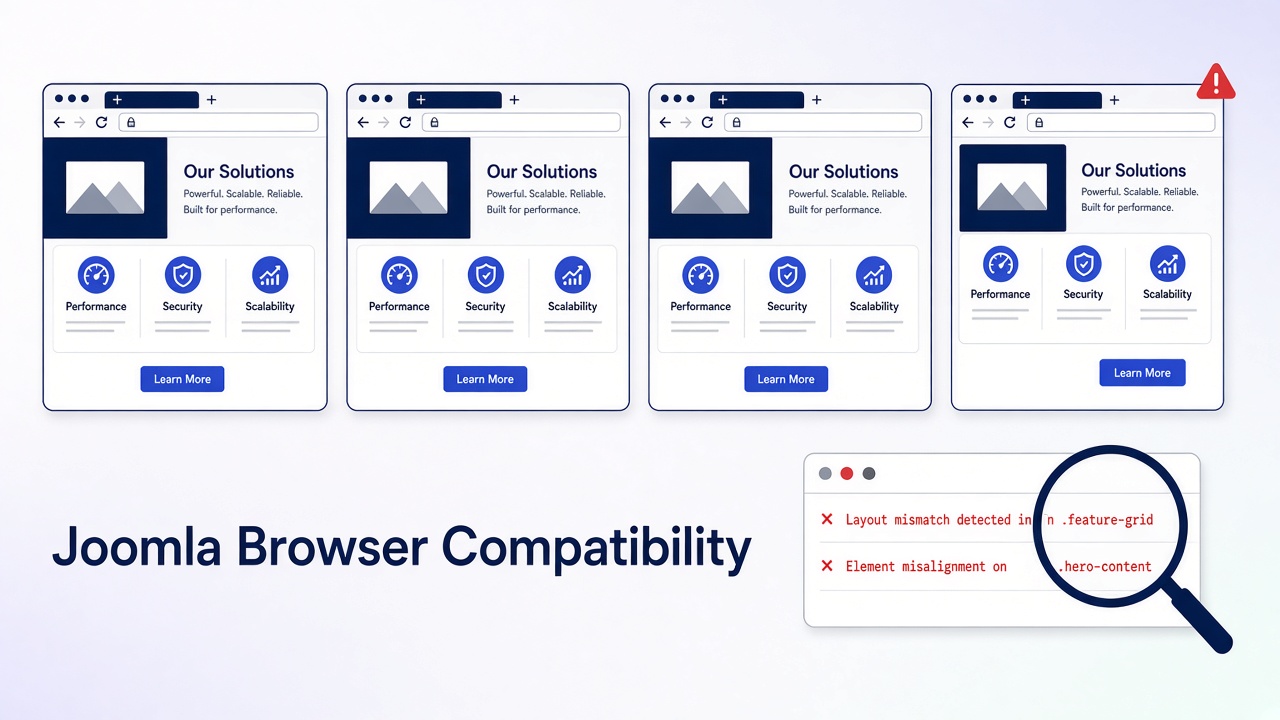
A Joomla browser compatibility issue is a page that works in one current browser and fails in another. Joomla 4, 5, and 6 support the current major version and the one before it of Chrome, Edge, Firefox, and Safari (the n-2 policy the project adopted in 2019). Internet Explorer is not supported. Most reports are not browser bugs at all: they are a cached stylesheet, a browser extension, a Joomla 3 template, a cookie scoped to the wrong host, or one of three documented core bugs (Safari 15 and Joomla’s ranged media queries, Firefox 148 and TinyMCE in Joomla 5.4.3 / 6.0.3, and Conservative caching breaking the Web Asset Manager). This guide separates them in order and gives the fix for each.
Generic cross-browser posts tell you to “test on real devices” and “check Can I Use.” That does not help when the administrator dashboard renders as a single column on a client’s Mac or the article editor flickers forever in Firefox. Those are known Joomla issues with issue-tracker numbers, version ranges, and specific fixes. You will find them here, together with a triage that stops you rewriting CSS for a problem the private window would have solved.
What you will learn
- Which browsers Joomla 4, 5, and 6 actually support and where that policy is written
- How to tell a browser bug from cache, an extension, a responsive bug, or a PHP error
- The three documented Joomla core bugs that only show in one browser, with fixes
- Which modern CSS features are safe for Joomla templates in 2026 and which still need fallbacks
- Safari-specific quirks (100vh, hover, date inputs, backdrop-filter, autoplay) and how to code around them
- The Safari login failure that is really the site URL
- A tested one-command fix that makes Cassiopeia render on Safari 15 from a child template
- Which testing tools are worth using and in what order
Supported browsers by Joomla version
| Joomla | Browsers to test | Policy source | Do not spend time on |
|---|---|---|---|
| 3.10 (end of life) | Current Chrome, Edge, Firefox, Safari | Old docs list still names IE. Not a 2026 requirement | IE8 to IE11. Joomla 3 itself is unsupported |
| 4.x | Current and previous major of Chrome, Edge, Firefox, Safari | Production motion PROD2019/005: n-2, drop Internet Explorer. Bootstrap 5 UI | IE11. Bootstrap 5 does not support it |
| 5.x and 6.x | Same four, current and previous major | Same policy. Core JavaScript is ES2018, IE11 es5.js builds removed in 5.0 |
IE11, Safari 15 and older, any es5.js shim |
Bootstrap’s rule, which Joomla’s UI follows, is the latest stable browsers, not Internet Explorer: Bootstrap browsers and devices. The IE11 bundle removal is recorded in the Joomla 4.4 to 5 removal list. The wiki page Joomla Browser Support is a Joomla 3 document. Do not use it as the matrix for Joomla 5 or 6.
What n-2 means in practice: Safari ships one major per year, so a Mac that cannot go past Safari 15 (macOS Monterey and older) is outside support for every Joomla 4.4.1 or newer release. Chrome, Edge, and Firefox update monthly and auto-update, so “old Chrome” is almost never the cause. Firefox ESR is supported because it tracks a recent major.
Documented one-browser bugs in Joomla core
Check this table before you touch any CSS. If the symptom, browser, and Joomla version match, the fix is known.
| Symptom | Browser | Joomla versions | Cause | Fix |
|---|---|---|---|---|
| Administrator dashboard, sidebars, and Cassiopeia grid collapse to one mobile column on a wide screen | Safari 15 and older (macOS Monterey, Big Sur) | 4.4.1 and newer, all 5.x, 6.0.x, 6.1.0 (we checked the shipped files) | Core CSS is compiled with ranged media queries @media (width >= 1200px). Safari added support in 16.4. Older Safari drops the whole rule. Issues #42439 and #45674 |
Update Safari (16.4 or newer). If the Mac cannot, the browser is outside policy; use Chrome or Firefox on that Mac. For a public site with many legacy Safari visitors, transpile the template CSS to classic min-width syntax and ship it from a child template (tested procedure in Step 9). Do not overwrite core files; the next update reverts them |
| TinyMCE editor flickers and reloads forever, articles cannot be edited | Firefox 148 and newer | 5.4.3 and 6.0.3 | Firefox 148 (February 2026) changed behaviour TinyMCE relied on. Listed on the Joomla 6.0.3 known issues page | Install the “Firefox 148 TinyMCE Hotfix” one-time patcher from the Joomla 6.0.3 / 5.4.3 download page (System → Install → Extensions), or update to 5.4.4 / 6.0.4 or newer. Chrome users are unaffected, which is why it looks like “Firefox is broken” |
| Site error “Unsatisfied dependency … for an asset” or missing scripts on some pages, only after caching is on | All browsers, but appears random per visitor | 4.0 to 4.1.0 with Conservative caching; any version with a broken third-party cache plugin | Module caching stored Web Asset Manager dependencies with the wrong owner. Issue #37122, fixed in 4.1.1 | Update Joomla. Clear cache. If a page-cache extension reproduces it, exclude the administrator and logged-in users. Details in caching in Joomla |
| Cassiopeia menus “act strangely” in Safari | Safari 15 and older | 5.0.x | Same root cause as the first row. Issue #42713 was closed in favour of #42439 | Same fix |
Name the failure before you edit CSS
| What you see | In which browsers | What it usually is |
|---|---|---|
| Layout wrong only on a phone width | All of them | Responsive CSS or a missing viewport tag. Not a browser bug |
| Wide screen renders the mobile layout | Safari 15 or older only | Ranged media queries. See the table above |
| IE11 admin is unstyled or dead | IE only | Unsupported. Move the user to Edge |
| One browser shows yesterday’s CSS | One | Cache, or a service worker from a PWA extension |
| Styles missing everywhere | All | CSS 404, mixed content, CSP, or .htaccess. See 500 on mod_rewrite |
| Login works in Chrome, drops in Safari | Safari | Site URL, www versus apex, or HTTP versus HTTPS. Cookie scope, not WebKit |
| Editor will not load or keeps refreshing | Firefox 148+ | TinyMCE bug in 5.4.3 / 6.0.3. Install the hotfix or update |
| A slider or menu dies in one browser | One | An extension script. Read the console |
| Fonts, icons, or a map missing in Firefox or Brave only | Firefox, Brave | Tracking protection or Shields blocking a third-party host. Self-host the asset |
| Only the administrator is broken | One or all | Atum, or an admin module. The site template is innocent |
| Blank page, no layout talk | All | A PHP fatal, not CSS. Read the host log |
Step 1: Write down the browser, the version, and the URL
- Note the browser name and a major version (Chrome 14x, Safari 18, Firefox ESR). “Doesn’t work on Mac” is not a report. On a Mac, Safari → About Safari shows the version; the macOS version tells you the maximum Safari it can run.
- Note the exact URL. Site homepage, one article, and
/administrator/are three different products. - If the browser is Internet Explorer, stop. On Joomla 4, 5, or 6 that is expected. Send the user to current Edge, Chrome, Firefox, or Safari.
- If the browser is Safari 15 or older and the layout is the complaint, go to the core bugs table. You are done diagnosing.
- If every current browser fails the same way, you are not debugging compatibility. Fix the error, the missing file, or the template, then come back.
Step 2: Rule out cache and extensions
- Open a private window with extensions disabled. Retest the same URL.
- If the private window is fine, the cause is a cached file or an extension (ad blockers block scripts and fonts, Firefox Enhanced Tracking Protection and Brave Shields block third-party hosts). Clear that browser’s cache for the site. Then clear Joomla’s cache (System → Maintenance → Clear Cache) and any CDN.
- If the private window is still broken, the site is serving the failure. Continue.
Joomla appends its media version to core asset URLs, and that version changes when you update Joomla or an extension. A hand-edited user.css does not change it, so browsers can keep the old file for days. Clear Joomla cache after CSS edits, and on a CDN purge the CSS path.
Step 3: Read the console, not the homepage
- Open developer tools in the broken browser. Console and Network.
- Reload. Copy the first red error. The file name is the extension or the template.
- On Network, filter CSS and JS. A red row is a 404 or a blocked request. An unstyled page with a 404 on
template.cssis a path problem, not a rendering engine. - Mixed content (HTTPS page calling
http://assets) is blocked hardest by Chrome and Safari. Fix the URLs in the template and in article HTML. Do not tell users to allow insecure content. - “Refused to load” or “violates the following Content Security Policy” means the System – HTTP Headers plugin (or the host) set a CSP that the extension does not satisfy. Browsers enforce CSP slightly differently, which is why it can look like a one-browser bug. Fix the policy or the inline script, do not disable CSP site-wide.
Step 4: See if the template is the only broken piece
- On a staging copy, set the site template to Cassiopeia (System → Site Templates).
- Retest the broken browser.
- If Cassiopeia is fine, your template or one of its overrides is the bug. Update it to a build for this Joomla major, or replace it. Joomla 3 templates (Bootstrap 2, IE conditional comments, MooTools menus) will not become compatible by adding a script.
- If Cassiopeia fails too, the template is not the cause. Look at modules on that page, then at the core bugs table.
Confirm the template prints a viewport tag. Cassiopeia does. A custom index.php that omits it makes phones look “broken in Safari” while the desktop looks fine:
<meta name="viewport" content="width=device-width, initial-scale=1">Step 5: Disable the extension named in the console
The first console line usually names a file under /media/, /templates/, /modules/, or /plugins/. Disable that extension on staging and reload.
- A menu or slider that calls MooTools or an ancient jQuery will fail in current browsers even when the rest of the page is fine. Background: remove MooTools from Joomla.
- Do not “fix” it by loading jQuery again. Joomla 4, 5, and 6 core UI does not need jQuery. A second copy fights over
$and creates a new one-browser failure. - HTML5 Shiv and Respond.js were IE8 hacks. They do nothing on Joomla 4+ and add a script current browsers do not need. Remove them if a ten-year-old tutorial put them in the template.
- Page builders and Helix-style frameworks that still ship
-moz-,-ms-, and-webkit-prefixed rules from 2015 produce console warnings but rarely break layout. Update the template; do not hand-edit its compiled CSS. - Custom scripts you added yourself belong in a child template or a proper include, not pasted into
index.php: add or remove custom JavaScript in Joomla.
Step 6: Audit modern CSS the template uses
When the template is yours or a child template, check the newer CSS features it relies on. This is the 2026 state of the features that most often produce “works in Chrome, broken in Safari or Firefox” on Joomla sites. Verify current numbers on Can I Use.
| Feature | Safe in all supported browsers since | Watch out for |
|---|---|---|
Ranged media queries (width >= 1200px) |
Safari 16.4 (March 2023). Chrome 104, Firefox 63 | Safari 15 and older drop the rule entirely. This is the Joomla core bug above |
:has() |
Firefox 121 (December 2023). Chrome 105, Safari 15.4 | Firefox ESR older than 128 |
| Container queries | Firefox 110 (February 2023). Chrome 105, Safari 16 | Same Safari 15 Macs |
| Native CSS nesting | Safari 16.5, Firefox 117, Chrome 112 (2023) | Early nesting syntax required &; relaxed syntax landed later in 2023 and 2024. Compile nesting with Sass for public sites |
| Subgrid | Chrome 117 (September 2023). Firefox 71, Safari 16 | Chrome-only test rigs miss nothing here now |
dvh, svh, lvh units |
Safari 15.4, Chrome 108, Firefox 101 | Use 100dvh for full-height heroes on iOS instead of 100vh |
text-wrap: balance |
Safari 17.5 (2024). Chrome 114, Firefox 121 | Harmless when unsupported. Fine to ship |
color-mix() |
Safari 16.2, Chrome 111, Firefox 113 | Provide a plain colour first, then the mix |
backdrop-filter unprefixed |
Safari 18 (2024). Chrome 76, Firefox 103 | Keep -webkit-backdrop-filter alongside it for Safari 16 and 17 |
scrollbar-width, scrollbar-color |
Safari 18.2, Chrome 121, Firefox 64 | Safari 17 shows default scrollbars. Cosmetic only |
| AVIF images | Safari 16 (16.4 on macOS), Chrome 85, Firefox 93, Edge 121 | Wrap in <picture> with a WebP or JPEG fallback |
Pattern for anything not yet universal:
.hero { min-height: 100vh; }
@supports (height: 100dvh) {
  .hero { min-height: 100dvh; }
}
Step 7: Safari and iOS quirks that are not bugs
| Behaviour | Why | What to do in the template |
|---|---|---|
| Full-height section overflows behind the iOS toolbar | 100vh includes the space under the collapsing browser bar |
Use 100dvh with a 100vh fallback |
| Dropdown menu needs two taps on iPhone | First tap fires :hover, second fires the click |
Make the parent item a real link or use the Cassiopeia menu that opens on tap; test with @media (hover: none) |
| Background video does not play | Autoplay requires muted and playsinline |
<video autoplay muted loop playsinline> |
| Form fields look different, date picker missing on older desktop Safari | Safari styles native controls and added input type="date" on desktop only in 14.1 |
Set appearance: none where you style controls; provide a text fallback for very old macOS |
| Fixed header jumps when the keyboard opens | iOS resizes the visual viewport | Prefer position: sticky for headers |
| Glass effect missing on Safari 16 and 17 | Needs the -webkit- prefix before Safari 18 |
Write both -webkit-backdrop-filter and backdrop-filter |
| Fonts render heavier or lighter than Chrome | Different text rasterisation per OS, not a CSS error | Accept it. Do not chase pixel identity between operating systems |
Step 8: Fix Safari login separately from CSS
If the page looks right in Safari but login or the administrator session dies, stop comparing stylesheets.
- Global Configuration → Site → Site URL, and the live host, must be the same scheme and host.
https://example.comandhttps://www.example.comare different cookie hosts. Chrome is more forgiving of the redirect. Safari drops the session. - Force one host in the server redirect, then clear cookies and test again.
- Global Configuration → System → Cookie Domain and Cookie Path: leave blank unless you run subdomains that must share the session.
- If the Joomla page is inside an iframe on another site, Safari blocks that third-party cookie. Do not embed the login.
- Session and consent cookies are covered in disable cookies for Joomla visitors.
Step 9: Fix it in a child template, not in core
Joomla 4.1 and newer support child templates. Every browser fix you write belongs there so updates do not erase it.
- System → Site Templates → Cassiopeia (or your template) → Create Child Template.
- Add rules to
media/templates/site/{child}/css/user.css. Cassiopeia loadsuser.cssautomatically after its own CSS. - Need to override a core stylesheet? Joomla resolves a relative asset such as
template.min.cssby looking inmedia/templates/site/{child}/css/first and only then in the parent’s folder (HTMLHelper::includeRelativeFiles). A file with the same name in the child wins. Nojoomla.asset.jsonedit is needed. - Never edit
media/vendor/bootstrap,media/templates/site/cassiopeia, ormedia/system. The next Joomla update replaces them and the “fix” disappears in one browser first, which restarts the whole hunt.
Tested: make Cassiopeia render on Safari 15 from a child template
We inspected the files Joomla 6.0.0 and 6.1.0 ship. Cassiopeia’s template.min.css contains 111 media queries, all in range syntax and none in min-width form. Atum has 118, and media/vendor/bootstrap/css/bootstrap.min.css (Bootstrap 5.3.8) has 81. Cassiopeia does not load the vendor Bootstrap file at all; Bootstrap is compiled into template.min.css, so swapping the vendor file does nothing for Cassiopeia. The fix is to transpile the template CSS.
- Create the child template (step 1 above). Note its folder name, for example
cassiopeia_legacy. - On any machine with Node.js, run Lightning CSS against the shipped file with a Safari 15 target:
npx lightningcss-cli --targets "safari >= 15" --minify media/templates/site/cassiopeia/css/template.min.css -o media/templates/site/cassiopeia_legacy/css/template.min.css - Result on Joomla 6.1.0: 111 ranged queries became 111
min-width/max-widthqueries, file size 247 KB to 251 KB, everything else unchanged. Repeat fortemplate-rtl.min.cssif you serve RTL. - Clear Joomla cache. Load the site in Safari 15 (BrowserStack macOS Monterey works) and the grid returns.
- After every Joomla update that changes Cassiopeia, rerun the command. Your child file is never touched by the updater, but it also does not receive core CSS fixes until you regenerate it.
For the administrator, the same approach works with an Atum child template and media/templates/administrator/{child}/css/template.min.css. In practice, updating Safari on the one editor’s Mac is the cheaper fix. For third-party templates that load media/vendor/bootstrap/css/bootstrap.min.css, transpile that file into the child’s css/ folder and change the template’s asset URI to point at it.
Step 10: Retest the supported browsers, in this order
- Chrome or Edge on desktop (same engine, still check Edge once if the client uses it).
- Safari on a real Mac or iPhone. Desktop Chrome does not stand in for iOS Safari; on iOS, Chrome and Firefox are WebKit under the hood, so “works in Chrome on iPhone” tells you nothing about Chrome on desktop.
- Firefox, including ESR if the client is a locked office build.
- The administrator on each, not only the homepage. Article edit screen included (that is where the Firefox 148 bug shows).
Tools, in order of cost: your own devices and a colleague’s Mac; Safari Technology Preview and Firefox Developer Edition for what is coming next; Playwright (free, runs Chromium, WebKit, and Firefox from one script) for regression screenshots; BrowserStack or LambdaTest when you need a specific old macOS and Safari 15 to confirm the ranged media query case. A paid lab is not the first step, and it will not make Internet Explorer run Joomla 6.
Do not sniff the browser
Joomla’s old browser class, and any template switch based on the user-agent string, will mislabel current Edge, Brave, and in-app webviews. Safari on iPad reports itself as macOS Safari. Serve one template. Fix the CSS with @supports and media features like (hover: none). User-agent hacks are how a site ends up with a broken stylesheet that only one browser ever loads, which then looks exactly like a compatibility bug.
When the honest fix is an upgrade
If the site is Joomla 3 and the goal is “works in current Safari and Chrome”, Protostar and a pile of IE scripts are the wrong project. Move to a Joomla 5 or 6 template built on Bootstrap 5, on staging, then retest. Path notes: Joomla upgrade issues and benefits of Joomla migration. Infyways runs those jumps from $149, with a compatibility audit within 12 hours: Joomla Upgrade Services.
What thinner articles leave out
| Topic | Typical post | This guide |
|---|---|---|
| Browser support | “Test in all major browsers” | The n-2 policy, where it is recorded, and what it means for Safari 15 Macs |
| Core bugs | None | Safari ranged media queries (#42439, #45674), Firefox 148 TinyMCE hotfix, Conservative caching and the Web Asset Manager (#37122), with version ranges |
| Triage | Start editing CSS | Private window, console, Cassiopeia control, then the named extension |
| Modern CSS | “Check Can I Use” | Safe-since table for the eleven features that actually break Joomla templates, with fallback pattern |
| Safari | “Safari is buggy” | 100vh, two-tap hover, autoplay, date inputs, sticky headers, backdrop-filter prefix |
| Login in Safari | Not mentioned | Site URL and cookie host, iframe blocking |
| Where to put the fix | Edit template.css | Child template, user.css, same-name file override; never core files |
| Safari 15 fix | “Update Safari” or “replace Bootstrap” | Measured: Cassiopeia 6.1.0 ships 111 ranged queries, Bootstrap is compiled in, one Lightning CSS command produces a working child template.min.css |
| Legacy | Add HTML5 Shiv, Respond.js, jQuery | Remove them. They create the next one-browser bug |
Key takeaways
- Joomla 4, 5, and 6 support the current and previous major of Chrome, Edge, Firefox, and Safari. Not Internet Explorer, not Safari 15.
- A wide screen showing the mobile layout in Safari 15 or older is the ranged media query bug. Update Safari, or transpile template.min.css into a child template. Do not edit core CSS.
- Firefox 148 and a flickering TinyMCE on Joomla 5.4.3 or 6.0.3 means install the hotfix or update.
- Same failure in every browser is not a browser bug.
- Private window first, then the console, then Cassiopeia, then the extension named in the error.
- Safari login failures are usually the site URL and cookie host.
- Use
@supports,100dvh, and(hover: none)instead of user-agent sniffing. - Put every fix in a child template. Do not add HTML5 Shiv, Respond.js, or a second jQuery.
Frequently asked questions
Which browsers does Joomla support?
For Joomla 4, 5, and 6: the current major version and the one before it of Chrome, Edge, Firefox, and Safari. Internet Explorer is not supported. The old Joomla 3 browser list is not the matrix for current releases.
Why does the Joomla administrator show one column on a Mac in Safari?
Safari 15 and older do not understand the ranged media queries in Joomla 4.4.1 and newer core CSS, so the responsive grid collapses. Update to Safari 16.4 or newer, or use Chrome or Firefox on that Mac.
Why does the article editor keep reloading in Firefox?
Firefox 148 broke TinyMCE in Joomla 5.4.3 and 6.0.3. Install the Firefox 148 TinyMCE hotfix from the Joomla download page or update to 5.4.4 / 6.0.4 or newer.
Why does the site look fine in Chrome and broken in Safari?
Check a private window, then the console. If the layout is the mobile layout on a wide screen, check the Safari version. If only login fails, compare the Global Configuration site URL with the host Safari is using, including www and HTTPS.
Why is the administrator broken in Internet Explorer?
Joomla 4 and newer use Bootstrap 5 and modern JavaScript. IE11 is outside that support. Use Edge or another current browser.
Will HTML5 Shiv or Respond.js fix it?
No. Those scripts patched Internet Explorer 8. They do not fix Joomla 4, 5, or 6, and they should come out of the template.
The layout breaks on phones but not on desktop. Is that a browser bug?
No. If every browser breaks at the same width, it is responsive CSS or a missing viewport tag. If only iOS overflows at the bottom, replace 100vh with 100dvh.
One browser still shows the old design after I changed the template. Why?
That browser cached the CSS. Test in a private window, then clear Joomla cache and the CDN. Editing user.css does not change Joomla’s media version.
Should I load jQuery so older browsers work?
No. Extra jQuery copies cause $ conflicts. Current Joomla does not need jQuery for the core layout.
Can I make Cassiopeia work on Safari 15 without editing core files?
Yes. Transpile media/templates/site/cassiopeia/css/template.min.css with Lightning CSS targeting Safari 15 and save the output as template.min.css inside your child template’s css folder. Joomla loads the child’s copy first. Replacing media/vendor/bootstrap does nothing for Cassiopeia because Bootstrap is compiled into template.min.css.
Does Cassiopeia work in all browsers?
It works in the browsers Joomla supports. Use it as the control. If Cassiopeia is fine and your template is not, fix or replace the template.
Who can fix a template that only fails in one browser?
Infyways traces the console error and upgrades templates that cannot be patched. Request a Joomla upgrade audit.