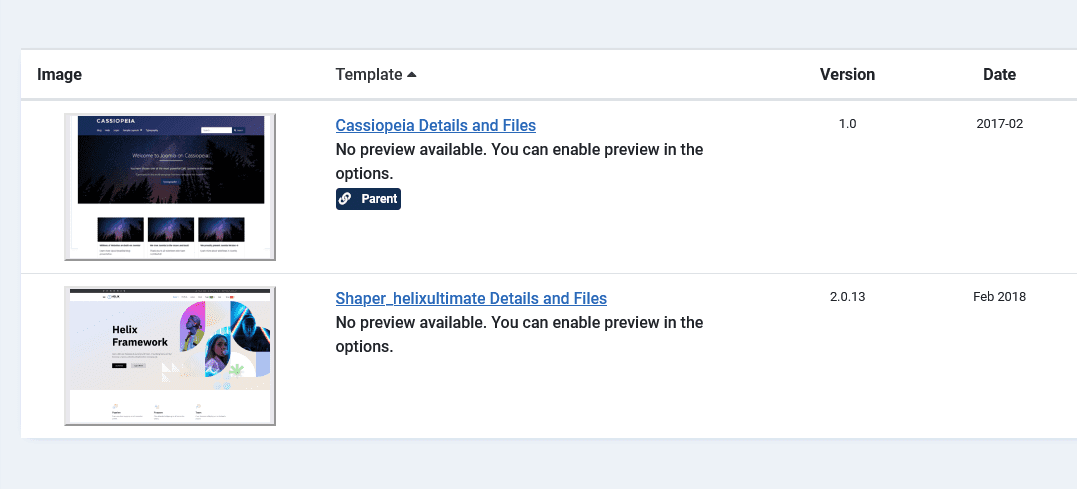
To change the template in Joomla 5 or 6, go to System → Site Template Styles, click the star in the Default column next to the style you want, and check the front end. The same steps work in Joomla 4.
Step 1: Back up first
A new template can move modules and hide content. Take a full backup with Akeeba Backup (see how to back up Joomla) or test on a staging copy.
Step 2: Install the new template
Go to System → Install → Extensions and upload the template ZIP from the vendor. Make sure the vendor lists Joomla 5 or 6 compatibility; templates made for Joomla 3 will not work and may break the site.
Step 3: Make it the default
- Go to System → Templates → Site Template Styles.
- Find the new style and click the grey star in the Default column. It turns gold.
- To keep the old template for some pages instead, open the new style, go to the Menu Assignment tab and tick only those menu items.
Step 4: Map module positions
Each template has its own position names. Go to Content → Site Modules, filter by template, and move modules that disappeared to the new positions. Append ?tp=1 to a page URL to preview positions (enable “Preview Module Positions” in System → Templates → Options first; switch it off again afterwards).
Step 5: Check overrides and child templates
Layout overrides live inside the old template folder, so they do not carry over. Recreate the ones you need in the new template, ideally in a Joomla child template so vendor updates do not overwrite them. If changes do not appear, see Joomla CSS changes not showing and template override not working.
Changing the administrator template
System → Administrator Template Styles works the same way. Joomla 4, 5 and 6 ship Atum; change it only if an extension needs it.
Want a custom design instead of a stock template? See Joomla design services or start from the free Joomla template generator.
Frequently asked questions
Where are templates in Joomla 5?
System → Templates → Site Template Styles for the front end, and Site Templates to edit the files.
Can I use different templates on different pages?
Yes. Open a template style, go to Menu Assignment and choose the menu items that should use it.
Why did my modules disappear after changing template?
The new template uses different position names. Move the modules to the new positions in Content → Site Modules.