Migrate K2 to native Joomla articles on Joomla 3.10 first. Then uninstall K2. Then upgrade 3.10 to 4.4 to 5.4, and to Joomla 6 if your extensions allow it. K2 has no supported Joomla 4, 5, or 6 release. If you upgrade first, the component does not load and the items stay trapped in #__k2_* tables. Uninstalling K2 before a copy into com_content is how magazines lose URLs, extra fields, and images.
This is the 2026 operator path. It matches what we ship in Migrate K2 Pro and what the Joomla Community Magazine case study concluded for a 20,000 item news site: finish the content move on Joomla 3, then climb the core versions.
Use this article for the copy and upgrade. Use Joomla custom fields for extra fields after they land in core (groups, category assignment, Automatic Display, overrides). The migrator copies values. It does not rebuild your K2 item chrome.
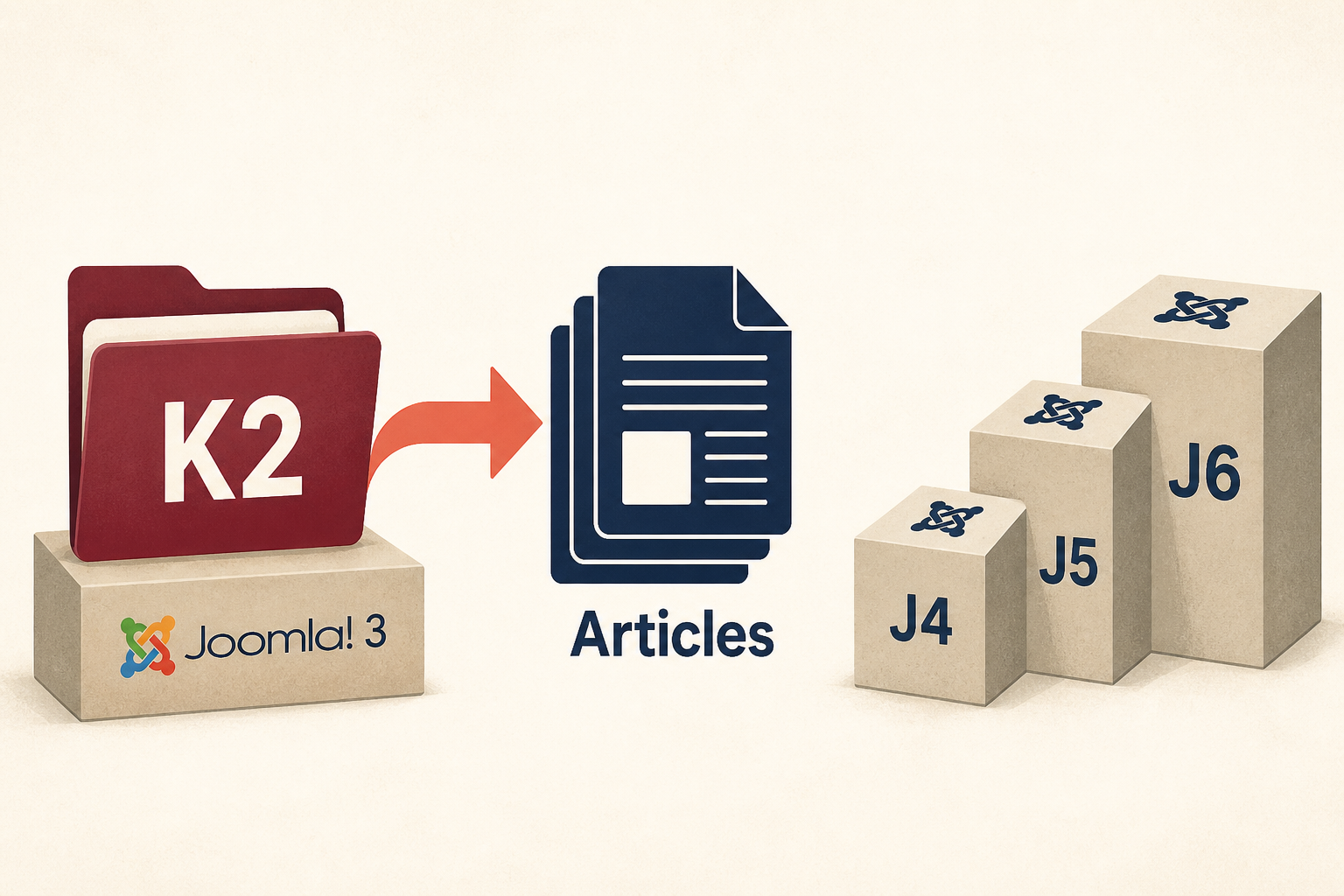
Do the K2 work while the site still runs Joomla 3. Native articles travel with you on every later upgrade.
What you will learn
- Why K2 blocks Joomla 4, 5, and 6
- Why “uninstall K2 and hope” destroys SEO
- How K2 entities map onto
com_content, custom fields, tags, and redirects - How extra fields become custom fields, and where the custom fields guide takes over
- How to run Migrate K2 Pro on Joomla 3.10
- What to verify before you remove K2
- The upgrade ladder after native articles exist
- What the component does not copy (comments, attachments, author pages)
If K2 already exploded after a rushed Joomla 5 attempt, start with the recovery notes in K2 not working in Joomla 5 or 6, then come back here and do the move on a Joomla 3 staging copy.
Why you migrate on Joomla 3, not after the upgrade
K2 was a full content stack: items, nested categories, extra fields, tags, galleries, attachments, and its own image store under media/k2/. Joomla core later grew custom fields, tags, and nested categories. The K2 project did not follow Joomla 4.
So in 2026 the rule is mechanical, not philosophical.
- K2 PHP only runs on Joomla 3.
- Native articles, fields, and tags run on Joomla 4, 5, and 6.
- Therefore the conversion has to happen while K2 still executes.
The JCM write-up put it in one sentence: migrate on the Joomla 3 site, then upgrade. That was true for a CLI script on 20,000 items. It is still true for a component that does the same mapping in the administrator.
| Approach | What actually happens | Use it? |
|---|---|---|
| Upgrade first, keep K2 | K2 fatal errors. Admin and site views that depend on K2 go blank. Data is still in K2 tables, but you cannot manage it. | No |
| Uninstall K2, then upgrade | Tables may drop or linger unused. Front-end URLs 404. Extra fields and media/k2 images have no articles attached. |
No |
| Copy to articles on Joomla 3.10, then upgrade | Articles, fields, tags, images, and 301s exist in core. Later Joomla updates do not need K2. | Yes |
Migrate K2 Pro is built for that third row. It is a Joomla 3.10 component. It reads K2. It writes Joomla articles. It does not rewrite K2 rows.
🔗 Migrate K2 Pro documentation
Installation, phases, field map, rollback, and the System Redirect plugin checklist.
What maps, and what does not
Treat this table as the contract. If a row is “migrated,” you should see it in core after a successful run. If a row is “export only,” plan a comment extension or a file pass before you delete K2.
| K2 | Joomla core | How Migrate K2 Pro handles it |
|---|---|---|
| Item | Article (com_content) |
Title, alias, intro, full text, state, featured, dates, author, meta, hits, access, language |
| Category tree | com_content categories |
Parent/child kept. Matching alias plus parent is reused, not duplicated |
| Extra field group | Custom field group (scoped to com_content) |
Published groups only |
| Extra field + values | Custom fields + per-article values | Types mapped. media/k2 URLs inside values rewritten |
| Tag | com_tags |
Published tags and article associations |
| Item image, caption, credits | Intro/full article image JSON | Files copied to the image base path (default images/k2-migrated) |
| Item URL | com_redirect 301 |
/component/k2/item/{id} and /component/k2/item/{alias} |
| Comments | No core article comments on Joomla 3 | CSV, JSON, or SQL export only |
| Attachments | No core attachment field | Export with paths; attach later if you need files |
| K2 user / author page | No native equivalent | Authors on articles map to Joomla users. Profile pages need a new menu or a third-party directory |
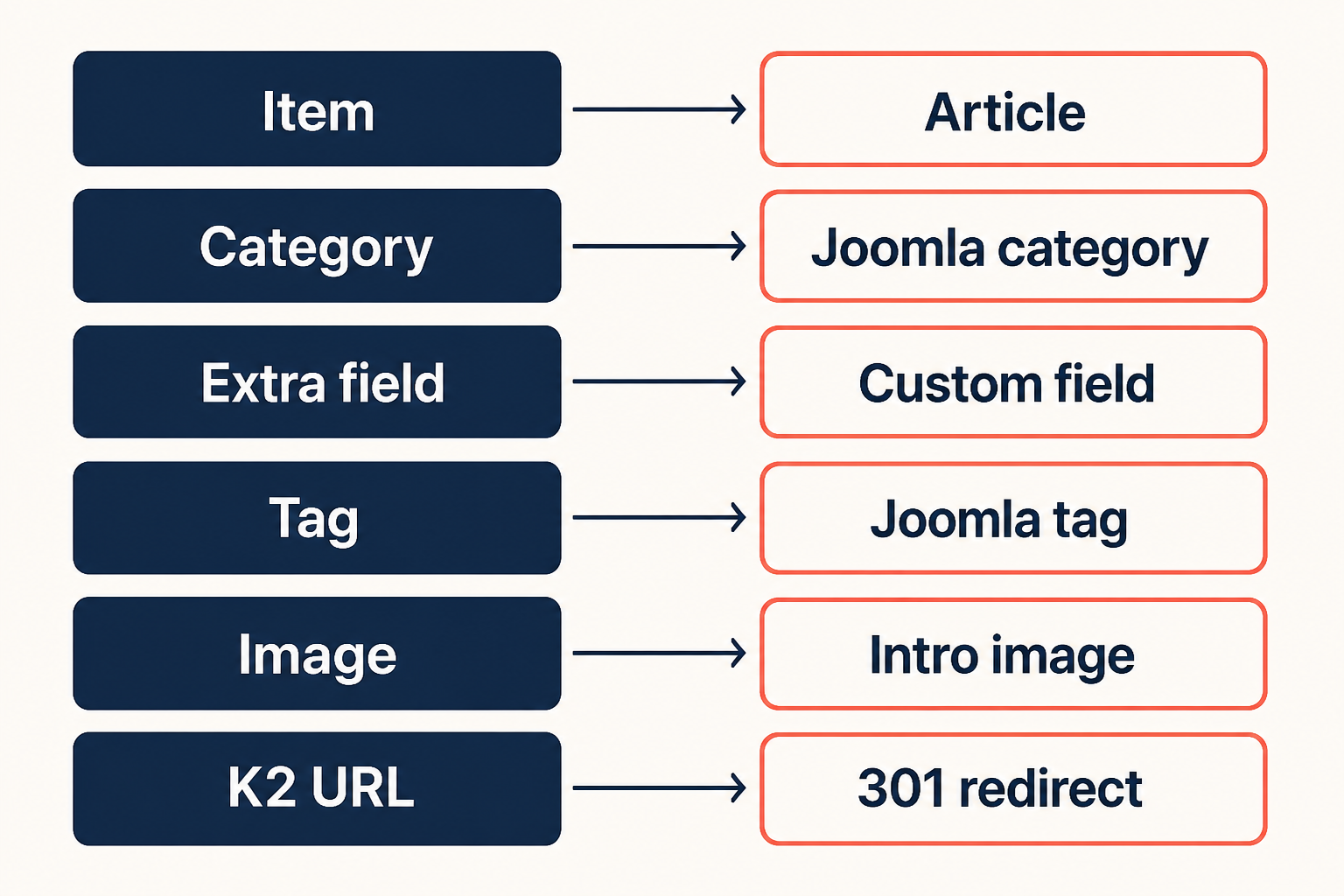
Copy entities into core. Do not leave SEO on K2 routers you are about to uninstall.
Readmore handling: if K2 fulltext is empty, the component splits introtext at <hr id="system-readmore" /> the way Joomla articles already expect.
Image credits go into Joomla’s image alt fields. Captions go into the intro/full caption fields. That is SEO-relevant. Check a sample of articles after the run.
How Joomla custom fields replace K2 extra fields
K2 extra fields were typed data on items: source, price, duration, a spec list. Joomla core now does that job with custom fields. Same idea. Different tables, different admin, a future on Joomla 5 and 6.
| K2 extra fields | After a successful migration |
|---|---|
| Extra field groups | Content → Field Groups (editor tabs) |
| Extra fields + values | Content → Fields, values on the article Fields tab |
| K2 item template loop | Automatic Display, {field ID} in the body, or a com_fields override |
Migrate K2 Pro phase 2 creates the groups, fields, and values from published extra fields. Media URLs inside values are rewritten. Unpublished extra fields are skipped.
It does not set Automatic Display to match your old K2 item layout. It does not put {field} shortcodes in the article HTML. It does not fix category assignment if articles landed in Uncategorised (Joomla’s “All” assignment skips that category). Those steps are the rest of the job.
Read Joomla custom fields: the K2 extra fields replacement next, or keep it open while you verify Step 5. Order of work:
- This guide: backup, migrate, 301s, menus, uninstall K2, upgrade.
- Custom fields guide: confirm groups, assign categories, choose display, rebuild the spec layout in a child template if the magazine was more than label:value lines.
If you never used extra fields, skip the second article until you need structured data on native articles.
Step 1: Stay on Joomla 3.10 and take a real backup
Work on a staging clone, not production, for the first pass.
- Confirm System → System Information shows Joomla 3.10.x. If you are on an older 3.x, update Joomla 3 to 3.10 first. Do not jump to 4 yet.
- Confirm PHP still satisfies both Joomla 3.10 and K2 (Migrate K2 Pro needs PHP 7.2 or higher).
- Take a full Akeeba (or host) backup: files plus database.
- Count K2 items, categories, tags, extra fields, comments, and attachments. You will match these numbers after the copy.
If production is already on Joomla 4+ with a dead K2, restore a Joomla 3 backup to staging and migrate there. Then plan a content merge. Guessing SQL on a Joomla 5 database is how you duplicate aliases and break menus.
Step 2: Audit aliases, authors, and menus
Do this before you click Start Migration.
- Alias clashes. If a Joomla article or category already uses the same alias as a K2 item or category, decide which one keeps the slug. Migrate K2 Pro reuses categories when alias and parent match. Articles are tracked in a mapping table so a resume does not duplicate. A leftover “News” category from core and a K2 “News” category still need a human look.
- Deleted authors. Set Fallback User in component options to a real Super User ID if K2
created_bypoints at deleted accounts. - Trashed K2. Leave Skip Trashed on unless you truly need junk restored.
- K2 menu items. List every K2 item, category, tag, and user menu. After migration you replace them with Article, Category Blog/List, and Tagged Items types. The JCM table is the right map: K2 “Latest Items” becomes a category blog. K2 user pages have no core twin.
- Custom K2 SEF. If a third-party router used
/blog/aliasinstead of/component/k2/item/alias, budget extra redirect rows. The component writes the twocom_k2patterns above. It cannot invent every historical SEF plugin path.
Export a K2 dump from the dashboard (CSV, JSON, or SQL) even if you plan to migrate. That archive is your proof if someone uninstalls K2 too early.
Step 3: Install Migrate K2 Pro and pass pre-flight
Download the current ZIP (v1.2.1 as of this writing) from JoomlaX or the Joomla Extensions Directory listing.
- Extensions → Manage → Install, upload
com_migratek2pro_vX.x.zip. - Open Components → MigrateK2 Pro.
- Confirm the dashboard sees K2, item counts,
media/k2/items, andmedia/k2/items/src. - Options: Image Base Path (default
images/k2-migrated, must be writable), Skip Trashed, Fallback User.
Red banner “K2 not detected” means K2 is not in #__extensions or #__k2_items is missing. A partial uninstall is the usual cause. Restore K2 (or at least its tables) before you continue.
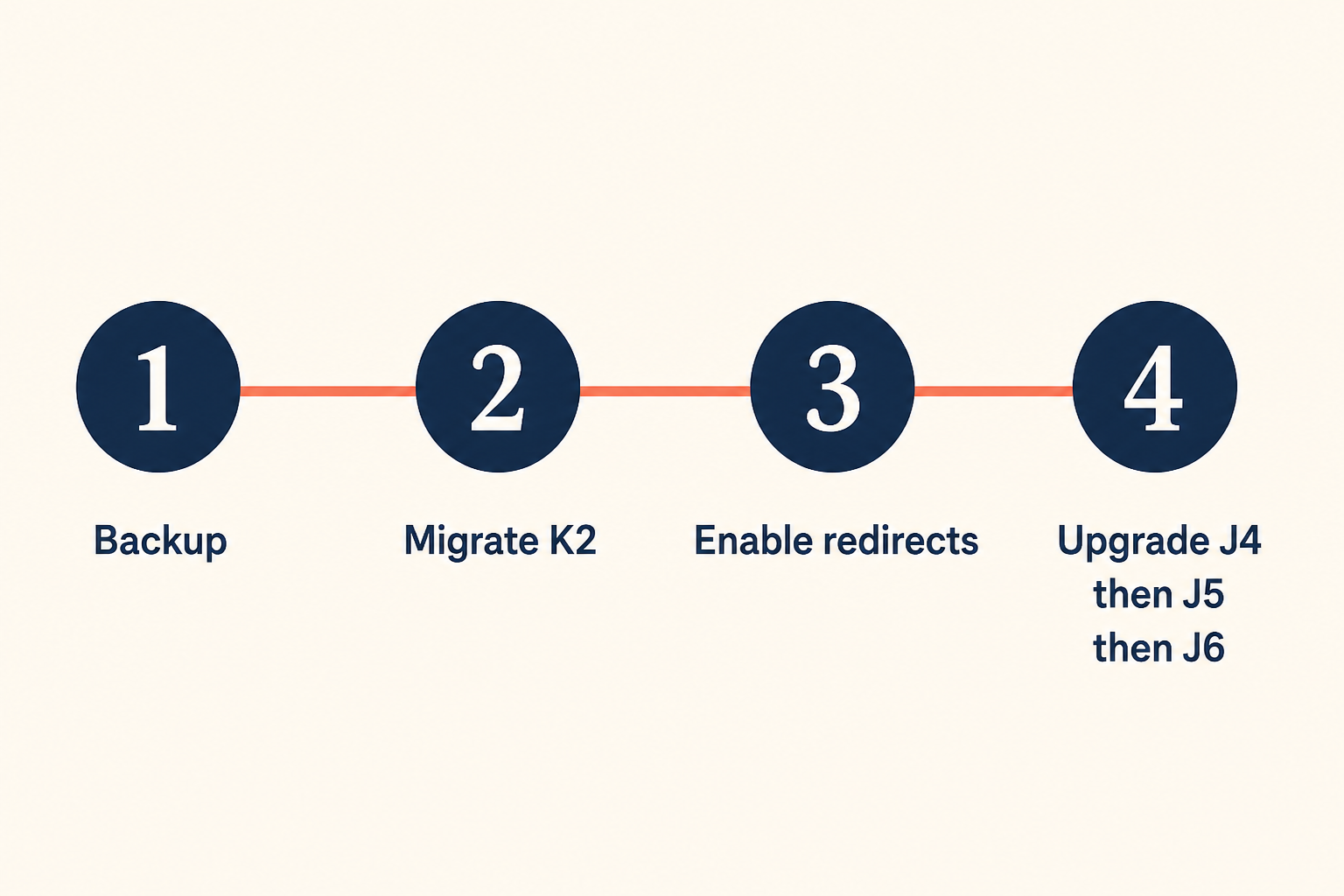
Order matters. Redirects and menu rebuilds happen after the copy, before you delete K2.
Step 4: Run the four migration phases
Create the backup warning acknowledgement, then start.
Phases always run in this order:
- Categories. Nested tree. Existing alias+parent reused.
- Custom fields. Groups and fields from published K2 extra fields.
- Tags. Published tags only.
- Items. Batched AJAX. Each item becomes an article, gets images, tags, field values, and two 301 rows.
Do not close the tab if you can help it. If you do, the dashboard shows “in progress.” Continue Migration resumes from the last successful batch. The mapping table is why you should not get a second copy of the same K2 id.
Timeouts: raise max_execution_time (60 seconds or more) and memory_limit (128M or more) if a batch dies. Use the log (WARNING / ERROR) instead of guessing.
Need to scrap a bad run? Reset & Remove Migrated Data deletes only what this component created: those articles, categories, tags, fields, field groups, and tagged redirects. K2 tables stay. Copied image files on disk stay (delete images/k2-migrated yourself if you want a clean folder). Then run again.
Step 5: Verify before you touch K2
Do not uninstall anything until this list is boring.
- Content → Articles. Counts match K2 items (minus trash if skipped). Open ten random items: intro, full text, images, featured flag, publish dates.
- Content → Categories. Tree matches K2. Descriptions and access levels.
- Content → Fields and Field Groups. Extra field values on the article Fields tab. Then follow custom fields after migration for Automatic Display and Uncategorised assignment.
- Components → Tags. Associations on articles.
- Components → Redirects. Comment contains
MigrateK2 Pro. Sample an ID URL and an alias URL. - Migration Log. No unresolved ERROR rows. Image-not-found warnings mean those files were already missing in
media/k2.
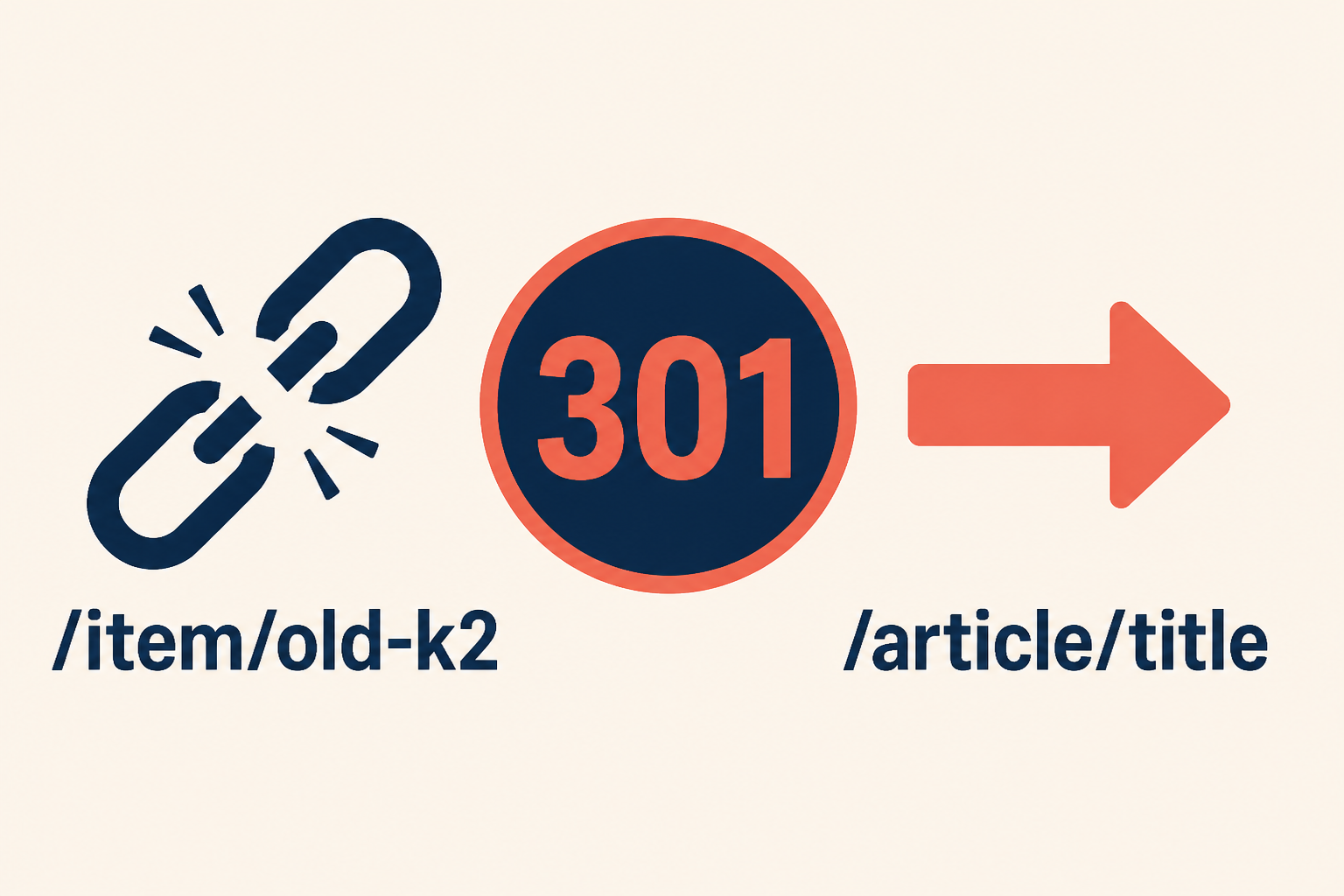
301s only work if System Redirect is enabled. Creating the rows is not enough.
Step 6: Turn on redirects and rebuild menus
- Extensions → Plugins → System – Redirect: enable it.
- In Global Configuration, confirm URL rewriting and your
.htaccessstill match how the site ran under K2. - Recreate menus:
| Old K2 menu type | New Joomla menu type |
|---|---|
| Item | Articles → Single Article |
| Categories | Articles → Category List |
| Latest Items | Articles → Category Blog |
| Tag | Tags → Tagged Items |
| Item form | Articles → Create Article |
| User / author page | No core type. Plan a Contacts or custom page |
- Point category blogs at the migrated categories, not leftover empty core categories.
- Hit a handful of indexed K2 URLs in an incognito window. You want 301 then 200 on the article, not 404.
SEF plugins that rewrote K2 beyond com_k2 still need manual redirect rows. Add them now, while you can still open a K2 item and copy the public URL.
Step 7: Uninstall K2 only after the site no longer needs it
When articles render, menus work, and 301s fire:
- Keep the CSV/JSON/SQL export off-site.
- Uninstall K2 and K2-only modules, plugins, and templates that call K2 helpers.
- Search the template for
com_k2overrides undertemplates/{name}/html/com_k2. Those files do nothing forcom_content. Extra field loops in those files must become custom field display or acom_fieldsoverride. Use a Joomla child template so the next core update does not eat the layout. The custom fields guide covers Automatic Display vs override. - Uninstall Migrate K2 Pro when you are done. Uninstalling the migrator does not delete the articles. Run Reset first only if you intended to throw the copy away.
Step 8: Upgrade Joomla 3.10 to 4.4 to 5.4 (then 6)
Native articles ride the core updater. K2 does not. The ladder in 2026 is still:
Joomla 3.10 → 4.4.x → 5.4.x → 6.x (6 only if every remaining extension is compatible).
There is no supported jump from 3 to 5 or 3 to 6. Use the Pre-Update Check at each hop. PHP must move with the target (Joomla 5 and 6 want current PHP 8.x). Details: Joomla 3 to Joomla 4 upgrade and Joomla 5 upgrade.
Do this on staging first. After 4.4, confirm custom fields, tags, redirects, and article images. Then 5.4. Then 6 if the Pre-Update Check is clean.
Joomla 5.4 is the long-support line if a shop extension is not ready for 6. Joomla 6 is the current major if everything on the Pre-Update list agrees.
When a component is not enough
Migrate K2 Pro is the admin path for sites that can sit in the browser while AJAX batches run. The JCM project used a CLI script for 20,000 items plus a custom K2 plugin. That is the right call when:
- You have tens of thousands of items and a low
max_execution_timeyou cannot raise - A custom K2 plugin stored extra rows that are not extra fields
- You need a one-off field map (
$cfMapping) that is not in the component
We still start those projects with the same entity table and the same “Joomla 3 first” rule. If you want that done as a service, use Joomla K2 migration services.
Key takeaways
- K2 does not run on Joomla 4, 5, or 6. Native
com_contentdoes. - Convert on Joomla 3.10 while K2 still loads. Then uninstall K2. Then upgrade.
- Uninstalling K2 without a copy is how you lose extra fields,
media/k2images, and rankings. - Migrate K2 Pro maps items, categories, extra fields, tags, images, and two 301 patterns per item. It never writes back into K2 tables.
- Extra fields become custom fields. Display and layout are a second pass: Joomla custom fields.
- Enable System – Redirect or the 301 rows do nothing.
- Comments and attachments are export-only. Author pages have no core menu type.
- After the copy, rebuild menus onto article and category types, then climb 3.10 → 4.4 → 5.4 → 6.
Frequently asked questions
Can I migrate K2 after I am already on Joomla 5?
Not with K2 running. K2 has no Joomla 5 release. Restore or clone a Joomla 3.10 copy that still has K2, migrate there, then bring native articles forward. If you only have a Joomla 5 database with leftover #__k2_* tables, you need a specialist extract, not the administrator component.
Does Migrate K2 Pro delete my K2 data?
No. It only reads K2 tables. Reset removes the Joomla articles, categories, tags, fields, and redirects it created. K2 stays until you uninstall it yourself.
Will my old K2 URLs keep ranking?
They can, if 301s exist and System Redirect is on. The component writes /component/k2/item/{id} and /component/k2/item/{alias}. Custom SEF layouts need extra rows. Rebuild equivalent article and category menu items so canonical URLs are clean going forward.
Are extra fields included?
Yes, for published K2 extra fields and their values. They become Joomla custom fields on com_content. Unpublished extra fields are skipped. Media paths inside values are rewritten to the new image folder. For groups, category assignment, Automatic Display, and overrides, use the custom fields replacement guide.
Do comments and attachments become Joomla comments and article files?
No. Export them. Joomla 3 has no core article comments. Attachments are files plus metadata. Import into a comment extension or a file field after you know the new article IDs.
How long does a migration take?
Small sites (hundreds of items) often finish in under a minute. Tens of thousands of items take minutes in the component, or hours in CLI on a large news archive. Batch size and server PHP limits dominate, not the mapping itself.
Should I go to Joomla 5.4 or Joomla 6 after K2 is gone?
Go to 4.4 first, always. Then 5.4. Choose 6 only when the Pre-Update Check and every remaining extension are ready. 5.4 is the safer landing if a cart or CCK is lagging.
Conclusion
K2 is not “almost Joomla 5.” It is a Joomla 3 content engine. The durable fix is native articles, created before you climb versions.
Install Migrate K2 Pro on Joomla 3.10, run the four phases, prove redirects, replace K2 menus, uninstall K2, then upgrade. Read the full documentation for logs, reset, and export formats. Then open Joomla custom fields and finish how extra field data actually shows.
If the site is large, customized, or already half-upgraded, ask Infyways to run the migration. The sequence does not change. The staging and field map just get done for you.