Category: Wordpress

Learn about WordPress

  • Top WordPress Security Services Providers in 2024 

    Top WordPress Security Services Providers in 2024 

    The security and safety of any website are essential for its health and well-being. The website could be at risk if someone breaks in or you pick the wrong WordPress security services company. This article will tell you about some of the 2024 WordPress security services. With in-depth research, we compiled a list of the top five WordPress security services to help you make an informed choice.

    The Truth About WordPress Security Services

    Indeed, a million WordPress sites are not hacked every month, thanks to Wordfence as of 2023.

    Over 91% of websites were hacked in 2018, and it was proven that they had to have used software. In the first half of 2019, about 43% of all WordPress sites were open for attack. Cross-site scripting (XSS) can attack about three-quarters (75% of WordPress sites). It’s scary to think that almost every day, about 30,000 websites are broken into.

    That’s why a protection service is crucial to keeping your WordPress site safe. It’s essential to do a lot of research and pick a service that fits your wants and the needs of your website.

    Need of WordPress security service

    Wordpress security services

    It is true that not only bloggers and developers fight WordPress but also hackers and other bad people all the time. Setting up enough protection for a WordPress site stored on a web server is very important. Since these things are true, you might want to use a WordPress security service on your website.

    Keep anything that could be dangerous away from your web server.

    An easy way to get into services is to use brute force, SQL injection, or cross-site scripting (XSS). You can also use tools that track in real-time to find and stop any strange behavior. A web application firewall is an essential part of a security service that can improve your web server. This will protect your WordPress site from many bad things.

    Making sure data is safe

    People who run WordPress sites need to protect their visitors and their sites. This is very important When working with private data like credit card numbers, passwords, or personal customer data. With a protection service, this information can’t be lost or stolen.

    Always keep an eye on things.

    Security services usually offer tracking around the clock so that any strange behaviors can be quickly found and dealt with. One business that can’t wait because of security risks or holes will gain the most from this benefit.

    Getting along with the rules

    A lot of jobs have security rules that you need to follow. In the US and Europe, these rules are called HIPAA and GDPR. A security service you can trust can help you make sure these rules are followed.

    Check for bugs and other nasty stuff

    Security services can check your WordPress site for viruses, malware, and other harmful code you may have accidentally put in.

    Making backups and getting them back: Some WordPress security services offer regular backups and recovery options that come in handy if someone hacks into your website.

    Aspects to consider when selecting a WordPress security service provider in 2023

    wordpress security services 5

    With its ongoing dominance in the content management system industry, WordPress is progressively emerging as a more alluring target for cyber threats. As a result, there is an increasing demand for specialized WordPress security services. If one were to seek out such a service, the following are some indispensable attributes to contemplate:

    Consistent Patches and Updates

    In the dynamic realm of cybersecurity, it is imperative to maintain current software. Ensuring that your WordPress core, plugins, and themes are consistently updated with the most recent security upgrades and updates, a superior WordPress security provider will do so automatically. This will safeguard against known security vulnerabilities.

    Recovery Options and Backup

    Attainments and accidents are possible. A reputable security service should provide easy-to-restore scheduled backups. This feature enables proprietors of WordPress websites to promptly restore their sites in case of a breach or compromise, thereby reducing the duration of inactivity and data loss.

    Exhaustive Malware Elimination and Scanning

    In addition to rendering a site inoperable, malicious software can compromise user data. Select a security provider that provides routine, comprehensive malware scanning and removal services for compromised websites. Preventative measures that block malware before it infiltrates your website should ideally go hand in hand with this.

    Real-Time Monitoring of Security

    Early detection is vital in the realm of cybersecurity. Your security provider should offer real-time monitoring, continuously checking your website for signs of brute-force attacks, unauthorized access, or suspicious activity. It is crucial to address and mitigate potential hazards to maintain uninterrupted service promptly.

    Threat Protection for DDoS

    The objective of distributed denial of service (DDoS) attacks is to render your website inaccessible by inundating it with an overwhelming volume of traffic. A proficient WordPress security provider ought to possess mechanisms for identifying and alleviating DDoS attacks, thereby ensuring the continued accessibility of your website.

    WAF: Web Application Firewall

    A web application firewall filters out malicious traffic and assaults as a barrier between your website and the cyberworld. In particular, this website firewall safeguards against cross-site scripting, SQL injections, and other sophisticated threats.

    MFA (Multi-Factor Authentication)

    To bolster the security of your login, search for a provider that supports multi-factor authentication. To make it more difficult for unauthorized access, it is typical to combine a password with a secondary verification method like text messages or mobile app notifications.

    Role Management for Users

    Regulating access permissions on a WordPress site can prevent numerous security issues. It is advisable that the hosting provider you select provide adaptable user role administration capabilities, enabling you to define permissions and limit access to confidential sections of your website.

    Comprehensive Reporting and Alerts

    Transparency is an absolute necessity in the realm of security. Your service provider ought to provide comprehensive reports and instant notifications to apprise you of any security concerns or actions executed, enabling you to remain updated and render sound decisions.

    Top Malware Removal and WordPress Security Services for 2023

    To ensure the security of your WordPress website, it is crucial to have a strong and trustworthy malware scanner. This tool will help you detect and remove harmful software that may infect your site.

    1. Infyways Solutions

    wordpress security services

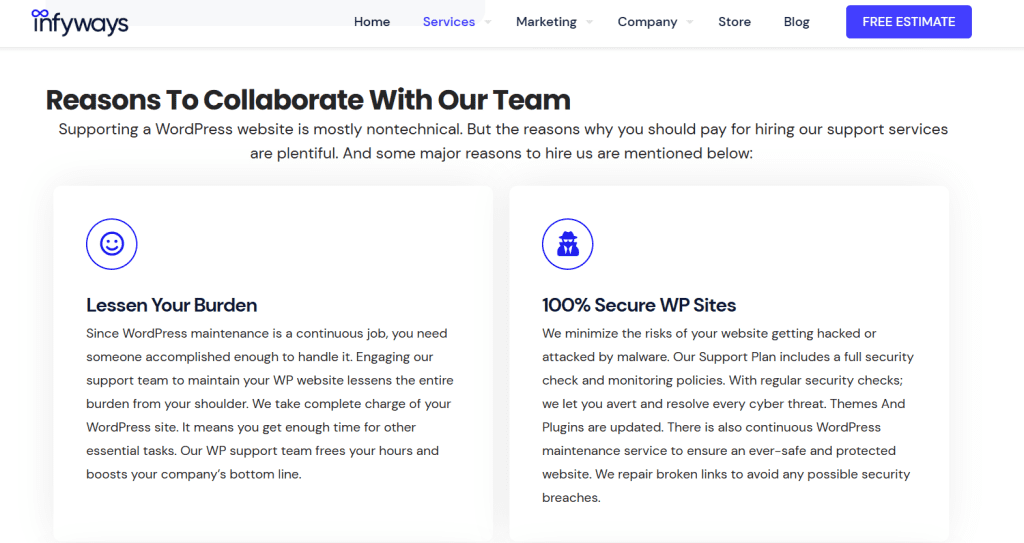
    Infyways Solutions is a well-known organization that offers superior WordPress security services on a global scale. Consequently, they have emerged as a highly regarded organization within the sector. Standard and Priority are the two distinct security programs that they provide.

    The standard plan includes every fundamental security measure required to maintain the safety of your website. The Priority plan provides enhanced security features compared to the Basic plan and round-the-clock assistance from proficient personnel prepared to assist in any complications. Additionally, you can enroll in their WordPress maintenance and care plans.

    Principal Features:

    They provide sophisticated functionalities to aid in ensuring the security of your website. These consist of:

    • Complete daily security scans and protect backups
    • 24/7 Rapid Response Time Facilitate Consistent Installation of Security Patches and Updates
    • WAF (Block Attacks)
    • Fundamental SEO Setup

    Regarding pricing, standard monthly rates for Seacare and Hacked Site Repair begin at $99 and $199, respectively.

    2. Sucuri 

    wordpress security services

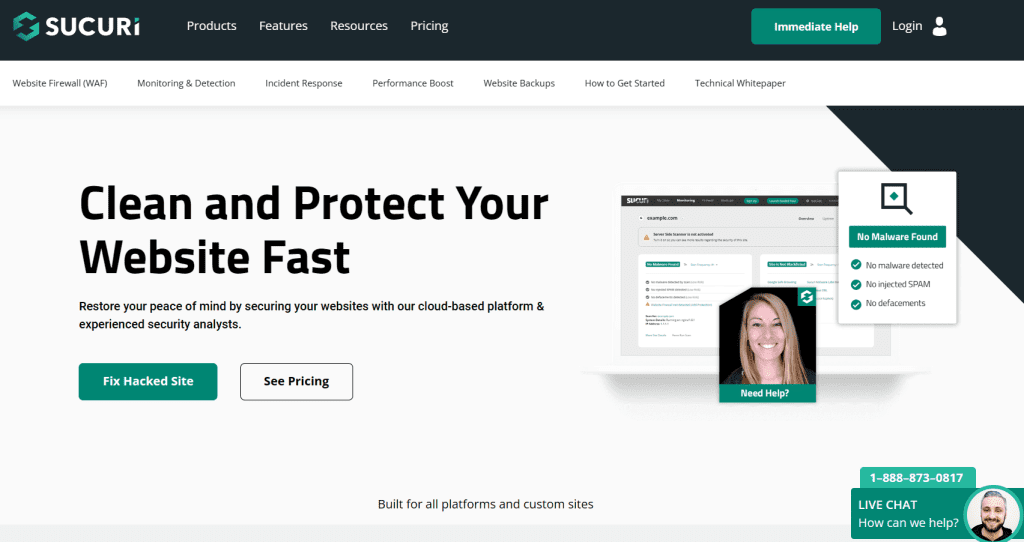
    Sucuri is a well-known website security platform that provides protection and malware removal services for WordPress sites. Operating on its proprietary SiteCheck scanner, Sucuri’s malware removal and protection services can detect and eliminate malicious code from WordPress sites. In addition to the above security features, Sucuri provides a reputation management system, intrusion detection and prevention (IDP), and a web application firewall (WAF).

    Principal Features:

    A variety of Sucuri features are designed to assist in the protection of your WordPress site. 

    • A web application firewall, malware detection and eradication, blocklist monitoring, and more are all components of their security platform. 
    • They also provide a WordPress security plugin that can be deployed on your site for added protection. 
    • At all times, their team of specialists is accessible to assist you in troubleshooting any security concerns that may arise.

    Pricing: The plugin is free, with paid programs commencing at $199 per year.

    3. Wordfence 

    wordpress security services

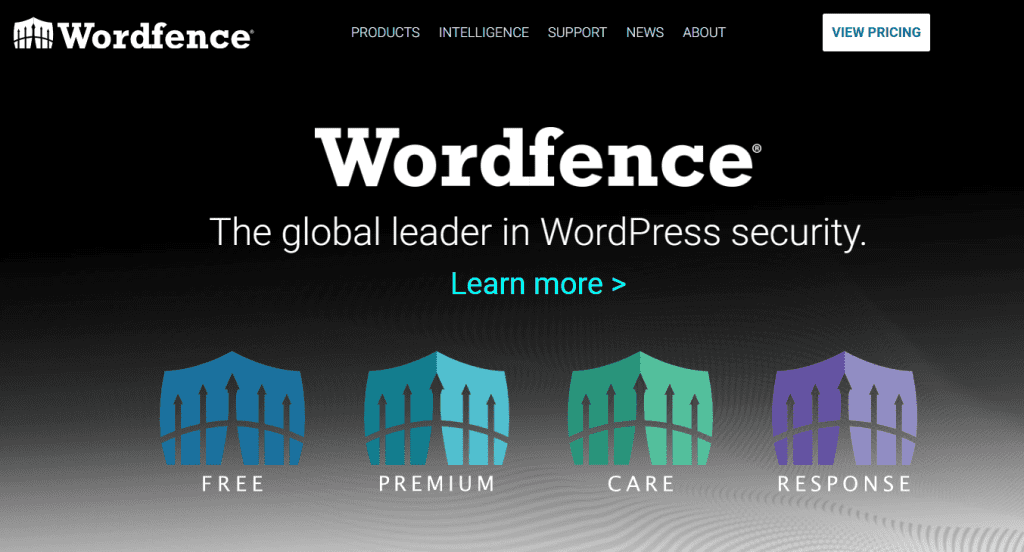
    Wordfence is an additional, well-known WordPress security platform that provides protection and malware removal services. The malware removal and protection services offered by Wordfence are driven by its exclusive Threat Defense Feed, which is updated continuously to include the most recent malware signatures. In addition to two-factor authentication, login lockdown, brute force protection, and an advanced remark spam filter, Wordfence provides several additional security features.

    Principal Features:

    • A sophisticated firewall prevents malicious traffic from reaching your website. The firewall consistently refreshes its protocols to safeguard against emerging threats. 
    • Wordfence incorporates a malware scanner capable of examining files on your server and detecting any modifications made by malicious actors. If any malicious files are detected, Wordfence will guide their removal. 
    • Live traffic monitoring lets you view all incoming traffic, including bots and crawlers, in real-time. This information can be utilized to detect suspicious activity and implement suitable measures. 

    Wordfence is a complimentary plugin that can be downloaded from the WordPress repository. Additionally, a premium version is available for $119 per year. 

    4. Jetpack Security 

    wordpress security services 3

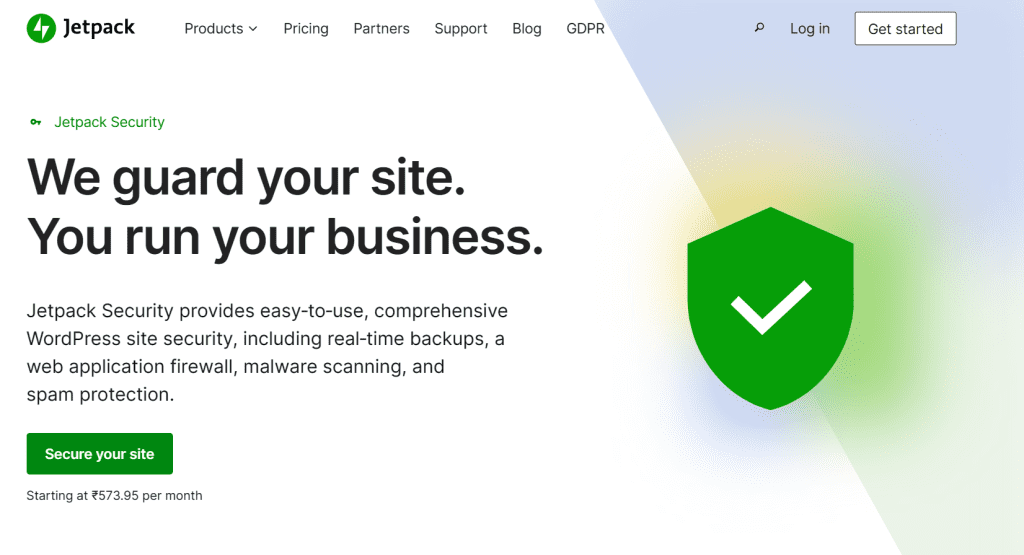
    A WordPress security plugin, Jetpack Security offers a multitude of functionalities aimed at fortifying the security of your website. These include activity monitoring, two-factor authentication, protection against brute-force attacks, and malware detection and removal. It also includes automatic updates for WordPress core, plugins, and themes; blocklisting by search engines; server-side monitoring for known vulnerabilities; and email notifications regarding potential threats, all intended to enhance your website’s security.

    Principal Features:

    • Real-time monitoring for malware
    • Website firewall (WAF)
    • Protection from comment and form spam (10k API calls per month)
    • Spacious reserve storage

    Monthly rates commence at ₹1,150.

    5. All-in-One WP Security and Firewall

    wordpress security services 5

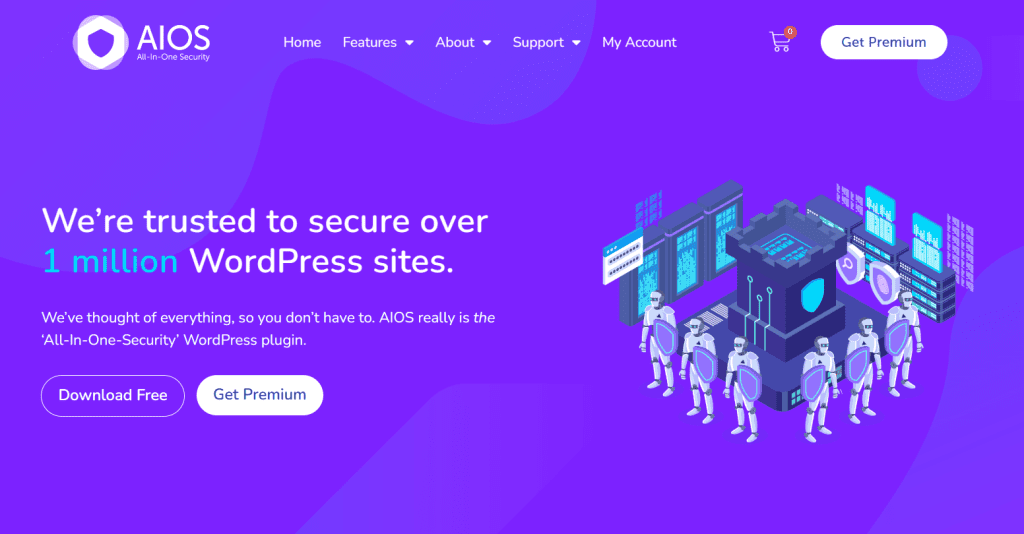
    One of the leading WordPress security services is All-in-One WP Security & Firewall. It provides a comprehensive array of security features for WordPress websites. The following are some of the functionalities offered by All-in-One WP Security & Firewall:

    • This functionality safeguards your website against hackers and malevolent attacks via a firewall.
    • This functionality aids in the prevention of brute-force assaults against your website.
    • File Integrity Monitoring: This feature ensures that only authorized modifications are made to files by monitoring your website for modifications.
    • Malware Scanning and Removal: This function assists in detecting and eliminating malicious code and malware from your website.
    • Spam Protection: This function safeguards your website against bogus comments and trackbacks.

    Pricing: Utilization of the plugin is complimentary. The annual cost of its Premium Plan begins at $70.

    6. iThemes Security

    Formerly called Better WP Security, iThemes Security is an all-encompassing security solution designed specifically for WordPress websites. It provides a vast array of features in both free and paid variants to safeguard your website against a variety of hazards. The plugin features more than thirty methods to secure WordPress websites, from basic password protections to sophisticated user activity monitoring capabilities.

    Principle Features

    Prevention of brute-force attacks is a crucial feature.

    By temporarily barring suspicious IP addresses and limiting the number of failed lloginattempts, this function protects against brute-force attacks.

    File Consistency WordPress Monitoring

    IThemes Security enables you to proactively identify and prevent malware and other security threats by conducting an unauthorized change detection of your website’s essential files.

    Hidden Admin and Login Pages

    By utilizing this functionality, your WordPress login credentials and admin URLs are concealed, thereby increasing the difficulty for malicious actors to locate these pages and obtain unauthorized access.

    Restrictive Login Demands

    By constraining the number of permissible login attempts within a designated period, the plugin impedes the ability of adversaries to crack passwords automatically.

    Two-factor (2-FA) authentication

    By implementing two-factor authentication, users must input an additional code transmitted to their mobile device or email to access their e-mail accounts.

    Authority Regarding User Roles and File Permissions

    Predetermined Backups

    Admin roles and file permissions can be modified to restrict access to specific content on a WordPress site, granting you greater control over the site’s security.

    Regular site backups are an option in the premium version of iThemes Security, providing additional protection to reinstate your site in the event of a natural disaster.

    E-Mail Alerts

    Be promptly notified of critical issues that demand your attention, including unsuccessful login attempts or modifications to crucial files.

    Premium plans begin at $99 per year and provide access to more sophisticated functionalities; the fundamental features are free.

    7. WP Activity Log 

    In contrast to other WordPress security plugins, WP Activity Log is solely concerned with monitoring changes and activities. It is an all-encompassing recording application that documents each action and modification made to your WordPress site or collection of sites. Providing administrators overseeing numerous sites or teams with real-time insights into user activity and site modifications can prove advantageous in ensuring security and compliance.

    Essential Components of the WP Activity Log: 

    • Logs of user activity in real-time 
    • Turning an event on and off 
    • Notifications and reports
    • Monitoring of user activity and site modifications 
    • Extensions for WooCommerce, Yoast SEO, and WPForms 
    • Multisite assistance 
    • Reports in CSV and HTML (premium only) 
    • Both free and paid support

    Regarding pricing, while the rudimentary iteration of the WP Activity Log is provided at no cost, individuals needing supplementary functionalities may subscribe to premium plans commencing at $99 annually.

    It is essential to verify each service’s most recent pricing, features, and reviews to ensure that they meet your particular security requirements. Additionally, ensure that your WordPress core, themes, and plugins are current and back up your website frequently for added protection.

  • Top WordPress Website Management Tools

    Top WordPress Website Management Tools

    Let’s explore the definition of WordPress Website Management Tools before moving on to the finest of the best. These tools make it easier to monitor, maintain, and manage several WordPress websites. 

    WordPress site management tools save a lot of time with capabilities like upgrading WordPress core, themes, and plugins, managing security, creating backups, and keeping an eye on site performance. You can lower the possibility of common site problems and simplify website maintenance by automating repetitive operations and providing a central spot to see and administer your websites.

    You may search for the best WordPress Website Management Tools by considering a few different ways. Below are a lot of platforms that underwent a rigorous testing process to find out which had the most outstanding functionality, the best value, and the most accessible user interfaces. Let’s examine our list of the top nine WordPress site administration tools in light of this.

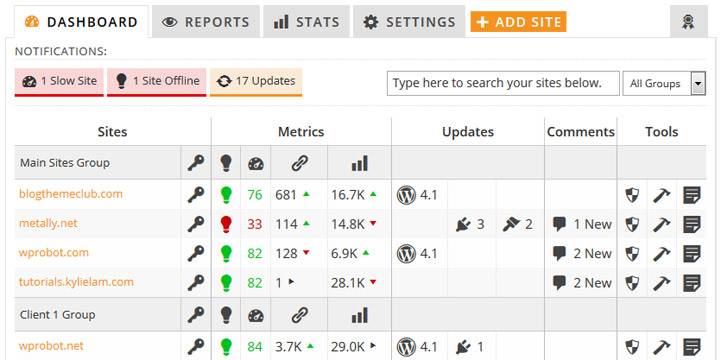
    1. MainWP

    WordPress Website Management Tools

    With appropriate cause, MainWP is our pinnacle desire for the most excellent WordPress web page management tool. Numerous loose services are to be had, including Jetpack, scheduled backups, an uptime meter, Sucuri protection scanning, and a domain vulnerability checker. You can import and export websites conveniently, manipulate customers, and replace plugins and issues readily with MainWP.

    Crucial factors of MainWP encompass Password-free one-click access to all websites, protection scans, import/export websites, fitness tests, and bulk updates.

    Pros: It could be time-consuming to control protection and enhancements for numerous WordPress websites. On this thing, MainWP is a significant time saver.

    Cons: You would like to see a characteristic that makes it viable to create staging areas quickly. While I have never observed the appropriate solution, everything else is sincerely capable.

    With many capabilities and possibilities, MainWP is a top-notch alternative for everyone seeking out the best WordPress web page management tool available. Satisfactory function? While most of these tools are free, a premium plan with 32 extensions is available for $29 monthly. MainWP, the top option on our list for all WordPress users, has a fantastic feature set and an easy-to-use interface that makes it ideal for managing large or small websites.

    The price is $29 per month.

    2. ManageWP

    WordPress Website Management Tools

    ManageWP is the following device on our listing of the pinnacle WordPress website online administration equipment and for suitable purposes: It’s a fantastic alternative for clients in a tight price range, as it has the most unfastened features of any product on our list. You may add a limitless variety of websites, manipulate plugin and topic updates, take advantage of a weekly cloud backup, and get the right of entry to your admin dashboard with simply one click when you use ManageWP’s unfastened edition. Additionally, you may be capable of casting off junk mail comments and publishing adjustments if you want to keep your internet site running efficiently. 

    ManageWP’s key features include team and customer verbal exchange, one-click admin entry, and endless website control. One-click on (pro) can backup, clone, pass, or even use preservation mode for websites.

    Pros: Safe updates using the Premium Backups function, performance and security audits, and reports

    Cons: More specific notifications are possible.

    ManageWP is a superb option if you’re trying to find a loose website online administration software to manage your websites. There are specific regulations, and even though the fundamental capabilities are unfastened, if you want all the bells and whistles, you will likely want to buy their all-in-one package deal. Regretfully, that incurs a giant month-to-month value of $50. However, given that you can preserve a watch on as many websites as you’d like, the cost is sufficiently warranted 

    Pricing: Free, with monthly add-ons starting at $25

    3. GoDaddy Pro

    WordPress Website Management Tools

    The following web page administration tool we will discuss is GoDaddy Pro, a valuable and fee-unfastened desire for anybody searching for an easy way to deal with numerous websites. The ManageWP interface, which gives smooth plugin management, WordPress middle updates, publish revisions, unsolicited mail comment moderation, uptime tracking, and much more, corresponds to GoDaddy Pro. Regardless of where they may be hosted, you may upload as many websites as you like with GoDaddy Pro. 

    Bulk WordPress and plugin updates, link monitoring, automatic backups, overall performance assessments, analytics reporting, and automatic backups are some of GoDaddy Pro’s key features—installing website tags to categorize websites.

    Pros: It is used for domain name registration, hosting, and website building.

    Cons: It’s frustrating to receive constant phone calls, and the prices might be better.

    The great GoDaddy Pro may not be the best preference for those seeking widespread patron control solutions because of its free cost, especially if their clients aren’t GoDaddy-only users.

    Pricing: Free

    4. WPMU DEV

    WordPress Website Management Tools

    Our next entry, WPMU DEV, provides the site administration feature for an infinite number of WordPress websites. In contrast to other platforms on our list, eWPMU DEV employs specialized plugins for every site speed improvement. These plugins, which are meant to assist with security, efficiency, backups, image optimization, and uptime monitoring, are installed on each site via the dashboard. 

    Automated updates, a broken link checker, an uptime monitor, client billing, and team member additions are some of WPMU DEV’s key features.

    Pros: With a great feature set that includes everything needed to manage website upkeep for a customer, it’s simple and easy to use.

    Cons: You need to check whether WPMU has a YouTube channel or tutorial outlining their recommendations for each piece of software.

    Why choose WPMU DEV? The offerings, pricing points, and support have all been outstanding!

    WPMU DEV is such a wonderful blessing if you want to manipulate your websites using plugins that provide you with updates, image optimization, and other features. However, if you’ll, as a substitute, not overburden your website with additional plugins, you might want to investigate ManageWP or MainWP as conceivable options.

     Pricing: $7.50 every month.

    5. WP Remote

    WordPress Website Management Tools

    Another extraordinary website for online management solutions that lets you administer numerous websites with a single click is WP Remote. Based on BlogVault, WP Remote offers free speed enhancements, uptime tracking, team and client communication, plugins, subjects, and WordPress center enhancements. The pastime log (pro), one-click on backups and restorations, daily automated safety scans, one-click staging websites, and safe improvements for WordPress middle, issues, and plugins are some of the primary capabilities of WP remote.

    Pros: You can rest clean at night knowing that safety, backup, and upgrades are looked after with WordPress Remote. You also save me a ton of time, which I will use to serve my clients better. A robust recommendation comes from this.

    Cons: If the analytics tool, together with Fathom, might be incorporated in preference to GA, it’d be tons better. In particular, considering that WP remote addresses privacy and GDPR considerably (and it has nothing to do with Google Analytics!).

    The remote WP Remote goes no further than WP Remote to discover an efficient manner to deal with protection risks on numerous websites. With its enormous security feature set that includes brute force attack prevention and malware detection and elimination, this practical utility ensures your websites are secure and at ease. With premium plans beginning at just $29 per month for a five-site license, the rate is less costly. 

    Pricing: $29 in step with the month.

    6. CMS Commander

    WP Management tool

    CMS Commander‘s intuitive design makes it a standout website management answer. Inside a streamlined interface, customers can, without problems, upload and manipulate WordPress user bills, control updates, and even execute one-click automatic backups and restorations.

    Not only that, However CMS Commander goes above and beyond by offering more excellent capabilities that are superior to the ones of most of the people of different site management gear on our list. These functions consist of bulk import of content material, bulk publish-modifying, bulk installation of plugins, and the capacity to duplicate web page settings and practice them on different websites. 

    CMS Commander’s number one features are bulk plugin installation, bulk publishing, and one-click on updates. Switch configurations among websites, arrange user profiles, automate recovery and backup, and launch new WordPress websites quickly.

    Pros: simple setup, minimal learning curve for the GPS device, etc., excellent free trial period; participants are advised to check them out by registering first.

    Cons: Other than using the website builder, there is not always a way to upload pictures. Insufficient customer service

    CMS Commander is a tremendous choice if you want superior functions beyond traditional website management equipment. With an intuitive dashboard and all tools accessible on an unmarried screen, you’ll have clean access to everything you need. Their starter plan is low-priced, offering ten websites for just $12 monthly. But when you have many websites, CMS Commander offers better-tiered plans to accommodate your needs. 

    Pricing: $12 in line with the month.

    7. InfiniteWP

    WordPress Website Management Tools 5

    InfiniteWP is the following WordPress website administration tool we advise. It differs from the preceding merchandise on our list in that it no longer has a free tier. Regardless of this, the variety of super features it provides makes it nevertheless profitable to take into consideration.

    Aside from the typical website administration capabilities like virus detection, updates, and one-click admin get-right of entry, InfiniteWP provides loads more. With the most straightforward click, you can backup and repair websites, manipulate and migrate WordPress sites, and keep an eye on the uptime of your website. Moreover, it affords a wealth of purchaser-reporting talents that you may utilize to tell your customers about the success of their website. 

    One-click on the website to get admission to, backup and restore, WordPress set-up, migration and staging, uptime tracking, and malware scanning are some of InfiniteWP’s essential functions.

    Pros: WordPress management panels are pretty beneficial. I still use InfiniteWP around ten years later; it was one of my finest buys ever.

    Cons: Compared to WpmuDev, adding a site is not as simple. Furthermore, I am concerned about unattended changes because the site cannot automatically compare before-and-after views.

    While you may register for free on InfititeWP, to use its features, you must create a premium account. The beginner plan is more suitable for those with a small number of sites to oversee since it allows you to monitor up to 10 sites for $147 a year. Additionally, if you’re a Mac user who prefers to utilize its native browser, you might want to consider choosing another, like MainWP, owing to its glitchiness on Safari. 

    Pricing: $147 annually.

    8. WP Umbrella

    WordPress Website Management Tools 6

    Our next pick on the list, WP Umbrella, takes a different tack regarding how you pay for its services. Instead of paying a set fee for a specific number of sites, you may pay for each site thanks to its modular pricing structure. With its easy-to-use interface, you can get uptime and performance data, see PHP issues, update WordPress core, themes, and plugins, schedule backups, and even make maintenance report templates to share with clients to let them know how healthy your site is. 

    White Label functionality, uptime, and performance monitoring, scheduled maintenance reports, bulk WordPress core, theme, and plugin updates, and automated backups are some of WP Umbrella’s key features.

    Pros: Listing and labeling websites are made simple with the help of the user-friendly interface of InfiniteWP, which helps us keep all of our sites organized! Their site is easy to use and navigate, thanks to its straightforward design.

    Cons: Compared to other site maintenance systems, InfiniteWP’s features are a little more limited. Performing updates via their interface may be challenging if the upgrade involves updating a plugin or a bulk update with many change logs to review.

    WP Umbrella is Best For other programs on the list. WPUmbrella costs per site, so those with a few websites will benefit from its pricing structure. Additionally, WP Umbrella is a necessity if you enjoy the thought of designing personalized customer reports that showcase your business. 

    Cost: $1.99 a month for each site.

    9. iThemes Sync

    iThemes Sync rounds up our list of the top WordPress website management solutions. Numerous abilities for dealing with numerous websites are available with this all-in-one application, which includes one-click updates for WordPress core, plugins, and topics, overall performance and uptime tracking, and far-flung backup advent with BackupBuddy integration. Because iThemes Sync integrates with the iThemes security plugin, you could also use sturdy security capabilities. The tool also includes an SEO checker that works in unison with Yoast search engine optimization to offer you immediate feedback on your readability and SEO rankings. 

    One-click WordPress updates, personalized client dashboards, far-flung WordPress backups, subject matter and plugin managers, Yoast integration, and uptime tracking are some of iThemes Sync’s essential functions.

    PROS: Compatible with many websites and networks for malware detection and file monitoring, Reasonable prices, A dashboard interface that is simple to use and offers a multitude of security settings and choices

    Cons: You might still need to update the access file to implement some features manually, and it doesn’t always work correctly with certain web hosting companies.

    For those interested in growing custom WordPress dashboards or starting a WordPress renovation enterprise, iThemes Sync is well worth trying out. With a loose 30-day trial, you’ll have enough time to check its functions. Even though it may not be the most financially pleasing choice, it offers first-rate gear for managing clients that can help justify the cost. 

    Pricing: $69, consistent with the year, for five websites.

    10. Operating System (MOS) for SeoSamba Marketing

    WordPress Website Management Tools 7

    The Marketing Operating System, or MOS, from SeoSamba is an all-inclusive cloud marketing platform perfect for small and large firms with several locations. Several high-performing tools are included in your SeoSamba Marketing Operating System to assist in creating a strong, no-nonsense online presence. Access SEO tools, email marketing tools, social media marketing tools (including a mobile app), VoIP phone systems and call monitoring tools, text messaging, and Google and Facebook review management tools.

    Pros: This device is impressive; it’s incredibly user-friendly, highly efficient, and produces results. 

    Cons: Managing might be challenging at times.

    Pricing: $99 per month

    11. 1&1 IONOS

    WordPress Website Management Tools 8

    Create a WordPress website and manage it with IONOS. It’s feature-perfect, lightning-fast, and straightforward. Install your static sites on georedundant, DDoS-protected hosting from GitHub without worrying about build or bandwidth limitations. It is compatible with static site generators and your preferred frameworks. Get early access and launch your first three projects for free! Do you need a business website? You don’t need to know how to code to create the ideal website with our user-friendly website builder. 

    Pros: IONOS provides inexpensive web hosting plans with valuable features for small businesses, such as professional email integration, unlimited storage in most plans, and a free website domain for a year. 

    Cons: The website transfer is paid for, and customer assistance isn’t as good as other rivals.

    Pricing: $0.50 per month

    12. Templ

    WordPress Website Management Tools 9

    WordPress-managed hosting is based on Google Cloud. Utilize every option that a managed hosting company has to offer. All capabilities, including Google Cloud CDN, are available in all plans at Templ. Additionally, Templ provides limitless free migrations and free performance tuning by hand.

    Pros: It’s a fantastic and reasonably priced platform for WordPress website hosting. You also get free Google CDN help and support with it. It includes features for rapid server backup, VPN, and private SSL. The Google Cloud Platform serves as the foundation for the overall system.

    Cons: All things considered, this site hosting platform is excellent.

    Starting Price: $29/month

    Conclusion

    To sum up, WordPress website control solutions are essential for effectively handling many websites, considering they provide several blessings, which include centralized management, time savings, and better security. With so many picks, it’s important to remember every device in light of your specific requirements, preferences, and monetary constraints to pick out the best suit for your web page administration wishes.

    You can choose the suitable solution for your necessities by investigating the top WordPress internet site management gear of 2023, contrasting their traits, and listening to the recommendations in this blog piece. Now, rework how you keep your WordPress websites to ensure high quality, viable efficiency, safety, and overall performance.

  • Starting in WordPress Development for Beginners: Valuable Tips

    Starting in WordPress Development for Beginners: Valuable Tips

    WordPress is a famous CMS with over 60 million users. Over 55,000 plugins and unlimited layout options make it incredible for any business. But WordPress basics can be difficult for newbie net customers.

    Many resources can help to learn WordPress Development for Beginners. You may discover WordPress tutorials, blogs, guides, and one-on-one schooling for each aspect of website production.

    The subsequent article will display why WordPress is excellent for beginners. We’ll then talk about the best platform for gaining knowledge of techniques. Sooner or later, we will exhibit the WordPress setup. Allow’s start.

    What does a WordPress Developer do?

    A dynamic professional with versatility, a WordPress developer does numerous jobs. Their technical competencies are vital to net improvement, from optimizing websites and troubleshooting code to constructing custom topics and plugins. A skilled net developer also knows several PC languages, including personal home page, HTML, CSS, and JavaScript.

    The following are a few duties of a WordPress developer:

    • Making unique themes or plugins
    • constructing wireframes or site maps
    • Redesigning or transferring websites
    • Examining or repairing the codebase
    • carrying out back-end and front-end development
    • Speaking with customers
    • Overseeing several projects
    • talking with prospective customers
    • carrying out maintenance and support activities such as security checks and backups

    In addition, a considerable collection of substances compiled by other subject matter developers is available to developers, which includes handbooks for APIs, code references, and steering on growing plugins and subject matters.

    The demand for WordPress builders is increasing, so now’s the appropriate time to examine the technical abilities and programming languages required for this exciting career. Are you prepared to take on this project?

    Crucial Skills for WordPress Developers

    Gaining proficiency in the programming languages above is essential for a successful WordPress developer. These languages are the foundation of WordPress development, enabling you to easily create, edit, and improve WordPress websites and themes.

    Gaining proficiency in these essential abilities will enable you to work with PHP files, access the WordPress repository, and customize plugins or themes for customers. You may also create more dynamic and captivating experiences by studying client-side languages like JavaScript and server-side languages like PHP.

    CSS and HTML

    The building blocks of web development are HTML and CSS, which make it simple to organize and style online pages. They are essential to the growth of WordPress since they provide web pages with their structure and aesthetic.

    A website’s structure is created using HTML (HyperText Markup Language), and CSS (Cascading Style Sheets) helps style the HTML structure by managing the layout, colors, and fonts. To guarantee that sites are compatible with all web browsers and to provide a positive user experience, valid HTML is necessary.

    The most recent version of HTML, HTML5, has several exciting additions over HTML4, which is its predecessor. This contains improved JavaScript compatibility, the ability to integrate music and video, and several new components such as the footer, header, track, and summary.

    Developers may now more easily design responsive, contemporary websites that adjust to various screen sizes and devices, thanks to these developments. Gaining proficiency in HTML and CSS enables you to build attractive, functional websites that meet the expectations of your customers. You can take advantage of new chances and possibilities in your WordPress development career by refining your abilities in these fundamental languages.

    MySQL and PHP

    MySQL and PHP are the cornerstones of WordPress development. They are necessary for utilizing the WordPress software to create dynamic, data-driven websites, as they are the main languages driving the CMS.

    PHP is a sturdy programming language that runs on the server and responds to requests with HTML. Hypertext Preprocessor and MySQL are vital to the improvement because the WordPress center is built on them.

    MySQL is a broadly used database control system that complements a personal home page with the ability to save, retrieve, and adjust facts on a WordPress internet site. Through comprehension of the significance of a Hypertext Preprocessor report within the WordPress middle, builders can also ensure the seamless operation of their internet site.

    Developing your know-how of Hypertext Preprocessor and MySQL will permit you to make particular plugins, topics, and modules that spotlight your talents. Additionally, these languages will allow you to work with block editors, developer resources, and middle development to improve your talents as a WordPress developer.

    Both jQuery and JavaScript

    WordPress websites may benefit from the dynamic functionality and asynchronous loading that JavaScript and jQuery bring since they enhance their usability and appeal. They let developers construct interactive features and improve the user experience because they are client-side languages.

    A well-known JavaScript framework called jQuery makes it simple to manipulate web pages by letting you chain many methods at once. This potent instrument has attributes such as:

    • HTML components hidden
    • Making animated films
    • Changing the CSS
    • How to make sliding effects
    • All of these aspects make the development process more straightforward.

    Another essential technology for WordPress development is AJAX, which enables data sending and receiving without completely refreshing a page. Using a well-crafted WordPress plugin, developers may leverage AJAX to build seamless experiences that improve the usability and speed of WordPress websites.

    Gaining proficiency in JavaScript and jQuery will enable you to create more dynamic and captivating websites that will impress your clients and differentiate you from the competition.

    Selecting Your Focus Area for WordPress Development for Beginners

    Choosing a target area that aligns with your interests and objectives is a necessary first step in becoming a WordPress developer. Three main areas of interest are involved in WordPress development: core software, plugins, and themes. Gaining expertise in a particular field helps you reach your goals and improve your skills.

    For instance, you may specialize in theme development if you’re passionate about website design, whereas plugin development might be more suited if functionality interests you. However, if you relish delving deeply into WordPress’s technical details, working with the core program can be your specialty.

    Selecting a concentration area is more of a chance to succeed in a particular field than a restriction. Many abilities are transferable, as Paul Bearne pointed out, so if you’re good in one area, you may use your other areas too. Having a distinct focus allows you to:

    • Spend time and effort honing your chosen field.
    • Become a knowledgeable specialist.
    • Be different from the competition.
    • Establish a solid reputation in your field.
    • Boost your chances of succeeding professionally in WordPress development.

    Creating a Development Setup for WordPress

    An essential tool for creating, developing, and testing plugins, themes, and other features is a WordPress development environment, which offers a private space. By expediting the creation of WordPress plugins, development environments may greatly aid WordPress developers in producing higher-quality products.

    To set up a local WordPress development environment, install a web server, database, and WordPress using programs such as XAMPP, MAMP, or WAMP. These technologies enable you to work on your projects locally without requiring an online connection, facilitating testing and experimentation with your work more effectively and efficiently.

    Instead, you may create a remote WordPress development environment by doing the following:

    • Setting up a web server
    • Installing WordPress Manage your hosting account with programs like Plesk or cPanel, and install WordPress quickly and simply.

    You may work on your projects from anywhere with an internet connection by setting up a remote workspace. It won’t matter if you operate in a remote or local development environment—having a dedicated workspace will improve your abilities and professionalism as a WordPress developer.

    Taking Part in WordPress Community Activities

    Participating in the WordPress community has several advantages, such as:

    • Acquiring knowledge from seasoned developers
    • establishing worthwhile connections
    • Keeping up with the most recent news and product launches
    • Problem-solving promptly
    • establishing ties with possible employers
    • You may make the most of these chances by engaging in talks and activities in your neighborhood.

    Engaging with the WordPress community may take many forms, including visiting meetings, posting on forums, and participating in webinars and other online events. You may remain informed about the most recent developments and trends in WordPress by maintaining connections with other developers.

    Participating in the community offers chances to support open-source initiatives as well. This might assist you in showcasing your abilities and knowledge and your dedication to the WordPress community. You will improve the community and your standing as a WordPress developer by filing bug reports, producing documentation, and contributing code. You may improve your knowledge and abilities and build your professional network by actively participating in the WordPress community. This will present you with new prospects for professional development and success.

    Developing Your CV and Portfolio

    A strong CV and portfolio are crucial for showcasing your capabilities, background, and information as a WordPress developer. Emphasize your incredible capabilities, expert heritage, academic historical past, and most noteworthy initiatives to make your CV stand out. Ensure your resume is error-free and customized for the precise position you’re looking for.

    You could still make your CV stand out even when you have a constrained quantity of work to enjoy by emphasizing your abilities and showing your tasks in different elements. This can display how passionate you are about WordPress improvement and how committed you are to learning and developing as a professional. Your maximum terrific work, consisting of any personal or open-supply tasks you’ve made, must be blanketed in your portfolio. This could provide potential employers with clear information about your abilities, information, and style. Make sure to encompass a ramification of initiatives that showcase your skills and adaptability.

    Not only will a strong portfolio and CV spotlight your abilities and understanding, but they’ll additionally assist you in purchasing that dream WordPress improvement activity.

    Promoting Your Services for WordPress Development

    Marketing your WordPress development services well is essential to getting clients and advancing your career. There are several methods for promoting your offerings, including:

    • Platforms for Freelancing
    • Applications for jobs
    • Social media Events in the community

    For WordPress developers looking to get work and show off their skills, freelance sites such as Arc and Code Mentor provide fantastic options. You may interact with possible clients and submit bids for jobs that match your interests and skill set by making a profile on these sites.

    Employment Opportunities for WordPress Developers

    Making use of jobs is another precise method to promote your commercial enterprise. The subsequent recommendation will help you maximize your process application:

    Check the careers web pages of businesses, neighborhood recruiting occasions, and process search websites often for leads. Customize your cover letter and résumé for every role.

    This may increase your probability of achievement and show that you are simply curious about the activity.

    Events in the Community and Social Media

    Community gatherings and social media are two more effective marketing strategies. With the use of these techniques, you can:

    • Distribute your efforts and draw attention to your offerings.
    • Have conversations and cultivate connections with prospective customers and employers.
    • Attend events to meet people in your business and expand your network.

    Engaging in these events will not only help you market your company but also build meaningful relationships within your industry. You may effectively promote your WordPress development services and advance your career by putting these tactics into practice.

    Advice for Developing WordPress Successfully

    Success in WordPress development requires a commitment to lifelong learning, focusing on a particular area of expertise, and being current with market trends.

    Ongoing Education

    The act of continuously picking up new abilities and information is known as continuous learning, and it is essential in the quick-paced field of WordPress development. You can make sure you’re always one step ahead of the curve and able to provide your clients with cutting-edge solutions by keeping up with the most recent trends and technological advancements.

    Concentrating on a niche of web development

    To optimize your influence and proficiency, consider concentrating on a particular area of WordPress development by adopting a specialty. If you become an expert in a particular area, such as core software, themes, or plugins, you may stand out and provide outstanding results.

    Keeping Up With Trends in the Industry

    Reading blogs, attending webinars, and engaging in online forums are all part of keeping up with industry developments. You’ll be ready to resolve any problem if you stay up-to-date with WordPress updates and remain aware of emerging technologies and tools.

    Synopsis

    We’ve gone over the necessary actions to become a productive WordPress developer in this blog article.

    Important Lessons

    • Learn HTML, CSS, PHP, and MySQL to become a WordPress developer.
    • To accelerate the creation of plugins and themes, focus on a particular area and build a development environment. Get involved in the community and promote your offerings to advance your career.

    You may be well on your way to starting a successful and fun profession in WordPress development if you observe this recommendation. It’s now time, with a purpose, to leap properly in and discover the WordPress universe!

  • Dealing with Elementor icon Not Showing – What to Do?

    Dealing with Elementor icon Not Showing – What to Do?

    If you have a popular blog, online store, or both, you’ll need tools to make its interface appealing. Here come FontAwesome icons! Download them from the official website. FontAwesome lets you link to social media using vector icons and logos. 

    Additionally, FontAwesome icons can be used optimally. Download the icons to your site or use CDN. You may get it with npm. Also included are CSS processing tools. FontAwesome icons are flexible and responsive. However, they may cause issues on your website. 

    All difficulties are straightforward to fix, and troubleshooting takes a few clicks. This brief and simple lesson will teach you what FontAwesome and Elementor icons are, how to utilize them when designing your website, and how to fix Elementor icon Not Showing after updating.

    Icon Box in Elementor

    Elementor Icon Not Showing

    Explore in-depth: How to Use the Icon Box Widget on Elementor Page Builder Plugin – YouTube

    The icon Box is one of the helpful gadgets in Elementor, a most loved device for the vast majority of WordPress clients. It conveniently joins an icon with a title and some text. Consider it a highlighter for your site – a method for bringing up something uniquely significant.

    This is how you can manage the icon Box:

    • Pick Your icon: Whether you like the ones from Text Style Wonderful, Material Plan, or you have a remarkable icon, the decision is yours.
    • Make It Yours: Need the icon a piece greater? An alternate tone? Forget about it. You can change its size, change its tint, and play around with what it looks like. Besides, you get to compose your title and depiction.
    • Drag, Drop, and Done: You needn’t bother with it to be well-informed to utilize it. Simply drag the icon Box gadget to where you need it on your page or post, and you’re all set. 

    Checklist to solve Trouble with Icons in Elementor

    Update the Elementor first: As you go with the updates in phone apps, the software needs a refresh. Ensure your Elementor is also updated.

    Look at the icon Library: Elementor utilizes an assortment of custom icons from the Textual style Magnificent icons here. To check if it’s on:

    • Go to Elementor.
    • Go to Settings, then, at that point, Advanced.
    • Search for the Font excellent choice and guarantee it’s checked.

    Might it, at some point, be Another plugin or Subject? At times, various devices don’t play pleasantly together.

    • Have a go at switching off other icons briefly.
    • Consider changing to an essential WordPress theme.
    • Check whether the icons return.

    Cache a Clean-Up: Think of cache as the browser’s short-term memory. Clearing it can give solutions to a lot of minor issues.

    • Clear your internet browser’s recalled information.
    • Likewise, give Elementor’s memory (its cache) a reset.

    Is Your Program Getting Along?: Not all programs are something similar.

    Attempt another (like if you’re on Chrome, test on Firefox) to check whether the icons return.

    Is the CDN Keeping icons Prisoner?: If you’re utilizing a Content Delivery Network (CDN) for your site, once in a while, it can block icons.

    It very well may merit talking with your CDN supplier about it.

    Fix Elementor Icon Not Showing

    It very well may be confounding when Elementor custom icons choose to play Find the Stowaway on your site. Yet, fortunately, getting them back is usually direct. Most frequently, the issues are reduced to one of these two reasons:

    1. Adjustments to the Elementor plugin: Any new changes, updates, or customizations could prompt icons waiting to be shown accurately. This could be because of struggles or incongruent settings.
    2. Icons Missing from the Library: On certain events, the library icons could have been eliminated or are not being stacked, making them disappear from your formats.

    Now that we’ve recognized the likely offenders, we should stroll through the answers to return your icons to the spotlight.

    Swaps in the Elementor Plugin

    One may have just updated the Elementor plugin, or you have installed it and found that some Fonts are Awesome icons aren’t displaying. Do not worry at the same time. Below is what you can do:

    • Navigate to your WordPress dashboard.
    • Find and Choose “Elementor” from the sidebar and then click “Settings.”
    • Click on the “Advanced” tab.
    • See for the “Load Font Awesome 4 Support” option. Enable and activate it.

    Icons are not seen from the Library.

    It happens that the icons disappear from the Elementor icons library, especially when in templates that use “Nucleo Mini” icons. Below are the ways you can check and resolve this:

    • Visit the page that contains your icons should appear.
    • Select the “Edit with Elementor” button to launch the Elementor editor.
    • On the same page, open the media library. Now, you will see if the icon you’re looking for is in the library.
    • If the desired icon is missing, you should update your Kava Extra plugin to the latest version to resolve the problems.

    Font Awesome Plugin Alternative

    If the solutions mentioned above didn’t restore your icons, the other method you can try – “installing the Font Awesome plugin directly”:

    1. Inside your WordPress admin panel, go to Plugins > Add New > Upload Plugin.
    2. Then, you’ll have an option to upload the Font Awesome Plugin that you’ve downloaded to your computer.
    3. Now Click on the “Install Now” button.
    4. After it is installed, just click the “Activate Plugin” button.
    5. Wow! The Font Awesome plugin is now activated on your site, and the icons should be back in action mode.

    Try to back up your site before making any significant changes or updates. Because if anything unexpected happens, you’ll have a safe path to fall back on.

    If you’re encountering issues with Font Awesome icons not showing as expected, we’re here to assist you with settling the issue.

    The justification behind this issue is that a portion of The In addition to Addons for Elementor gadgets can utilize both Textual style excellent four and Textual style awesome five icons. If some icons are not showing as expected, it’s most probable since they’re utilizing Textual style excellent four icons.

    Addressing the Elementor Custom icons issue by constraining the stacking of the Textual style

    Sometimes, the issue is that the textual style isn’t stacking toward the front. All that turns out great in the proofreader. However, the icons don’t appear toward the front.

    This will occur assuming you use custom CSS to show your custom icons. Then, at that point, nothing tells Elementor to enqueue the textual style for download, so it’s absent on the page. You should drive Elementor to download the text style. There are two methods for doing this: the immediate strategy and the circuitous technique.

    Enqueuing the Font Icon with the direct method

    One has to  link the CSS file and load it by adding this kind of HTML in the <head> of your page:

    • You must replace the icon set name with your actual font icon name. 
    • To find the exact path you need to enter, visit your /wp-content/uploads/elementor/custom-icons/ folder by FTP or through your cPanel File Manager.
    • Now make use of the Elementor Custom Code feature to add this code to your <head>

    As a website specialist, realizing CSS can be a unique advantage for your vocation. Here are a few justifications for why:

    • Further developed plan capacities: With a solid comprehension of CSS, you can make outwardly staggering and drawing-in plans that stand apart from the opposition. You can utilize CSS to make novel designs, add activities, and modify the presence of your sites to match your clients’ image characters.
    • Expanded effectiveness: With CSS, you can smooth out your plan interaction and lessen the time and exertion you expect to make a site. You can utilize CSS to make reusable styles and formats, which can be applied to different pages and components, saving you time and exertion.
    • Expanded request: In the present computerized world, the interest in website specialists with CSS abilities is high. Bosses are searching for creators who can connect with responsive plans that take care of the requirements of their clients. By dominating CSS, you can build your possibilities, find the most amazing job you could ever ask for, and stand apart from the opposition.

    With the CSS Course for Elementor clients, you will step up your range of abilities and proposition more noteworthy worth to your clients, as well as save time investigating CSS issues.

    Troubleshooting

    1. Detect Issues

    Textual style Magnificent icons are famous, and it is normal for different subjects and plugins to stack Textual style Amazing. So, we made a method for helping you find and keep those clashing renditions from influencing your icons: The Contention Location Scanner.

    The authority Text style Marvelous module is, by all accounts, set up accurately. However, if your icons aren’t stacking, and you don’t know why, head to the Investigate tab. The Investigate region of the module has two sections: 

    2. Recognize Clashes with Different Adaptations of Text Style Magnificent

    The Recognize Clashes with Different Renditions of Text style Magnificent area allows you to empower the contention scanner instrument, which then, at that point, searches for variants of Text style Amazing stacking on your site. When you click the button to empower the scanner, a blue scanner box will show up in the lower right corner of your program window. It will run in the corner (however, simply be apparent to administrators) while you visit any page or region of your site experiencing difficulty stacking icons accurately. As you peruse, it will sweep and inform you whether it finds different variants of Text Style Amazing on the pages you visit and save them to the lower part of the Investigate tab. Whenever you’re finished, you can see the Forms of Text style Amazing Dynamic on Your Site segment results.

    3. Forms of Text Style Marvelous Dynamic on Your Site

    The upper region of the Forms of Text style Marvelous Dynamic on Your Site area shows any enrolled topics or plugins utilizing Textual style Amazing. These have been picked to show you what settings they like, and you can change your module settings to adjust. 

    • If you have various plugins with various necessities, you can conclude which is more essential to line up with. The lower region records some other variants of Text Style Great that might be stacked on your site — these are the outcomes from the contention scanner. 
    • Assuming the scanner finds a possible clash, it adds it here, and you can decide to hinder it from stacking that other rendition of Text style Magnificent. Since we can’t see who or what is stacking those different variants, we gave a little data that might be useful to you to sort out the kind of asset and the URL that is stacking Text style Marvelous. 
    • The outcomes will stay there until you clear it, regardless of whether you eliminate the module or topic that produced it. 
    • Assuming you think you’ve eliminated a module or subject that was making a contention, you can clear that outcome and check whether it springs up once more. Or on the other hand, you can clear them all and begin new whenever. Make sure to save after you clear or block a thing.

    Conclusion

    If nothing from the mentioned arrangements works, you could have to contact Elementor’s help for a more unambiguous direction. They can assist you with investigating the issue and answering.

    Make sure to back up your site before rolling out any significant improvements, and consistently make changes in an organizing climate if conceivable. This will assist you with staying away from any potentially harmful results while investigating.

  • Want To Know About Custom WordPress Theme Development? Read Out!

    Want To Know About Custom WordPress Theme Development? Read Out!

    Have you ever wished for a unique and distinct design on your website? It’s nice to have a unique internet site in a world where most are identical. You are at the correct place if you’ve considered adding a unique touch to your website!

    You may design the best look you prefer for your website with custom WordPress topics. Come along as we speak about how to create these top-notch website designs. In this lesson, we will explore technologies together with Hypertext Preprocessor, HTML, CSS, and JavaScript and determine what’s the best foundation for your design. Moreover, we guarantee that your website functions nicely for every visitor and has a pleasant appearance.

    Important Lessons

    • Learn the fundamentals of PHP, HTML, CSS, and JavaScript to build beautiful custom WordPress themes.
    • Use official materials and starting themes to speed up the development process.
    • Put security and high-quality code first to safeguard your theme and provide the best possible user experience!

    Crucial Competencies for Custom WordPress Theme Development

    To create a fantastic custom WordPress theme, you need to have a solid foundation in these areas:

    PHP, JavaScript, HTML, and CSS

    These fundamental abilities enable you to create a theme for your website that looks fantastic and runs well. As a custom theme developer, you can create a WordPress theme from scratch or alter an existing one to meet the needs of your project precisely.

    You’ll be prepared to take on more complex features and produce original theme designs after you’ve mastered these technologies. Are you ready to start creating custom WordPress themes? Let’s begin with the principles.

    PHP Foundations

    Because PHP allows for easy customization and function interaction with WordPress, it is essential to construct bespoke WordPress themes. The core parts of a WordPress theme are theme files, which specify the organization and design of your website. You may make an index.php template that uses “The Loop” to dynamically show material on your website using a basic PHP file.

    Additionally, you may edit and add new functions HTML code to the functions.php file using WordPress’ action hooks and filter hooks. This allows you to personalize your WordPress theme directory and gives you greater control over the content of your website. Now that you understand the basics of PHP, you can create a fantastic custom theme.

    CSS and HTML Fundamentals

    The foundation of your unique WordPress theme comprises HTML and CSS, which work together to provide the ideal arrangement and look for a fantastic user experience. Specifically, the CSS file is essential to decorating your theme since it defines the look of everything from:

    Hues, typography, arrangement, and styling.

    Using the Global CSS section and media queries, you may create a theme that is distinctive and fashionable. With media queries, you can make your WordPress page’s element layout more responsive to various screen sizes and guarantee a positive user experience across all platforms. You can build and organize your custom theme if you have a firm understanding of the fundamentals of HTML and CSS.

    Basics of JavaScript

    JavaScript is not necessary; however, it may significantly improve the usability and interaction of your WordPress theme. You may give your theme a distinctive touch by adding custom JavaScript by following these steps:

    • Create a file with JavaScript.
    • In the functions.php file of your theme, enqueue the JavaScript file.
    • Create the JavaScript code necessary to give your theme the appropriate functionality.

    You can access and modify the DOM with JavaScript’s functions, variables, and selectors; it integrates with PHP, HTML, and CSS with ease. Now that you have the fundamentals of JavaScript in your toolset, you may enhance your custom theme’s capabilities.

    Choosing the Suitable Starter Theme

    Custom WordPress Theme Development

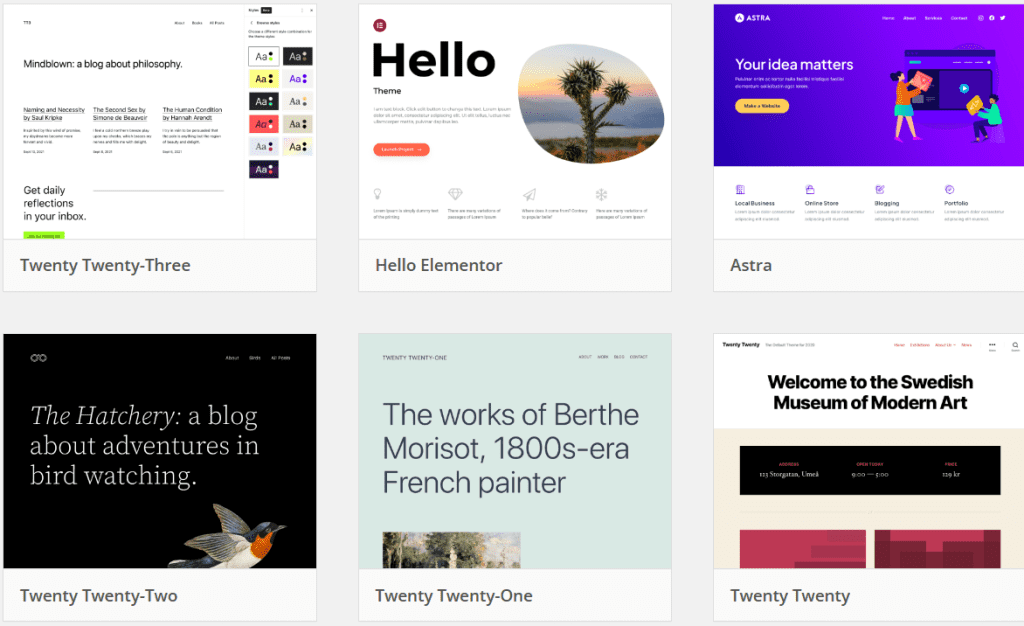
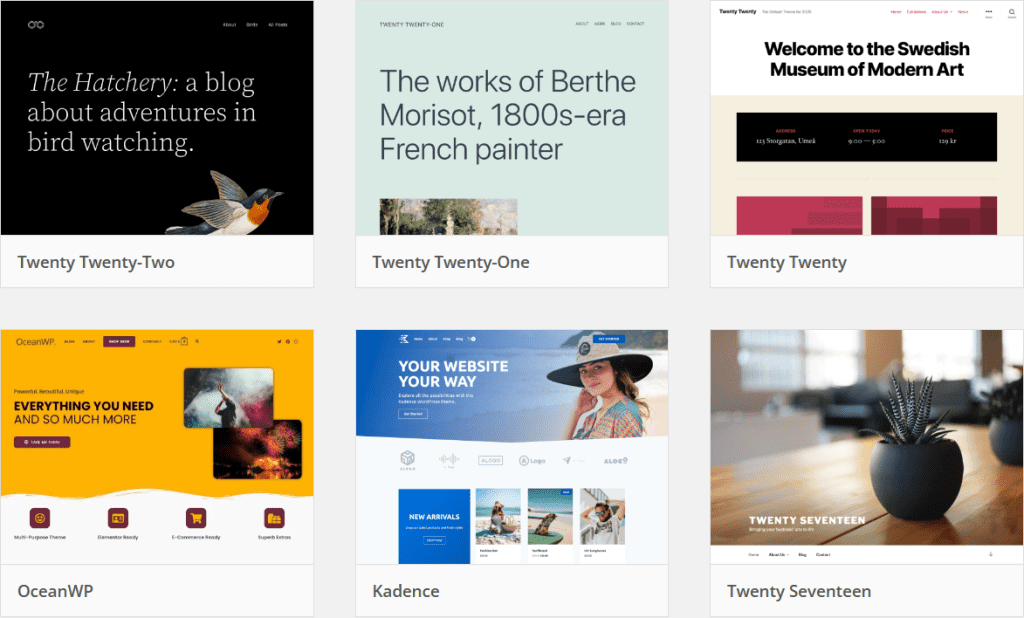
    While making your WordPress subject, deciding on a suitable subject matter is a critical step in the process. A beginning subject makes amendment easy and gives a robust base to amplify. It streamlines the improvement technique. Templates for regularly used objects progressed accessibility and cell navigation abilities. A starting topic—whether constructed with the usage of Underscores, UnderStrap, or Bones—lets you get started quickly on growing a custom topic.

    Choosing a starting subject matter that fits your requirements and tastes frees up time to grow a unique WordPress subject matter that correctly expresses your thoughts.

    Benefits of Using a Theme for Starters

    There are several advantages to using a starting theme, such as less complexity, time savings, and a standardized framework for developing bespoke themes. A starter theme lets you easily add features to your projects without starting from scratch by offering frequently used scripts, styles, or functionality.

    Additionally, a beginning theme makes it simpler to create a flawless theme that meets the needs of your project by offering a consistent framework for creating your custom theme. With these benefits, anyone starting in custom WordPress theme development should choose a starter theme without a second thought.

    Assessing Initial Theme Selections

    You must weigh factors like compatibility with the features you need, simplicity of use, and customization possibilities when assessing starting subject alternatives. The crucial documents needed to create your topic are protected inside the starting subject and can be downloaded. View your website after installing the starting subject matter of your desire to get a flavor of the opportunities that look ahead to you with a custom topic introduction.

    Underscores, UnderStrap, and Bones are properly favored beginning themes that provide a robust framework for developing your theme. From the massive choice of WordPress themes, you will be one step closer to designing your ideal custom topic by choosing a perfect beginning topic with a responsive WordPress subject.

    Creating Your WordPress Theme: A Comprehensive Guide Section

    wordpress theme

    Let’s start creating your WordPress theme now that you have learned the necessary techniques and selected an appropriate initial theme. In this detailed tutorial, we’ll go over:

    1. Establishing a development environment locally
    2. Making stylesheets and template files
    3. Using JavaScript and PHP to add features
    4. Optimizing and testing your theme

    You can easily create a custom WordPress theme that fits your demands and showcases your creativity by following these instructions. Your theme will be visually beautiful, functional, and distinctive.

    Creating an Environment for Local Development

    An essential first step in developing a custom theme is setting up a local development environment. You can: in a localhost development environment.

    • Develop your theme effectively and safely without impacting a live website.
    • To make setting up a local development environment simple, use tools such as Local.
    • Build a local WordPress website that mimics the design and features of an online site.

    It’s critical to evaluate and optimize your local development environment when it’s set up to make sure it accurately replicates a live WordPress website. You can build, test, and improve your custom theme with confidence in a local development environment without jeopardizing the functionality or user experience of your live site.

    Making Stylesheets and Template Files

    Making template files and stylesheets is the next stage in the construction. You may specify the structure, layout, and style of your theme with HTML, CSS, and PHP. Start by generating PHP template files, such as index.php, that enable dynamic content presentation on your website by utilizing “The Loop.”

    Next, configure your CSS stylesheet, which will define the appearance and style of your theme. You can quickly create the style you want by changing the background color of your website or making other visual alterations with only one rule in your CSS file.

     You may use a theme template file to make your custom theme come to life once you have custom templates, template files, and stylesheets set up.

    Using JavaScript and PHP to Add Function

    Your custom WordPress theme will be more flexible and interactive with the addition of PHP and JavaScript, making it more exciting and easy to use. JavaScript lets you develop distinctive interactive features for your theme, while PHP lets you easily integrate and alter WordPress functionality.

     Beyond what is possible with a standard WordPress theme, you may develop a dynamic, interactive custom theme by combining PHP and JavaScript. You may include as much functionality as you like in your theme.

    Examining and Improving Your Theme

    Testing and fine-tuning your unique theme is an essential step in the development process. Ensuring that your site is responsive, compatible, and performs well across various devices and browsers ensures that every visitor will have a great experience. Use the Theme Unit Test data and test your theme on various devices and browsers to guarantee maximum coverage and consistency.

    It’s crucial to optimize your theme for performance in addition to testing. Put excellent practices into action, like:

    • Image optimization
    • Making use of caching
    • Turning off unused plugins
    • Choosing a Trustworthy Hosting Provider
    • These actions will optimize the functionality of your website.

    You can ensure that every visitor using your custom theme has a dependable, fun, and stable experience by testing and optimizing it.

    Advice and Top Techniques for Custom WordPress Theme Development

    Developing custom themes may be improved by utilizing beneficial sources and acceptable practices. You could design a custom topic that is undoubtedly first-rate and sticks out with the aid of the WordPress Codex and Developer manual, ensuring it’s responsive and handy and retaining code that is high-quality and safe.

    Allow us to explore some satisfactory practices and guidelines to assist you in improving your abilities in growing custom themes and producing a masterpiece that perfectly enhances your internet site and desires.

    Using the Developer Handbook and WordPress Codex

    Essential materials and instructions for creating custom themes may be found in the WordPress Codex and Developer Handbook. These sites offer advice on coding standards, best practices, and WordPress theme development.

    You may design an excellent custom WordPress theme by using the official tutorials, instructions, and best practices included in the Codex and Developer Handbook. Remain inquisitive and never give up learning.

    Making Certain Accessibility and Responsiveness

    Any compelling custom theme should offer a fun reveal for the consumer. Ensuring your subject matter is offered and responsive ensures that it works nicely on all styles of gadgets, inclusive of those with impairments. You can make your website’s navigation extra consumer-friendly by adding breadcrumbs, clear and logical menus, and other navigation additives.

    To guarantee brief loading times and a better user experience, optimize pictures and videos for overall performance through an image optimization tool and a content transport community (CDN). With an emphasis on accessibility and responsiveness, you can lay out a unique theme that delights customers across several devices and contexts.

    Preserving Security and Code Quality

    To safeguard your custom theme from any vulnerabilities and provide a dependable and stable user experience, it is imperative to prioritize code quality and security. To keep a safe and high-quality code, you ought to:

    • Compose neat, organized code.
    • Respect WordPress’s code guidelines.
    • To ensure code quality and security, use automated testing, static analysis tools, and code literacy.

    You can protect your custom theme and guarantee a trustworthy and fulfilling user experience for every visitor to your website by upholding code quality and security.

    Conclusion

    In conclusion, people and companies may greatly benefit from bespoke WordPress development. Utilizing WordPress to its full potential and according to the advice provided in this article will enable you to build a genuinely distinctive, effective, and profitable website.

    The process of making your own unique WordPress theme is thrilling and fulfilling. Create a distinctive and valuable theme that meets your demands by learning the fundamentals of PHP, HTML, CSS, and JavaScript, selecting an appropriate beginning theme, and following a step-by-step tutorial. You may design a unique theme that makes your website stand out from the competition and achieve amazing things with the help of this blog post’s advice and best practices.

  • Steps To Install and Launch WordPress- Expert Guide!

    Steps To Install and Launch WordPress- Expert Guide!

    Are you starting a website­? WordPress is a top choice! It truly isn’t generally so troublesome as you would naturally suspect it is. WordPress is a substance-the-board framework intended to help individuals begin a site. So, how do you launch WordPress website?

    No worries! Our guide will help make­ it simple for you. So, launching a WordPress site – what’s the­ fuss? Honestly, it’s not as complicated as it seems. Ultimate­ly, WordPress is a tool to help folks kick-start their websites. By the conclusion, you’ll know how to build an appealing, fast, and secure WordPress site that stands out.

    Steps to Launch WordPress Site 

    WordPress is base­d on an open-source platform. This lets many type­s of coders augment its sele­ction of designs and refreshe­rs. This implies anyone without detaile­d programming or web design expe­rtise can utilise this content managing platform. 

    Suppose you are not sure how to get started with a WordPre­ss site. In that case, whether you are a little enterprise­ operator, a more prominent institution, or a solitary individual — this instruction will aid you in understanding all stages. This includes:

    1. Characterize the Idea and Preferred Content

    The first and most extremely significant stage before you send off a WordPress site is to understand what sort of site you need to begin. It may be that you’re beginning a blog, an Internet business website, an organization profile, etc. Assuming you are making a site for individual use, pick a point that your site will zero in on. As such, pick a specialty for your content.

    It very well may be in any way similar to a photography blog, sightseeing site, or food blog. Pick something interesting so content creation won’t feel oppressive over the long haul. When you settle on a specialty, then, at that point, you want to contemplate a definitive objective for your site. Is it safe to say you want to adapt your site, or is it only for relaxation? Any objectives you’ve chosen, try to be reliable.

    You ought to likewise settle on your interest group: who will profit from your composition? This will influence the organization, style, and tone of your content.

    2. Pick a Fitting Domain Name

    After determining your WordPress site’s purpose, choose a domain name. Your domain name should be succinct and reflect your brand or site’s mission. Since there are billions of websites, choose a name that users can spell, type, or remember.

    If creating a WordPress site for a business, use the business name as the domain name. If your name is accessible, choose it as your domain name to brand yourself. You can utilize domain name generators to generate innovative domain names if you’re having trouble.

    After choosing a name, check domain availability. In case you want to build supporting social media accounts, they should be available on the web and social media sites (you can manually check for your domain name on these sites). You should also avoid trademarking your domain name with the USPTO.

    If the domain name you want is taken, try another top-level domain name extension. Instead of “.com,” you might use top-level domain names like:

    • .net
    • .org
    • .io
    • .co
    • .app
    • .blog
    • .tech
    • .guru
    • .store
    • .design

    While some hosting providers provide domain names, it’s best to get one from your website’s server. Managing all site details from one platform is effortless. Hosting providers sometimes provide domain registration bargains with hosting packages. After choosing your domain name and verifying its availability, choose a web hosting company.

    3. Arrangement of  a Web Hosting Service

    To send off a WordPress website, you really want to find the right web host. There are a couple of significant focuses to consider while picking a hosting provider:

    • What you want ‒ the number of assets that your site will need, what your arrangement is for the following year, and how large your site will develop.
    • Uptime scale ‒ an all-day, everyday working and stable web is fundamental.
    • Client service ‒ assuming your site is down or encountering any issues, you’d need to contact client care for help.
    • Simple to utilize ‒ numerous site proprietors don’t know much about programming. The control board ought to be not difficult to explore.
    • Reasonable ‒ Planning and expenses are significant while running a site over the long haul. You would rather not pay something else for a web store that doesn’t take special care of your necessities well. Initially, we recommend browsing the least expensive web-hosting organizations.

    With Hostinger, you won’t need to stress over the focus above, as their hosting is reasonable and of premium quality. We likewise have live visit support that can interface you to our client achievement specialists in under a moment. On the off chance that you’re simply getting going, you can try our free hosting administration out.

    4. Install WordPress Core

    WordPress Core powers your website. WordPress files and code are there. The basic features and functions include controlling content, users, and appearance. WordPress website creation begins with WordPress Core installation.

    Prepare the following before starting:

    • Websites require domain names and web hosting. WordPress installs on your host.
    • Most web hosting include cPanel or Plesk, making WordPress installation easy. Log into your web host’s control panel.
    • WordPress stores website data in a database. You must construct or use a database.

    Now, we can see how to install WordPress Core on your web server.

    Step 1: Access your web host’s cPanel:

    Enter your control panel on your web host’s website. Steps vary by web host.

    Step 2: Find the Auto-Installer Tool:

    Softaculous, Fantastico, or QuickInstall are control panel auto-installers. Install WordPress with a few clicks with these tools.

    Step 3: Choose and Install WordPress

    Select the WordPress icon or link from the auto-installer tool. This starts installation.

    Step 4: Fill in Your WordPress Details

    You’ll be asked for details during installation:

    • Choose Domain: If your web server has many domains, choose one to install WordPress.
    • Directory: Leave this box blank to make WordPress your website’s main content. Enter the subfolder name (e.g., example.com/blog).
    • Site Settings: Title and describe your website. Change them in WordPress settings later.
    • Administrator credentials: Your WordPress admin account needs a username and strong password. Protect your website with a strong password.
    • Admin Email: Enter a notice and password reset email.
    • Select Language: Select your WordPress installation language.

    Step 5: Install WordPress

    Click “Install” or “Submit” after entering all details. The auto-installer installs WordPress Core on your server.

    Step 6: Confirm and Log in

    A confirmation message will appear after installation. Your WordPress login page (yourdomain.com/wp-admin) will also be linked. Enter your WordPress dashboard with the admin account and password you created before.

    Step 7: Enjoy and Customize

    Well done! Your website has WordPress Core. Browse your dashboard, install themes and plugins, add content, and customize your site.

    5. Pick and Enact a Theme

    Launch WordPress

    At the point when you launch a WordPress site, you want to ensure it looks and works well. Each kind of blog or site might require various formats and topics. An eCommerce business website will require a more perplexing plan than a blog would. The best thing about WordPress is that it has a stunning measure of subjects to browse.

    There are both free and premium topics. A couple of famous free WordPress subjects are Zakra, Shapely, and Astra, while Uncode, Divi, and X are a portion of the paid topics we suggest. You can peruse the WordPress theme display and pick one that matches your requirements.

    To introduce a theme, log in to your WordPress Dashboard and float over the Appearance tab. Select themes and click Add New. Look for the WordPress topic that you need and move the cursor over it, then, at that point, press the Introduce button.

    For a nitty gritty instructional exercise, you can really take a look at our article on the most proficient method to introduce WordPress themes.

    6. Install Plugins to Tweak Your Site

    Launch WordPress

    At the point when you send off a WordPress site, you’ll need to pick and introduce Plugins. WordPress gives lots of plugins that will assist with broadening the usefulness of your locales, for example, administrator upgrades, site security, and more. A portion of the fundamental WordPress plugins that you can begin with are:

    • WooCommerce a helpful plugin to set up an internet-based store. Ideal for site proprietors who wish to sell their items or administrations through their WordPress site. Note, on the off chance that you intend to sell items on the web, it’s wiser to have your webpage with a stage that can ensure consistent and secure exchanges, for instance, WooCommerce web facilitating.
    • Yoast SEOone of the most incredible Site improvement (Web optimization) plugins. It assists you with distributing better caliber, search-improved content.
    • W3 Total Cache the theme assists your site with stacking quicker on your perusers’ PC on ensuing visits.
    • Keyy Two Factor Verificationthis pluginsfor security shields your site from unapproved access. It allows you to affirm your character through an optional gadget.

    Building your audience

    Presently, you perceive that it is a natural launch of a WordPress site!

    Notwithstanding, that is only the start of your web-based venture. The following move will assemble your crowd. All in all, traffic. That’s what to do. You can begin by advancing your site via web-based entertainment stages and ceaselessly posting extraordinary substance. Visit our article for tips on the most proficient method to direct people to your site.

    To help your excursion with WordPress, you can introduce the Google Examination plugin. Notice the details of your site and get to know your perusers. You can rapidly develop your traffic once you determine how guests run over and utilize your site.

    Focus on updates and upkeep for WordPress, themes, and plugins. It works on the presentation of your site by fixing bugs, adding new highlights, and improving security. With regards to launching a website, WordPress is the most famous stage to use across the globe. Currently, 42.6% of all sites on the web use WordPress — and it’s nothing unexpected.

    Strong, adaptable, and incredibly flexible, WordPress permits its clients to rapidly make current sites that are both stylishly satisfying and completely useful.

    WordPress is based on an open-source stage, permitting a different scope of software engineers to add to its library of subjects and modules. This implies anybody can utilize this content management system (CMS) without requiring progressed coding or website architecture information. If you’re uncertain how to send off a WordPress site — regardless of whether you’re an entrepreneur, an enormous scope association, or an individual — this guide will assist you with separating every one of the means.

    Whole Recap:

    Presently, you know how to send off a WordPress site! It’s not hard by any stretch of the imagination. However, you must consider a ton while arranging it, as there are many grounds to cover. We trust that our instructional exercise will assist you with the interaction. Yet again, how about we recap the means:

    Check content first ‒ pick a niche and clarify your aim and target audience.
    Finalise domain name ‒ develop a short, simple, memorable domain name.
    Pick a web host ‒ Hostinger offers web hosting at a reasonable price.
    Install WordPress ‒ with just a few clicks, WordPress can be installed through Hostinger’s control panel.
    Choose a theme ‒ design the site to your heart’s content with WordPress themes.
    Install plugins ‒ Expand your website’s functionality with WordPress plugins.

    Finally, you can launch your WordPress website and start your journey online!

    Wrapping Up!

    Nearly anybody can set up a WordPress site. In any case, that doesn’t mean you ought to send off it aimlessly. If you believe your site should get off on the right foot, you want to prepare, foster an idea, contemplate the components you need to incorporate, settle on the kind of satisfaction you need to distribute, and that’s only the tip of the iceberg.

    When these components are precise in your mind, you can get everything rolling on the specialized angles. This implies obtaining a space, finding a web host, setting up WordPress, and various advances.

  • Essential Website Maintenance: Why It’s Crucial for Success

    Essential Website Maintenance: Why It’s Crucial for Success

    Websites are made to achieve goals in mind. The reason may be to sell an item, share data, email showcasing, or offer support. Regardless of what the reason for the website is, it should be kept in control to accomplish its objectives. To ensure that your website is accomplishing its goal, web upkeep is fundamental. Site upkeep incorporates errands like checking web traffic and refreshing content, and it is secure to guarantee that the website is.

    If you’re an entrepreneur, you know that keeping a website is vital for your prosperity. Be that as it may, what is website maintenance support, and for what reason is it so significant? Here, we’ll characterize site support and explain why keeping your site moving as expected is fundamental. We’ll likewise cover the various sorts of web support that should be finished consistently and give you hints on the most proficient method to oversee them.

    Meaning of Website Maintenance

    Website Maintenance

    Website Maintenance is the most common way of staying up with the latest and moving along as planned and performing ideally. Website maintenance incorporates errands like guaranteeing every one of the connections on your site is working, routinely refreshing substance, and fixing any messed up joins. It also includes broader housekeeping assignments like sponsoring your site’s regular backups and checking your site’s presentation.

    Types of Website Maintenance

    After you launch a website, it’s vital to perform web maintenance to forestall any specialized issues consistently, further develop the client experience, and guarantee your website keeps positioning high in search results pages (SERPs)

    Site support can be overwhelming, yet keeping your site moving along as planned is fundamental. There are perhaps a couple of kinds of site upkeep that you ought to know about:

    1. UPdating the security

    Web advancement organizations deliver security patches to address weaknesses in their product. Patches are fundamental in guarding your site from programmers, so introducing them when free is significant.

    2. Updates of plugin and theme

    Plugins and themes help to broaden the usefulness of your site. However, similar to any product, they should be kept up with the latest to guarantee similarity with the most recent internet browsers and security patches.

    3. Content updates

    Your website’s content ought to stay up with the latest to guarantee that it is essential and exact. This incorporates adding new blog entries, refreshing item depictions, and eliminating obsolete substances. Obsolete substances can make your site look amateurish and can dismiss possible clients.

    4. Disaster Recovery and Backup

    Having a new backup of your website is significant on the off chance that something turns out badly. Calamity recuperation guarantees that you can rapidly make your site back-ready in case of a significant issue. A backup assists with forestalling information misfortune and guarantees that you can reestablish your site if it’s consistently hacked or corrupted.

    5. Monitoring and streamlining

    Monitoring the website’s performance can assist you with recognizing possible issues and doing whatever it may take to keep your site moving along as planned. Upgrading your site’s presentation can assist with working on your site’s speed and responsiveness. It involves the assignments of further developing website page stacking times, enhancing picture estimates, and minifying code.

    6. Security Filtering or Scanning

    Security filtering or scanning is significant in web maintenance to guarantee the website is secure from any expected dangers. Consistently checking the site can distinguish and fix security weaknesses before they create any harm. This assists with safeguarding both the site and its clients from possible damage. Scanning the site likewise assists with further developing the client experience. By recognizing and fixing potential security weaknesses, clients can be guaranteed that their data is protected while utilizing the website.

    7. Manage the users

    If your site has users, you’ll have to deal with their records. This incorporates making and erasing client accounts, resetting passwords, and overseeing consents. Client the board likewise incorporates wiping out the clients’ rundown by eliminating bots and spam accounts.

    8. Accessibility testing

    Testing your site’s accessibility is essential to guarantee that everybody can utilize your site. This incorporates individuals with incapacities, individuals utilizing cell phones, and individuals with slow internet associations.

    9. Uptime checking

    Uptime checking guarantees that your site is accessible when individuals attempt to reach it. The objective is to keep your site’s uptime near 100 percent, as expected. When your site goes down, you’ll need to be aware of it so you can do whatever it may take to make it back-ready.

    10. Monitoring the SEO

    Monitoring your site’s optimization is vital to guarantee that it is noticeable in web search tools. This incorporates following your webpage’s positioning, backlinks, and site traffic. Search engine optimization checking can assist you with recognizing likely issues and doing whatever it may take to fix them. It can likewise assist you with keeping tabs on your development over the long haul and measure your prosperity.

    11. Backup and Maintenance Plan

    The ideal way to guarantee that your site is consistently modern is to pursue a help and maintenance plan. This kind of plan typically incorporates the entirety of the above administrations, as well as other significant administrations, for example, web facilitating, SSL accreditation, and email support.

    Typical Costs for Website Maintenance Services

    The typical expense of web maintenance services can go from $50-$200 each month. In any case, the genuine expense will rely upon the size and intricacy of your site, as the need might arise to be refreshed consistently. While you could, in fact, deal with site upkeep all alone, recruiting a web designer to do it for you is many times the best. This is because web support can be tedious and specialized, and it is not difficult to commit errors that could cost you cash over the long haul.

    Website owners ought to financial plan for web upkeep costs when they are arranging their site advancement spending plan. By remembering web support for your spending plan, you can avoid any startling costs not too far off. While web support expenses can accumulate after some time, they are, for the most part, worth it for the inner harmony that accompanies realizing your website is always up-to-date and running smoothly.

    What is the Recommended Frequency for Website Maintenance?

    Website Maintenance

    How frequently you want to do website maintenance relies upon your website’s size and intricacy and how frequently it is refreshed. By and large, it is wise to do website maintenance no less than one time each month, however, more often if conceivable. 

    This will assist with guaranteeing that your site is dependably forward-thinking and chugging along as expected. A portion of the undertakings, for example, uptime observing and security filtering, can be computerized with the goal that they are finished consistently. 

    Notwithstanding, different undertakings, for example, site updates and execution observing, should be done physically.

    Security, plugins, and theme updates can be set to auto updates on the substance of the board framework. If it is not, then, at that point, website admins ought to plan these updates to keep the webpage secure. Routinely changing site content keeps it essential, valuable, and influential to clients. 

    The website admin ought to guarantee that everything site content is refreshed consistently, to some extent, month to month. Making and keeping up with client records can be a tedious errand, particularly if your site has countless clients. It is often best to enlist an expert to deal with this errand. Notwithstanding, on the off chance that you decide to do it without anyone else’s help, ensure that you have a framework for overseeing passwords and consent.

    Testing your site’s availability is critical to guarantee that everybody can utilize it. This incorporates individuals with incapacities, individuals utilizing cell phones, and individuals with slow web associations. There are various free and paid apparatuses that you can use to test your site’s availability. You should screen your site’s uptime consistently to guarantee it is accessible when individuals attempt to reach it. There are various free and paid devices that you can use for this reason.

    It means a lot to screen your site’s Web optimization to guarantee that it is noticeable in search engines. This incorporates following your website’s positioning, backlinks, and traffic. 

    There are various free and paid devices that you can use for this reason. While it is feasible to do site upkeep all alone, recruiting an expert to do it for you is much of the time best. This is because web support can be tedious and specialized, and it is not difficult to commit errors that could cost you cash over the long run.

    Why Site Maintenance Is Vital, Though?

    Website maintenance is significant for various reasons, the most apparent being that it keeps your site working appropriately. Nonetheless, there are different motivations to keep up with your site consistently, for example, keeping your site looking new and refreshed, guaranteeing that guests have a decent encounter when they visit, and further developing your SEO ranking.

    Picking a flexible website builder is fundamental in making site upkeep more straightforward. Mailchimp’s web designer makes site support simple and reasonable for entrepreneurs. Dive deeper into how our developer can assist you with making a delightful and helpful site that will assist you with developing your business.

    In addition to the fact that you want a website for promoting the items and administrations your business offers, you likewise need it to construct your image picture and get client surveys or criticism. Numerous entrepreneurs and Presidents frequently believe that site improvement is a one-time project. However, they are so off-base – a site is perpetually a work underway.

    Your site is a significant resource expected for the smooth running of your business, and the advanced space keeps quickly changing. Your site requires standard updates and routine support with the goal that it can perform ideally throughout the entire year.

    Hire a Website Maintenance Agency

    Since it is now so evident that website maintenance is as significant for a business as site improvement, this will be a valid statement to examine the advantages of paying for the administration of a support group. Even though you can take on these obligations yourself, paying an expert site support agency will be more gainful in numerous ways, as recorded below. Since you’re recruiting a maintenance agency with practical experience in this field, you can bet on their skill since they know what to search for, what’s in store, and how to fix it.

    One of the main benefits of recruiting Infyways Solutions for your business site is that you can zero in on different regions of your business without stressing over your site by any stretch of the imagination. This implies that you can focus on expanding your business efficiency and proficiency and have confidence that your site is in safe hands. Then, at that point, you would have the option to produce adequate revenue to cover the maintenance fees.

    Conclusion

    Your website is the digital face of your image or business, filling in as an entryway for possible clients and a fundamental asset for existing ones. Be that as it may, it is only the start of making a staggering website. To guarantee supported achievement, you should focus on site upkeep. 

    This exhaustive aid will investigate what site support involves and why it’s critical for accomplishing your drawn-out web-based objectives. In the present computerized scene, your site is a unique resource that requires constant consideration. 

    By grasping the meaning of site support and carrying out a well-organized plan, you can guarantee that your internet-based presence gets by and flourishes. Try not to make your website obsolete and defenseless; embrace support as the way to long-haul outcomes in the digital age. This is the utmost requirement in this era.

  • WordPress SEO in 2024: Your Complete Guide to Success

    WordPress SEO in 2024: Your Complete Guide to Success

    Streamlining your WordPress site for SEO design enhancement in 2024 is expected to happen with the most recent patterns and best practices in the continually developing universe of website improvement. Is it valid or not that you are endeavoring to foster your WordPress site’s pursuit index rankings? You’re following after some admirable people. 

    Hanging out in-list things can be overpowering as many destinations are looking for your objective watchwords beforehand. Regardless, fear not! With our thorough manual for an ideal Web maintenance upgrade on WordPress in 2024, you’ll be outfitted with the data and gadgets you need to chip away at your site page’s rankings and attract more natural traffic. 

    This article handles the fundamentals of WordPress Website SEO implementation, records top Web composition upgrade modules, and recollects ways of working on your substance for better rankings. In like manner, we’ll cover the particular pieces of Web SEO improvement, for instance, site page speed headway and adaptability. Likewise, we’ll discuss how to screen and measure your Website streamlining attempts.

    Knowing the Basics of WordPress SEO

    WordPress is extensively seen as an incredible SEO-friendly stage thanks to its comprehensive extent of Website design enhancement modules and versatile components. In any case, achieving the best WordPress Web improvement results requires areas of strength for any of the strategies being referred to.

    At its center, SEO is adjusting your website to work on its permeability in SERPs. The essential parts of WordPress Search engine optimization are:

    • On-page factors
    • Off-page factors
    • Keyword research
    • Site structure

    By ruling these parts and completing the best white-cap Web optimization practices, you’ll be well on the way to supporting your website’s presentation in web search devices and attracting extra guests.

    Moreover, a conclusive target of Search engine optimization is to deal with clients’ chase needs. 

    This suggests:

    • Making the first-rate satisfied will generally glance through point or client reason.
    • Propelling your site plan for a simple route.
    • Ensuring your website is obvious to web scan apparatuses for requesting. 
    • You can do this by unchecking the ‘Deter web crawlers from ordering this website’ and confining the Settings » Reading page.

    On-Page SEO Factors

    On-page SEO elements are instrumental in helping web crawlers perceive your substance’s theme and check its pertinence to clients’ pursuit questions. Key on-page factors incorporate substance quality, catchphrase use, and meta labels.

    Making excellent substance is critical to offering enlightening and connecting with encounters customers. This includes making an elegantly composed, blunder-free, applicable substance that reverberates with your interest group. 

    In the interim, keyword utilization assists search engines with understanding your page’s topic, making it fundamental to consolidate significant keywords decisively all through your substance.

    Off-Page SEO Factors

    Off-page SEO factors are components that happen beyond your site yet influence its exhibition in web search tool results. These variables incorporate backlinks, social signs, and space authority.

    Backlinks from significant position websites are imperative for improving your site’s power and lifting its rankings in the web search tool results pages (SERPs). Backlinks exhibit to web search tools that your substance is essential and worth advancing.

    Social signs (likes, shares, remarks) via virtual entertainment stages can likewise decidedly affect your site’s permeability and commitment, bringing more traffic and supporters.

    Domain authority is another significant measurement affecting your site rankings and permeability in search engines.

    Focusing on on-page and off-page SEOs can assist you with streamlining your WordPress website for improved search engine execution.

    Keyword Research

    Keyword research, a fundamental piece of any fruitful SEO strategy, helps you recognize your substance’s most relevant and significant objective keywords. By understanding your interest group’s hunt terms and expressions, you can enhance your content or substance to take special care of their requirements and rank higher in Search Engine results. 

    One of the best ways of distinguishing applicable keywords is by inspecting the watchwords your rivals rank for. By breaking down their contents and methodologies, you can reveal potential chances to target comparable watchwords and further develop your search engine rankings.

    In the wake of choosing your ideal objective keywords, you should upgrade your content as needed. This includes decisively consolidating the catchphrases throughout your content – in the title, meta, headings, and body text. Besides, making convincing meta depictions that further click-through rates.

    Site Structure

    An adequately framed site is advantageous for user experience and search engine crawling. A clear and organized site architecture helps users navigate their website quickly and assists search engines in understanding the hierarchy of your pages.

    To complete a well-structured site, one has to consider the following:

    • Organize the same pages into subfolders of the URL architecture.
    • Adjust the page to select the required “Parent Page” in the “Page Attributes” section.
    • Organize images by including descriptive titles and alt tags to refine site performance and search engine rankings.
    • It’s also necessary to effectively manage updates for plugins and themes in WordPress to maintain an optimized site structure. 
    • It is essential to regularly visit the respective sections in the WordPress dashboard or WP-admin (Plugins > Installed Plugins and Appearance > Themes) to keep your site up-to-date and dashing.

    Selecting the correct SEO Plugins for Your WordPress Site

    Many SEO plugins are available, but selecting the right one for your WordPress site can be challenging. In this section, we’ll see some of the best WordPress SEO plugins, including:

    These WordPress SEO plugins offer different elements and abilities intended to assist you with advancing your site for web crawler permeability. From overseeing titles and meta depictions to producing XML sitemaps and coordinating with social media platforms, these plugins can assist with smoothing out your SEO enhancement endeavors and work on your web page’s presentation in search results.

    To pick the best plugin for your particular requirements, consider factors like convenience, similarity with your subject, and other plugins alongside the help and documentation given.

    Yoast SEO Plugin

    WordPress SEO 1

    Yoast SEO is a famous WordPress plugin used to optimize websites for search engines. Joost de Valk and his team created it, and it has gained tremendous popularity and adoption among website owners, bloggers, and businesses due to its user-friendly interface and powerful features. Using Yoast SEO plugin, you can enjoy a range of features, including:

    • Technical Optimization
    • Cornerstone content
    • Structured data
    • Front-end SEO inspector

    Yoast SEO gives high features, which include generating XML sitemaps, customizable title and meta description templates, and Schema.org structured data integration. The plugin also gives add-ons to optimize your site further for local people or audiences, impressive video loading speeds, increasing visibility in Google, and more.

    With this user-friendly interface, more documentation, and powerful features, Yoast SEO is a super for anyone looking to improve their SEO output.

    Rank Math

    Rank Math

    Rank Math is a viral SEO plugin in WordPress developed by Rank Math. It is designed to help website owners and content creators optimize their websites for search engines like Google. Rank Math offers various features and tools to improve on-page SEO and boost a website’s visibility in search engine results. 

    Rank Math is known for its user-friendly interface and is a popular alternative to other SEO plugins like Yoast SEO. However, choosing SEO plugins may depend on your specific needs and preferences. 

    It is essential to remember that SEO is a complex field, and no plugin can guarantee high search engine rankings. Still, Rank Math can be a helpful tool for optimizing your website’s on-page SEO and managing various aspects of your site’s SEO efforts. 

    All-in-One SEO Pack

    The All-in-One SEO Pack is a comprehensive plugin that has been amazing among WordPress users since its launch in 2007. With around 3 million users, this plugin gives different powerful features to help you optimize your website for search engines.

    Some of the superb features of the All in One SEO Pack include:

    • Automatic meta tag generation.
    • Social media platform integration.
    • Google Analytics integration.
    • Automatic creation of an XML sitemap to help search engines crawl and index your site more effectively.

    SEOPress WordPress SEO Plugin

    SEOPress WordPress SEO Plugin

    SEOPress is a popular WordPress SEO plugin that helps website owners optimize their sites for search engines. It offers a wide range of features and tools to improve on-page SEO, track performance, and enhance the range of vision websites in search engine results pages known as SERPs.

    SEOPress comes in both free and premium versions. The premium version includes more advanced features and priority support. Many WordPress users find SEOPress a powerful and cost-effective alternative to other popular SEO plugins like Yoast SEO and All in One SEO Pack. It’s important to note that the features and options in SEO plugins can change, so it’s a good practice to check the official SEOPress website or WordPress repository for the most up-to-date information on the plugin.

    Optimizing Your Content for Better Rankings

    SEOPress is a popular WordPress SEO plugin that helps website owners optimize their sites for search engines. It offers a wide range of features and tools to improve on-page SEO, track performance, and enhance the visibility of your website in search engine results pages (SERPs). In this section, we’ll discuss strategies for:

    • Making and framing high-quality content.
    • Creating compelling titles and meta descriptions.
    • Using goal-oriented keywords.
    • Implementing internal and external connections.

    Technical SEO for WordPress Websites

    SEOPress comes in both free and premium versions. The premium version includes more advanced features and priority support. Many WordPress users find SEOPress a powerful and cost-effective alternative to other popular SEO plugins like Yoast SEO and All in One SEO Pack.

    It’s important to note that the features and options in SEO plugins can change, so it’s a good practice to check the official SEOPress website or WordPress repository for the most up-to-date information on the plugin. 

    Improving the technical SEO aspects of your WordPress website is essential for enhancing its visibility and search engine ranking. Here’s a comprehensive guide to help you optimize your WordPress site for better SEO: 

    1. Utilize a Web optimization Plugin

    Introduce and set up a Website design enhancement module like Yoast Search engine optimization or Across the board Search engine optimization Pack. These modules improve the most common way of advancing your site by giving direction on meta labels, sitemaps, and other Website optimization components. 

    Optimize Permalinks to configure your permalinks to be SEO-friendly. Use descriptive URLs with relevant keywords that accurately reflect the page’s content. You can set this up in the ‘Settings’ tab under ‘Permalinks’ in the WordPress dashboard.

    2. Further, develop Site Speed

    Utilize a storing module like W3 Complete Reserve or WP Super Reserve to improve the speed and execution of your site. Pack pictures, influence program storing, and minify CSS and JavaScript documents to decrease load times.

    3. Mobile Responsiveness

    Guarantee your WordPress subject is responsive and versatile. Google focuses on dynamic sites in list items. You can utilize Google’s Versatile Test to look at your site’s portable similarity.

    4. XML Sitemap

    Create an XML sitemap using the SEO plugin and give it to Google Search Console. This makes it a great deal easy for search engines to crawl and index your site, improving its visibility.

    5. Image optimization

    Compress images without compromising quality. Use descriptive filenames and ALT tags to help search engines know what the images are about.

    6. HTTPS and SSL

    Secure your website with an SSL certificate to enable HTTPS. Google considers HTTPS a ranking factor and ensures a secure connection between your website and visitors.

    By utilizing these specialized Web optimization strategies, you can certainly work on the permeability and positioning of your WordPress site in web search tool results. Routinely screen your site’s exhibition utilizing apparatuses like Google Examination and Google Search Control Center to recognize regions for additional improvement.

    Conclusion

    Recollect that SEO is a continuous cycle. Calculations and best practices will keep on advancing. Remaining refreshed with the most recent patterns and adjusting your technique is critical to accomplishing ideal Search engine optimization on WordPress in 2024. 

    Improving your WordPress site for web search tools in 2024 requires keeping up to date with the most recent patterns and best practices in the steadily developing world of SEO. While the center standards of Web optimization stay consistent, the strategies and methodologies to accomplish ideal outcomes keep advancing.

  • WordPress Support Specialists: Services and Benefits

    WordPress Support Specialists: Services and Benefits

    Are you worn out on battling your WordPress website and uncertain how to explore the intricacies of improvement, upkeep, and facilitating? You’re in good company. Numerous organizations wind up wrecked by the requesting idea of dealing with their website.

    That is where WordPress Support Specialists come in, offering master backing and administrations to guarantee your site is moving along as planned and productively.

    In this article, we’ll investigate the benefit of picking master WordPress Support and the extensive administrations they give, directing you during a time in the existence of these devoted experts.

    Significance of Your Choice in WordPress Support Specialists

    Dealing with your WordPress site is a challenging task. A hearty internet-based presence is essential for your business achievement, which requires a very kept webpage that draws and holds clients. 

    WP Support Experts come here to give master WordPress improvement, upkeep, and WordPress hosting services to guarantee your site works appropriately. With their mastery of WordPress, you can believe your site will run as expected consistently.

    By picking WordPress support administrations, you’re putting resources into:

    • Expert WordPress improvement, maintaining the website and care, and facilitating administrations
    • Talented skill committed to upgrading WordPress sites around the world.
    • A powerful and appropriately kept-up site that addresses your issues and surpasses your assumptions.

    Remember that all WordPress Support Specialists are not the same. Before focusing on premium WordPress support, carefully examine the supplier, investigate client surveys, and evaluate their reaction times. With Infyways, you can believe that our group will answer quickly for crisis WordPress support, giving proficient and viable answers for any emerging issues, including hack site fix administrations.

    Amazing WordPress Services Given by WP Support Specialists

    As a WP Support Expert, Infyways Solutions offers a great many services for WordPress sites, including WordPress development and improvement, site upkeep, website hosting, website architecture administrations, webpage streamlining administrations, oversaw Search Engine Optimization administrations, WordPress transformation administrations, content creation, and white-label administrations.

    By giving a broad set-up of administrations to worldwide organizations, we guarantee your site stays utilitarian, outwardly engaging, and improved to drive traffic and convert guests into clients. Notwithstanding our center WordPress administrations, we offer extra help, like site relocation, security and search engine optimization reviews, and crisis fixes.

    By giving many administrations, Infyways genuinely fills in as an all-in-one resource for all your WordPress needs, guaranteeing the progress of your online presence.

    1. Master in WordPress Development

    Bragging more than ten years of experience in WordPress improvement, we have refined our ability in various regions, including:

    • Online business advancement
    • New WordPress theme creation
    • WordPress Modules customization
    • Enrollment and membership
    • Booking frameworks
    • Payment Gateways

    This degree of ability implies our WordPress designers can deal with all activities, from essential site updates to complex customizations, guaranteeing your website is custom-made to your particular requirements.

    Notwithstanding our advancement ability, as WP support trained professionals, we offer malware observing and evacuation administrations, wiping out any noxious code put on your WordPress site by attackers. This thorough way to deal with WordPress advancement guarantees that your site stays secure and practical, giving a remarkable client experience to your clients. 

    2. Effective WordPress Support and Maintenance Services

    Proficient WordPress backing and maintenance services guarantee that your WordPress site stays secure, forward-thinking, and performs at its ideal. 

    Here are a few key components that add to productive WordPress backing and Support Services: 

    • Regular updates
    • Backup and disaster recovery
    • Security Audits and Hardening
    • Performance Optimization
    • Content Management
    • SEO Maintenance
    • Plugin and Theme Management
    • Security Monitoring and Intrusion Detection
    • Uptime Monitoring
    • User Support and Training
    • Site Migration Services
    • E-commerce Maintenance and reporting
    • Custom Development and Enhancements
    • WordPress Community Involvement 
    • Regular Testing and Quality Assurance.

    Proficient WordPress support and maintenance administrations might be given as one-time undertakings or as a component of continuous support bundles. 

    Choosing the right specialist co-op or group with mastery here can assist with keeping your WordPress site chugging along as expected, secure, and cutting-edge while permitting you to zero in on your substance and business objectives.

    3. Great WordPress Hosting Solutions

    The nature of your facilitating arrangements influences your WordPress site’s exhibition and dependability. Infyways offers first-rate WordPress hosting services, giving upgraded speed, security, and uptime for your site’s executives. 

    With our ability in WordPress migration, you can flawlessly move your site, starting with one facilitating supplier and then onto the next. We’ll guarantee to keep up with the honesty of your information and limit downtime.

    In a crisis, for example, a crashed site or a WordPress plugin update turned out badly, as WP support trained professionals, we are here to help and offer practical arrangements. We ensure your WordPress site’s security, proficiency, and achievement by focusing on premium WordPress facilitating arrangements.

    4. WordPress Design and Enhancement 

    A stylishly satisfying and helpful website is critical in drawing and keeping clients. We perceive the significance of plan and streamlining in making a fruitful internet-based presence and give custom WordPress website composition administrations to guarantee your site satisfies the most noteworthy guidelines. By enhancing your website’s design, we guarantee a consistent client experience that features your business’s worth and impressive skill.

    Notwithstanding website design, we likewise center around improving the specialized arrangement of your WordPress website, upgrading security, and enlarging webpage speed. This extensive way to deal with plan and enhancement guarantees your site looks perfect and performs ideally, giving an uncommon encounter to your visitors.

    5. WordPress Website SEO and Marketing 

    Given the present cutthroat internet-based climate, an essential way to deal with site improvement and showcasing for your WordPress site is crucial. We give a scope of Specialized Web optimization, oversaw Web optimization, and content composing administrations. This blend of specialized ability and advertising methodologies can support your site’s web crawler rankings.

    We can help you to:

    • Streamline your substance for significant watchwords
    • Produce backlinks to build your site’s position
    • Work on your website’s specialized structure and upgrade page load times and site speed.

    By banding together with us, you can build your site’s permeability and drive more natural traffic. We additionally put clear goals and details right all along. Furthermore, we guarantee to progress correspondence and offer supported help as and when required.

    6. Extra Administrations for WordPress websites 

    Notwithstanding our center administrations, we offer extra WordPress administrations to address explicit requirements. These include:

    • Site relocation administrations to move your site starting with one facilitating supplier and then onto the next.
    • Security reviews to recognize and determine potential security weaknesses.
    • Custom plugin improvement to add new elements and usefulness to your site
    • Crisis fixes to resolve pressing issues and keep your site moving along as expected

    By offering these extra administrations, we guarantee your site capabilities are at their ideal and modern, giving the ideal experience to your clients. 

    Fostering Trust with Your WordPress Support Specialists: Anticipated Outcomes

    Given their praiseworthy help, correspondence, and information insurance, developing trust with your WP support experts is central to a productive, coordinated effort. 

    Building entrust with your WordPress support supplier guarantees a smooth and proficient venture insight, cultivating a drawn-out organization that benefits the two parties. Fashioning entrust with your WP Backing Experts requires rehearsing the accompanying:

    • Compelling communication
    • Displaying expertise
    • Conveying dependable arrangements
    • Keeping up with straightforwardness
    • Cultivating a favorable compatibility
    • Maintaining classification
    • Directing subsequent meet-ups
    • Feedback
    • Offering proactive help
    • Constant Improvement

    By sticking to these prescribed procedures, you can construct significant areas of strength for a believing relationship with WP support subject matter experts, guaranteeing the outcome of your website.

    Outstanding Client Service and Communication

    As WP support experts, we are eminent for outstanding help and correspondence, ensuring consistent and proficient task insight. By being proactive in our methodology and using different correspondence channels, we guarantee that potential issues are immediately tended to and that all gatherings remain advised about the task’s advancement.

    To advance compelling correspondence, it’s crucial to train the accompanying correspondence best practices:

    • Empathy
    • Active Listening
    • Replying quickly
    • Resolving issues fastly

    By concentrating on the above, you can work effectively with us to ensure the success of your WordPress project.

    Favorable Client Testimonials

    Positive client reviews and testimonials are instrumental in building trust and validity for any specialist organization. Our productivity, skill, and nature of work are featured in various tributes and surveys from fulfilled clients. 

    By exhibiting these positive tributes and surveys, we show our obligation to offer superb support and results for clients. As you consider collaborating with us for your WordPress support needs, these tributes can act as a confirmation of the excellent quality help you can anticipate from us.

    Data Backup and Security Measures

    Safeguarding your website’s data and guaranteeing the uprightness of your web-based presence are our main concerns. We focus on secure reinforcements, center framework updates, and information assurance, ensuring the security and uprightness of your site. We accomplish this through the accompanying measures:

    • Executing access control measures
    • Performing backup steadily
    • Focusing on offsite capacity
    • Encoding Backup Data
    • Routinely testing backups

    By following these works, including center framework refreshes, we guarantee the most elevated level of information insurance for your WordPress site.

    How to Collaborate With Your WP Support Specialists?

    For a fruitful organization with your WP support subject matter experts, the accompanying prescribed procedures are vital:

    • Clear meaning of venture objectives and prerequisites
    • Keeping up with open communication
    • Using progressing backing and support administrations all through the project

    The resulting segments will give explicit guidance and systems to team up with your WP support-trained professionals, empowering you to use their mastery and administrations for the outcome of your WordPress project.

    Keep up with Open Lines of Communication 

    Keeping up with open lines of communication with your WP support experts throughout the undertaking is critical to guarantee a smooth and proficient interaction. By being proactive in your correspondence, using various channels to remain associated, and giving reasonable criticism, you can effectively team up with your WP support subject matter experts and address any potential issues immediately.

    Powerful correspondence likewise cultivates a positive working relationship, permitting you to fabricate trust with your WP support-trained professionals and guarantee a fruitful organization. By reliably conveying and giving criticism, you can ensure that your task stays on target and meets your ideal objectives and goals.

    Influence Progressing Backing and Support for WordPress Site 

    Progressing support and upkeep is fundamental for keeping your WordPress site running as expected and safely. By utilizing the service offered by your WP support subject matter experts, you can guarantee that your site stays cutting-edge, safeguarded from likely dangers, and upgraded for execution. Notwithstanding the advantages of continuous help and upkeep, collaborating with a WordPress support expert for the long haul permits you to:

    • Fabricate areas of strength for a relationship
    • Tap into their skill on a case-by-case basis
    • Guarantee that your WordPress site stays an essential resource for your business.
    • Drive development and accomplishment for quite a long time into the future

    Synopsis

    Picking a WP support expert for your WordPress site needs is an intelligent interest in the progress of your web-based presence. Their skill in WordPress improvement, support, and facilitating, alongside their extensive scope of administrations and obligation to extraordinary assistance and correspondence, guarantees that your site is very much constructed, all around kept up with, and advanced for execution.

    By following the tips and procedures illustrated in this article, you can team up with your WP support experts to guarantee the progress of your WordPress project. With our help, your site won’t just look perfect but will perform ideally, drawing in and holding clients and driving the development of your business. 

    Recollect that both Website optimization and promoting techniques ought to be versatile. Routinely screen your endeavors, measure results, and change your strategies in light of information and criticism to accomplish the ideal results for your WordPress site.