Google rewards faster websites, and every user customers want a quicker site too. As you know, when a site is slow to load, you quickly lose patience and click away, right? With all the hard work that you put into building your website, do you know the one thing that can kill it before it even has a chance? Then the only thing is boosting your WordPress speed to get high rank and more traffic.
Loading speed is essential for your site’s success.
Think about it. How long are you willing to wait for a site to load before you decide to move onto the next one?
Not long, right?
Most visitors of your site are only willing to wait a matter of seconds for your website to load before they decide it isn’t worth the effort and escape out, back to Google, where they will eventually search for other sites.
The WordPress plugins are designed to increase the load speed of your page through a variety of mechanisms. Which one you need depends significantly on the structure, design, and reach of your page.
Why should you increase WordPress Speed?
There are many reasons to speed up WordPress, some of which might even cause significant concerns for you.
Search engines rank websites with fast-loading times higher than the slow-loading ones. So, if you want to improve your position in the SERP, improving speed should be one of your priorities.
Studies have said that site-loading speed of more than 2 seconds usually results in about 47 per cent of visitors bouncing off the website. So, to keep about half of your visitors stick to your site, you should speed up your WordPress.
Online buyers are the most impatient; they expect the page to load within a second. So, if you are running an e-commerce store on WordPress, then you better get ready to make significant improvements so your business can be more profitable.
To help you which WordPress plugin is best for your site, we have discussed some of our favourites, to help you get more traffic.
WP Rocket
WP-Rocket plugin is the best WordPress Speed loading plugin. It is the most accessible and most beginner-friendly caching plugin, which is a big help if you don’t know the technical terms used for different caching options.
Features
It allows users to cache their website with one-click instantly.
WP Rocket crawler automatically fetches your WordPress pages to build up the cache.
This plugin then automatically turns on recommended WordPress caching settings like zip compression, page cache, and cache pre-loading.
WP Rocket also includes optional features as you can turn on to further improve performance. This includes lazy loading images, CDN support, DNS pre-fetching, minification.
Reducing Image Size: WP Smush
Every image on your site can increase page load time. In the past, the only real way around this was by compromising image quality. With WP Smush plugin, every image is compressed so that the overall size is decreased, and the quality of the image remains the same.
Features
It supports all standard image formats, including JPEG, GIF, and PNG, removes unused colours from images.
WP Smush is compatible with other plugins. It compresses any image in your directory.
It removes metadata from JPEG images.
WP Smush handles up to 50 at a time of multiple images to compress.
It is the go-to plugin for image optimization.
WP Super Minify
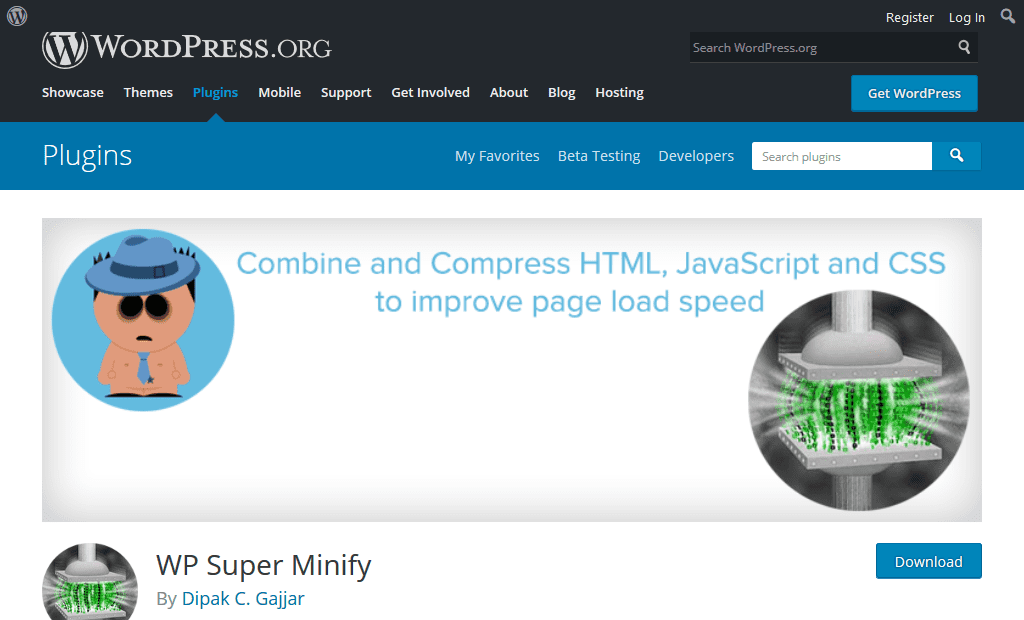
WP Super Minify plugin combines, minifies, and caches inline JavaScript and CSS files to speed up page loads, using Minify PHP Framework. By activating this plugin, you will see the source of your HTML, inline JavaScript and CSS are now compressed. The size will be smaller and quite helpful to improve your page load speed as well as google page speed. It combines JS, HTML and CSS files so that they can be compressed and served to visitors in a way that reduces website loading times.
Features
WP Super Minify plugin minifies JavaScript, CSS and HTML.
It gives option to disable compression of CSS/JavaScript.
The plugin is extremely straight forward and easy to use.
W3 Total Cache
WordPress caching is one of the best ways to improve website performance. The primary purpose of caching is storing the website data temporarily in the cache so that it loads faster the next time the user opens the same page. W3 Total Cache WordPress plugin is one of the most popular plugins and the best caching plugin for WordPress.
Features
W3 Total Cache fetch page cache, database caching, object caching, browser caching and a lot more.
It lets you integrate CDN services to reduce page load time.
W3 Total Cache has options to magnify and HTTP compression of the HTML, JS, and CSS files so that you can save bandwidth up to 80%.
You need to install the plugins mentioned above in your site to reach its potential. This can only happen when it is fully optimised for speed and usability. These WordPress plugins help your website to appear professional and user-friendly.
Downloading is easy, and you need at least one of these plugins right now. Don’t wait.
Increase your speed, boost your WordPress and start optimizing traffic today.
However, the core CMS does provide a lot of functional flexibility, the core software still lacks a certain degree of functionality.
The core software of WordPress is a bit like an incomplete puzzle. WordPress plugins are the missing part.
But the biggest advantage is a lot of free and paid plugins are readily available to use and you just have to install and use them.
Plugins are like add-ons or bit of codes which can be installed to a WordPress. Users can install them to improve their WordPress site in various ways, including article enhancement, security, managing comments, and optimizing content to rank higher in search engines.
In short, it can make a website look more professional, run faster, and enhance the features.
The good news is there are more than 55,000 plugins to choose from the WordPress plugin directory and there are at least a thousand on third-party websites.
The bad news is how do you choose the best WordPress plugins to use?
Depending on your business you may require different plugins which different features and functionality.This guide brings you the best seven plugins that we believe every WordPress user should have.
List of Top 7 Best WordPress Plugins
WP Rocket – The Best for Speed Optimization
Rank Math – The Best for Increasing Organic Website Traffic
WP Rocket
Speed Optimization is one of the important factors in SEO from the aspect of Technical SEO. WP Rocket is a plugin, used by millions of websites and helpful for making your WordPress good at speed. Most of the WordPress users are not aware of the coding for making their website optimized. For example, Removal of unnecessary code, etc. This plugin will automatically help you in speeding up your loading speed by making the necessary actions. Here are the features of this plugin:
It removes the cache of the page
It preloads Sitemap
It compresses the GZIP
It optimizes the database for faster fetching
Minify of CSS, JS loading
CDN integration
DNS Prefetching
There are a lot of other features of this plugin that will force you to buy the premium account of this plugin.
Rank Math
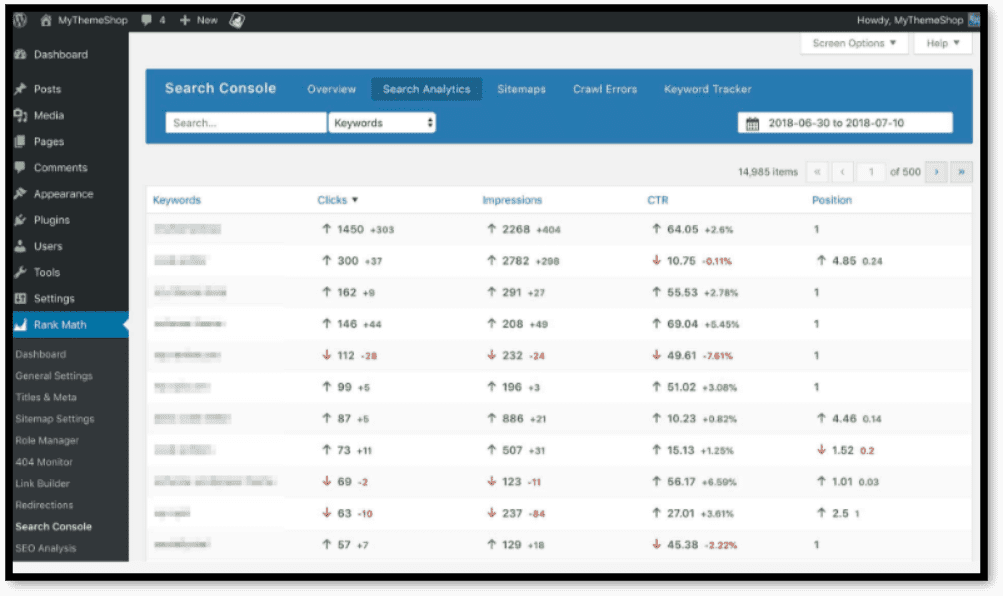
Rank Math is one of the most effective SEO plugins for WordPress users. It allows you to manage the On-Page SEO of your website. The biggest advantage of this plugin is that it gets integrated with Google Search Console and you can get some essential information directly on your dashboard.
It helps to manage the tags like no-index, no-follow, no-archive. The plugin would also help you to focus on the specific keyword. Some of the features of Rank Math includes XML sitemap, Meta Description, Links, 404 errors, Redirects, Local SEO, Image SEO.
Prepostseo
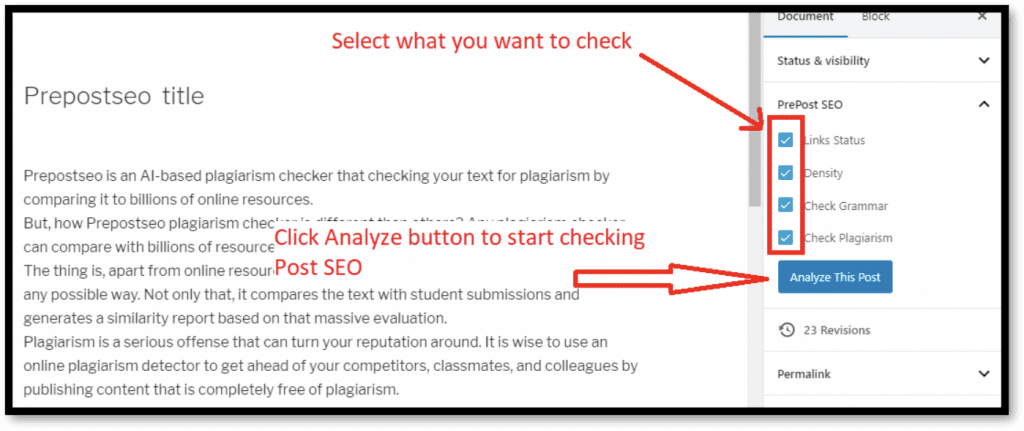
We all know that the SEO factors are usually considered on the content and if your content is not potential then your SEO wouldn’t be so effective. Before applying the SEO implications, you should consider making your content up to the mark and Prepostseo can help you in this regard.
It checks your content in the sense of SEO like readability score and some other optimization score
It checks the plagiarism in your content and checks the ratio of the plagiarism and unique content in your writing
It helps to remove the grammatical errors in your writing through providing the suggestion upon mistakes
It finds the broken links in your web pages which is an important SEO application
Besides these, there are a lot of other features for your website like counting the words and character of your content.
SEMrush SEO Writing Assistant
SEMrush is one of the popular brands for SEO experts and webmasters. They are also offering the WordPress plugin for WordPress users and through this, you can improve your writing skills.
This plugin helps make your content up to the Search engine algorithms. Some of the features of this amazing plugin are discussed below:
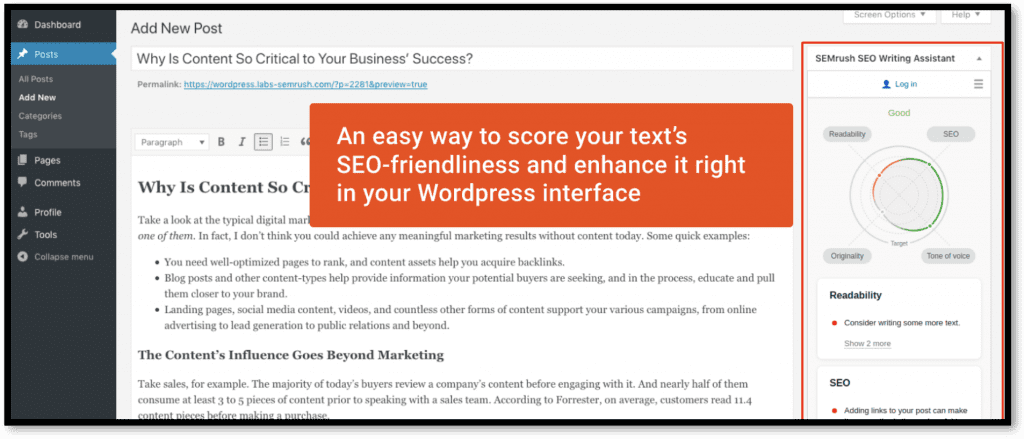
Firstly, it will analyze your content and give you a score for that content according to the readability and SEO measurement.
It suggests making your content friendly to read which is helpful for the audience and crawlers to understand.
For better SEO, it will also help you to make some changes in your content for better optimization.
It will allow you to add the keyword and get suggestions for making your content accordingly.
The biggest advantage of this amazing plugin is that it will let you know how much word count for the article you should have for the specific topic. Moreover, it will also let you know the number of keywords you should have in the content.
Broken Link checker
Broken links are one of the bad factors for SEO and users. Broken links are the external links that are placed in your content but the navigated web page though the link is not available. For example, you are placing the link to another site but the other web page or post is removed. These broken links are harmful to the ranking of your website because crawlers are very familiar with the links. This plugin will provide the feature of monitoring the broken links whether it’s pointing to the web page, comment, or any post. In case you are having a broken link, this plugin will stop the crawlers to follow the broken link for affecting your SEO.
Conclusion
As we know that WordPress is famous because of the access to plugins and readymade themes. On other platforms or through the programming language, it is quite tough to have the SEO factors applied to your site. However, the case is completely different on WordPress because the majority of the process is done through the plugins. The above-mentioned plugins can help you to make your website optimize to the search engine for better ranking. Most of the plugins which are discussed in this article are free to use while you can go for the premium if you are loving these plugins.
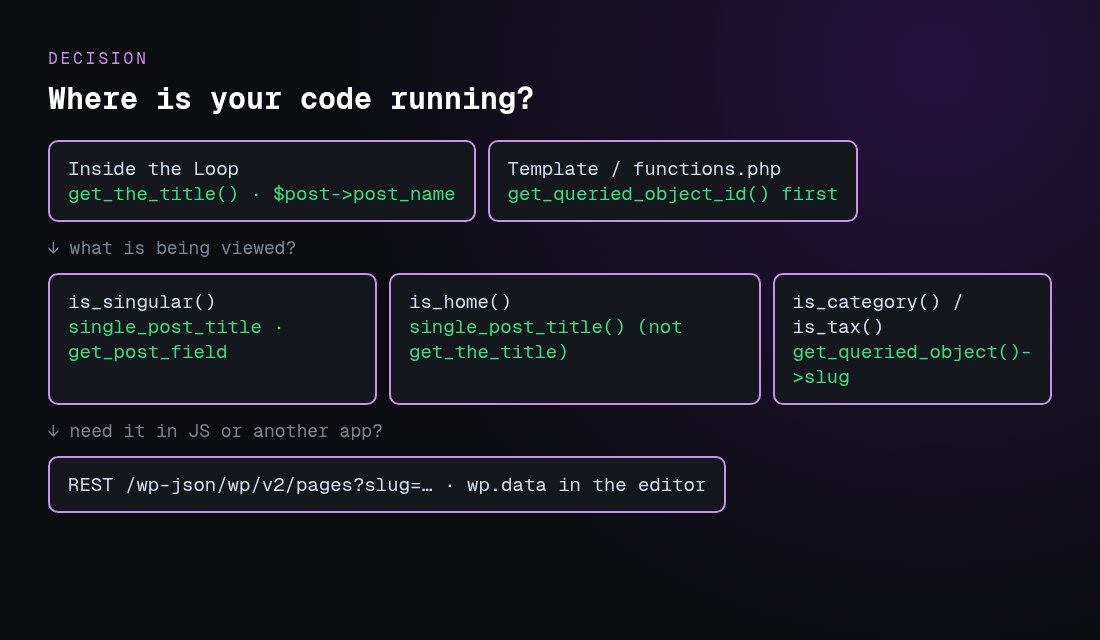
On category, tag and other term archives, use get_queried_object()->name or ->slug instead.
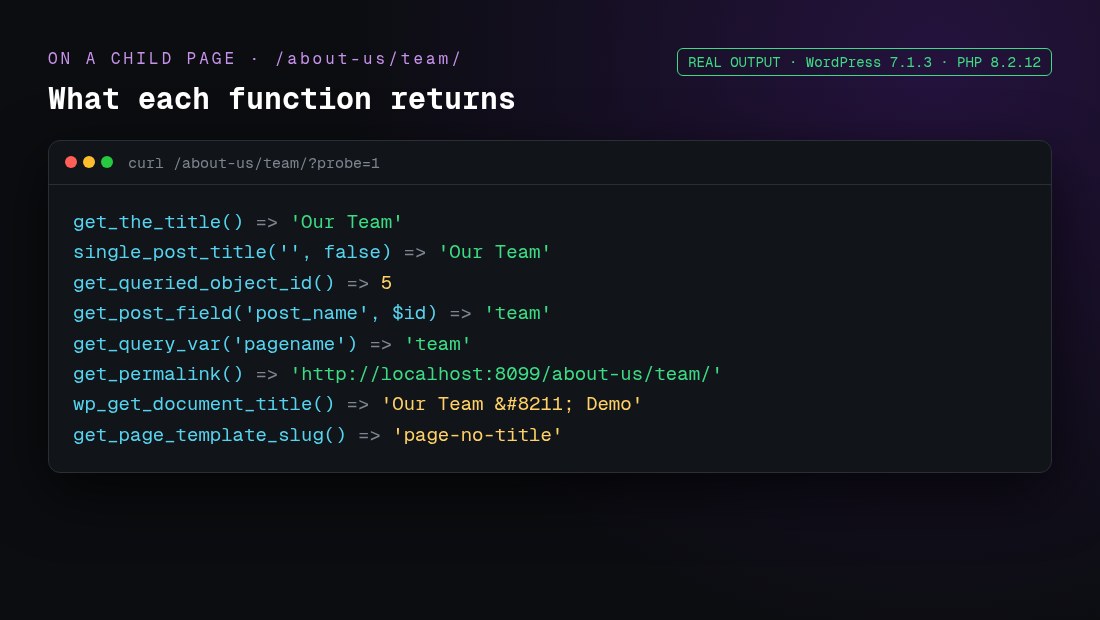
I tested every snippet below on a fresh WordPress 7.1.3 install (PHP 8.2.12, the Twenty Twenty-Five block theme) with a parent page, a child page, a posts page and a category archive. The images marked “real output” are what WordPress actually returned. The function descriptions are checked against the WordPress Code Reference.
Which function returns the page name, slug, ID or URL?
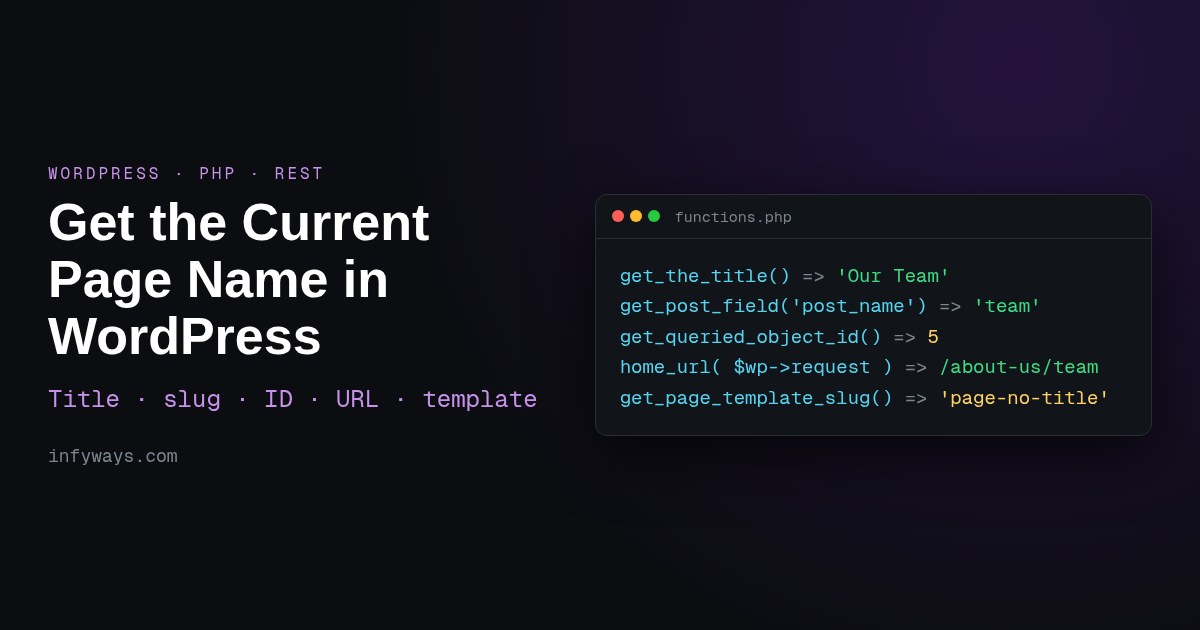
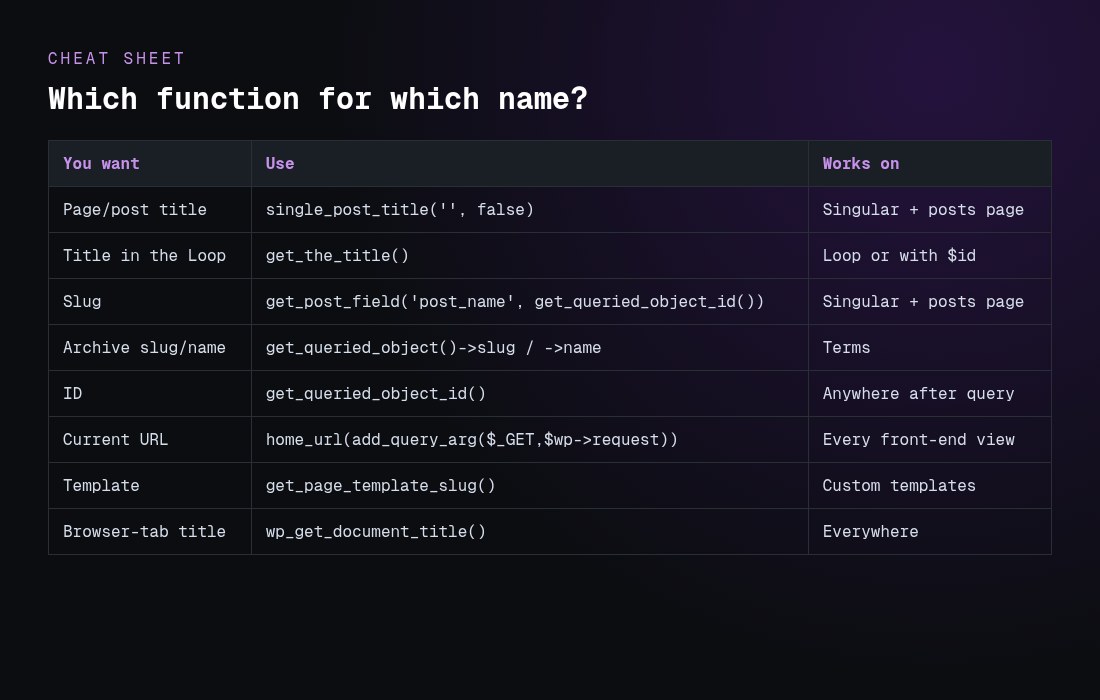
get_the_title() “retrieves the post title”. With no argument, it uses the global $post, so inside the Loop and on a single page or post it returns the right title:
<h1><?php echo esc_html( get_the_title() ); ?></h1>

// Any page by ID
echo esc_html( get_the_title( 42 ) );
Outside the Loop, in header.php, a hook or a shortcode, use single_post_title(). It reads the queried object, not the Loop. Pass false as the second argument to get the value back instead of printing it:
$title = single_post_title( '', false );
For the browser-tab title (the <title> tag), use wp_get_document_title(). Since WordPress 4.1, themes should declare add_theme_support( 'title-tag' ) and let WordPress build the tag, instead of printing wp_title() manually.
How do I get the current page slug?
WordPress stores the slug in the post_name field. The reliable way to read it is:
Other options return the same value in the right context:
global $post; $post->post_name works inside the Loop or on a single view.
get_queried_object()->post_name works on singular views only.
get_query_var( 'pagename' ) works only for pages reached through pretty permalinks. In my test it was empty on the static front page and on single posts.
basename( get_permalink() ) returned ‘team’, but it depends on your permalink structure.
For a child page, the slug is only the last part (‘team’). To get ‘about-us/team’, use get_page_uri( get_queried_object_id() ). To get the parent page’s title, use get_the_title( wp_get_post_parent_id( get_queried_object_id() ) ).
How do I get the current page ID?
get_queried_object_id() “retrieves the ID of the currently queried object”. It’s the safest choice in templates and hooks because the Loop can’t change it. Inside the Loop, get_the_ID() gives the ID of the post currently being looped. On a category archive, get_queried_object_id() returns the term ID (see Trap 2 below).
How do I get the current page URL in WordPress?
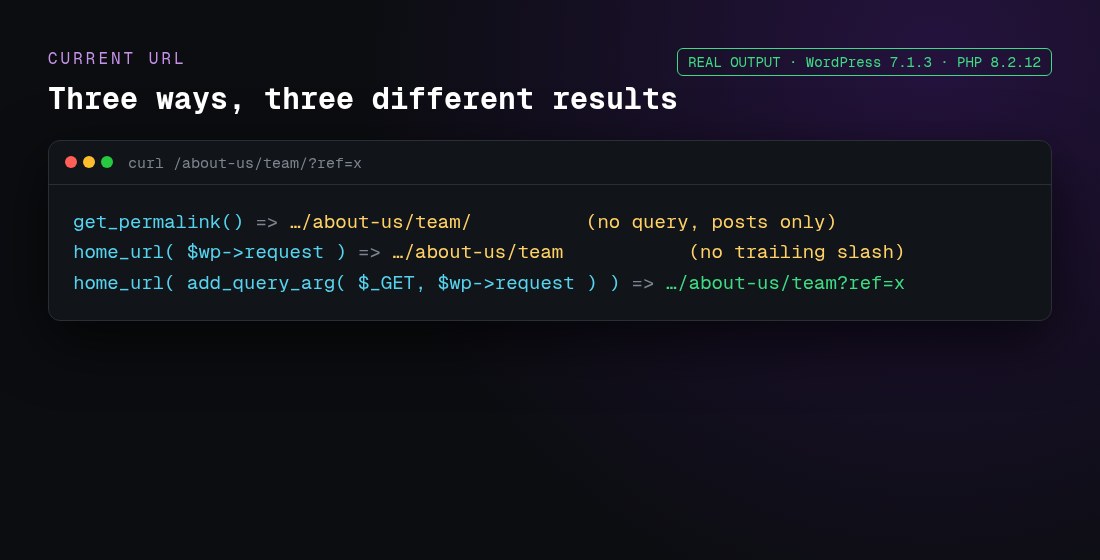
There are three common methods, and they don’t return the same thing:
// 1. Permalink of the current post or page (no query string, posts only)
$url = get_permalink();

// 2. Current path on any view, including archives (no trailing slash, no query string)
global $wp;
$url = home_url( $wp->request );

// 3. Current URL with the query string
global $wp;
$url = home_url( add_query_arg( $_GET, $wp->request ) );

echo esc_url( $url );
Method 3 works on archives, search and paginated views too. If you need the trailing slash that your permalinks use, wrap the path in trailingslashit(). The WordPress reference notes that add_query_arg() output is “not escaped by default”, so always pass it through esc_url() before you print it. $wp->request is only filled after WordPress parses the request (the parse_request step), so it’s empty very early, for example in plugins_loaded.
Why does get_the_title() return the wrong name?
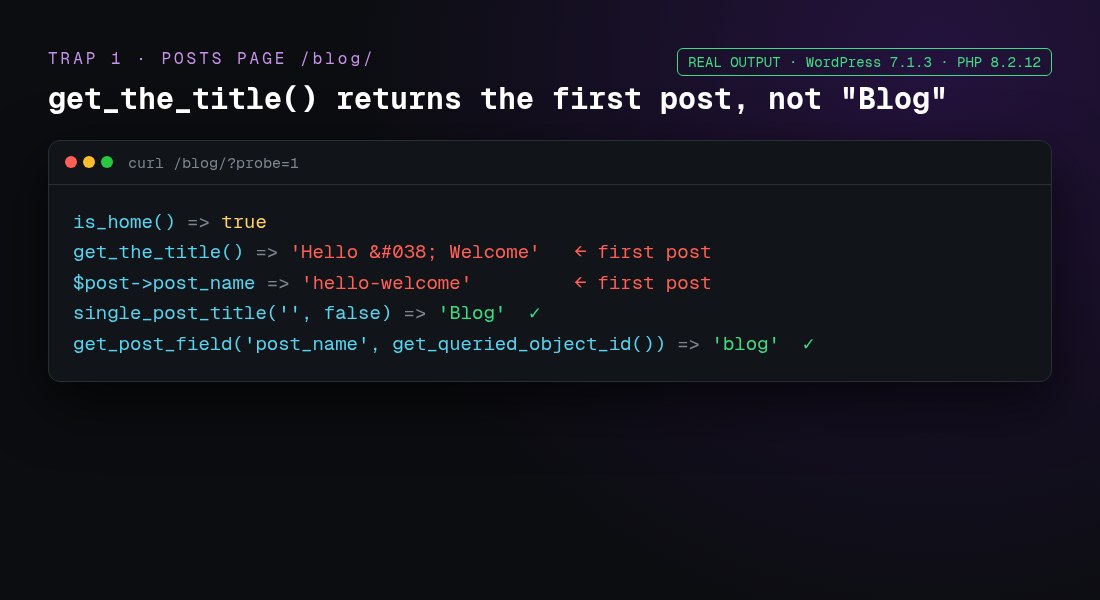
Trap 1: the posts page (is_home)
When Settings → Reading uses a page called “Blog” as the posts page, the global $post is the first post in the list. In my test, get_the_title() returned the first post’s title, not “Blog”:
Use single_post_title( '', false ), or get_the_title( get_option( 'page_for_posts' ) ).
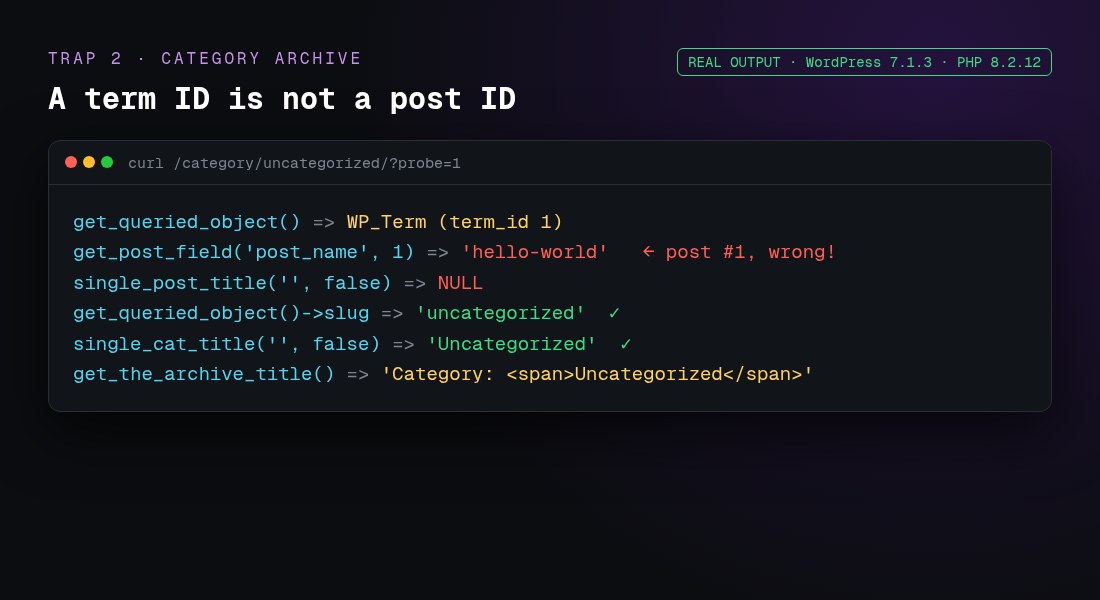
Trap 2: archives return a term, not a post
On a category archive, get_queried_object() is a WP_Term, and get_queried_object_id() is a term ID. Passing that ID to get_post_field() silently returned the slug of post ID 1 (‘hello-world’):
With a static front page, get_query_var( 'pagename' ) was an empty string, but get_post_field( 'post_name', get_queried_object_id() ) returned ‘about-us’. Use the queried-object method there too.
Trap 4: HTML entities
get_the_title() returned 'Hello & Welcome', because it applies the the_title filters, which encode characters. For a raw value, for example in JSON or data attributes, use get_post_field( 'post_title', $id ) and escape it for the context. Use the_title_attribute() inside HTML attributes.
How do I check which page I’m on (is_page, is_home, is_front_page)?
if ( is_page( 'team' ) ) { /* slug, ID or title */ }
if ( is_page( array( 'about-us', 42 ) ) ) { /* any of these */ }
if ( is_front_page() ) { /* the homepage visitors see */ }
if ( is_home() ) { /* the posts page */ }
if ( is_singular( 'product' ) ) { /* a single CPT item */ }
In my test, on the static front page is_front_page() and is_page() were both true. On the “Blog” posts page, is_home() was true and is_page() was false. These conditionals only work after the main query runs, from the wp hook onwards, so don’t call them in functions.php outside a hook.
How do I get the page template name?
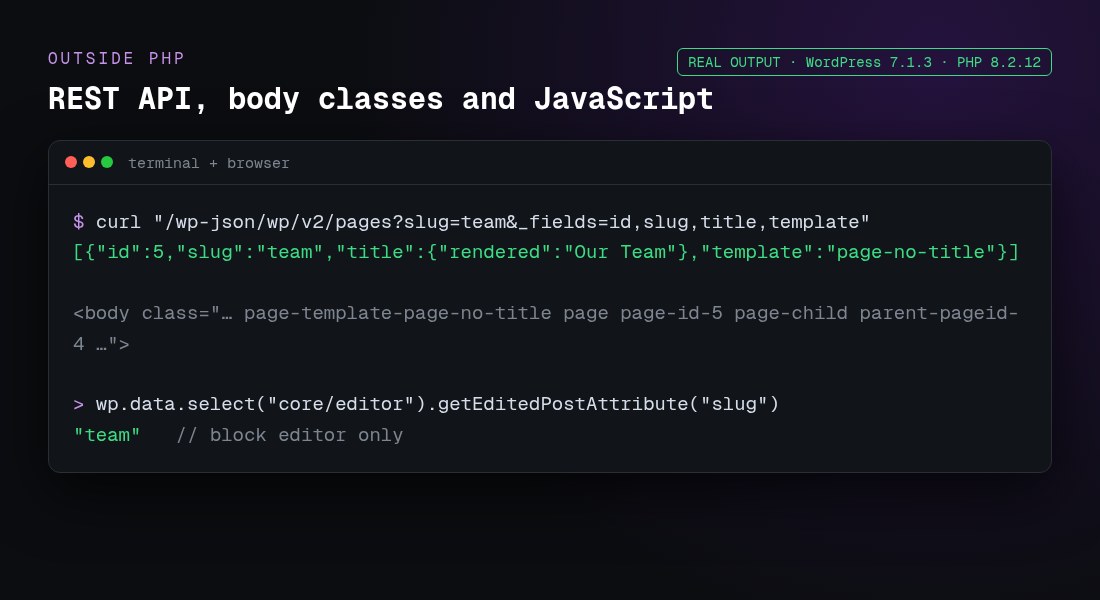
get_page_template_slug() “gets the specific template filename for a given post”. In a classic theme, it returns a file such as templates/full-width.php. In a block theme, it returns the template slug. My Twenty Twenty-Five test returned 'page-no-title'. It returns an empty string when the page uses the default template. WordPress also adds the template to the body classes (page-template-page-no-title), which is handy for CSS.
Can I get the page name with the REST API or JavaScript?
REST API:/wp-json/wp/v2/pages?slug=team&_fields=id,slug,title,template returned {"id":5,"slug":"team","title":{"rendered":"Our Team"},"template":"page-no-title"}. Use /wp/v2/posts for posts.
Front-end JavaScript: read document.title or window.location.href. You can also take the ID from the body class: document.body.className.match(/page-id-(\d+)/). My test page had page page-id-5 page-child parent-pageid-4.
Block editor:wp.data.select( 'core/editor' ).getEditedPostAttribute( 'title' ), or 'slug'. This works only in the editor, not on the front end.
Using get_the_title() or $post on the posts page or on archives. Use the queried object instead.
Passing a term ID from get_queried_object_id() to post functions.
Relying on get_query_var( 'pagename' ), which is empty on the front page, on posts and with plain permalinks.
Calling conditionals or $wp->request before the query runs. Hook into wp or template_redirect or later.
Printing values without escaping. Use esc_html(), esc_attr() or esc_url().
Using $_SERVER['REQUEST_URI'] alone. It duplicates the folder on subdirectory installs. home_url( $wp->request ) handles that.
Hard-coding wp_title() in new themes instead of using title-tag support and wp_get_document_title().
Frequently asked questions
What is the difference between page name and page title in WordPress?
The title (post_title) is the human-readable name, such as “Our Team”. The “name” (post_name) is the URL slug, such as “team”. Use single_post_title( '', false ) for the first and get_post_field( 'post_name', get_queried_object_id() ) for the second.
How do I get the page name outside the Loop?
Use single_post_title( '', false ) for the title and get_post_field( 'post_name', get_queried_object_id() ) for the slug. Both read the queried object, so the Loop can’t change them.
Why does get_the_title() show a post title on my blog page?
On the posts page, the global $post is the first post in the list. Use single_post_title( '', false ) or get_the_title( get_option( 'page_for_posts' ) ).
How do I get the current category name?
Use single_cat_title( '', false ) or get_queried_object()->name. For the slug, use get_queried_object()->slug. get_the_archive_title() adds a “Category:” prefix.
How do I get the full current URL including the query string?
Use global $wp; echo esc_url( home_url( add_query_arg( $_GET, $wp->request ) ) );. Use home_url( $wp->request ) for the path only.
How do I get the parent page’s name?
Use get_the_title( wp_get_post_parent_id( get_queried_object_id() ) ). For the full path, such as about-us/team, use get_page_uri().
Does this work in block themes and full site editing?
Yes. All the PHP functions here worked with Twenty Twenty-Five, a block theme. In block templates you’d usually use the Title block. Use PHP in a plugin, a render_callback or functions.php hooks.
How do I get the page template name?
Use get_page_template_slug( get_queried_object_id() ). It returns the file path in classic themes, the template slug in block themes, and an empty string for the default template.
Can I get the page slug with the REST API?
Yes. /wp-json/wp/v2/pages?slug=team finds a page by slug, and /wp-json/wp/v2/pages/5?_fields=slug,title,link returns the slug of page ID 5.
How do I get the current page name in JavaScript?
On the front end, use document.title, location.pathname or the page-id-N body class, or pass PHP values with wp_add_inline_script(). In the block editor, use wp.data.select( 'core/editor' ).getEditedPostAttribute( 'slug' ).
A WordPress blogger’s absolute delight lies in the heavy traffic he manages to capture on his blog. When you as a blogger see a lot of likes and, views you know your blog is working. But, this same traffic could be the reason for your WordPress going slow. The problem also could be inefficient coding being present on the site because of which the blog runs slow. The bottom line is that a slow blog is definitely not a good sign and, it is time to get it running fast. There are a few simple pointers which if followed would give you a good running site along the line.
Upgrade with Releases
The WordPress site keeps upgrading itself with the latest versions. You, as a blogger, should be aware of the latest running version of WordPress and, update your PC or laptop with the same. Chances are that the older versions have coding that does not run fast anymore. The capabilities of the older version would be different and, they would be upgraded in the newer versions. So, keep improving your WordPress version with the new release to keep your blog running fast. Of course, WordPress plugins also keep releasing their latest versions. Make sure you are updated with those versions too.
Check for Unused Plugins
Unused plugins can also be a cause for your blog running slow. Every plugin has a lot of script and code associated with it. When these plugins go unused, the script and code can overload your blog. This could cause your blog to run slow. It is very necessary to keep a check on the plugins being used. If you feel some plugins are of no use to you, make sure you remove them. It would help you fasten your blog a bit.
The Code Cleaning
Issues that need to be resolved within the code could help fasten your blog. Some bloggers have a habit of using a lot of space while coding their blogs. If you are one of them, check for these spaces and reduce them. They could be a significant reason for slowing your blog. Do not fill in your header with a lot of code. Get some in the body text too so that your blog runs just about perfect. Shorthand CSS is another way of getting the code a bit concise and, making the blog faster. Codes should be checked for in case you feel the blog is running way too slow.
Minimize the Queries
The PHP queries would also slow your blog a bit. For example, if a reader loads your blog and, there is a PHP query that is being resolved in the midway, the loading would take some time. It is better to avoid or lessen the questions while loading your blog. It would help you in a lot of ways.
Whenever you feel your blog is running slow, check on to these pointers for an answer.
Updated 12 October 2026 · By Abhilash Sahoo, Infyways
The best WordPress theme is a fast, regularly updated theme that matches how you build: a block theme such as the default Twenty Twenty-Five if you edit with the Site Editor, or a lightweight multipurpose theme such as Astra, GeneratePress, Kadence or Blocksy if you use a page builder or need more layout options. Check the last update date, WordPress and PHP compatibility, Core Web Vitals on the demo, accessibility and support before you choose.
Block theme or classic theme?
Block theme
Classic theme
Edited with
Site Editor (Appearance → Editor), patterns, global styles
Are you wondering how to pick the best WordPress themes of 2026 for your website?
There are literally thousands of WordPress themes out there – both paid and free versions! And picking a good WordPress theme can make or break the entire look of your site. Choose a good one and your website will look absolutely delightful and be compatible with all devices! Pick an erroneous theme and, well, your site won’t be so propitious.
The theme is the backbone of every WordPress Site. In a WP site, the theme plays the most important role – not just in how the website looks, but also how effectively it performs, loads, and functions. WordPress has an endless number of themes, all catering to different types of websites and different markets.
So picking a theme in 2023 means it should unconditionally complement the contents of your site and make it run smoother, faster, and rhythmic. For example, if you are posting a social or political blog on your site, then you must go for a theme that boosts the readability of your pages.
Why Choosing Right WordPress Theme Is So Crucial?
Today, WordPress is the most popular and comprehensive Content Management System for web developers, bloggers, designers, and businesses.
And when it comes to developing a WordPress website, the theme plays the most crucial role here.
From making your website look eye-catching to boosting website usability and functionality, rightly chosen WordPress themes can make your site more resourceful and operational.
Talking about the importance of a good WordPress theme – if you are not yet aware of it, here are some points to note down:
WordPress theme provides Multiple Website Usability to developers
It enhances the functionality, speed, and page loading of the site.
It provides faster loading effects to your users.
A new and wisely chosen theme keeps your site up-to-date always.
You can have error-free experiences while developing websites on WordPress.
The Latest WordPress themes hold the treasure of specifications and features for tech-savvy developers.
It provides comprehensive and easy multi-browser supports and compatibility.
A good theme always optimizes your webpages for search engines and social media platforms.
Most Important Traits Of WordPress Themes For 2026 Websites
In terms of features, specifications, and functions; WordPress themes are categorized into two varieties, i.e. Niche-Based and Multipurpose! While a niche-based theme is dedicated to specific industries, like a specially designed restaurant theme for the website of your eateries; a multipurpose theme is extremely flexible for all kinds of different websites.
However, regardless of their types and categories; the best WordPress themes should have some must-have features and traits. If you are looking for a good theme for your WordPress website; then make sure to check the essential features beforehand.
Responsive Designs: The theme design you’re picking must be responsive to every mobile browser and must be retina-ready. It will make your site look eye-catching on all devices with different screen sizes and browsers.
Speed, Functionality & Performances: Speed, functionalities, and performances of your website completely depend on the theme you choose. So make sure to pick a theme with super-fast page loading and elevated user experience
Page Builder Compatibility: The theme must be compatible with all the essential and popular drag and drop page builders of WordPress. It will help you creating your own, custom landing pages whenever you need it.
SEO Optimization: Websites in 2020 are all about SEO-friendliness. The WP theme must come pre-loaded with all advanced SEO practices so that your site can achieve higher ranks in search results of leading search engines.
Social Media Friendly: The WordPress Theme must have secure integration with social media platforms like Facebook, Twitter, Instagram, YouTube, Google+, and Pinterest. It will increase the reach of your website and sharing content will also be easier.
Plugins Compatibility: Plugins are essential to enhance the functionality of a WordPress theme. Alongside pre-loaded plugins, WP theme must be further customizable to meet specific and varying needs of the site.
Upgrade & Support: Themes with support and auto-upgrade are two of the most seeming no-brainer features which can work as the backbone of developing and maintaining a WordPress site. These features make the theme useful in the long-run.
Dos & Don’ts Of WordPress Theme Selection
Dos
Do make a list of your anticipated theme features in advance
Do research about your niche market and targeted customers before choosing a website theme
Do explore similar kind of themes that suit your niche market
Do invest in good design, loaded with advanced features
Do choose themes with customized plugins and responsive designs
Do choose a theme that works out-of-the-box for your targeted market
Do focus on adding SEO < your title> tags in the theme
Do add some interesting options in your ‘404 error pages’ to allure users
Do make sure your theme folder to have all basic files
Do utilize template tags for the betterment of the site
Don’ts
Don’t Pick A Overstuffed Theme, cluttered with unwanted features
Don’t skimp on credentials of the theme
Don’t hard code occupied URL’s into the themes
Don’t forget to check the navigation drop-down codes while picking the theme
Don’t choose a theme with Wasteful Google Fonts and Widgets
Don’t go for a theme with compromised or slackened web security features
Don’t pick a theme where users have to rely on multiple plugins simultaneously
Don’t overlook RSS Integration of the theme
Don’t overlook the simplicity of the theme designs and colors
Don’t release a WordPress theme on a website without a panel option
Conclusion
The variety of themes available for WordPress website development is endless and thus, it can be a little overwhelming to pick the best one. These days, WP Themes seem to be just everywhere you roll your eyes. However, focusing on some essential features can help you make the best choice. While responsive design should be your top priority for WordPress theme selection, analyzing other features closely will help you get a comprehensive and niche-friendly package for your site.
Frequently asked questions
What is the best free WordPress theme?
For block-editor sites, the default Twenty Twenty-Five; for page-builder sites, free versions of Astra, GeneratePress, Kadence or Blocksy are popular, fast choices.
Should I use a block theme?
Yes if you build with the Site Editor and patterns; a classic theme suits page builders and older setups.
Does a theme affect SEO?
Indirectly: speed, clean HTML, headings and mobile layout all affect rankings and user experience.
Can I change my WordPress theme later?
Yes, but test on staging first; widgets, menus and theme-specific shortcodes may need rebuilding.
Updated 12 October 2026 · By Abhilash Sahoo, Infyways
An XML sitemap helps search engines discover and recrawl the URLs you want indexed; it does not raise rankings by itself. It matters most for large sites, new sites with few backlinks, sites with pages that are poorly linked internally, and sites with frequently changing content. Google uses an accurate <lastmod> date, but ignores <priority> and <changefreq>.
How does an XML sitemap affect SEO?
Effect
What actually happens
Discovery
New or deep URLs are found faster, especially without many internal links
Recrawling
An accurate lastmod helps Google recrawl updated pages sooner
Index monitoring
Search Console’s Pages report can be filtered by sitemap to see which submitted URLs are indexed
Canonical signal
Listing only canonical URLs is a (weak) signal of which version you prefer
Rankings
No direct effect; content, links and page experience decide rankings
What are the sitemap rules and limits?
Max 50,000 URLs and 50 MB (uncompressed) per sitemap file; use a sitemap index for more.
Absolute URLs, UTF-8 encoding, and only URLs that return 200, are canonical and are indexable.
Leave out redirected, 404, noindex, parameter and duplicate URLs.
Set lastmod only when the content really changed.
Separate sitemaps for images, video and news are optional extensions.
How do I submit a sitemap?
Find your sitemap URL (WordPress core: /wp-sitemap.xml; Yoast and Rank Math: /sitemap_index.xml).
Add Sitemap: https://example.com/sitemap.xml to robots.txt.
In Google Search Console, go to Sitemaps, enter the URL and Submit.
Submit it in Bing Webmaster Tools too; Bing also supports IndexNow for instant URL notifications.
Check the Pages report a few days later for “Discovered – currently not indexed” or errors.
Social media is now essential for increasing the number of visitors to your website, as well as improving the ranking of your site. However, visiting social networking websites is not enough. To tackle the full power of this medium, you need to integrate your website with popular social networks like Facebook and Twitter, Instagram etc. That is why it is essential to make your WordPress website as social media friendly as possible. You can increase brand awareness and boost the visibility of your website in a fast and efficient manner.
Social media platforms have become more critical nowadays. Whether you are a business owner or decision-maker or a blogger or a thought leader, building a social media friendly website is essential.
Some simple tips and tricks can help ensure that your site is like social media friendly as possible.
Let us go through some of the things you must do to make your website more palatable to the social media giants.
1. Social Media Follow Buttons Bar
The social media follow buttons bar is a bar full of icons of the popular social media which are linked directly to your profile on these social networks. That means on clicking the Facebook icon; it will take the user to your Facebook page and click the Twitter icon will take them to your Twitter page.
Features
Social media follow buttons bar is easy to use, with natural features.
This plugin helps you to quickly and safely add a smart bar with social media follow buttons and link it to any place (post content, page content, widget, sidebar, header, footer) of your WordPress website.
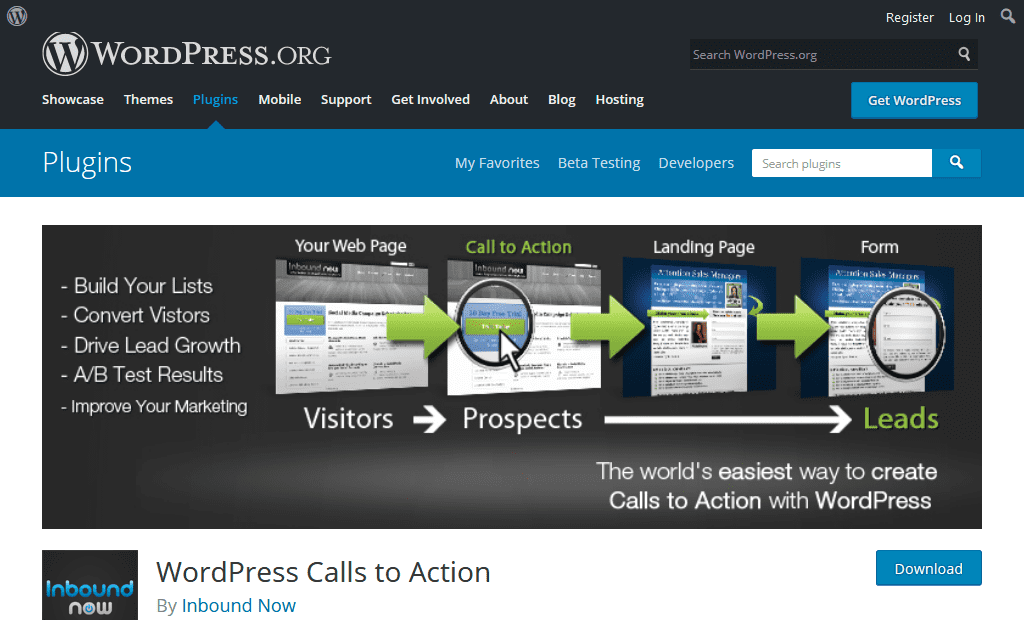
2. WordPress Call To Action
WordPress Calls to Action works as a standalone plugin or hand in hand with WordPress Landing Pages & WordPress Leads to create a powerful & free lead generation system for your business. This plugin creates calls to action for your WordPress site. It gives site owners the ability to monitor and track conversion rates, run A/B or multivariate split tests on calls to action, and most importantly increase lead flow. It was specially designed with inbound marketing best practices in mind and will help you drive & convert more leads on your site.
Features
Create beautiful calls to action on your WordPress site.
Create Popups Calls to Actions for improved conversion rates.
Quickly implement your custom call to action design or use our library of a custom call to action designs.
It helps to track conversion rates on your calls to action for continual optimisation.
3. Share Buttons
Share Buttons by AddThis plugin helps you to increase traffic to your site with impressive social share buttons. The plugin supports over 200 social networks including Facebook, Twitter, Google Plus, Pinterest etc. So that you are free to add any social media you want to add in your WordPress website. You can choose whether to display the social sharing icons on your website homepage, archive pages, category pages, other pages or posts.
Features
Its clean, customizable and simple share buttons are beautiful, quick to load and recognised all over the web.
In this plugin, you can get analytics on how your content is performing, such as your top shared content, referring to social networks and more.
After you register, these analytics are accessible by logging into your AddThis.com account and visiting your AddThis dashboard. Analytics include site page views, your top shared content, referring social networks, and more.
4. Shareaholic
Shareaholic is the world’s leading suite of audience growth and engagement tools. It allows you to add award-winning Social Share Buttons, related posts, content analytics, Ad monetisation, and more to your website. It will enable you to add promoted content, native ads and affiliate links as well. This plugin makes it easy for any website big or small to engage and grow their traffic, market their content, gain insight. And it all lives in a straightforward dashboard.
Features
Make it easy for your visitors to share social content with their friends with Shareaholic’s award-winning Social Media Share Buttons.
This plugin is the ultimate set of Social Tools for your website.
The plugin increases page views, engagement, and time on site by highlighting related content & related posts that may not otherwise be discovered on your website.
Help your users rediscover your entire content by including related posts on all of your pages.
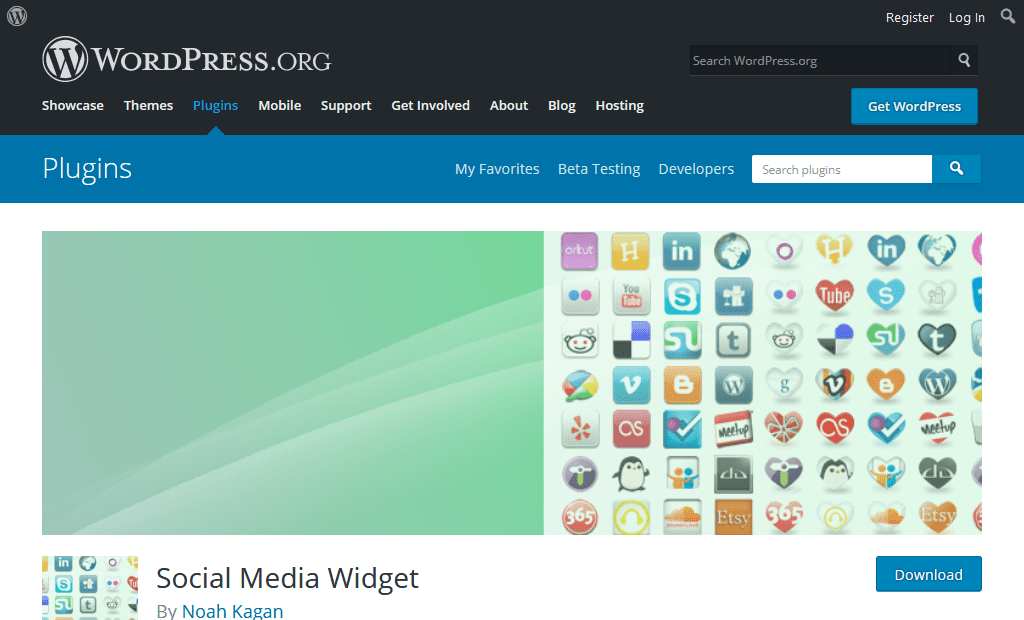
5. Social Media Widget
The Social Media Widget is a simple sidebar widget that allows users to input their social media website profile URLs and other subscription options to show an icon on the sidebar to that social media site and more that open up in a separate browser window. Another vital part of this process is to choose the right social media feeds, and widgets add an activity feed if your visitors comment on your WordPress website regularly. These widgets are particularly useful if you share fresh content usually, as your visitors will get a more in-depth insight into the latest news and comments from other people.
Features
Choose from multiple animations like Fade In, Scale, Bounce.
It helps to choose whether or not to use the rel=”nofollow” tag in your links.
Create your own image alt/title tags for hover-over text.
We hope this social media tips for WordPress helped you improve your social media marketing strategy. You can boost sales, increase your traffic and your ranking without spending any money, provided that you give attention to the aspects detailed above.
Nowadays, the promotion of goods and services on the Internet is the most effective tool for business marketing. A company or brand can communicate with its target audience directly, reducing the cost of advertising campaigns. That does not change the fact that a full-cycle marketing business is getting more and more popular.
Such a business offers a full range of advertising services, including the development, production, and placement of advertising products in various media. Internet marketing agencies use multiple methods of promotion to get the maximum response from consumers in the online space.
It is a well-known truth that your website is a powerful marketing tool to attract potential customers and increase your profits. A professional and fully-fledged website for digital marketing business is a must. Today you can create a web resource without any profound technical knowledge, the help of experts, and huge unexpected expenses.
WordPress is the best choice of the platform to build your website on if you want to save your money, time, and energy. In just a few minutes a person, who has never been engaged in web development, can easily work with the site, add content, photos and so on.
I would like to draw your attention to a beautiful collection of marketing business themes for WordPress. Each and every theme is crafted specifically for the digital marketing business to make your website high-quality and attractive.
Here you go.
Review of the Best WordPress Themes for Digital Marketing
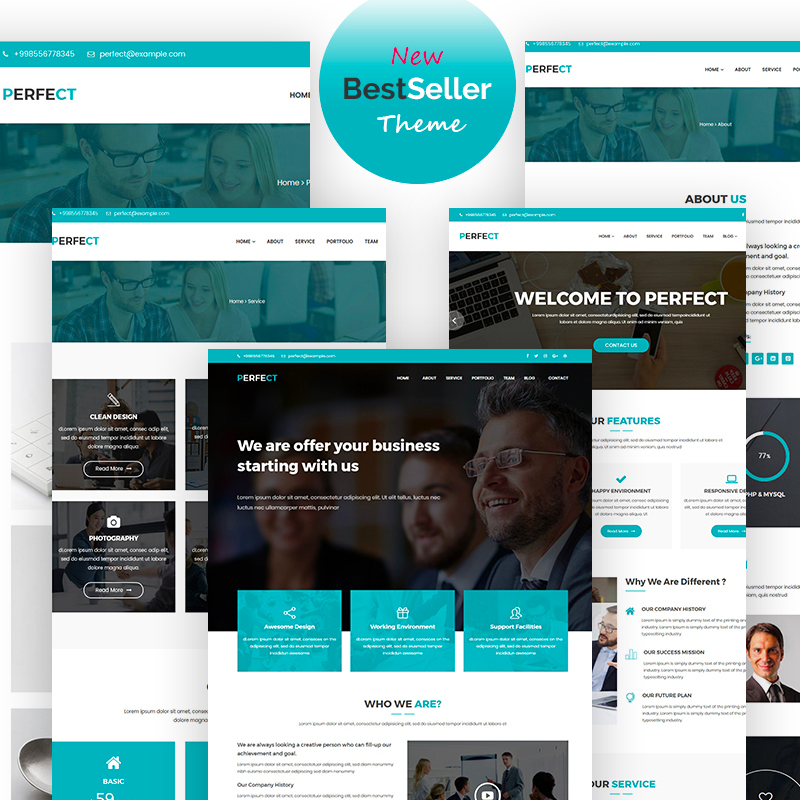
Imperion is an excellent example of a multipurpose corporate WordPress theme. This is the case when one business theme has a lot of potential to dress up any website and get your business to a new quality level. If you are running a company specializing in market research and development of solutions to increase sales, this is your choice. You will not need to acquire any coding skills to install and customize your website content. Elementor live page builder will make your experience effortless and enjoyable. A few more important features are listed below:
Adverting is a good catch to promote your digital advertising agency on the web. You offer a comprehensive work for your client – strategy, brand development, efficient promotion and improvement of the sales activity. Describe the range of your services online in the most professional manner. The theme is built with a powerful Drag-n-Drop page composer which simplifies your website building tremendously. You will take advantage of 25+ modules, a library of presets, and drag-n-drop functionality. You can take control of each and every design detail of your website with no coding skills required. Pay attention to some other features below:
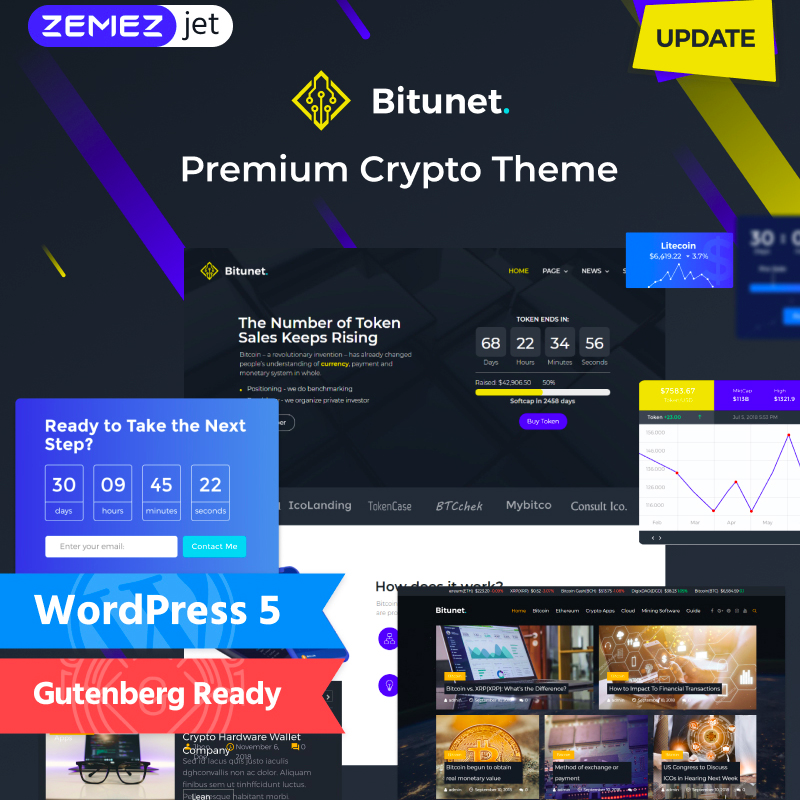
Bitunet is a premium Gutenberg-ready Crypto theme to open new possibilities of your market. An impressive collection of ready-made pages will spice up your website with a few clicks. You can easily and effectively display the trends of your market with graphics and other design elements. Your audience will enjoy the most attractive tables, graphs, and ratings. A powerful collection of Jet plugins will enhance the functionality of your website with no hassle. If you are willing to invest time and money in attracting quality traffic to your website, blogging will be in this case one of the most effective methods. Pay attention to the list below to discover some other benefits of the theme:
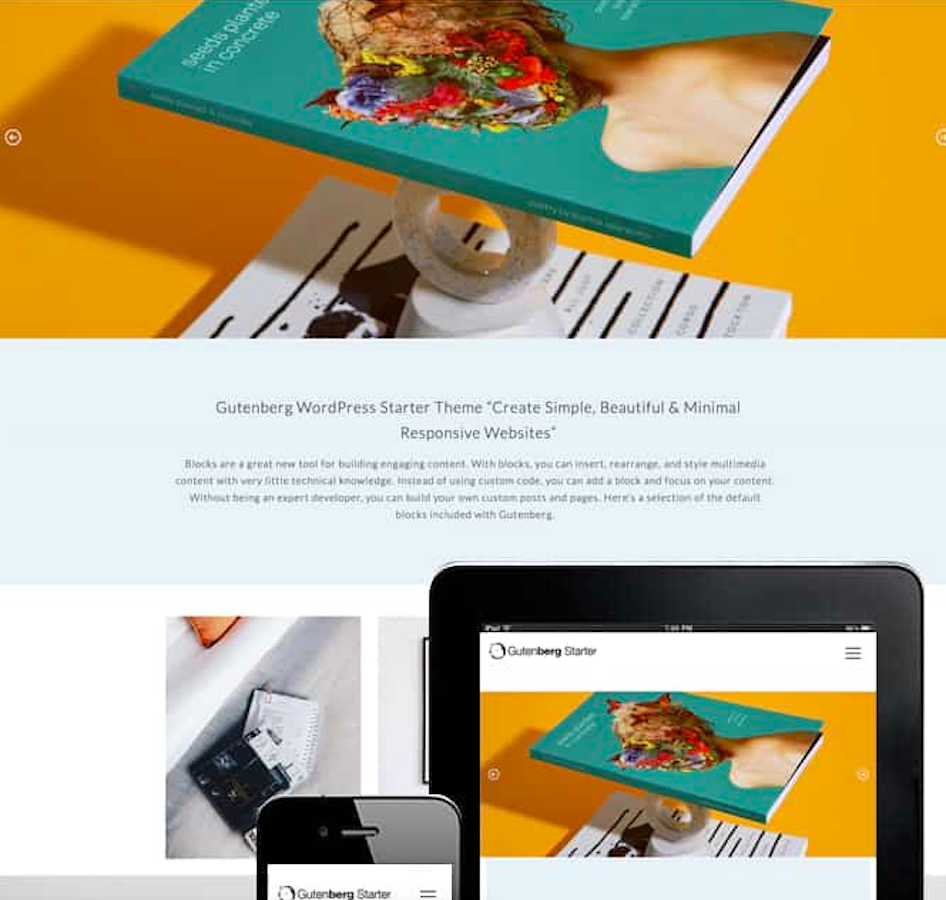
Gutenberg Starter WordPress theme is a brilliant solution to create simple, beautiful, and minimal responsive websites. Tell the world about the effectiveness of your marketing agency with the help of this free and modern WordPress theme. With blocks, you can insert, rearrange, and style multimedia content with very little technical knowledge. Valid XHTML + CSS code will guarantee an easy and convenient customization process. You will get all the updates for free once any are released. Moreover, if you are a newbie in web development, or you have any questions and concerns, you are welcome to contact 24/7 support team. A few more features come in the package:
Meet another powerful business consulting WordPress theme to boost up your business. If your project is related to effective solutions that combine marketing, design, and technology, do not miss TopConsult to build a fully-fledged website. Let’s check what is inside of this theme. No need to design anything, you are getting tons of attractive ready skins and pages for all occasions. Home page, About page, Services page, or Clients page – you will get lost in choosing the best skin for your website. Also, you can use blog functionality as a tool to attract and retain the audience, as well as establishing contact with customers. A few other features are listed below:
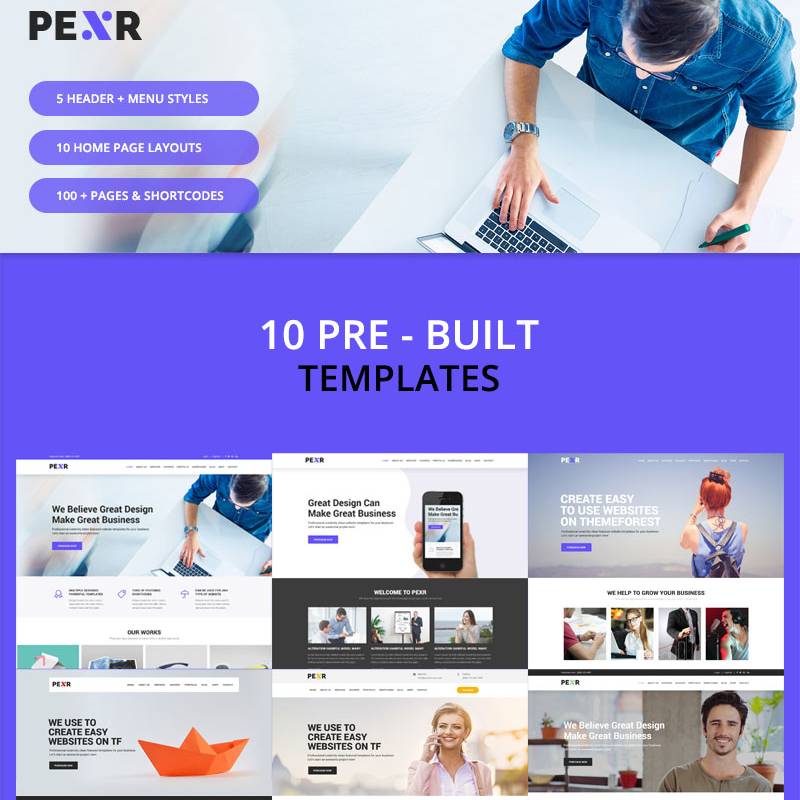
This product is a powerful multipurpose theme which will work great for any type of business. No need to worry about getting coding skills and knowledge – it is installed and customized with a few clicks. The theme is mobile-friendly which means the ability to adequately view the site on all devices from which users browse it. Also, it is packed with 10 header top styles, 10+ footer styles, awesome King Composer page builder, and unlimited design customization options. 100% responsive design and cross-browser compatibility will ensure a pleasant and comfortable user experience. Do not hesitate to check a few other benefits:
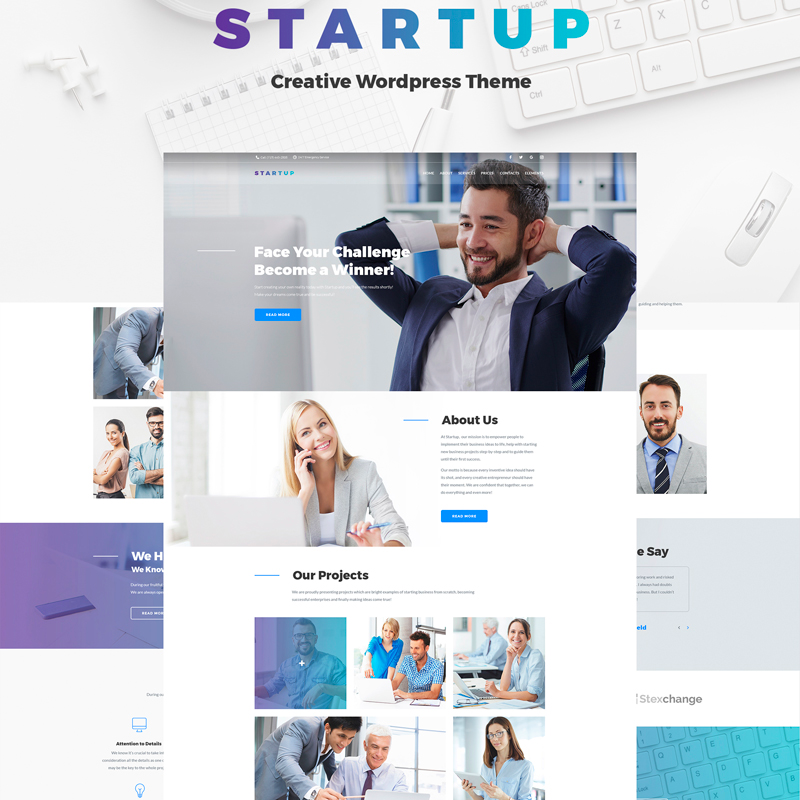
If you are up to create a professional website for your project, pay attention to Startup company WordPress theme. It is a fresh and relevant solution for any startup and existing company. The theme features a great choice of eye-catching pages, Drag-n-Drop functionality, Jet plugin collection, and much more. No doubt, the theme will work at the maximum of its abilities, effectively solving tasks of your website. Do not worry if you have no experience in building websites, the most caring support team will be ready to answer your questions 24/7. Here are a few more features of the theme:
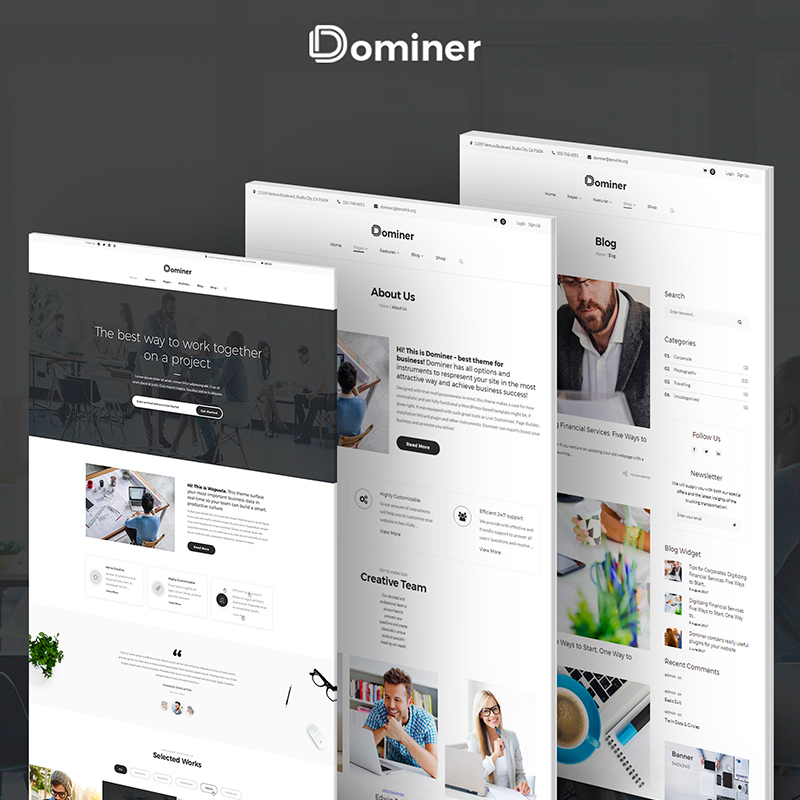
Dominer is your choice if you are looking for an outstanding solution for your online business. Marketing companies take care of their own web resources first before promoting their business further. And this makes sense! This WordPress theme will be your good assistant to build the online presence of a highly professional company. The theme is extremely easy to install and customize with no coding skills required. As extra bonuses, you will get a great number of astonishing free images, visual composer builder, and booked appointment plugin to enrich the functionality of your web resource. Take a look at other advantages of the theme:
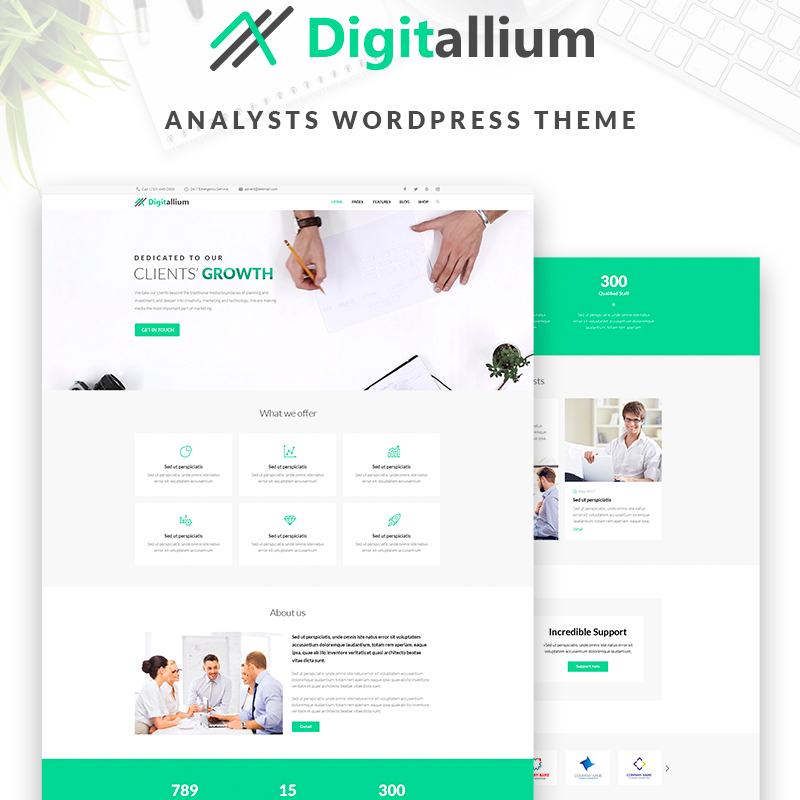
Digitalium is an excellent web solution to spread information about your services to thousands of people and promote your own brand. It is 100% responsive and user-friendly, modern and highly functional. Elegant ready-made pages, one-click installation, outstanding plugins, and bonus images are among the features which are included in the package. Moreover, the theme is WPML compatible, so it has never been easier to promote your website all over the world. Colors, fonts, backgrounds, and other design elements are easily customizable to meet your expectations and business needs. Take a few moments to check other features:
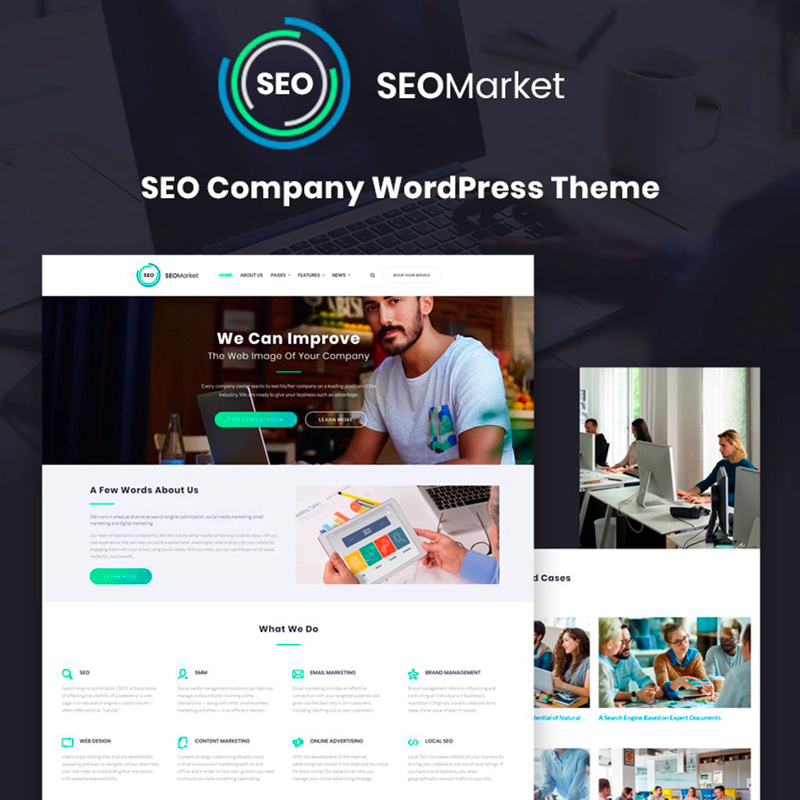
SEOMarket is one of the bestselling SEO website WordPress themes. As a successful business owner, you should understand that any digital advancement starts with a website. Today, you do not have to spend a fortune and acquire specific coding skills to build a professional web resource. SEOMarket is your perfect choice to promote your marketing services on the web. It is a flexible theme that easily adapts to any browser and device formats. The package comes along with the latest widgets and includes unlimited Google fonts to create gorgeous text messages, unlimited color variations, and backgrounds that are easy to change. A clean and valid HTML code runs smoothly and fast. A few more features are mentioned below:
One-click installation
SEO-friendly design
Cherry search
Outstanding plugins
WordPress Live Customizer
Retina ready
Cross-browser compatible
Bonus images
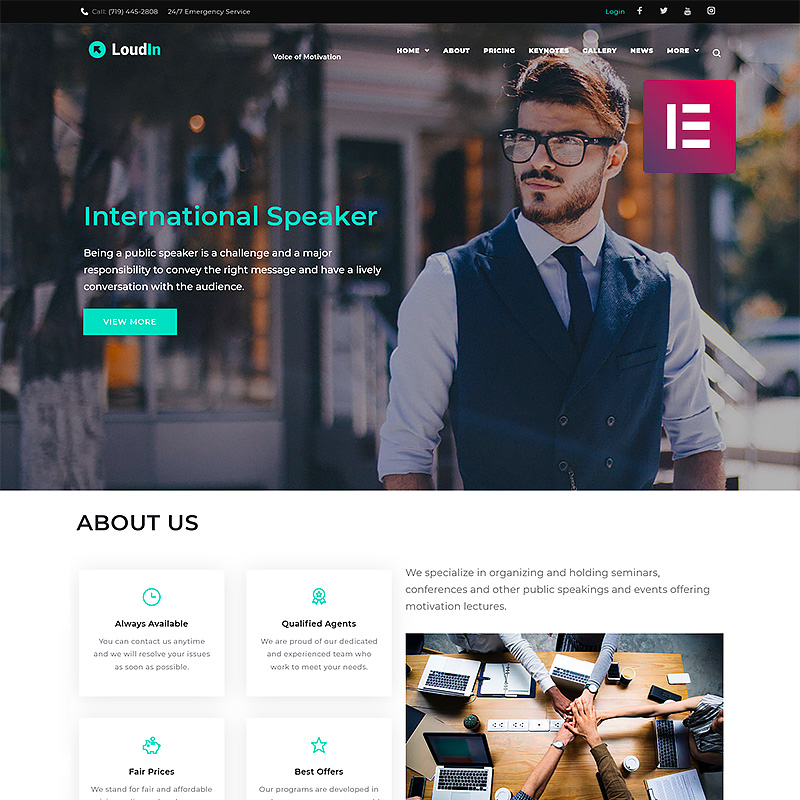
Loudin – Public Speaking Elementor WordPress Theme
Loudin is crafted with care for any business related to public speaking, life coaching, social and media projects. The majority of companies that do not have a website say it is because their industry is not online. At an affordable price, you can build a fully-fledged website with the help of Loudin. Besides a brilliant design that is ready for a business and startup site, the theme includes tons of customization features to create an exclusive website. Enrich your website with social media, JetElements plugin, fully responsive design, and many more other features to be competitive on the market. Pay attention to some more features below:
Elementor page builder
MegaMenu
Cherry plugin layouts
Retina ready
4 blog layouts
Google fonts integrated
Valid and clean HTML code
24/7 support
Conclusion
When it comes to building a website for a digital marketing company, you should focus on demonstrating your best work as you want to prove your digital knowledge to your potential customers. The website you design needs to be attractive, informative, and easy to navigate. Do not hesitate to choose the best WordPress theme from the collection presented above and express yourself on the web. After all, it is one of the most effective tools to advertise your business and increase your client base. Just a few clicks of the mouse will turn your website into attractive, functional, and user-friendly web resource. Go for it!
Are you up to powering a website? Welcome here! Some say that a website template takes 80% percent of website creation load off your shoulders. No doubt, the exact percentage depends on your specific needs and on the quality of the template. However, if you make the right choice, you get yourself out of spending a lot of time on powering a professional web presence.
The question is how you find the right theme for your website. And we’re about to provide you a comprehensive guidance in this regard. Read on and you’ll learn all the factors to keep in mind and all the steps to take to find your WordPress website designfor years to come.
Free or Premium?
The first thing to decide on is the question: ‘To pay or not to pay?’ Free and premium templates are different in terms of quality, functionality and user experience they provide. In some cases, it makes sense to go for a free template. In others, you’ll never get any close to your goals with a free theme. So, let’s see, what you get with a free or with a premium template.
What to Expect If You Go For a Free WordPress Template:
Basic design;
standard WordPress customization options;
no additional frameworks;
no visual builder;
as a rule, you get limited documentation and no live support;
quality of the free themes differs largely. Some are as high-quality as the premium ones, others are coded poorly;
the template might be discontinued any time. This means that the developer stops updating the template, and you may run into security issues with an obsolete theme.
have no goals of monetizing your website in the future;
don’t plan to modify the theme’s design beyond changing some basic fonts, colors and styling;
are more into running a personal blog and simply posting your content within a clean interface;
and, of course, you’re not ready to invest into your web presence for some reason.
You Need A Premium Theme If you:
want to monetize your website;
want to build a web presence for a company, startup or any other business;
care about organic traffic and want to score higher on SERPs;
need professional integration of your website with social networks;
want to be sure that your template has no security breaches;
understand that having high-quality support on board can be a true time and money saver;
don’t want to spend extra on plugins and widgets;
And of course, you’re ready to pay around $50 – $100 for a theme as you’ll earn way more with your professional web presence.
Choose Template Provider With Good Reputation
To get a template of high quality that is built with valid, well-structured code, you need to search for it on the websites of leading template providers on the market. By doing so, you can be sure that you’ll get the template void of security vulnerabilities, glitches and bugs. Moreover, well-established template providers are prone to deliver templates that reflect on modern web design trends and bring you the richest functionality.
Below, we list top WordPress theme providers that offer some of the most robust and polished themes on the market:
WordPress.org
TemplateMonster
ThemeForest
MotoCMS
Mojo Themes
ElegantThemes
StudioPress
Looking for a perfect theme for you, drop by a number of these marketplaces and use product filtering to see best templates in any given niche.
Points to Consider Choosing a WordPress Template
Now you know where you can look for your perfect WordPress blog themes. So, it’s time to educate you on what modern features you can expect to find in your template. You’re more likely to find the features listed below in premium templates.
Go For Responsive Templates Only
Forget about fixed-width or adaptive templates. As you need to accommodate for the needs of site guests, who visit your website from all the range of devices with different screen resolutions, go for responsive designs only, as they adapt to the full range of different screen sizes that are out there.
Modern responsive templates are built with the help of Bootstrap3 framework. Their blocks rearrange to fit every screen size from small phone screens to large desktop PC screens. I advise that you go for a template that is also Retina-ready. This will ensure great display of finest image details on screens with high pixel density.
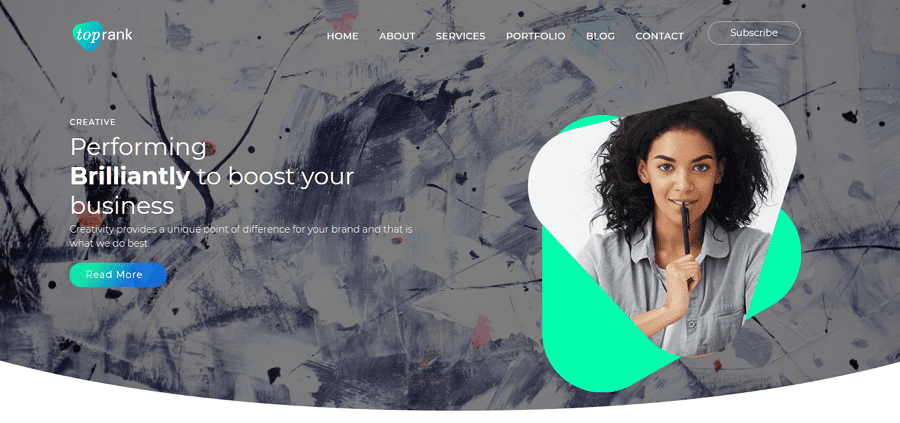
Let’s see an example. TopRank is one of the most recent responsive WordPress business themes. The design it has is just exciting.
The template claims to be 100% responsive. We suggest that you don’t take such claims for granted. Although the TopRank theme is actually fully responsive, other themes may not be equally faultless.
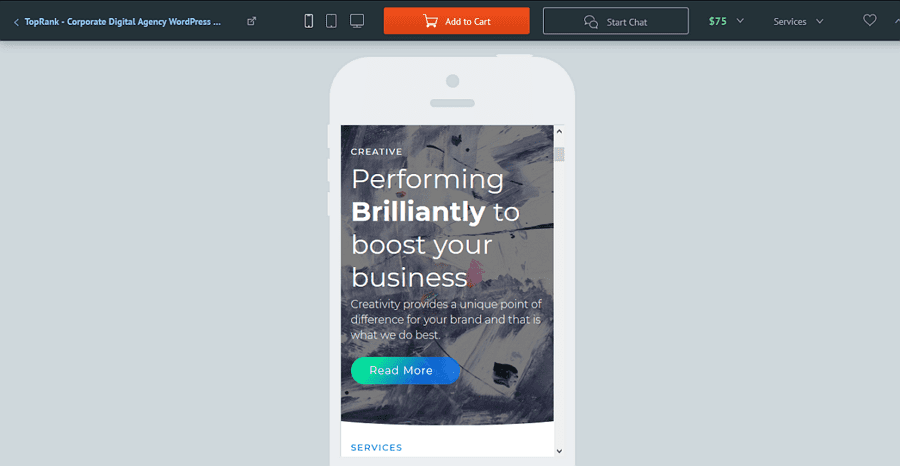
To check the responsiveness of the template you’re about to choose, open its Live Demo. There, you’re likely to find buttons to switch among different screens. Test the theme demo in different screen resolutions. We also recommend that you run this test in different browsers. It’s often the case that a poorly-coded template misperforms in a certain browser only. This is us testing the TopRank template using a smartphone emulator:
Choose a Niche-specific Template
Your website design and content should go hand in hand. Always remember that you’re not looking for a beautiful template, you’re looking for a template that will make your website content presentation more efficient.
At present, that’s not a great deal of trouble to find a template for the branch of industry that you’re working it. Be it fashion, photography, car repair, sports, education, consulting or food industry, you’ll be able to find a number of options that take different approaches to most appealingly present what you do.
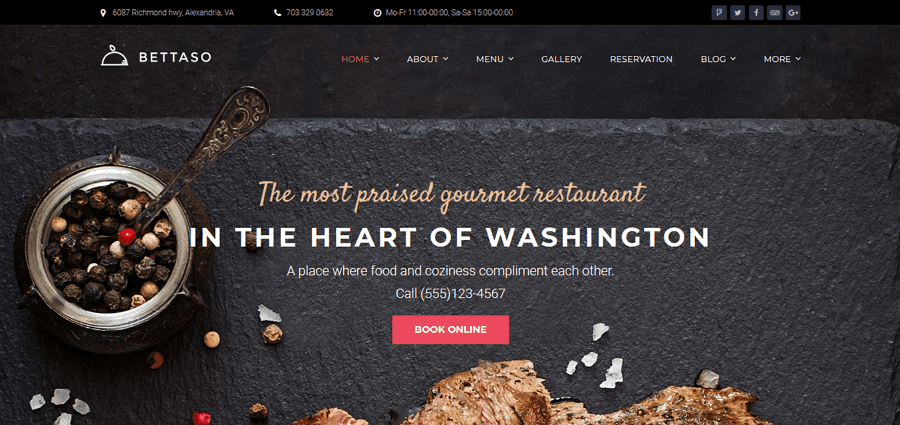
Niche-specific templates are good in the way that they account for psychology and convenience of your target audience. They adhere to the aesthetics of the websites in the given niche and deliver you the UIs that are the most effective for conquering your audience. On top of this, it’s great when your theme includes some niche-related functionality. Let’s see an example:
Obviously, Betasso is a restaurant website template. For its reasonable price of $75, it brings you such niche-related functionality as the premium Table Booking and Restaurant menu plugins. These plugins make your website more convenient than the site of your competitors. At the same time, you don’t have to pay developers to get such advanced functionality implemented.
Go for a Template that Loads Quickly
Are eager to impress your site guests with rich visuals and animated content? We’ve got to remind you that convenience of your website guests should be your main concern. Look for a template that comes with Live Demo and check, how quickly this Live Demo loads. This should take less than 4 seconds.
It’s also great if your template comes with an animated pre-loader. Such pre-loaders occupy the attention of your website guests while your page loads. A pre-loader is a simple and at the same time wonderful solution to decrease bounce rate of your website.
The ease of template customization is not less important than its user-friendliness. We bet that your dream is to edit the template with simple drag-n-drop. For this, you need a visual editor. Actually, the editor that works best for the template is the one that comes with it.
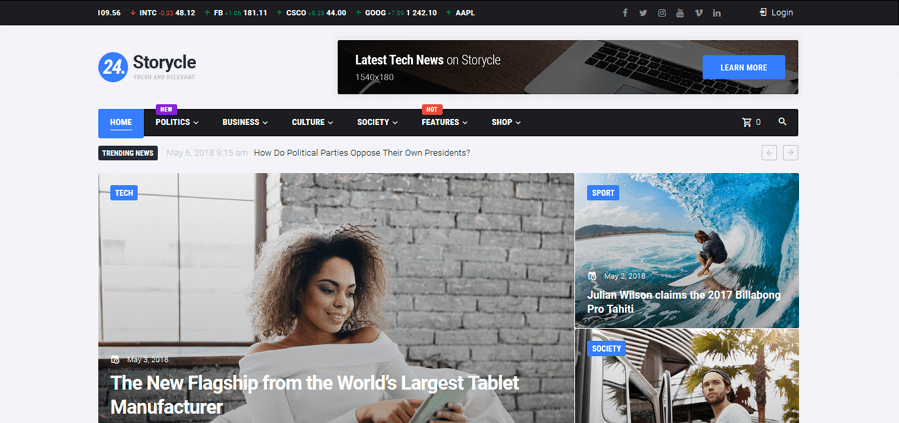
For example, it’s great if you get a template with pre-built Elementor Builder. With it, you can add content of different types (such as tabs, dividers, counters, progress bars, timelines, blurbs, diagrams, tables, etc.) and choose layouts from the layout library, as well as create your own ones. For example, 24.Storycle is the template that comes with this builder, as well as with a pack of additional content modules that you can use to quickly power different content blocks:
Your website’s position in search engine search results is a pretty important factor in your website’s popularity. WordPress engine is truly ‘loved’ by search engines, and you’re bound to beat the websites that run on other engines. To win over other WordPress websites you need advanced SEO options that let you rock the search results page.
Look for a template that is built in accordance with recommendations of major search engines, such as Google, Yahoo and Bing, and you’re bound to be pleased by the number of users that find your website using simple Internet search.
Hunt For Themes With Additional Plugins
Look for the template that comes with a number of plugins in its pack. With these plugins, you can save a lot of money and get more out of your website. Of course, you can always deactivate the plugin you don’t feel like using. But it’s always better to have the plugins and use the ones you like, then to pay for plugins on top of the template price.
Always pay attention, whether your template is compatible with popular WordPress plugins, such as BuddyPress, bbPress, Yeast SEO, etc. If you plan to turn your website into an e-store at some point in time, go for the theme that is either WooCommerce or Ecwid compatible. It’s better to think of such things in advance than have to look for another template once you decide to incorporate an e-store into your website.
Don’t Skimp on Social Media Integration
Opt for a template with strong social media options. You’ll definitely need social buttons in the site’s header and footer. What’s more, you’ll need social sharing buttons to get your posts viral.
It’s great is your template incorporates these buttons. It’s even greater if it has widgets to display your feeds from different social media networks. On top of this, you can go for social media banners with the template. See an example below:
Having a limited number of fonts can actually turn out to be a tragedy. Integrating custom fonts to your WordPress website is definitely not what you want to learn doing. So, you need a template with all the 600+ Google fonts integrated. On top of this, you can get some extra fonts from your template’s provider to easily incorporate them to your theme.
Secondly, you need a sound recoloring tool. A WYSIWYG editor usually copes with this task. But if you plan to work without it, make sure your template brings you a number of color palettes or sound color customization options.
Go for Templates with Support
Round the clock support is a vital option if you’re not a professional web designer. Choosing the theme, check out the support getaways offered. Prefer templates with live chat and phone support to the ones with ticket/forum support. This is the best way to ensure that you get the needed assistance in a timely manner.
Wrapping Up
Congrats! Now you know how to find the right template for your website. You need to look for a template from a well-established template provider; your theme should be responsive, quick-loading, SEO-friendly and simple to edit. All these qualities are often offered by modern WordPress themes, so you’ll always have what to choose from.