Joomla CSS changes are not showing when the browser never loads the file you edited, or it still loads an old copy. On Joomla 4.1, 5, and 6 the live sheet is media/templates/site/{template}/css/user.css on the active template. A child does not load the parent’s user.css. The Joomla 4.0 path templates/cassiopeia/css/user.css is ignored. Cache, Page Cache, and a CDN can keep the previous sheet after the path is already right.
This is the operator checklist. It is not a design tutorial. Put the file on the template style the public page actually uses, prove the Network tab requests it, then purge every layer in front of PHP. Safe placement (child, not core) is covered in Customize Joomla without editing core. Click-by-click child setup is How to set up a Joomla child template.
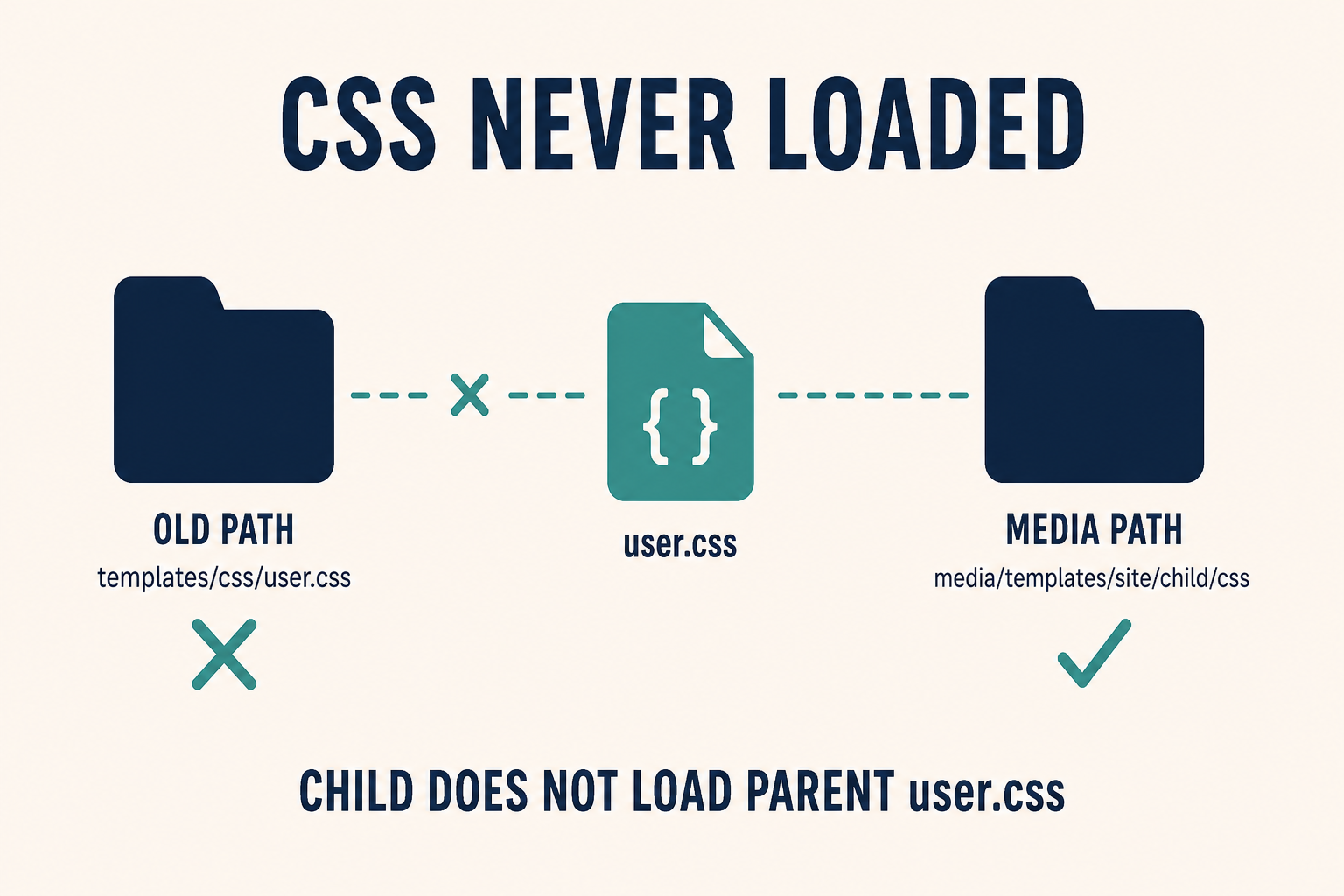
The old Joomla 4.0 folder is a dead end. The child media folder is the live sheet. The child does not inherit the parent’s user.css.
What you will learn
- Where Cassiopeia actually loads
user.csson Joomla 4.1, 5, and 6 - Why a child looks stock after you already styled the parent
- How to create the file in Template Manager (filename
user, no suffix) - How to prove the sheet is requested (or 404) in the browser Network tab
- Which cache layers still serve yesterday’s CSS after a good save
- When the file loads and the page still looks unchanged (selector weight)
Official references: Cassiopeia Template Customisation, Child Templates (User Manual), Cache.
| What you see | Likely cause | Wrong rabbit hole |
|---|---|---|
| No change anywhere | File is on the parent, the old 4.0 path, or a template style that is not assigned | Editing template.min.css |
| Change on Home, not on a landing page | That menu item uses a different template style | “Joomla CSS is broken” |
| Child site looks stock | You styled Cassiopeia. The child does not load parent user.css |
Recreating the child |
Network 404 on user.css |
File is missing in that template’s media/…/css/ folder, or you named it user.css.css |
Clearing cache only |
| Network 200, still old colours | Joomla cache, Page Cache, browser disk cache, or CDN | Rewriting selectors |
| File 200, still no visual change | Selector does not match, or a later sheet / inline style wins | Reinstalling Cassiopeia |
Step 1: Confirm which template style the page uses
CSS lives on a template, not on “the site.”
- Open the public URL that should show the change. Note the exact page, not a random inner article.
- System → Site Template Styles. Note the default (star).
- Open the menu item for that URL. Template Style may override the default.
If Home uses cassiopeia_brand and the page you tested uses stock Cassiopeia, you can edit the child all day and the landing page will stay stock. Assigning styles is not the same as creating a child. Creating a child does not switch the frontend until a style is assigned.
Club templates (Helix, T4, Gantry, YOOtheme) often have their own “custom CSS” fields. Those are not Cassiopeia user.css. If the site is not Cassiopeia, use that template’s documented custom-CSS slot, still on a child if the vendor supports one. Do not paste into compiled Bootstrap in media/.
Step 2: Put user.css on the media path of that template
On Joomla 4.1 and later (5 and 6 included), Cassiopeia loads:
media/templates/site/{template}/css/user.css
Examples:
- Parent Cassiopeia:
media/templates/site/cassiopeia/css/user.css - Child named
cassiopeia_brand:media/templates/site/cassiopeia_brand/css/user.css
The Template Manager css folder is that media folder. It is not templates/cassiopeia/css/ on current Joomla.
The Joomla 4.0-only path templates/cassiopeia/css/user.css was moved into media/ when child templates landed. A file that still sits there will not run. Copy the rules into the media path, then delete or ignore the old copy so you do not edit the ghost next month.
In Template Manager:
- System → Templates → Site Templates.
- Open the active template (the child if you use one).
- New File. Select the css folder.
- Filename:
userwith no suffix in the name field. File type: .css. - Create, paste rules, Save.
If you type user.css in the name field and also pick .css, you often get user.css.css. The template looks for user.css. The extra suffix 404s. Name the file user only.
Cassiopeia registers user.css with a high asset weight so it loads after the template sheet. Keep !important rare. If a rule still loses, the file is loading and the selector is the problem (Step 7), not the path.
Do not edit template.min.css, vendor/bootstrap, or files under media/templates/site/cassiopeia/ on the parent if you already assigned a child. Parent updates replace those files. The child media folder is the overlay. Setup: Joomla child template.
Step 3: Copy parent rules into the child (they do not inherit)
A child does not load the parent’s user.css.
That is the usual “I created a child and the site went stock” report. You already had rules in Cassiopeia. You created cassiopeia_brand, assigned it, and left the CSS on the parent. The child starts with an empty css folder. Cassiopeia’s file is still on disk. The public style does not read it.
Fix:
- Open the parent
user.css(if it exists). - Copy the rules into
media/templates/site/{child}/css/user.css. - Save. Leave the parent stock going forward so the next Cassiopeia update cannot wipe the live sheet.
Two user.css files on purpose (parent plus child) is not a cascade. Only the assigned template’s file loads. If some menu items still use the parent style, those pages will keep the parent sheet. That can look like “CSS works on Home only.” It is two styles, two files.
Joomla 6 Cassiopeia Extended is already a child. Put user.css on Extended (or on your child of Cassiopeia), not on the parent. Colour and font params on the style write CSS variables such as --headerbg. You can reuse those variables inside user.css. You still need the child’s file for rules the params cannot do.
Step 4: Prove the browser requests user.css
Guessing from “I saved” wastes time. Use the Network tab.
- Open the public page. Hard refresh once so you are not looking at a frozen inspector session.
- DevTools → Network → filter CSS.
- Reload.
You want a request whose URL contains user.css under /media/templates/site/{the-active-template}/css/.
Read the status:
- 404: the file is not in that folder, or the name is wrong (
user.css.css,custom.css,user.min.css). Create it again with filenameuser. - 200, tiny file, your rules missing: you are viewing a different template’s sheet, or you edited FTP on the parent while the site uses the child.
- 200, body has your rules, page still old: cache or CDN (Step 5), or selector weight (Step 7).
- No
user.cssrequest at all: the active template is not Cassiopeia (club template custom-CSS field), or the template’s asset map never registeredtemplate.user. Club docs win. Do not invent a Cassiopeia path on Helix.
View Source and search user.css. If the <link> href points at /media/templates/site/cassiopeia/css/user.css while you edited cassiopeia_brand, the assigned style is still the parent.
Step 5: Purge Joomla cache, Page Cache, browser, and CDN
A correct user.css can still look unchanged because something in front of the file is serving bytes from earlier.
Order:
- System → Maintenance → Clear Cache → Delete All. If Cache Handler is Redis or Memcached, emptying
cache/in FTP does nothing. Handler and permissions: Joomla cache not clearing. - If System – Page Cache is enabled, guests get a full HTML snapshot that still points at a hashed or cached CSS URL. Clear cache again, then test logged out. Guest vs login layers: Joomla cache showing old content.
- Hard refresh the browser (or a private window). “Use Browser Caching” on the Page Cache plugin will not be fixed by Joomla Clear Cache.
- Purge the CDN (Cloudflare, host “Optimize,” a LiteSpeed cache plugin). Origin can already show the new sheet while the orange-cloud hostname does not.
Conservative Joomla cache does not usually compile user.css into one blob, but page-level HTML can keep an old <link> with a stale query string. Progressive cache can keep an old module wrapper class you were targeting. Clear, then retest as a guest.
If you use a CSS extension or a page builder “compile” button, that is a fifth store. Joomla Clear Cache does not empty a builder’s CSS cache. Purge that UI too.
Step 6: Confirm you did not hide the change with CSS
If Network shows 200 and the response body contains your property, Joomla loaded the file. The cascade lost.
Check:
- The class or id you targeted exists on this template. Cassiopeia class names are not Protostar.
.container-headeris not.header. Inspect the live node. - A later rule wins: template params (Joomla 6 colour settings), a custom module with inline style, or a page-builder CSS file loaded after
user.css. - You set
display: noneon a parent while testing and forgot. The “change” is that the block is gone, not that colour failed. - You edited a print or RTL sheet. Cassiopeia has direction-specific presets. Test the same language and direction as the public page.
Specificity beats “I used user.css.” Raise the selector to match the live markup. Do not edit core Bootstrap to “make it stick.”
Need a layout change rather than a colour? That is an html/ override, not more CSS. Decision tree: customize without editing core. Visual work you do not want to own: Joomla design services.
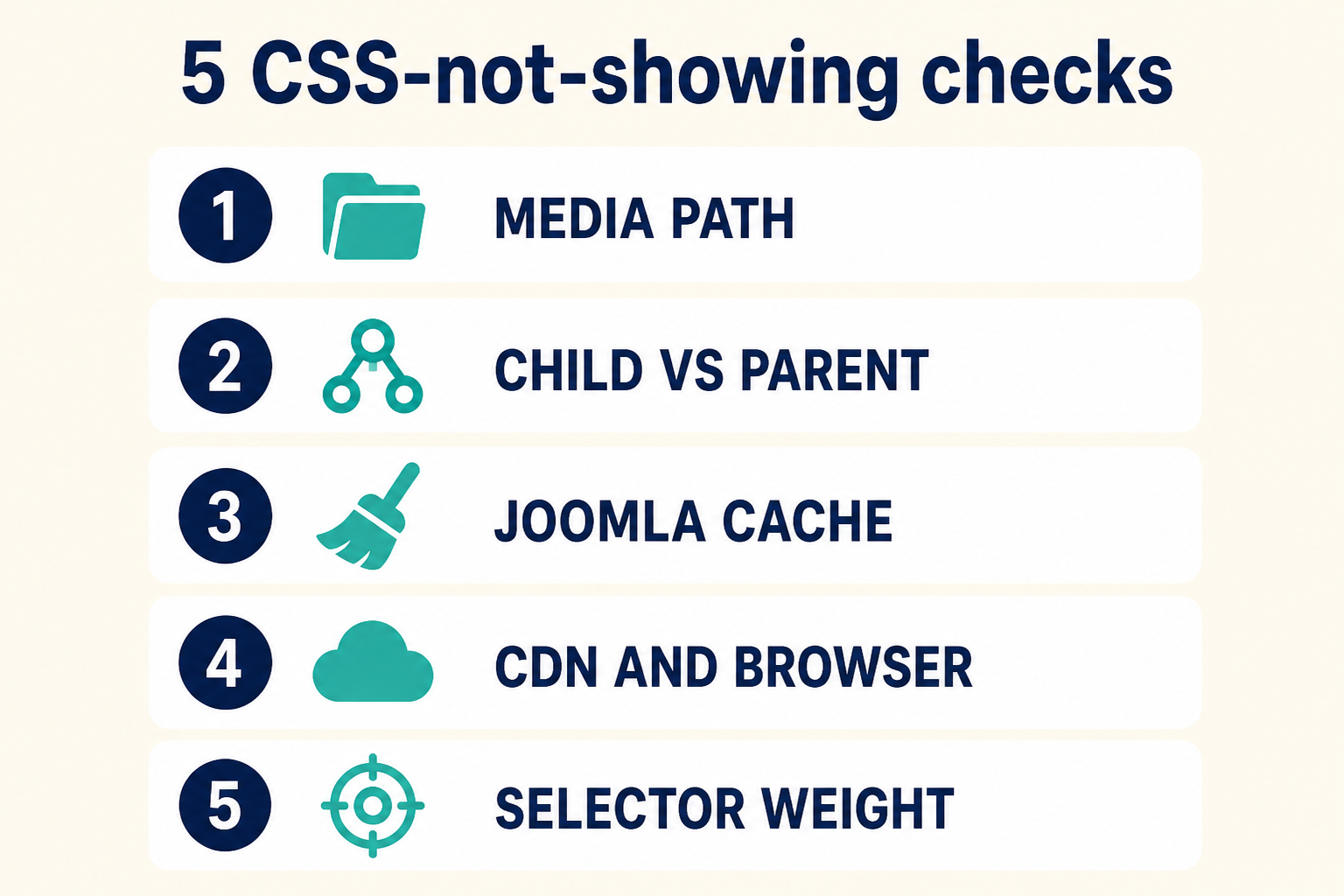
Path first. Then child vs parent. Then cache. Then CDN and the browser. Then selector weight. Do not skip to !important.
Key takeaways
- On Joomla 4.1, 5, and 6, Cassiopeia
user.cssismedia/templates/site/{template}/css/user.csson the active template. - A child does not load the parent’s
user.css. Copy the rules into the child’s media folder when you switch styles. - The Joomla 4.0 path
templates/cassiopeia/css/user.cssis a dead file. The Template Manager css folder is media. - New File: name
userwith no suffix, type.css.user.css.css404s. - Prove the Network tab requests the sheet under the assigned template name. 404 is a path problem. 200 with old colours is cache or CDN.
- Clear Joomla cache, watch Page Cache for guests, hard-refresh the browser, purge the CDN.
- If the file body already has your CSS, fix the selector. Do not reinstall the template.
- Keep the file on a child template so the next Cassiopeia update cannot wipe the live sheet.
Frequently asked questions
Why are my Joomla CSS changes not showing?
The public page is not loading the user.css you edited. The file is on the parent, on the old templates/…/css/ path, or on a template style that is not assigned. Or cache and CDN still serve the previous sheet. Confirm the Network URL, then purge.
Where is Cassiopeia user.css on Joomla 5 and 6?
media/templates/site/{template}/css/user.css. For a child, replace {template} with the child element name such as cassiopeia_brand. Official overview: Cassiopeia Template Customisation.
Does a Joomla child template inherit the parent user.css?
No. Cassiopeia loads user.css only from the template that is assigned. Copy parent rules into the child file when you create the child. User manual: Child Templates.
Why did the Template Manager create user.css.css?
The name field already had user.css and the type was .css. Joomla concatenated them. Create the file again as user plus type .css.
I cleared cache and the old CSS is still there. What next?
Clear Cache only empties Joomla’s handler. Guests may still hit System – Page Cache, the browser disk cache, or Cloudflare. Test a private window against origin, then purge the CDN. See cache not clearing if Delete All does nothing.
Can I edit template.min.css instead of user.css?
No. Updates replace compiled template CSS. user.css on the active (child) template is the supported overlay. Same rule as other custom files: customize without editing core.
My CSS file loads but a module still looks stock. Is that CSS?
Maybe. Confirm the module actually rendered. Unpublished, Access, and dates are a different diagnosis: Joomla module not showing. If the HTML is present and unstyled, you are still on this article.
Conclusion
When Joomla CSS changes are not showing, believe the Network tab before you believe the Template Manager save message. The live sheet is user.css under media/templates/site/ for the assigned template. Children do not borrow the parent file. The old templates/cassiopeia/css/ location is Joomla 4.0 history. After the path is right, purge Joomla cache, Page Cache, the browser, and the CDN. If the response already contains your rules, inspect the node and fix the selector. If the change you wanted was behaviour, not colour, that is user.js: Add custom JavaScript to Joomla and Joomla JavaScript not working.
If the site is a mix of club CSS fields, a CDN, and a half-assigned child, Joomla support and maintenance is faster than guessing folders on production.