When a Joomla site suddenly stops working, treat it as a last-change problem, not a mystery. A white screen, an HTTP 500, or a red system error page almost always follows a PHP version bump, a bad .htaccess rule, an extension install, or a failed update. Turn error reporting on, read the stack (or error.php), and undo that change on a backup. This is for a site that is down. If the site loads but crawls, use the slow-site diagnosis instead.
A page that used to render and now returns nothing is PHP dying before Joomla can print HTML. A 500 is the same class of failure with the web server covering the message. Joomla can also show its own error page when the CMS still boots: the system error page (red background) or the template error.php layout. Official recovery starts with Debug System and Error Reporting, then the stack. See the Joomla User Manual: Fatal errors and the Joomla 4 docs mirror J4.x:FatalError.
Do this on a backup, and test destructive checks (rename .htaccess, disable plugins in the database) on staging first when you have a copy. Production is not the place to discover that mod_rewrite was the only thing keeping URLs alive.
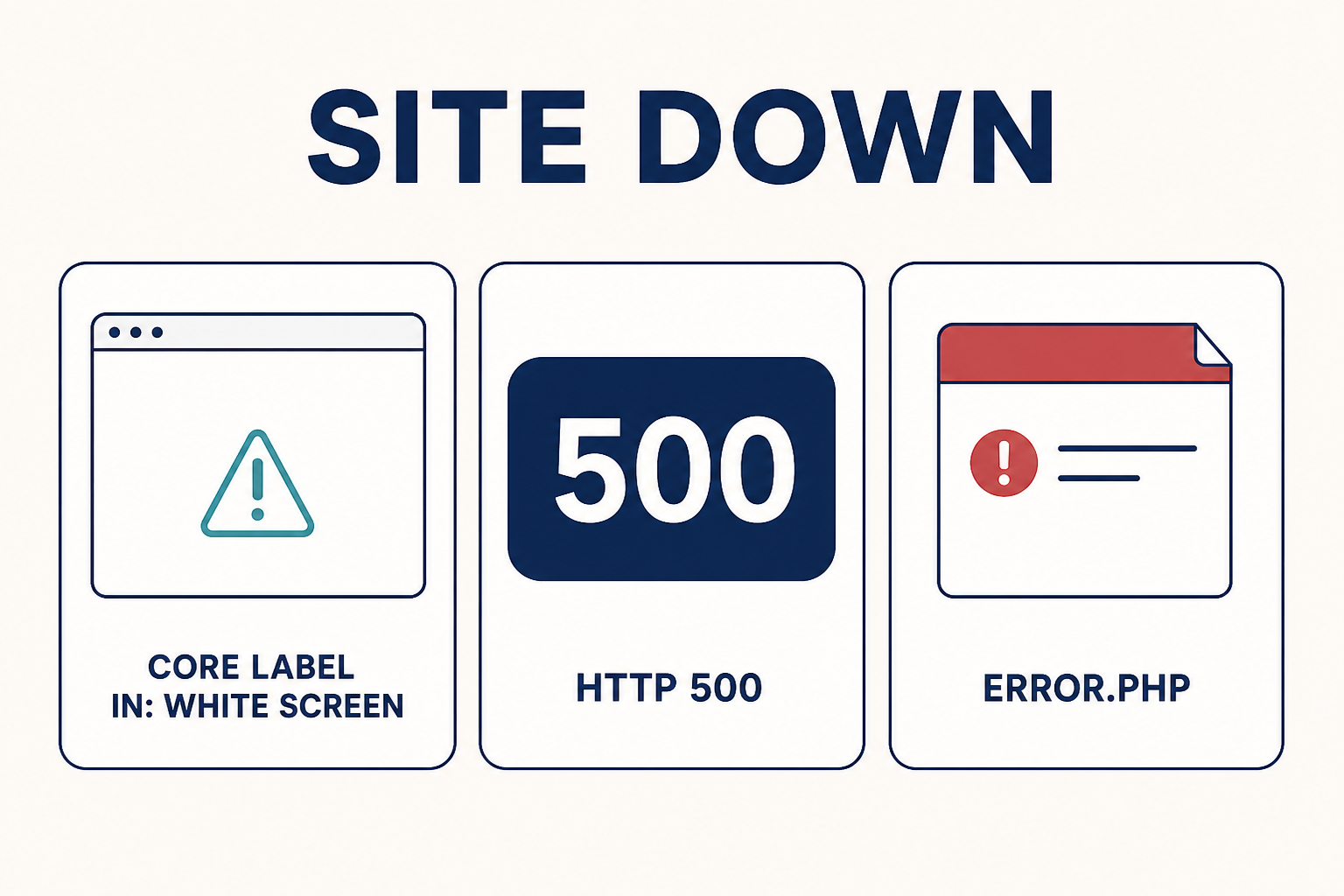
White screen means PHP failed with display_errors off. 500 is the server wrapping that failure. error.php means Joomla still booted far enough to render an error layout.
What you will learn
- How to tell a white screen from a 500 from a Joomla
error.phppage - Why the last change (PHP,
.htaccess, extension, update) is the first clue - How to turn on Debug System when the administrator is dead
- Which PHP versions Joomla 4, 5, and 6 actually require
- How to test
.htaccesswithout burning production - How to disable a bad extension from
#__extensionsif admin will not load - What to revert after the site is up
White screen, 500, and error.php
| What you see | What it usually means | First move |
|---|---|---|
| Blank white (or empty) page | PHP fatal with display_errors off. Joomla never printed output. |
PHP error log, then Debug System in configuration.php |
| HTTP 500 from Apache or nginx | Same class of failure. The server hid the PHP message. | Same, plus the vhost / host error log |
| Red system error page | Serious error before the site or admin template rendered | Read the message. Enable debug if it is incomplete |
| Template-styled error page | Error in content code. Joomla used templates/{name}/error.php or templates/system/error.php |
Read the message and stack. Do not “fix” the crash by rewriting error.php |
Joomla’s error.php is an error layout, not a debugger. Core documents it as independent of the CMS plugin chain: no <jdoc:include />, no modules. Override path: copy templates/system/error.php into the active template. Docs: Custom error pages. If a custom error.php was edited badly, it can make a recoverable error look like a total outage. Compare it to the stock file from the same Joomla package before you chase plugins.
If the public site is down but /administrator/ still loads, you still have Global Configuration. If both are down, you edit configuration.php over SFTP or the host file manager.
Step 1: Take a backup and name the last change
Before you rename files or toggle plugins, snapshot files and the database. Host backup, Akeeba, or both. Write one sentence: “The host moved us to PHP 8.3 last night,” or “We installed extension X,” or “We turned on URL rewriting,” or “We ran a Joomla update.”
Typical last changes that take a site down:
- Host PHP upgrade or a MultiPHP selector change
- Joomla or extension update
- New plugin, module, or template
.htaccessedit (security generator, RewriteBase, custom deny rules)- Disk full, inode limit, or a restored backup that missed
configuration.php
If you cannot name a change, check the host’s PHP version history and the Joomla #__extensions enabled / install dates anyway. Hosts often bump PHP without telling you. That is still a last change.
If the site is on an old Joomla 3 stack that a host just moved to PHP 8, the fix is not a one-line patch in core. Plan a proper Joomla upgrade.
Step 2: Confirm PHP matches this Joomla version
Joomla will fatal on a PHP that is too old or on a jump your extensions never saw. Minimums below are from the Joomla project’s technical requirements (Joomla 4.x, 5.x, and 6.x tables). Recommended versions are what the project tests against.
| Joomla | PHP minimum | PHP recommended (project tables) | Source |
|---|---|---|---|
| 4.x | 7.2.5 | 8.2 | Hosting setup |
| 5.x | 8.1.0 | 8.3 | Joomla 5.4 technical requirements |
| 6.x | 8.3.0 | 8.4 | Joomla 6 technical requirements |
Required PHP modules listed there include json, simplexml, dom, zlib, gd, and mysqlnd or pdo_mysql (or pdo_pgsql). Recommended memory limit is at least 256MB.
If administrator still loads: System → Information → System Information (and the PHP Information tab). If it does not: phpinfo in a throwaway file on staging, or the host’s MultiPHP / Select PHP Version screen. Then compare to the table. A Joomla 5 site on PHP 7.4 will not boot. A Joomla 4 site whose third-party plugin is not PHP 8.3-ready will white-screen after a host bump even when core is fine.
Do not “fix” a PHP mismatch by editing core files. Switch PHP on the host (or staging) to a version that matches both Joomla and the installed extensions. Then update or replace the extension.
Step 3: Turn on Debug System and Maximum error reporting
If administrator works: System → Global Configuration. System tab: Debug System = Yes. Server tab: Error Reporting = Maximum. Save. Reload the broken URL. You want a stack trace, not a prettier blank page.
If administrator is dead, edit configuration.php in the site root. Official steps:
- If the file is 444 / read-only, set it to 644 so you can write.
- Set
$debugtotrueand$error_reportingto'maximum'. - Save. Reload the broken URL.
That wording is from the Fatal errors manual. After you save Global Configuration later, Joomla sets configuration.php back to read-only. That is intended.
Read the first frame that is not core bootstrap. A path under plugins/, modules/, components/com_something (not com_content / com_users unless you overrode them), or a template html/ override is the usual culprit. The official advice if you can name the extension: disable it. If admin is down, in phpMyAdmin (or equivalent) open #__extensions, find that row, set enabled to 0. Do not disable core Joomla extensions as a fishing trip.
Also read the PHP error log the host provides. A fatal that happens before Joomla loads configuration.php never appears in the Joomla debug console.
When you are done, set Debug System back to No and Error Reporting back to System Default. Leaving Maximum on a public site leaks paths.
Step 4: Test .htaccess on staging, not by deleting production
Apache 500s after “Use URL Rewriting” or after a security .htaccess generator are common. Joomla ships htaccess.txt. Enabling rewriting is: rename htaccess.txt to .htaccess, then Global Configuration → Site → Use URL Rewriting. Official walkthrough: SEF URLs on Apache. If mod_rewrite is missing, turning rewriting on is a 500. If RewriteBase is wrong for a subdirectory install, same class of failure.
Do not delete .htaccess on the live site to “see what happens.” Copy the site to staging, or at minimum copy .htaccess to .htaccess.bak and keep that backup off to the side.
On staging:
- Confirm you have the backup copy.
- Rename
.htaccessto.htaccess.bak(Apache then ignores it). - Reload. If the site returns (often with
/index.php/in URLs), the rules were the problem. - Restore stock rules from the
htaccess.txtthat matches this Joomla version. Do not paste a Joomla 3 file onto Joomla 5. - If you use a subdirectory, set
RewriteBaseto that folder as the SEF docs describe. - Only then turn Use URL Rewriting back on and retest.
Extra Deny / Rewrite blocks from security tools belong in the “last change” list. Test those on staging too. A rule that forbids a PHP file you actually need is a 500, not a permissions mystery.
nginx does not use .htaccess. If the host is nginx, a rename test proves nothing about rewrite. Use the vhost config and the host error log instead.
Step 5: Read error.php, then disable the bad extension
If you get a template-styled error page, open the active template’s error.php only to read what it prints. Compare with templates/system/error.php. You are looking for the exception message and file path, not a design tweak.
Once the stack names an extension:
- Administrator working: disable the plugin/module/component there.
- Administrator dead:
#__extensions.enabled = 0for that row. - Override involved: a layout in
templates/{template}/html/can fatal after a Joomla update if the parent view changed. Rename the override folder on staging (do not delete until you know). Safe customisation belongs in a child template, not in core. See customize Joomla without editing core.
The User Manual also points at the Forum Post Assistant (FPA), a standalone PHP script the Joomla Forum uses. Install it only while debugging, in the site root, then remove it when you clean up. It is not a substitute for a backup.
Disk space, memory, and script timeouts are on the official cause list too. A full disk makes Joomla look “suddenly dead” after a cache or log spike. Check the host panel before you rewrite configuration.php a third time.
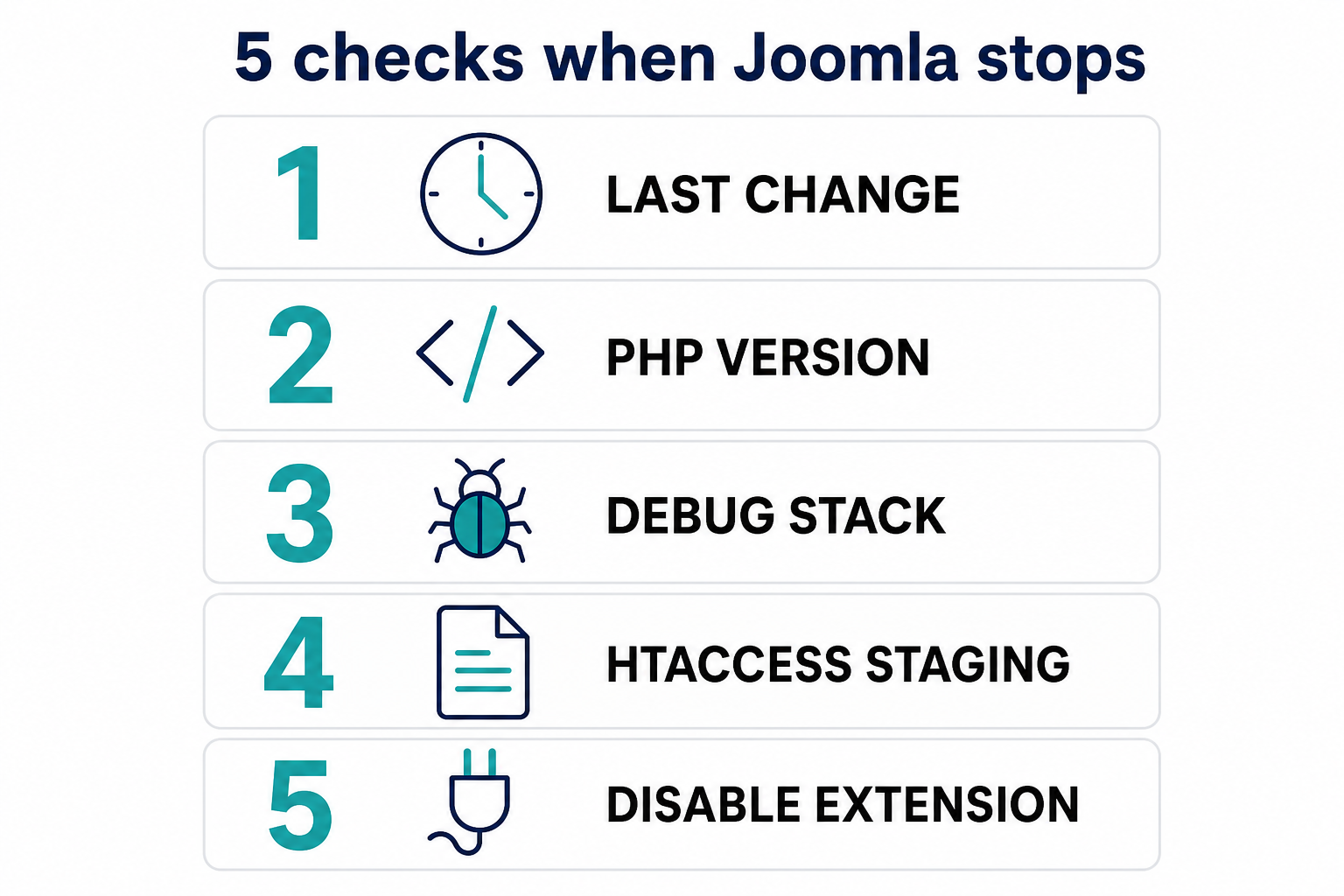
Order: last change, PHP version, debug/stack, .htaccess on staging, then disable the named extension.
What this article is not
This is not “why is Joomla slow.” A slow site still responds. Diagnose that in Why is my Joomla website slow and fix it with How to speed up a Joomla website. Admin-only slowness is Joomla admin dashboard is slow.
If you cannot get a stack and cannot afford more downtime, that is a restore-from-backup moment, then a staged replay of the last change. Joomla support and maintenance is the human version of that loop.
Key takeaways
- A white screen and a 500 are usually the same PHP fatal.
error.phpmeans Joomla still booted far enough to render an error layout. - Name the last change first: PHP version,
.htaccess, extension, or update. - Match PHP to the official table for Joomla 4, 5, or 6, and to your third-party extensions.
- Enable Debug System and Maximum error reporting in Global Configuration, or set
$debugand$error_reportinginconfiguration.phpwhen admin is down. - Test
.htaccessby renaming a copy on staging after a backup. Restore from this Joomla version’shtaccess.txt. - Disable the extension named in the stack. Use
#__extensionsif the administrator will not load. Do not disable core as a guess. - Turn debug off when you are done. Remove FPA. Put
configuration.phpback to how Global Configuration saves it (read-only).
Frequently asked questions
Why is my Joomla site a white screen of death?
PHP hit a fatal error and display_errors is off, so you get no HTML. Enable Debug System and Maximum error reporting, or set $debug to true and $error_reporting to 'maximum' in configuration.php, then reload and read the stack and the PHP log.
What does an HTTP 500 mean on Joomla?
The web server failed to complete the request. On Joomla that is commonly a PHP fatal, a .htaccess / rewrite problem, or a missing mod_rewrite after Use URL Rewriting was enabled. Check the server error log and the same debug steps as a white screen.
How do I enable Joomla debug if I cannot log in to administrator?
Edit configuration.php in the site root. Make it writable if it is 444, set $debug to true and $error_reporting to 'maximum', save, reload. That is the official path in the Fatal errors user manual.
Should I delete .htaccess to fix a 500?
No. Copy it to .htaccess.bak and test the rename on staging (or after a verified backup). If the site returns, replace rules from this version’s htaccess.txt and fix RewriteBase if Joomla lives in a subdirectory.
Where is Joomla error.php?
Stock file: templates/system/error.php. If the active template has its own error.php, Joomla uses that instead. It displays the error. It is not where you patch the bug. See Custom error pages.
Can a PHP version change take Joomla down overnight?
Yes. Hosts change MultiPHP without a Joomla update. Joomla 5 needs PHP 8.1 or newer. Joomla 6 needs PHP 8.3 or newer. An old plugin can still fatal on a newer PHP even when core is compatible.
Do I edit core PHP to get the site back?
No. Disable the extension, restore the backup, or roll PHP back to a compatible version. Core edits vanish on the next update or block the update. Use overrides and a child template for lasting changes.
Conclusion
A Joomla site that “just died” almost never died of boredom. It died of the last change. Backup, name that change, match PHP, turn the errors on, test .htaccess on staging, then disable what the stack names. When the page renders again, turn debug off and keep the backup until the next day behaves.
If you are still on a Joomla version the host will not run, schedule the upgrade on a clone, not as a panic edit on production.