A slow Joomla administrator is usually update-site HTTP pings, Debug System left on, a locking session handler, too many modules on the Home Dashboard, or a long chain of enabled administrator plugins. It is not the same problem as a slow public site. Atum (the default admin template) is rarely the root cause. The Home Dashboard and com_installer talk to the network. The public Page Cache plugin does not save you here, because it is for guest HTML on the site, not for /administrator/.
Joomla 4, 5, and 6 paint the control panel with administrator modules. Sample data, backup dashboards, and extension “cpanels” add more tiles. Each tile is work. Separately, the installer update finder (com_installer / Joomla Update) contacts update sites. Dead or slow vendor URLs sit there until PHP times out. That matches what people see as “Checking extensions…” hanging on the dashboard. Core discussed this class of delay when update checks moved to AJAX on the control panel (joomla-cms discussion of update checks): expired update cache means one HTTP call per update server.
Filesystem PHP sessions can also serialise admin clicks (exclusive lock on the session file until the request ends). That is PHP behaviour, and it shows up with multiple admin tabs. Joomla’s own tracker has pointed people at the Database session handler when Filesystem locking bites (session start / Filesystem). Test handler changes on staging after a backup.
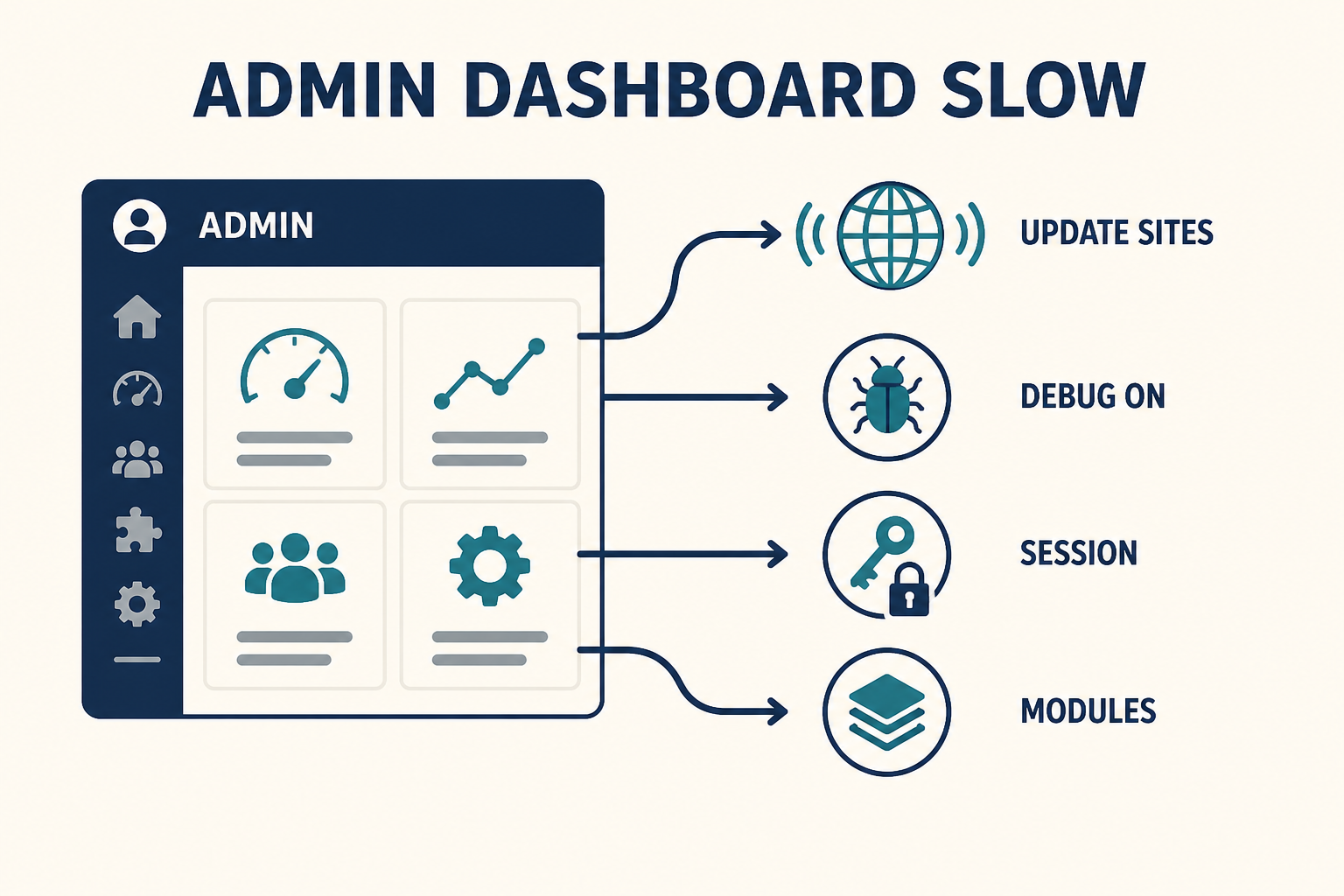
Public cache will not fix /administrator/. Look at update sites, Home Dashboard modules, Debug System, and the session handler.
What you will learn
- Why Atum is usually innocent
- How update sites and
com_installerstall the dashboard - That unpublished modules and disabled plugins do not run (and what still does)
- How Debug System makes every admin page heavier
- How to try Database vs Filesystem sessions without guessing on production
- How this differs from a slow Joomla front end
Admin slow vs site slow
| Where it hurts | Typical causes | Not the first lever |
|---|---|---|
| Home Dashboard / every admin view | Update site pings, dashboard modules, debug, session locks, admin plugins | System – Page Cache, Cloudflare HTML cache |
| Public articles only | Images, cache off, TTFB, site plugins | Uninstalling administrator modules |
| Both | Host CPU, PHP version, Debug System Yes, disk | “Install a new admin template first” |
If the public site is also slow, run the front-end diagnosis in parallel. Do not skip this article because you already turned on Conservative cache. That setting does not cache the administrator UI the way people hope.
Step 1: Confirm it is administrator, not the whole origin
Open a public URL logged out. If that is fast and /administrator/index.php is not, stay here. In the browser Network panel on the dashboard, watch:
- The document TTFB for
administrator/index.php - XHR/fetch calls to Joomla Update and installer update find (
option=com_joomlaupdate,option=com_installerwithtask=update.find) - Long-pending requests to third-party hosts (vendor update XML)
If those installer calls sit in pending for many seconds, you have an update-site problem until proven otherwise. If the document itself is slow with no update XHR, look at debug, sessions, and PHP.
Use staging for experiments. Take a backup before you disable update sites or switch session handlers.
Step 2: Audit update sites (com_installer), not the template
Atum is the core administrator template. A slow dashboard on stock Atum is almost never “pick a new admin theme.” Third-party admin templates can add JS, but start with installer traffic.
System → Install → Update Sites (Joomla 4+ System dashboard: Install → Update Sites). You will see one row per extension update server, plus Joomla core.
| What you find | What to do |
|---|---|
| URLs for extensions you uninstalled years ago | Remove or disable those update sites |
| A vendor domain that times out in the browser | Disable that site. Contact the vendor or replace the extension |
| Dozens of sites after a “template club” history | Disable unused ones. Core Joomla update site stays |
| Dashboard fast after they are disabled | You confirmed the ping tax |
Then System → Update → Extensions (or Installer Update) and use Check for Updates once. If that screen is slow but Content → Articles is fine, the diagnosis is still update HTTP, not “Joomla admin is generally broken.”
Installed extensions live under administrator/components/, plugins/, modules/, components/. A crowded extensions tree means more update sites if those extensions registered one. Uninstall what you do not use (backup first). Unpublishing a module does not remove its update site. Disabling a plugin stops it running. It may still have an update site until you clean Update Sites.
Do not disable the Joomla core update site to “make admin fast.” You need core security releases.
Step 3: Cut Home Dashboard modules (the administrator cpanel)
The Joomla 4+ Home Dashboard is a module chrome. Extra “cpanel” tiles from backup tools, documentation, and sample data all load on that view.
System → Manage → Administrator Modules (client: Administrator). Unpublish tiles you do not need on the Home Dashboard. Unpublished administrator modules do not render. That is the correct way to slim the cpanel.
Do not confuse this with Site modules. Unpublishing a site footer module will not speed /administrator/.
Sample data packs are a frequent source of extra admin modules. If you installed sample data on a real site, remove the sample dashboard modules you do not use.
Step 4: Turn off Debug System on production
System → Global Configuration → System: Debug System = No for live administrator work. Server tab: Error Reporting = System Default (not Maximum or Development) on production.
Debug System Yes was the right move for a white screen. Left on, it prints query lists and debug chrome on administrator pages. That is extra work every click. It is a common “we fixed the outage and now admin is awful” leftover.
Step 5: Test the session handler, then enabled plugins
System → Global Configuration → System, Session section: Session Handler. Common options you will actually see: PHP / Filesystem-style, Database, and Redis when the extension and server exist. Exact labels follow your Joomla version.
Filesystem (PHP files) can lock: one slow admin AJAX holds the session file, other tabs wait. Database is the documented alternative when that happens. Change this on staging first. Changing session handler logs people out (new store). Backup configuration.php and the database.
If sessions are fine and update sites are clean:
- List enabled plugins (System → Manage → Plugins). Sort by Status.
- Disabled plugins do not execute. You do not need to hunt unpublished plugins for CPU.
- Enabled system plugins still run on administrator requests when they subscribe to those events. Temporarily disable non-core ones on staging and retest a heavy screen (Extension Manage, Module list).
A huge plugins/ folder of disabled leftovers is disk clutter and update-site clutter. It is not per-request PHP unless something is still enabled.
PHP version still matters. Joomla 5 wants 8.1+; Joomla 6 wants 8.3+. Admin on an undersized PHP worker pool feels like “Joomla is slow” when the origin is queued. That is hosting, same as the front end. Recipe overlap: speed up Joomla for origin capacity, upgrade if the stack is ancient.
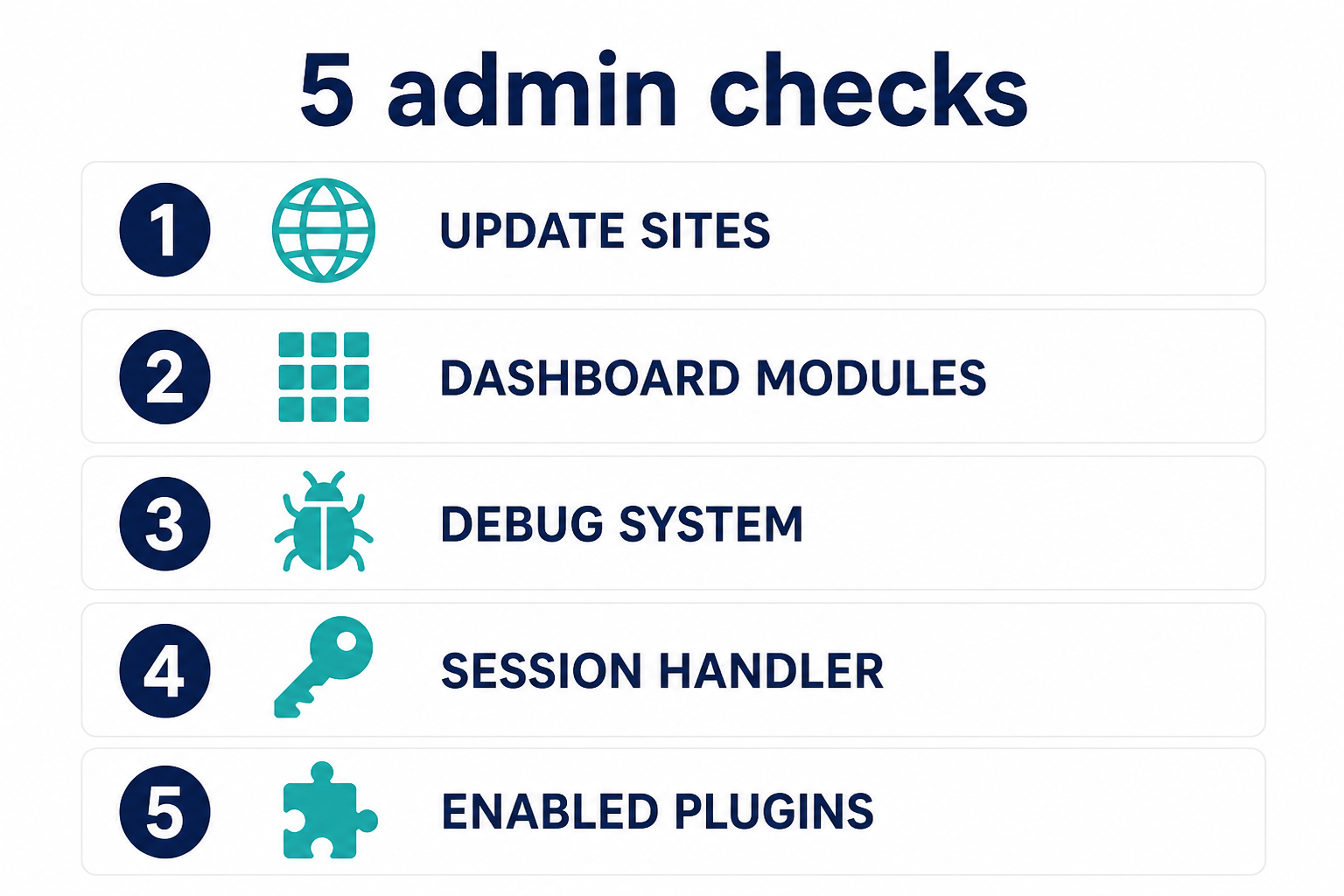
Installer pings first. Then cpanel modules. Then debug. Then session handler. Then enabled plugins.
Key takeaways
- Slow
/administrator/is not fixed by System – Page Cache or Cloudflare HTML cache. - Atum is the default admin template. Update sites and dashboard modules are likelier than a template swap.
com_installer/ Joomla Update will wait on every live update site. Disable dead vendor URLs.- Unpublished administrator modules do not render. Disabled plugins do not run. Enabled leftovers and leftover update sites still cost you.
- Debug System Yes belongs off on production after you finish an outage.
- Filesystem sessions can lock multi-tab admin. Try Database on staging. Expect a log-out.
- If the public site is also slow, diagnose it separately.
Related Joomla troubleshooting
Frequently asked questions
Why is the Joomla admin dashboard slow when the site is fast?
The administrator does not use guest Page Cache. The Home Dashboard loads administrator modules and often waits on update-site HTTP. The public site can be cached at the edge while /administrator/ still talks to PHP, the database, and vendor URLs.
Do unpublished extensions still load in the administrator?
Unpublished modules do not render. Disabled plugins do not run. Extensions that are still installed can still have Update Sites, and enabled plugins still run. Clean Update Sites and uninstall what you do not need. Do not assume unpublished equals gone.
Is Atum making my Joomla 4, 5, or 6 admin slow?
Usually no. Atum is core. Profile the dashboard network tab for installer XHR before you buy an admin template. A third-party admin template can add its own cost, but it is not the first check.
How do update sites slow com_installer?
Check for Updates requests each update server whose cache expired. One dead host can stall the dashboard or the update view until PHP gives up. Disable that row under Update Sites and retest.
Should I enable Debug System to find admin slowness?
Briefly, on staging, if you need query times. On production it makes every page heavier. For update-site stalls, the Network panel is the clearer tool.
Will changing session handler to Database speed up admin?
It can, when Filesystem session locks are the bottleneck (many tabs, long requests). It is not a universal accelerator. Test on staging. You will need to log in again.
Does Cloudflare cache the Joomla administrator?
You should not cache /administrator/ at the CDN. If someone did, you get stale admin HTML and odd logins, not a speed win. Bypass admin in Cloudflare page rules. Public speed is the front-end article.
Conclusion
Treat a slow Joomla admin as a control-panel problem: update pings, dashboard modules, debug left on, session locking, enabled plugins. Leave Atum alone until those are clean. Take a backup, use staging for session and plugin tests, and keep the core update site enabled.
If you want someone else to keep update sites and PHP current, that is Joomla support and maintenance.